


Today, while going through the settings of Windows Media Player 12 in Windows 7; I came to know about a new feature. This new feature is amazing which lets you preview/listen to your songs or tracks automatically on mouse hover.
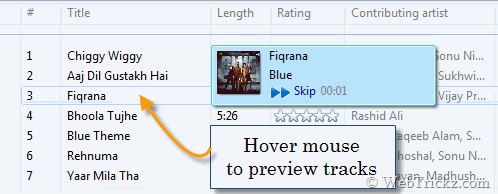
This eliminates the task of playing and checking a song. You can also fast forward the preview track easily. If a song or playlist is running and we preview a song, then the current track is paused and previewed track starts playing.
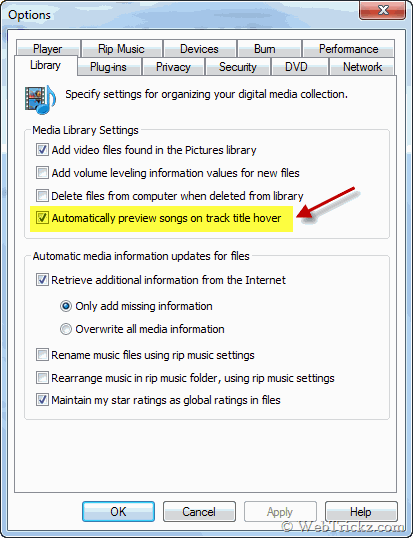
To enable this feature, you must have WMP12 (comes with Windows 7). Go to Tools > Options. In the Options window, open the Library tab and check the option named “Automatically preview songs on title track hover”. Click Apply > Ok.







Quite useful tips, thanks for sharing.