


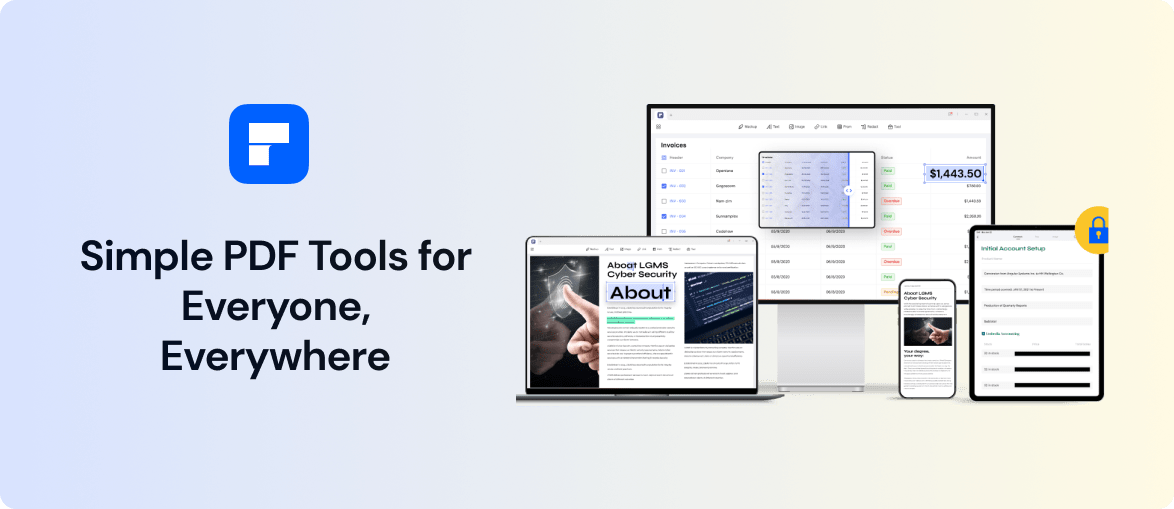
Wondershare PDFelement is a powerful PDF creator and PDF editor that allows you to edit, create, convert and share PDFs from any device at any time. With PDFelement, you can easily view, edit, convert, and create PDFs. Plus, with the mobile app, you can manage your PDFs on the go.
This article focuses on the all-new PDFelement for the iOS version.
Features of PDFelement for iOS
- New UI design, supports iPad pencil
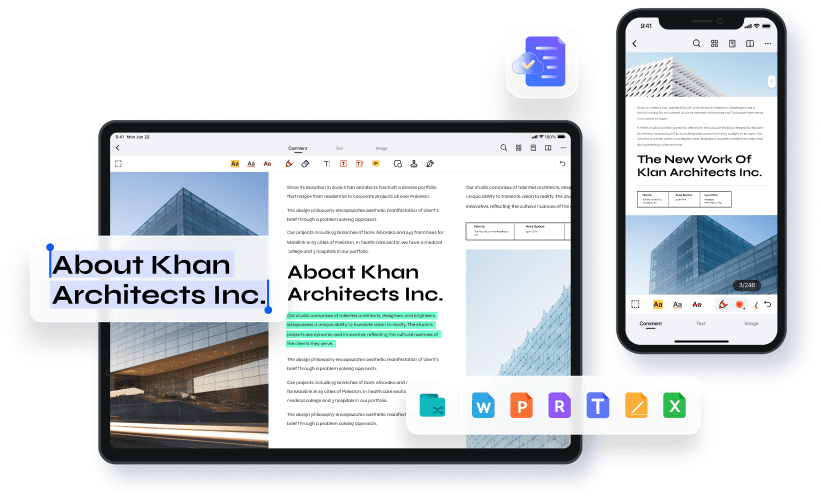
One of the best features of PDFelement for iOS is its new UI design. The redesign makes it easier to navigate and use the app and supports using the iPad Pencil. This makes it an excellent choice for those who want to use their iPad for editing and annotating PDFs.
- Supports multiple functions of PDF
With PDFelement for iOS, you can easily edit and scan the text, images, and pages of your PDFs without converting them to another format. In addition, the app lets you annotate and markup your PDFs with ease.
- Ability to open, save and share PDF files in the cloud
The app allows users to easily open, save, and share PDF files in the cloud. This is an excellent feature if you need to collaborate on a document with others or if you simply want to have access to your PDFs from anywhere.
- Create and Manage PDF files on mobile
PDFelement for iOS is a powerful PDF editor app that lets you create, edit, and manage PDF files directly on your mobile device. You can also use it to fill out PDF forms and sign documents electronically. Plus, with its built-in Conversion function, you can convert PDFs into various formats, including Word, Excel, PowerPoint, and more.
Review of PDFelement for iOS
Create and Manage PDF files
- Create PDF
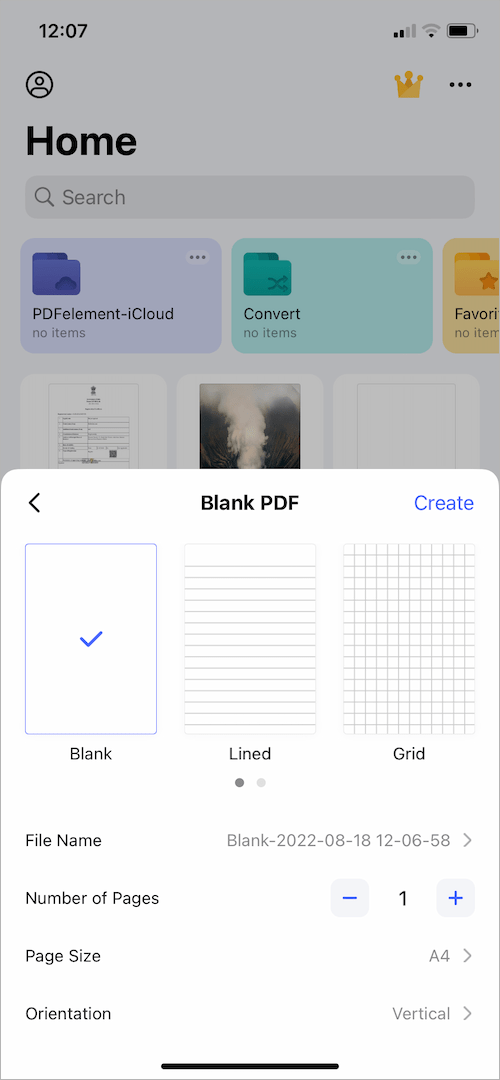
You can create new PDFs from scratch or convert existing documents, images, or web pages into PDFs. You can also use your camera to scan paper documents and save them as PDFs.
- Find your PDF files by search
One of the things you will like about the app is its ability to find your PDF files by search. Whether you’re looking for a specific document or just trying to locate all the PDFs stored on your device, PDFelement makes it quick and easy to find what you’re looking for.
- Create folders
PDFelement can create folders to help organize your PDFs. This comes in handy when you have a lot of files and need to keep them sorted.
Edit PDF
- Supports editing text paragraphs and pictures
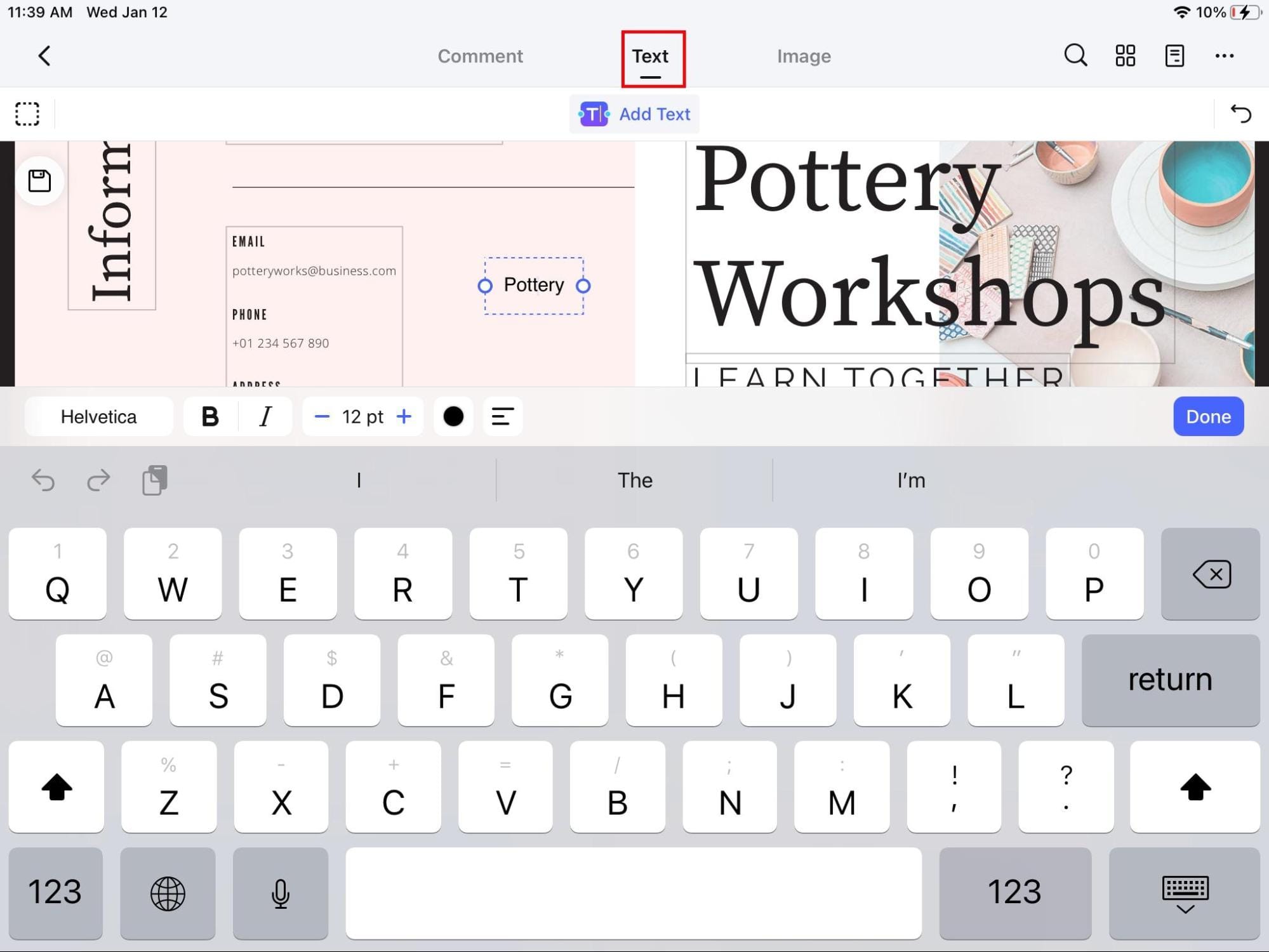
Editing PDF documents on your iPhone or iPad used to be a hassle. You had to convert the file to another format, make changes, and then convert it back again. But with PDFelement for iOS, you can now directly edit PDF files from your mobile device. One of the most useful features is the ability to support editing text paragraphs and pictures. This is helpful when you need to make changes to a document but don’t have access to a computer. For instance, you can use it to fill out forms you can’t otherwise complete on your mobile device.
- Annotate PDF files with multiple tools
With this app, you can quickly annotate PDF files using various tools, including highlights, underlines, strikeouts, and more. You can also add comments and notes to PDFs, which is handy for collaboration.
- Convert, Optimize, Merge, Compress
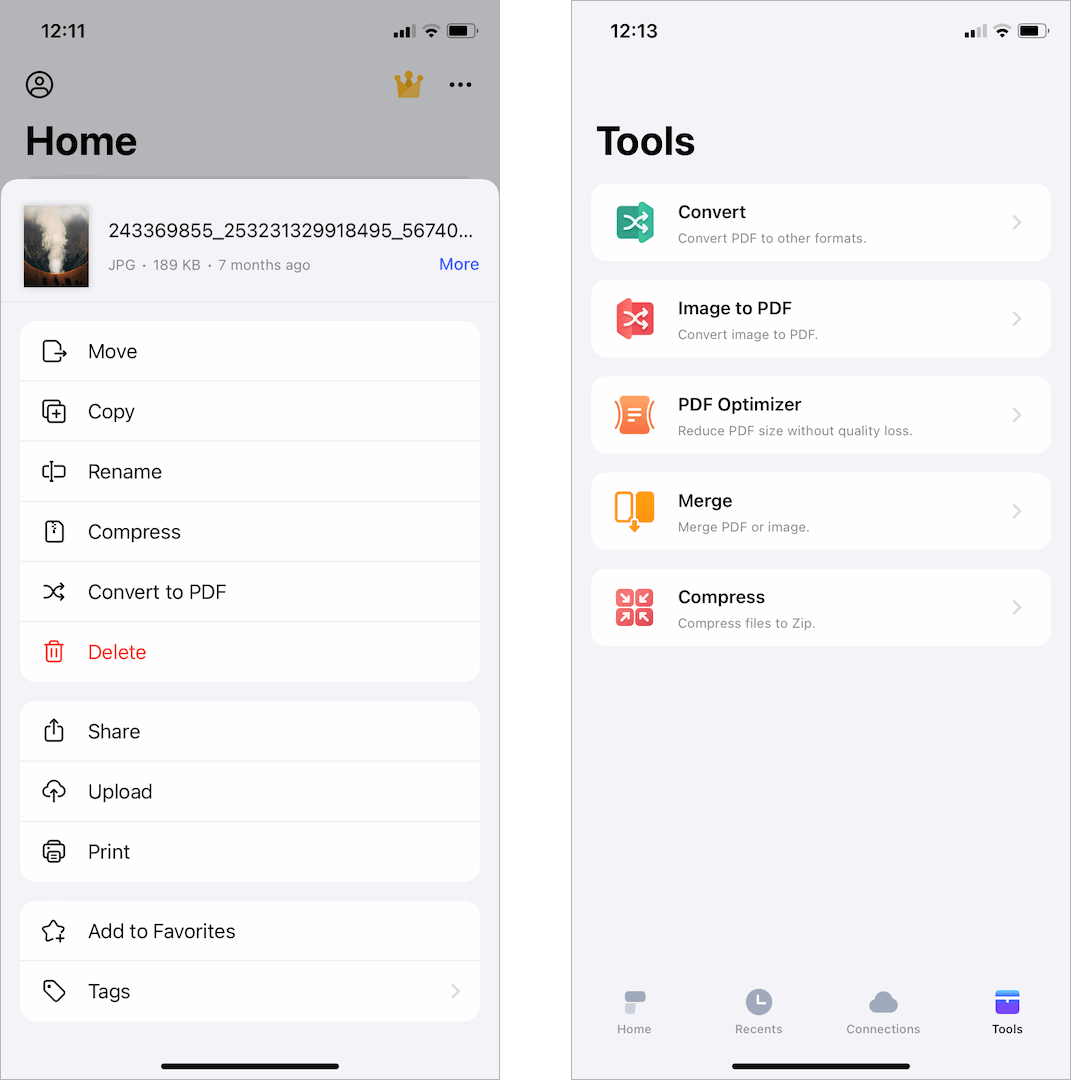
One of the app’s most valuable features is its ability to convert images to PDFs. This can be handy when you need to send a PDF of a scanned document or an image-heavy file. The conversion process is quick and easy, and the resulting PDF will retain the original quality of the image.
PDFelement also offers excellent PDF optimization features. These include the ability to merge multiple PDFs into one file, as well as compress PDFs to reduce their file size. Whether you’re looking to save space on your device or reduce the amount of data you need to send through email, these features will come in handy.
Document Cloud
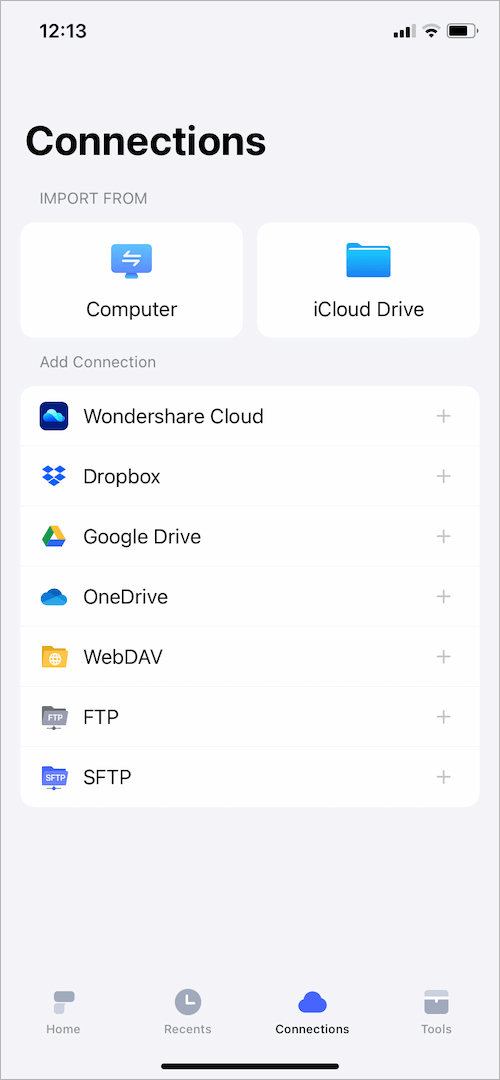
One of the standout features of PDFelement is its integration with Wondershare’s account-based document management system, known as WondershareCloud. This allows you to seamlessly sync your PDF documents across devices and platforms, making it easy to access and edit them on the go. Another great feature is the built-in OCR (Optical Character Recognition) technology. This allows you to convert scanned documents and images into editable text, making it easy to edit and repurpose existing content.
Price
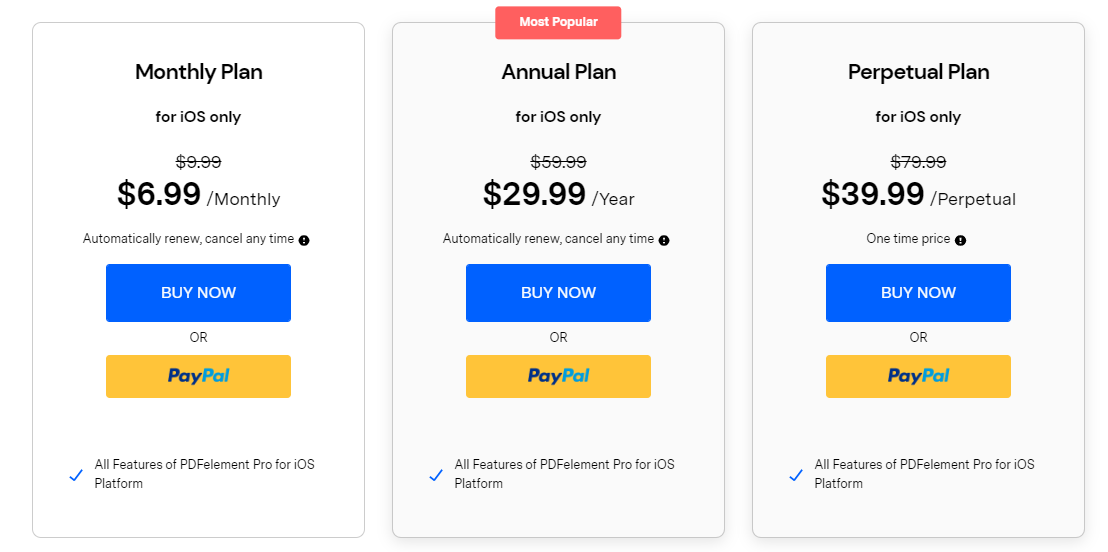
With PDFelement for iOS, you can choose from three different pricing plans – monthly, annual, or perpetual. The monthly plan costs $6.99 per month and automatically renews, though you can cancel it at any time. The annual plan costs $29.99 per year and also renews automatically. Meanwhile, the perpetual plan is a one-time purchase of $39.99. The free version of the app offers limited features and adds certain restrictions such as a watermark. You can choose the plan that best fits your needs.
Conclusion
The app offers a range of features that make it easy to create, edit, and manage PDF files and convert them into other formats. The new UI design is sleek and intuitive, and the support for iPad pencil makes it an excellent option for users who want to take advantage of the latest Apple technology. In addition, the ability to open, save, and share PDF files in the cloud makes it easy to keep track of your documents from anywhere.
Overall, PDFelement for iOS is an excellent choice for anyone who needs to edit or convert PDFs on their iPhone or iPad. The app is easy to use yet still packs a punch in terms of features. Whether you’re a casual user or a power user, PDFelement for iOS has something to offer.
RELATED TIPS:








