There is a traditional arrow icon overlay on all application shortcuts on a Windows desktop which is meant to differentiate the program shortcut from other files present. Windows offers no option to remove the shortcut arrow but it’s possible to easily get rid of that old boring arrow or change it to a custom one using a small free program.
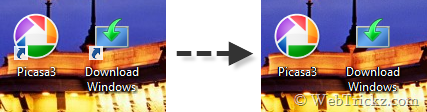
Windows Shortcut Arrow Editor allows you to remove the arrow for shortcut icons in Windows 8, Windows 7, and Windows Vista or set it to a nice custom icon. The program supports both x86 and x64 editions of Windows and does not require to be installed.
Moreover, you don’t need to save any changes, refresh, or restart your Windows to see the changes. They are instantly applied in a flick! The pack includes some cool arrow icons as well that you can set for shortcuts using the Custom option.
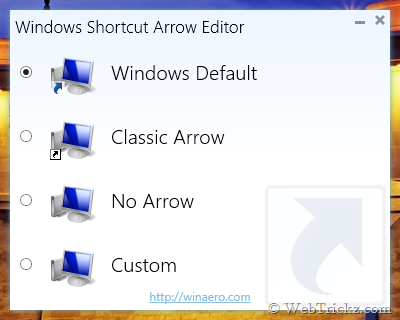
Windows Shortcut Arrow Editor lets you:
- remove the shortcut arrow with a single click;
- set classic (XP-like) shortcut arrow with a single click;
- set ANY icon as a shortcut arrow in a few clicks;
- reset the shortcut arrow to its default icon.
Supported OS: Windows 8, Windows 7, and Vista [32-bit and 64-bit]