

WebTrickz
TRENDING
  • Claude vs ChatGPT: Which Is Better in 2026?
No Result
View All Result
  • Reviews
  • Editorials
  • Social Media
    • Facebook
    • Twitter
    • YouTube
    • Messenger
    • Instagram
    • Snapchat
    • WhatsApp
    • TikTok
  • Apps
  • How To’s
  • Apple
  • iPhone
  • Google
  • Android
  • Mac
  • Security
  • About Us
    • About Us
    • Contact Us
    • Privacy Policy
  • Reviews
  • Editorials
  • Social Media
    • Facebook
    • Twitter
    • YouTube
    • Messenger
    • Instagram
    • Snapchat
    • WhatsApp
    • TikTok
  • Apps
  • How To’s
  • Apple
  • iPhone
  • Google
  • Android
  • Mac
  • Security
  • About Us
    • About Us
    • Contact Us
    • Privacy Policy
No Result
View All Result
WebTrickz
No Result
View All Result
Home Internet

How to Add GIFs on Instagram Stories

Mayur Agarwal by Mayur Agarwal
June 19, 2024
in Internet

Instagram Stories are a fun way to share status updates with your friends and followers. Stories remain visible for 24 hours, hence you don’t have to worry about updates going unnoticed or figuring out the best time to post. Back in January, Instagram introduced GIF stickers for stories to make them more funny and expressive. Earlier users could add location, date, hashtag, poll, stickers, and emojis, however, they can now use GIFs on an Instagram story.

Thanks to GIPHY integration, users have the option to choose among hundreds of thousands of moving stickers and add them to a photo or video in stories. One can browse trending GIFs across the library or go through the extensive collection of stickers by searching for a specific sticker. There are tons of interesting animated stickers to choose from such as dancing cats, pizza, twirling hearts, and so on. Let’s see how to add GIF stickers on Instagram stories to make them creative and funny.

How to use GIFs on Instagram Story

Doing so is really easy. You first need to create a story by taking a photo or video or selecting one from your gallery.
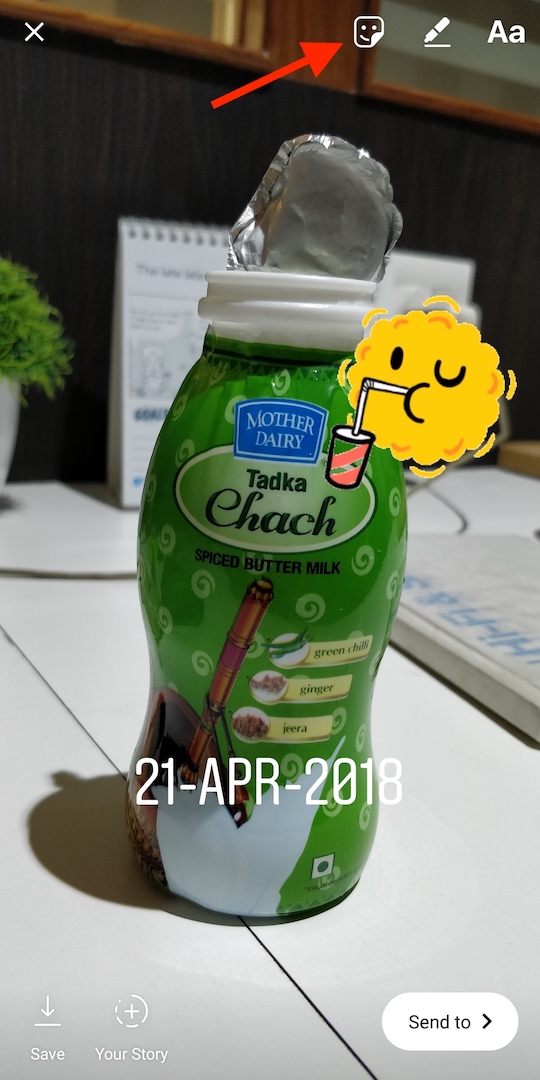
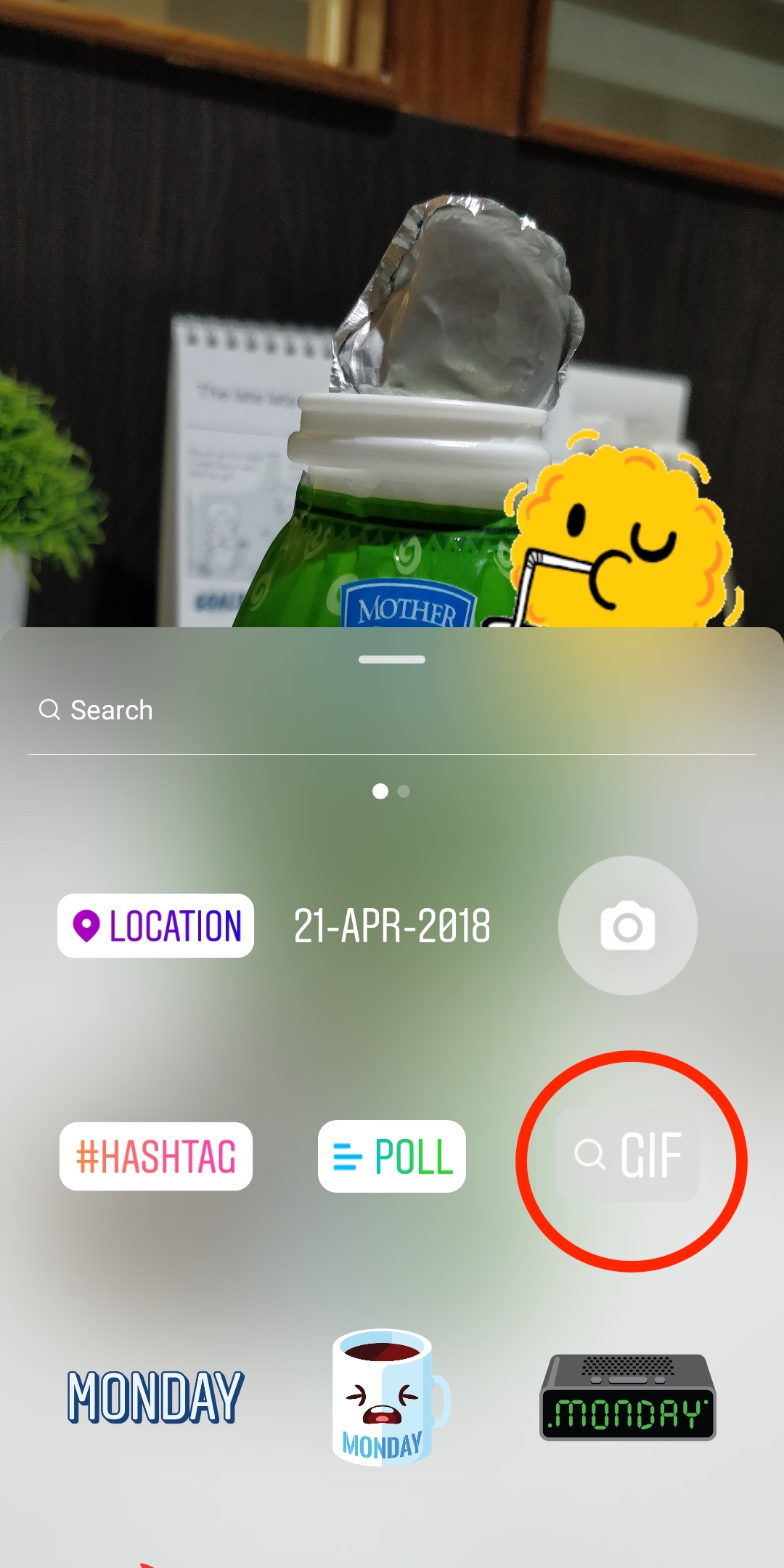
adding gifs to instagram

Tap the sticker icon on the top right or swipe up on the screen. Choose the GIF option that appears alongside other options like the poll, location, and hashtags.
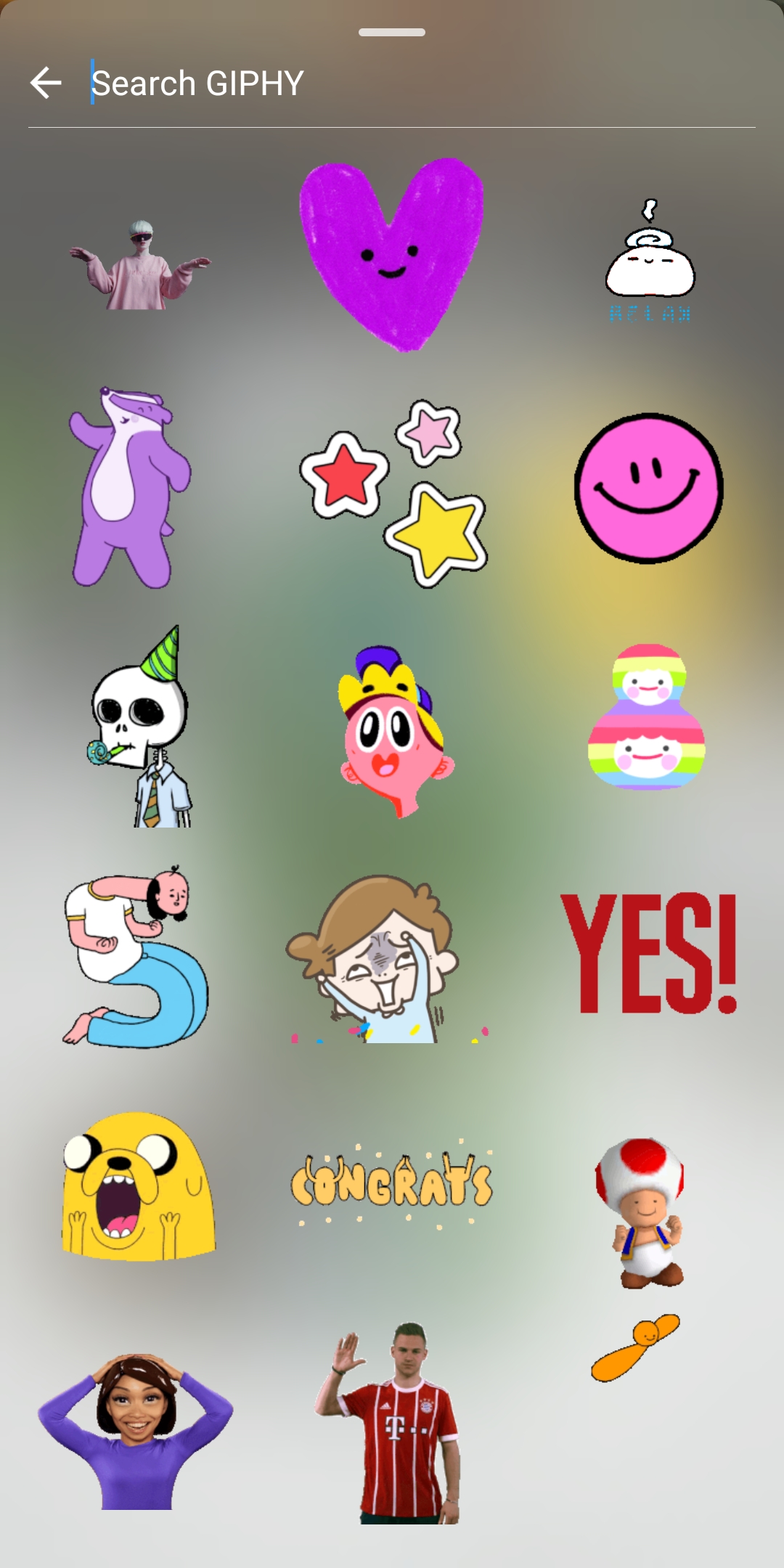
You can now scroll and choose from the currently trending GIFs or search the GIPHY collection for your favourite GIF.

After adding the GIF to your story, you can pinch to resize and drag to adjust its position.

It is worth noting that you can add multiple GIF stickers to your Instagram story. Just make sure you’re running Instagram app version 29 or later on iOS and Android to use GIFs.

Tags: InstagramSocial MediaStickersTips
ShareTweetSend
Previous Post

How to Batch Delete Uninstalled Apps History from Google Play Library

Next Post

How to Download all your Photos from Facebook

Mayur Agarwal

Mayur Agarwal

Mayur Agarwal, the founder and editor of WebTrickz, is a tech enthusiast with a Bachelor's degree in Computer Applications and over 15 years of experience in tech writing. His passion for technology and gadgets drives him to create insightful how-to articles and troubleshooting guides.

Next Post

How to Download all your Photos from Facebook

Leave a Reply Cancel reply

Your email address will not be published. Required fields are marked *

Latest Stories

Google Gemini

How to Cancel Your Gemini Subscription (2026 Guide)

June 21, 2026
difference between chatgpt and claude

Claude vs ChatGPT: Which AI Should You Use in 2026?

June 21, 2026
google chrome logo

Google Chrome Offline Installer: Direct Download Links

June 17, 2026
X logo

How to Remove All Bookmarks on X (Twitter) At Once in 2026

June 15, 2026
X logo

How to Find Bookmarks on X (Twitter) in 2026

June 15, 2026
copilot logo

How to Turn Off Copilot Search in Bing on Edge & Chrome

June 10, 2026
microsoft edge new logo

How to Turn Off Notifications in Microsoft Edge (2026 Guide)

June 8, 2026

Trending Stories

  • 1337x logo

    1337x Proxy List 2026: Working Proxy & Mirror Sites

  • How to Turn Off Microsoft Family Safety on Windows 11 & 10

  • How to See Recently Watched Reels on Facebook (2026 Guide)

  • How to Turn Off Microsoft Edge Game Assist in Windows 11

  • How to Turn Off Fn Lock or Fn Key on Windows 11/10 Laptop

  • About Us
  • Contact Us
  • Privacy Policy
  • Advertise

© 2026 WebTrickz. All Rights Reserved.

No Result
View All Result
  • Reviews
  • Apps
  • How To’s
  • Android
  • Google
  • iPhone
  • Mac
  • About Us
  • Contact Us
  • Privacy Policy

© 2026 WebTrickz. All Rights Reserved.





