


This article is written by Pratyush Mittal, who runs a tumble blog@ FuLLy-FaLtOo.com
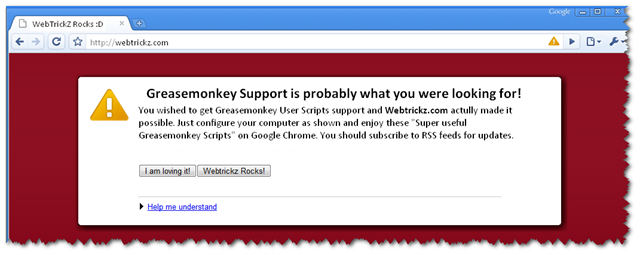
A quick intro on how to enable Greasemonkey scripts in Google Chrome:
1) Install Google Chrome beta version 2 using Google Chrome Channel Changer.
2) Load the Greasemonkey User Scripts in the following folder:
Windows XP: %userprofile%\Local Settings\Application Data\Google\Chrome\User Data\Default\User Scripts
Windows Vista: %userprofile%\AppData\Local\Google\Chrome\User Data\Default\User Scripts
3) Modify the Google Chrome shortcut—or any Chrome “application” shortcuts—to include the --enable-user-scripts switch after the executable path.
The detailed procedure has been given at Lifehacker.
So here are “10 Super useful Greasemonkey scripts also compatible with Google Chrome.”Give them a try and share your favorite ones.
1) oAutoPagerize:
This is the edited version of the loved Auto Pager extension made compatible with Chrome. It automatically loads the contents of the next page on forums, search engines, YouTube, etc. on the current page itself.
2) Better Gmail :
The Lifehacker team has done a wonderful job of compiling the best GMail scripts and provide you with a Better Gmail. It enhances Gmail’s speed and hides distractions to make it furthermore useful.
3) BugMeNot:
Don’t want to “Sign Up” on the sites just to drop a comment? BugMeNot script will automatically notify you about the logins on the sites you visit.
4) Facebook Ad Killer :
As the name tells, it makes the Facebook site aad-free
5) LightBox:
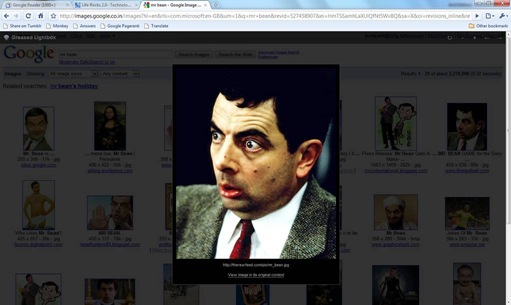
“Enhances browsing on websites that link to images such as Google Image Search, Flickr, Wikipedia, MySpace, deviantART, FFFFOUND!, and Blogger blogs. Use left and right arrow keys to cycle through images on the page.”
6) Invisibility Cloak :
Want to save yourself from spending time on useless sites? Invisibility Cloak will help you do so. Just edit the script to include the names of sites (already done for Flickr and Metafilter) using // @include http://sitename.com. Now save the time settings and it won’t allow you to visit the site in the prohibited hours.
7) Linkify ting:
It turns plain text links into clickable links. Thus [something not blank][a dot][something not blank] on a page is turned into a clickable link. Thus it works even with texts like Google.com.
8) Profanity Filter :
It filters profanity on web pages by replacing the pre-defined list of profane words with a *** on a webpage. The list can be edited to include new words or exclude some by making changes in the script easily.
9) RSS Detection :
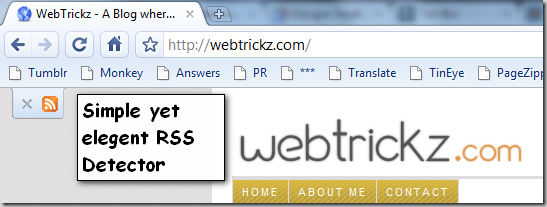
One thing that we still really miss on Chrome is the proper support of RSS. However, this script makes it easier by detecting the RSS feeds on any web page.
10) Textarea Backup :
Did you ever accidentally close the page after writing up a long text or reply on a forum? Textarea Backup is a useful script that saves you in such circumstances. It saves the text as soon as it is changed and prevents you from retyping it by providing a backup. So if you accidentally close a webpage after writing up a long reply on it, just reopen the site and the text will be there.
I hope the above list is useful. Do share your favorite script by using the comments.
You can also share your ideas by writing a guest article on Webtrickz.










This is so cool, I always loved Chrome and this makes me love it more. Thanks for sharing.
ya chrome is better and it makes it more.. thanx.