


Nowadays, most software packages, installers, and files come in compressed formats to reduce their size. The compressed files in RAR and Zip formats can only be opened through software like WinRar or WinZip, which are not Free.

So, I’ve compiled a list of 10 Best Free Alternatives to WinRar and WinZip which are highly powerful and functional like them. Continue to check the list below:
7-Zip
7-Zip is one of the simplest and best file archivers with a high compression ratio. It can compress to the .7z format, ZIP, GZIP, BZIP2, and TAR. It has the ability to decompress or unpack many formats like RAR, CAB, ISO, ARJ, UDF, MSI, DMG, LZH, CHM, Z, CPIO, etc.
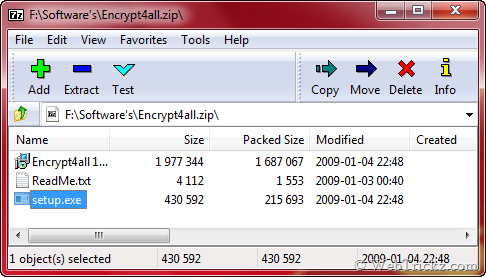
It integrates with the Windows shell (explorer). It provides Strong AES-256 encryption in 7z and ZIP formats. 7-Zip works on All Windows, Linux/Unix. A portable version is also available.
PeaZip
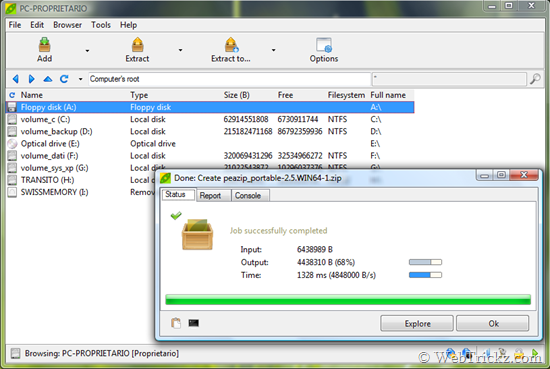
PeaZip is available as portable and installable software for 32 and 64 bit Windows and Linux. It can create and extract multiple archives at once, create self-extracting archives. It has a secure deletion feature, can verify file checksum and hash, and supports multiple strong encryption standards.
IZArc
IZArc can easily create achieves and allows to Add, Delete, Extract or Convert archives. You can drag and drop files from IZArc to extract them anywhere you want. IZArc can also open CD image files like ISO, BIN, CDI, and NRG. It is also possible to convert such files from one type to another (BIN to ISO, NRG to ISO).
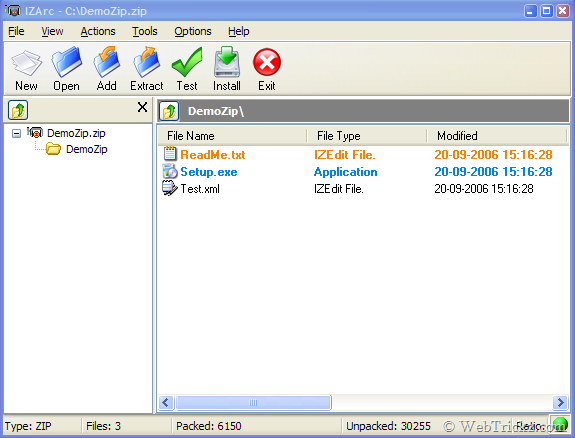
It integrates into the Windows Explorer context menu. It has many useful features like Virus Scan, Zip encryption, Repair broken archive, Multilanguage support, and more.
TUGZip
TUGZip is a powerful freeware archiving utility for Windows that provides support for a wide range of compressed, encoded, and disc-image files. Encrypt archives using 6 different algorithms. Blowfish (128-bit), DES (56-bit), Triple DES (168-bit) and Rijndael (128-bit, 192-bit and 256-bit).
It can extract multiple archives at once and Repair corrupted ZIP and SQX archives.
ZipGenius
ZipGenius lets you compress files to almost any kind of archive. It supports more than 20 compressed archive formats, including CD/DVD-ROM image files. The famous formats supported are ZIP, RAR, 7-zip, CAB. ACE, ARJ, LHA, RPM, TAR.
ZipGenius allows you to preview pictures in a compressed archive as thumbnails. You can change the look of the ZipGenius sidebar, icons, etc using the integrated skins.
WobZip
WobZip is a free online service to unzip or uncompress a file on the fly. It can unzip the files from your computer or a URL. It doesn’t require any installation to use.

ExtractNow
ExtractNow is a simple utility that allows you to extract multiple archives quickly and easily. It is not a complete archival solution. It supports the 2 most popular compression formats, ZIP and RAR.
Zipeg
Zipeg is the easiest way to open RAR and ZIP files. Zip thru photo archives, see thumbnails, select and extract what you need. It opens formats like ZIP, RAR, 7z, ARJ, LHA, TGZ, TAR, and many many more. Supports Windows XP and Vista, Mac OS X Tiger, and Leopard.
Universal Extractor
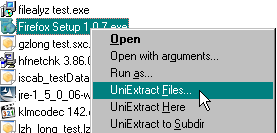
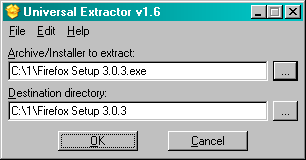
Universal Extractor is a program to extract files from any type of archive, whether it’s a simple zip file, an installation program, or even a Windows Installer (.msi) package. Its main function is to extract files from installation packages and it doesn’t replace WinRAR, 7-Zip, etc.
jZip
jZip is a powerful and reliable compression utility based on 7-Zip archiving technology. It can create, open, and extract Zip, TAR, GZip, and 7-Zip. Open and extract from RAR and ISO.
Hope you liked the above-mentioned alternatives. Please share or bookmark this post to notify others.










Finally a great find these are some good softwares to use because i am having problems opening rar files I have not tried all as of yet but 7zip seems to work find without any restrictions and trials thanks for these.
Thanks dude!
Good list…. need to try them out.
Excellent effort .. I too have few good stuff at my blog
yes, i agree these are good alternatives. but i have come across many problems while trying to extract compressed files (which have been compressed with winrar) using other free alternatives. not sure if others have had this problem, but i certainly have. it was a game i downloaded from the net. that’s why i stick to winrar.
I must thank you for the efforts you have put in penning this website.
I’m hoping to view the same high-grade content by you later on as well.
In fact, your creative writing abilities has inspired me to get my own site now 😉