Facebook now lets you see your recently watched Reels, making it easier to find a Reel you viewed earlier but didn’t save or like.
Your Facebook Reels watch history is available directly in the Facebook app, while the desktop website lets you view watched Reels and videos through the Activity Log.
Here’s how to find your recently watched Reels on Facebook on iPhone, Android, and desktop.
How to Find Reels You’ve Watched on Facebook
Facebook keeps a history of the Reels you’ve watched within the past 30 days.
To find recently watched Reels in the Facebook app on iPhone or Android:
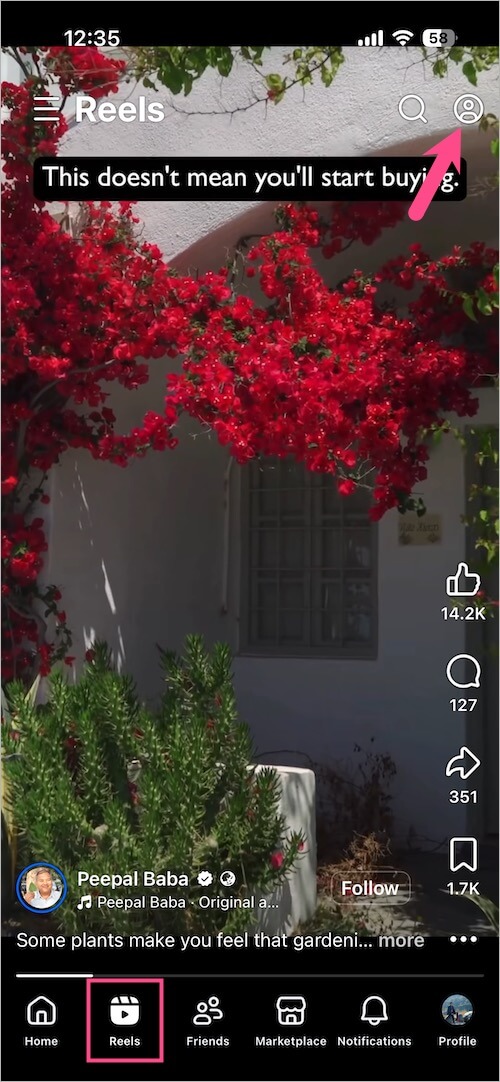
- Open the Facebook app and tap the Reels tab from the navigation bar at the bottom (iPhone) or top (Android).
- Tap the three dots (or profile icon) in the top-right corner.
- Tap History (newer version) or Watched reels (older version) to access your Facebook Reels viewing history.
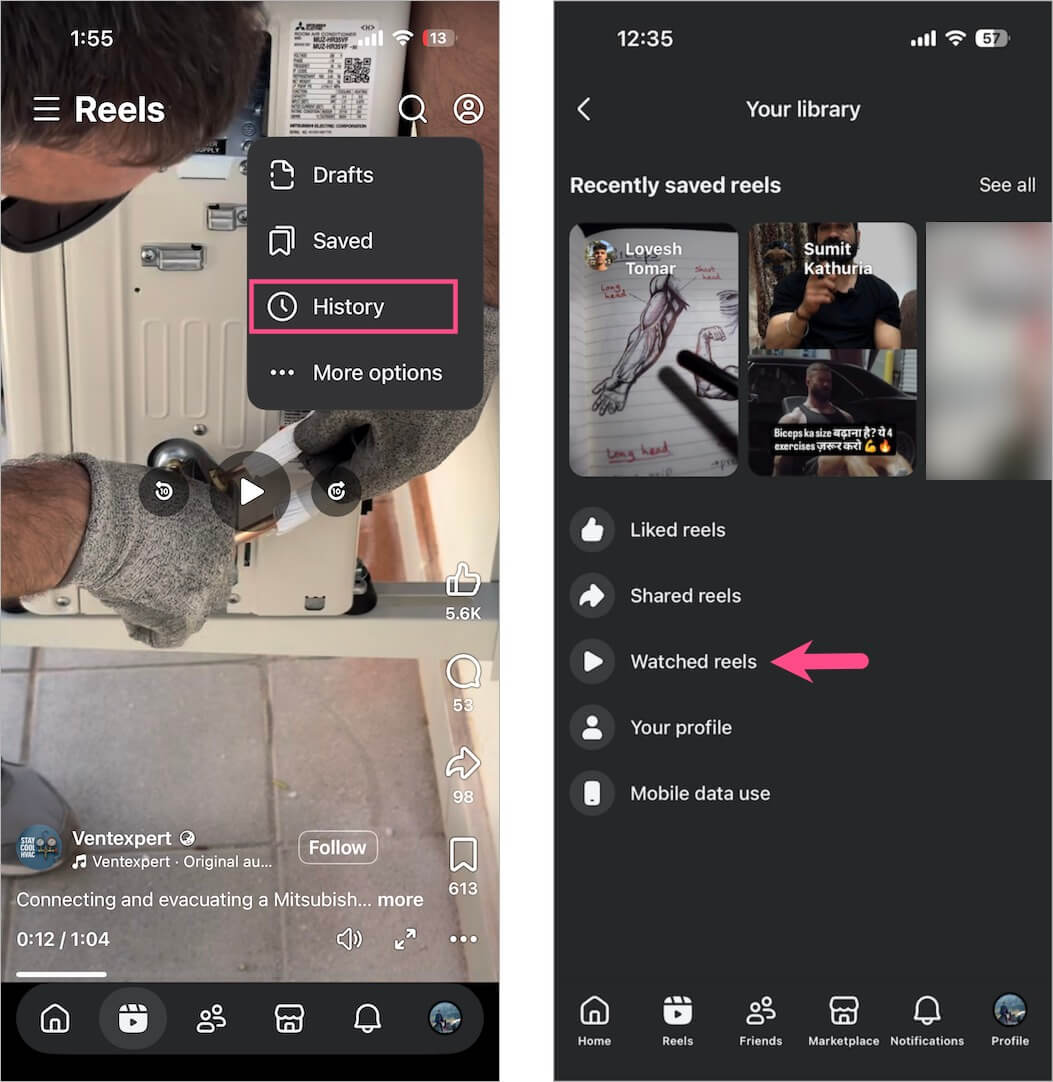
You’ll now see your recently viewed Facebook Reels.

Facebook currently doesn’t provide options to sort your watched Reels, filter them by date, or filter them by creator.
Another Way to Find Watched Reels
You can also access your watched Reels through the Saved section:
- Open the Facebook app on your phone.
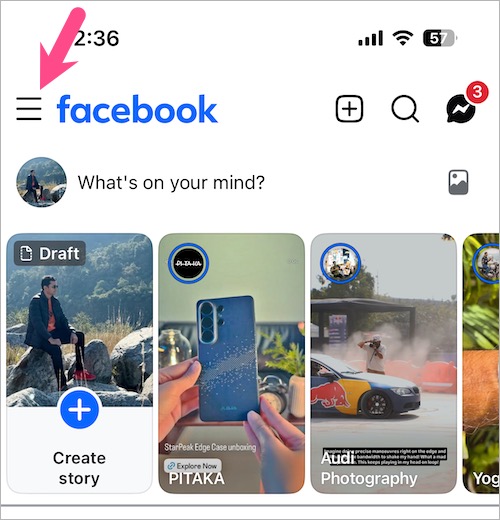
- Tap the Menu icon.
- Go to Saved. Tap See more if you don’t see the Saved option.
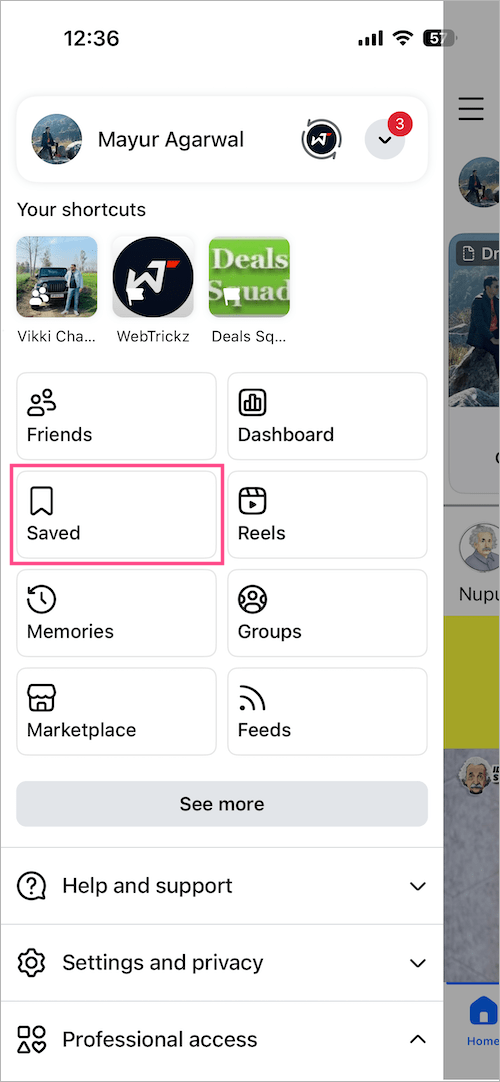
- Tap the Reels tab, then select Watched.
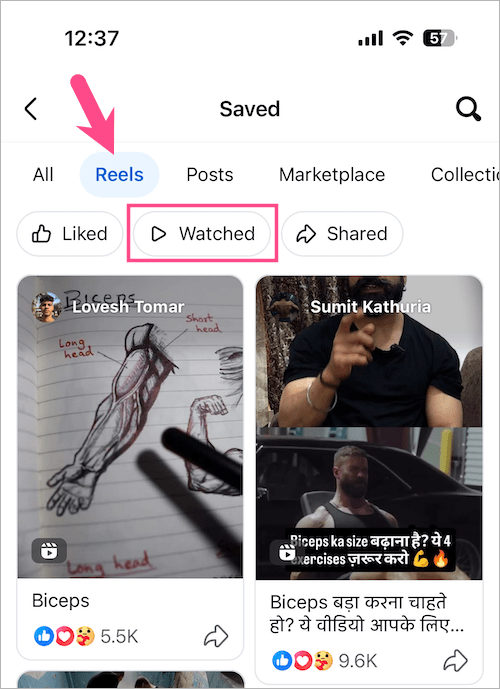
Here you can see your recently watched Facebook Reels.
How to See Watched Reels and Videos on Facebook Desktop
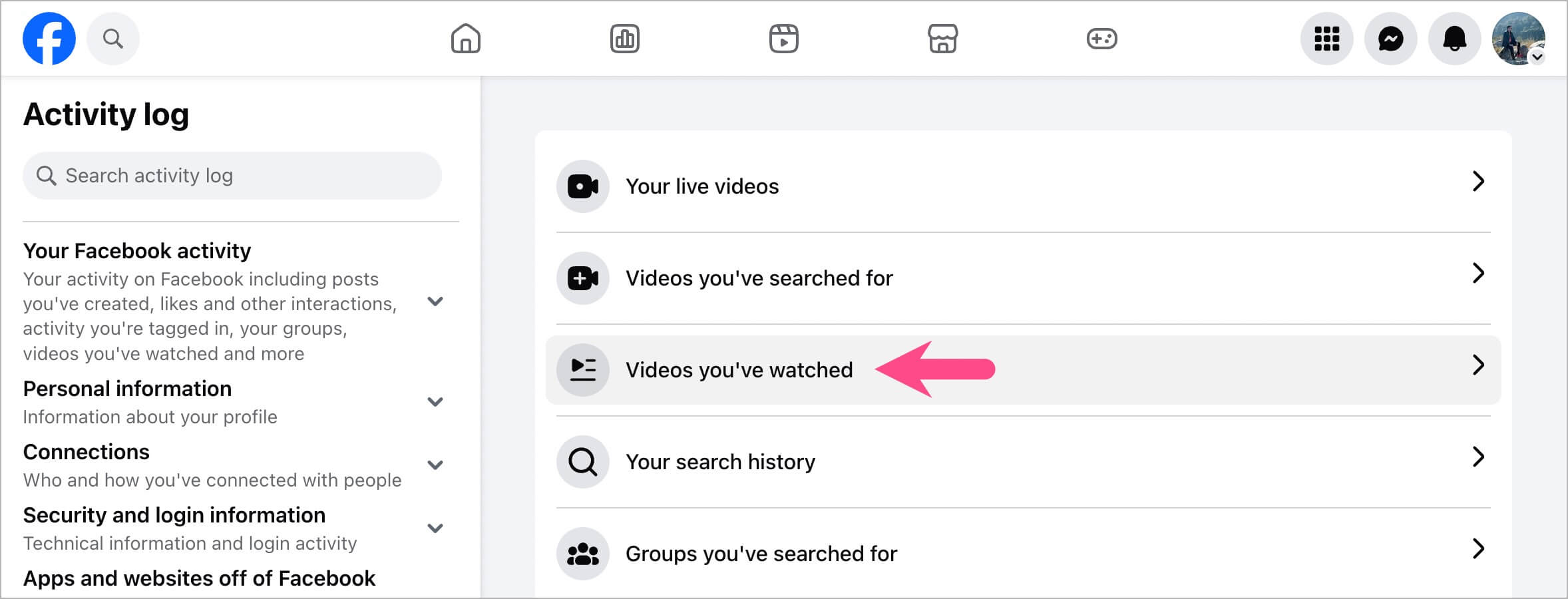
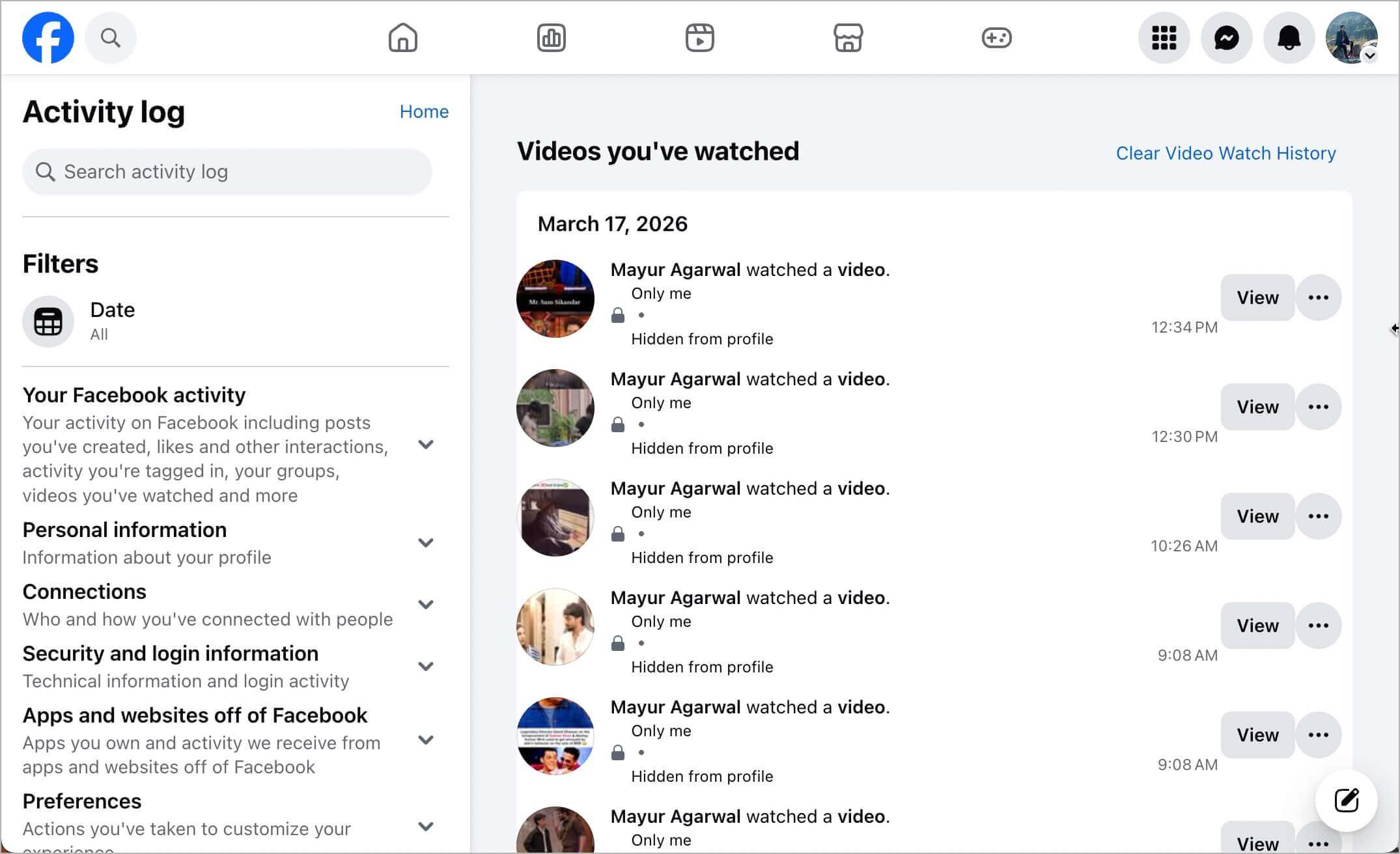
On the Facebook website, watched Reels and regular videos appear together in your Activity Log under Videos you’ve watched.
To find videos and Reels you’ve watched on a PC or Mac:
- Open Facebook in a web browser and log in to your account.
- Click your profile picture in the top-right corner.
- Select Settings & privacy.
- Click Activity log.
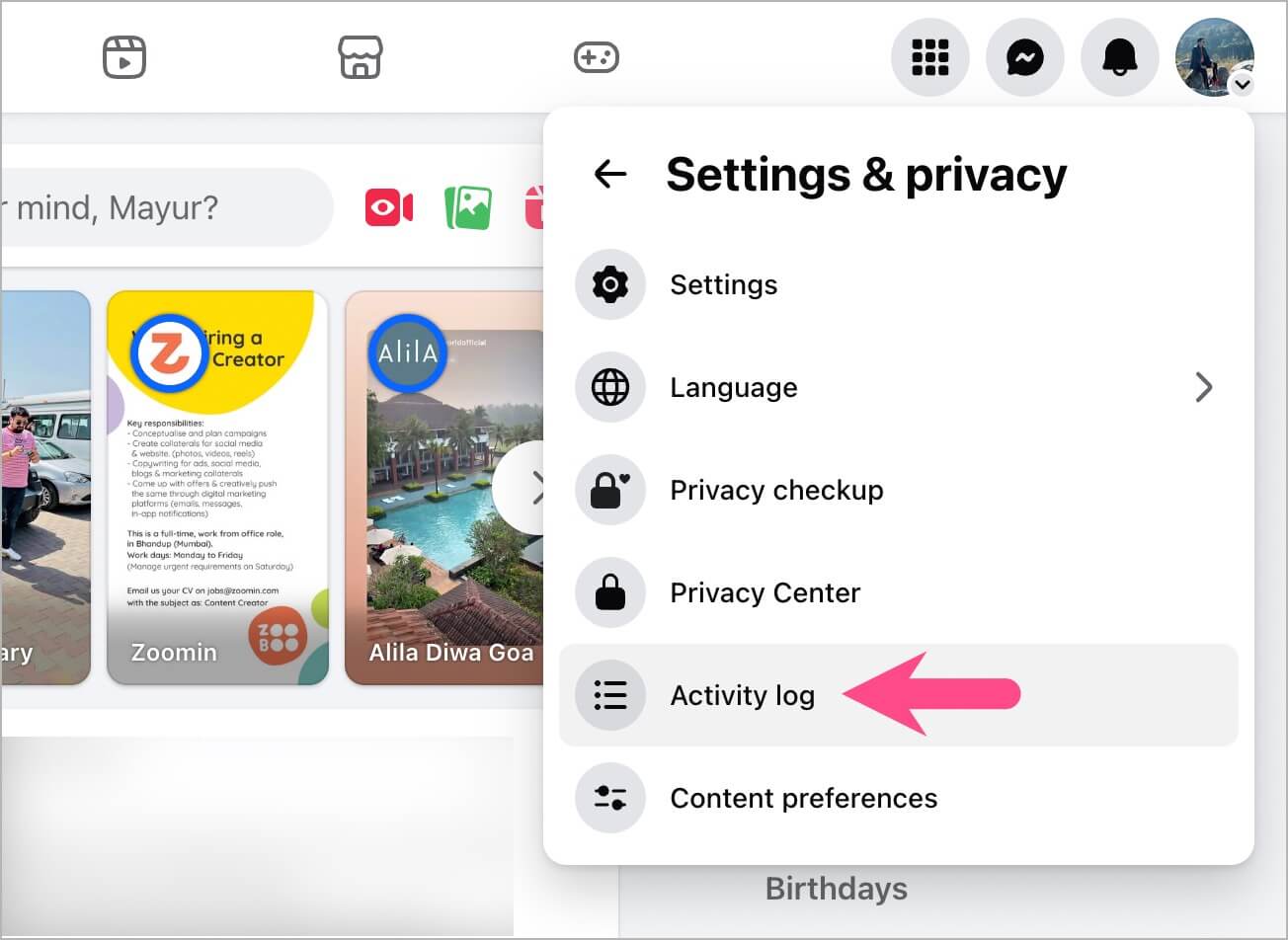
- Select Videos you’ve watched.
You’ll now see your watched videos and Reels along with the date and time you watched them.
Related: If you liked a Reel you want to find again, you can also view your Liked Reels on Facebook.
Can You Delete Watched Reels from Facebook History?
Yes. Facebook lets you remove individual watched Reels from your viewing history and clear your watch history.
For the steps on iPhone, Android, and desktop, see our guide on How to Delete Watched Reels on Facebook.
Related Tips
- How to Find Your Saved Reels on Facebook
- How to See Your Liked Reels on Facebook
- How to See Recently Viewed Reels on Instagram