


Google+ is moving ahead at an incredibly fast rate and it is being reported that Google+ is about to hit 10 Million users mark in just 2 weeks. Google Plus invites are now available to all users, so you can easily get in by asking one from your friend or ask us for one. If you’re already on Google+, then you must be enjoying a whole lot of interesting features offered by it. However, some good and must have features are currently unavailable as it isn’t opened officially yet for everyone.
Therefore, if you’re using Google Chrome browser then you can improve and power your overall Google+ experience by adding some essential Chrome extensions for Google Plus. Check our most favourite Google + extensions below:
1. Surplus
Surplus is a very useful extension which offers the ability to check notifications, reply to comments and Share post on Google+ from any webpage on Chrome, without the need to open Google+. It can be easily customised from the settings menu.
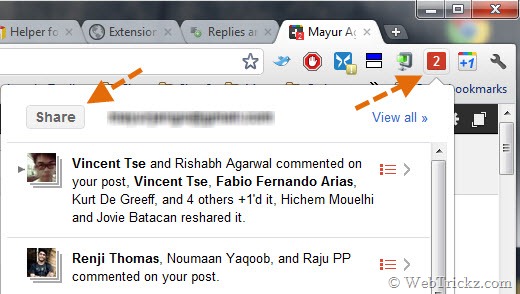
Features:
- Post or respond from within the popup
- Desktop Notifications
- Notification sounds
- Switch between multiple Google accounts
2. Replies and more for Google+
Replies and more for Google+ is the best and my favorite Google+ extension. This feature packed extension adds amazing and useful functionality to Google+ which includes:
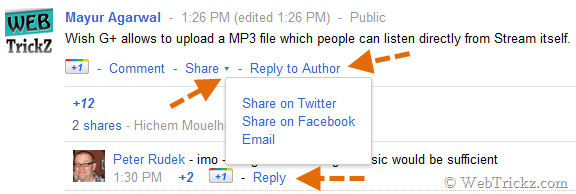
- Reply and Reply to Author links for mentioning users easily in comments and posts.
- Header bar (Top black bar) floats down as you scroll
- Adds a dropdown next to share with additional sharing options(Twitter/Facebook/Email)
- Badges the favicon with a number when you have new messages
- Ctrl+Enter and Shift+Enter submit a comment or post
3. +Photo Zoom
+Photo Zoom is a simple extension providing fast and simple zooming for photos within your Google+ Stream. Just hover over the image you wish to zoom and +Photo Zoom will load the enlarged version of the picture. The updated version adds support for delayed zoom and zoom on keypress. Works with Profile photo, Picasa and external pictures.

4. +Comment Toggle
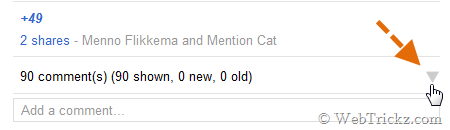
+Comment Toggle hides any comments to posts within your Stream and makes them available when you actually want to see them. This simple extension is capable of collapsing the comments within your Google+ Stream, thus making it clutter free.
Alternative: GooglePlusPlus Hide Comments
The googleplusplus_hide_comments userscript for Google Plus (aka Google+ aka G+) adds a Hide Comments or Show Comments link on each post; this feature is sticky (the hidden or shown state is recorded in the browser’s local storage).
Install:
5. Plus One Anything
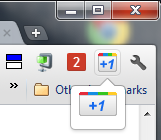
+1 Anything is a handy extension that adds the ability to +1 almost any webpage. It lets you share any page with your friends without waiting for the webmaster of the page to add the +1 button first. The +1’s made using this extension appears in the +1’s tab on your Google+ profile. You can do +1 and Undo +1 using its button in Chrome.
6. G+me for Google+
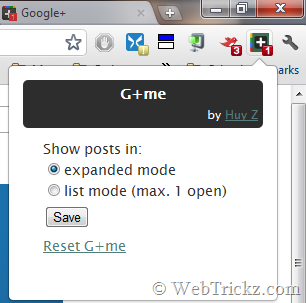
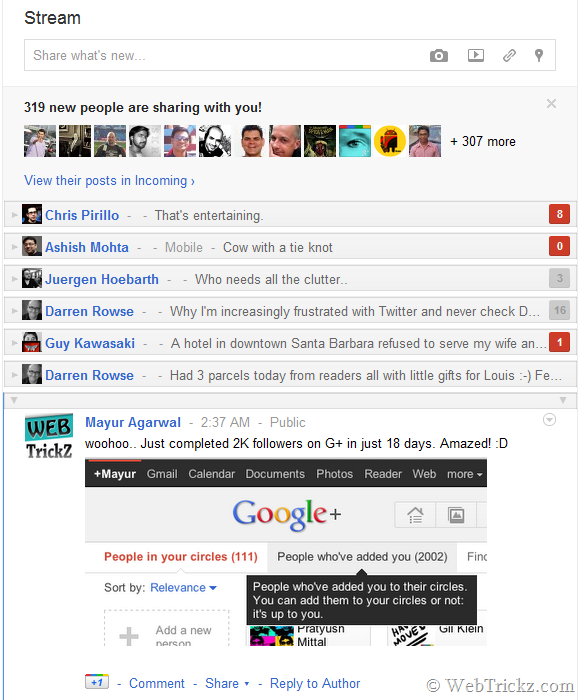
G+me is a nifty extension that enhances the Google+ web app to unlock the potential of its real-time updates and make it much easier to process a large stream of incoming posts and comments. It allows you to view stream updates both in expanded and list mode. In expanded mode, you can collapse any desired entries while in List mode all entries are collapsed by default and you can expand a particular one (max. 1 open).
Features:
- Notification status visible at all times
- Collapsible items – Hide and unhide a post without muting it
- Real-time comment count on collapsed items
- List-mode option keeps at most one post displayed
Other Useful Google+ Chrome Extensions include:
- Start G+
- Helper for Google+
- Extended Share for Google Plus
- Usability Boost for Google Plus
Do try out the above extensions and share your views. 🙂
Also See: 25 Google+ Tips to Enhance Your Google Plus Experience








Enjoying the information you are publishing. Most recently on Google+. Can’t wait to try the Google+ features, however, still waiting for an invitation.
Just asking if anyone can ‘invite’ me to Google+
Thanks, Roll
Nice list buddy..will surely use these extensions..
And friends whoever needs a free google+ invite can contact me at my blog…
wow… Very Great Post. Thank You.
I just released my own extension which allows you to collapse posts while still getting updates on new comments. It also shows the notification status on a browser icon no matter where you are.
Here’s the discussion on Google+: http://goo.gl/VwkwX
Hope you find it useful.