


We all often tend to capture screenshots on our mobile devices to share them or to highlight an issue with a certain app or webpage. Perhaps, Android users would be disappointed to know that the latest stable version 65.0.3325.109 of Google Chrome doesn’t allow users to capture screenshots in Incognito mode.
If you try to take a screenshot while you’re in Incognito mode, then a pop-up notification will appear saying “Taking screenshots isn’t allowed by the app or your organisation.” This is something that we recently noticed on the Facebook for Android app as well and hence it’s surprising.
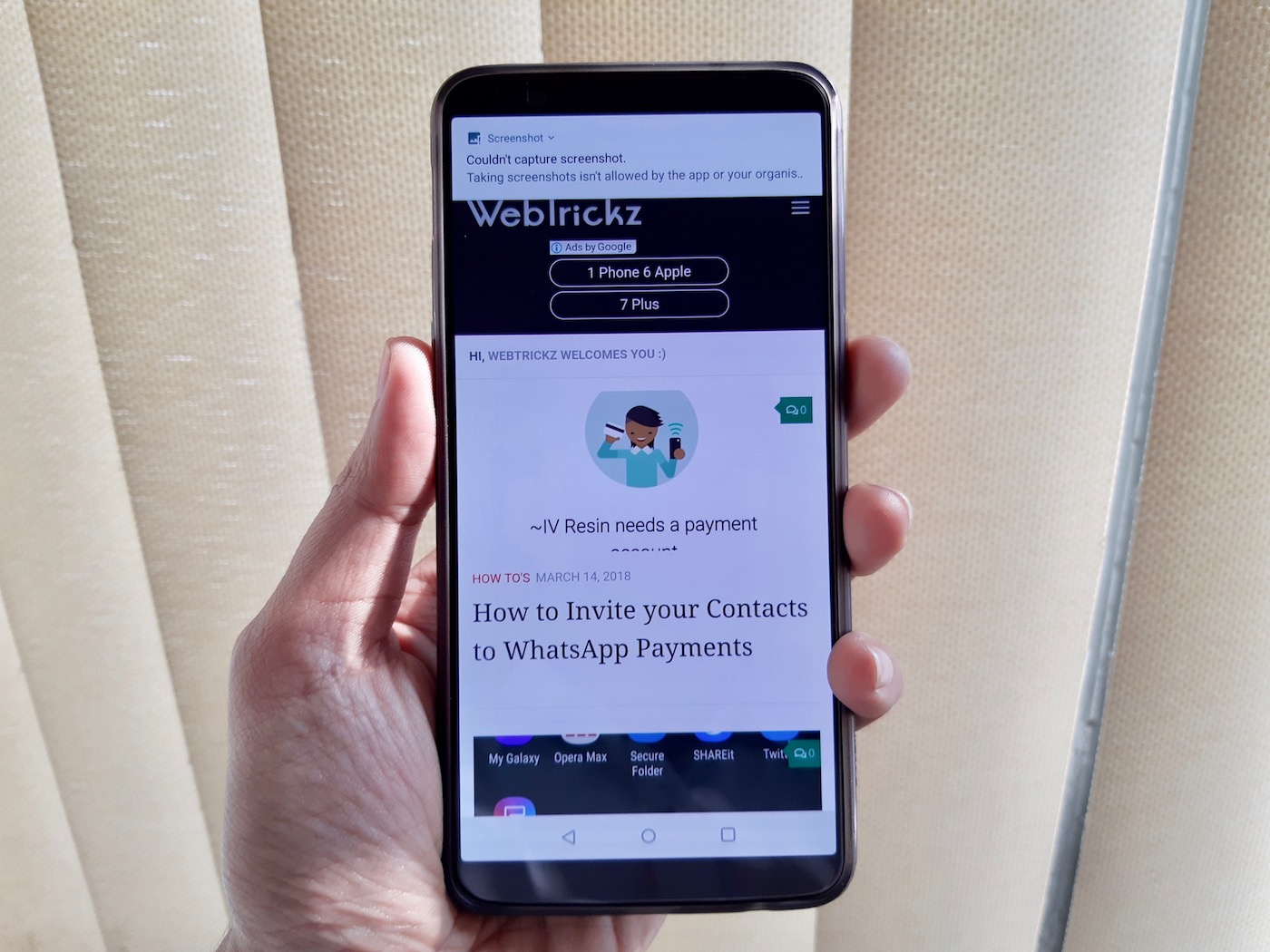
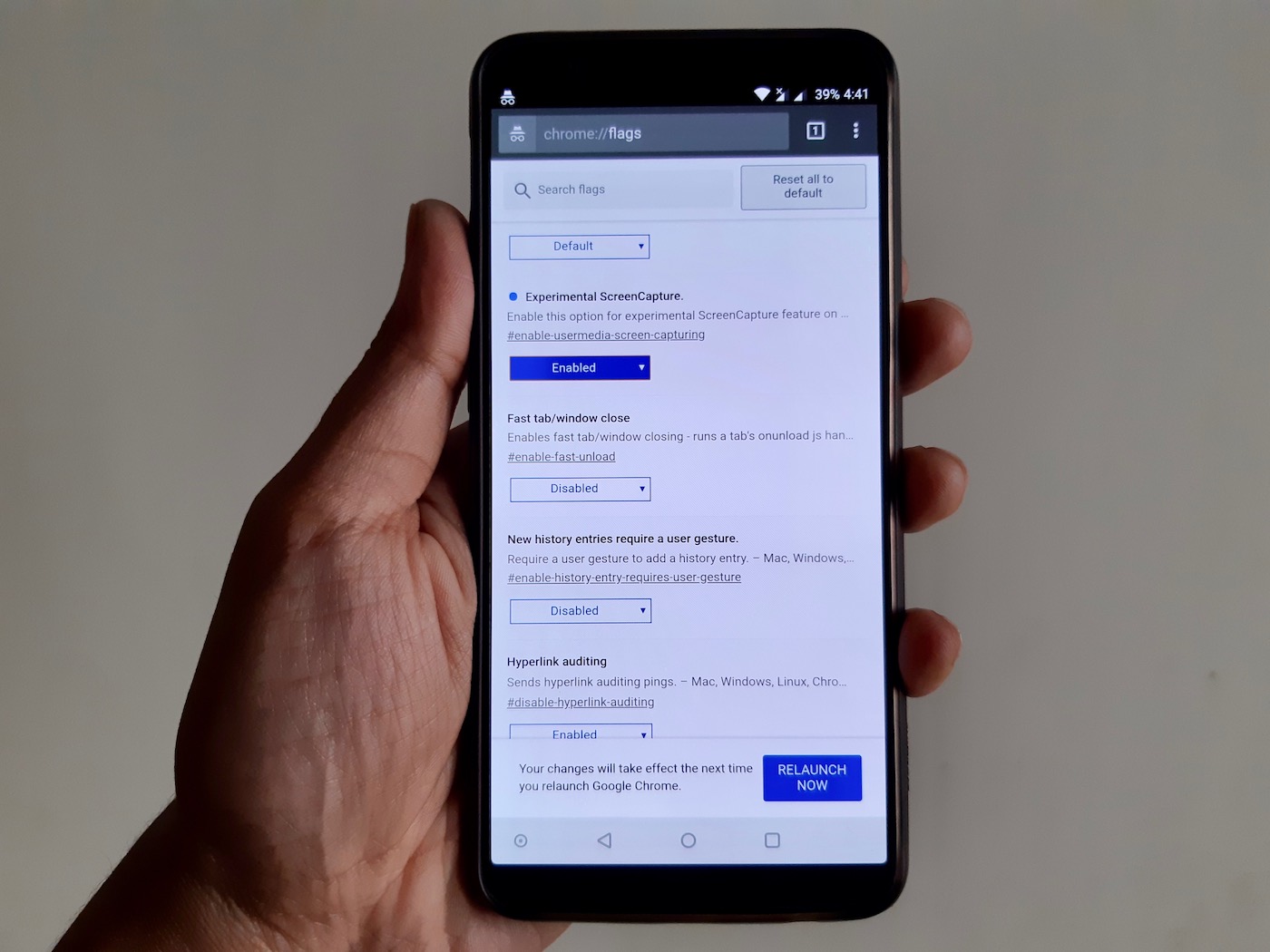
Blocking the user from taking screenshots by default doesn’t make any sense and this sudden change is certainly going to annoy a lot of Chrome users. Unfortunately, there is no way to turn off this uncalled feature because the attributes flags are set to secure when there is an incognito tab visible. According to Andrey Lucas, this limitation was introduced months ago in Chrome Canary and is now a part of the stable version. We also tried to enable the “Experimental ScreenCapture” flag in Chrome by visiting chrome:flags but that didn’t help either.
Thankfully, users can still take screenshots on Chrome without any issues in the standard or non-Incognito mode.
What do you think about the lack of this functionality that is perhaps an Android feature? Would it affect your usage while using Chrome for Android in Incognito mode or the change won’t bother you?
Do share your views with us in the comments below.










This is an overkill \”workaround\” to Google wanting to stop other apps from taking screenshots of Incognito tabs in Chrome or Recents, when there\’s really better fixes for this; the workaround just seems lazy, and like killing a fly with a Buick
Even though I have disabled tabs showing in Recents, I still cannot take a screenshot of Incognito, which protects nobody from anything except Google\’s bottom line when they can\’t use what I search for in their ad targeting… and most of the time these Incognito searches are completely innocuous, like timely political or how-to or troubleshooting searches, which I don\’t care to be tacked onto ad targeting (even though I otherwise like ad targeting) or show in history or auto-suggest or auto-populate.
This is just adding inconvenience to annoyance, and will be troublesome to QA/dev teams trying to test \”clean\” versions of their websites on mobile and pass around screenshots in tickets or whatever. Very sloppy and disruptive fix from Google; I can only see this pushing people to use other browsers, which is its own annoyance on Android (things randomly asking you which browser you want to use), though I\’m not sure Google wants you to even use Incognito (except that they should be getting ad link clicks on searches).
I couldn’t agree more. Thanks Dave for your insightful comment. You view makes complete sense.
This is the worst Chrome update ever.
I see no reason why screenshots should be disabled for private/incognito tabs.
Uninstalling Chrome… #crap
This is really annoying
This really annoying, since i play games with 2 different account in normal and incognito mode
I spent five hours up all night thinkinf must be security problem with my phone. I agree this cannot be accidental bug but some programmer thinking clever since gee we made a mistake offering incognito we will make this change so people will have to go out of Incognito to take screenshot generating more ad rwvenue. This is NOT only attempt by Google to force users to go through regular part of Chrome. On PC cannot set so if you click on a link from somewhere go to Chrome Incognito. Not a choice. Can only go to regular Chrome. NOT given choice to go to Chrome Incognito. Perhaps Google\’s created program using idiotic Agile when designing software. Anyone over 35 in Marketing at Google who knows how to run usability tests, focus groups, one-on-ones etc for client insight BEFORE doing something as stupid as this? Congrats to person saying will switch browsers. If millions of us switched this week and used Firefox would send message.
Stupid updates. Google becomes worth for the last times with such \”improvements\”.. Not only this particular case is considered
This feature really annoys me and makes me want to switch to a new browser. I only use chrome with incognito mode and take screenshots all the time. No way am I going to go to regular mode just to take a screenshot. Ridiculous!