


 Previously, we have discussed about Kaspersky Anti-Virus Remover in our post: Remove Antivirus Software easily using Removal Tools. After the release of the Kaspersky 2010 version, the older tool doesn’t seem to work.
So, I’ve found a new updated tool to completely wipe off Kaspersky Antivirus 2010 & Internet Security 2010 from your PC. This tool is very simple, small, and doesn’t require any installation. It is very useful when you are encountering errors while deleting Kaspersky products from Add\Remove Programs.
Removal utility allows uninstalling the following products:
- Kaspersky Anti-Virus & Internet Security ( 6.0\7.0\2009\2010 )
- Kaspersky Anti-Virus 6.0 for Windows Workstations & Windows Servers
Under 64-bit OS’s the removal utility can uninstall Kaspersky Anti-Virus 2009/2010 and Kaspersky Internet Security 2009/2010 only.
In order to fully uninstall the Kaspersky product:
- Download the archive kavremover10.zip, Unpack and Run the file kavremover10.exe
- Enter the code from the picture, click the Remove button
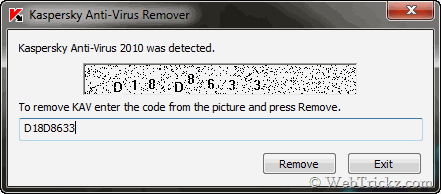
- Wait until a dialog window informs you of successful product removal.
- Click OK
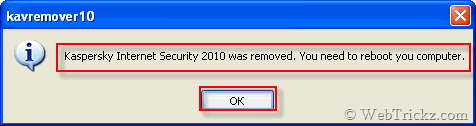
- Reboot your computer





Does is allow reinstallation KAV or KIS and re-activate another 30 day trial ? I guess not because this tool was made by Kaspersky
gracias por el aporte
You saved the day!
It worked.. Thanks…
Ran the tool as directed, rebooted my PC and it crashed! Re-booted it again and then I could not surf online because important drivers turned up missing and some programs quit working entirely. – CRAP!