


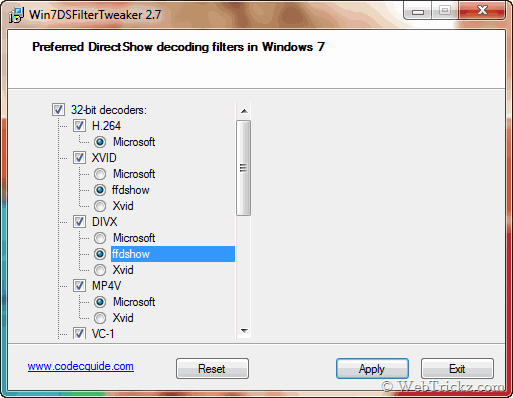
 Windows 7 doesn’t allow users to use third party filters & codecs. It uses its own DirectShow filters for decoding several audio and video formats. It is now possible to use FFDShow codec and other filters/codec with the help of a useful tool discussed below:
Win7DSFilterTweaker allows you to configure your preferred DirectShow filters with just a few mouse clicks. It is quick, easy, and changes can always be undone. This tool is particularly for Microsoft players, such as Windows Media Player and Media Center.
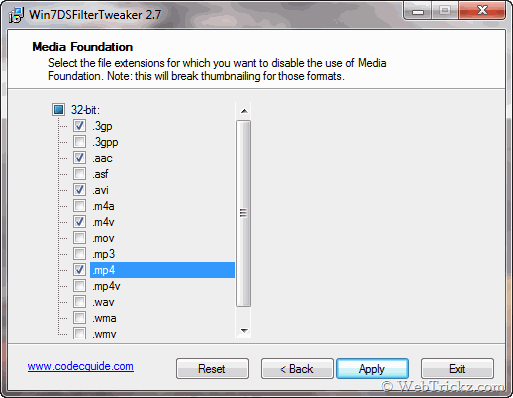
It has the capability to disable the use of Media Foundation (use by default in Windows) for specific file extensions.
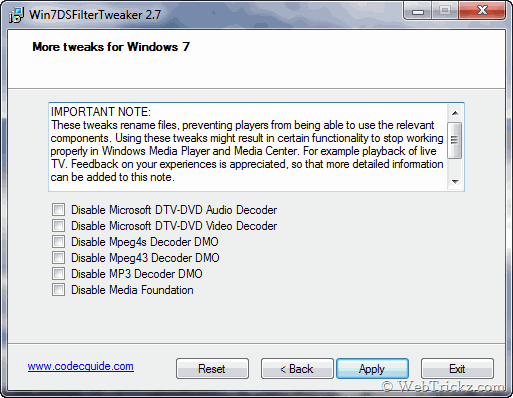
The best part is that you can Reset all the settings to original if you notice any issues.
Supported Formats (DirectShow)
- H.264
- MPEG-4 (Xvid/DivX/MP4V)
- MPEG-2
- VC-1
- AAC
- MP3
- MP2
Supported Formats (Media Foundation)
This tool can disable the use of Media Foundation for the following file extensions:
.3gp, .3gpp, .aac, .asf, .avi, .m4a, .m4v, .mov, .mp3, .mp4, .mp4v, .wav, .wma & .wmv
Download Win7DSFilterTweaker [Homepage]




Windows 7 don’t allow 3rd party codecs? Oh, I never observed that as I have been using VLC for two or three months. I stopped using these codecs as they messed my system once. This tool can be very useful for those who use codec packs like K-lite, Colec etc.
Hi, thanks for this tool. I tried again and again, but it only lets me run the ffdshow video codec, while I’m mostly interested in running the audio codec. Any tip on how to do this? Thanks