


Bharti Airtel is in the process of upgrading broadband connections from the good old copper wire to Fiber. The Fiber-optic cable is strong with significant durability and can deliver high-speed up to 1Gbps. The upgrade to Airtel Xstream Fiber is free even for existing broadband users since the company is entirely moving to the new technology.
Now, those already shifted to Airtel Fiber connection must have noticed two bands – 2.4GHz and 5GHz when connecting to Wi-Fi. The dual-band router installed by Airtel is the reason for two Wi-Fi networks.
The default Wi-Fi name exposes your mobile number
As Airtel recently upgraded our office connection to Fiber, I noticed a privacy concern with the default name of wireless networks. Here’s an SMS I got after installation with the WiFi networks named Airtel_955XXXXX54 and Airtel_955XXXXX54_5GHz. A password to access them was also provided.
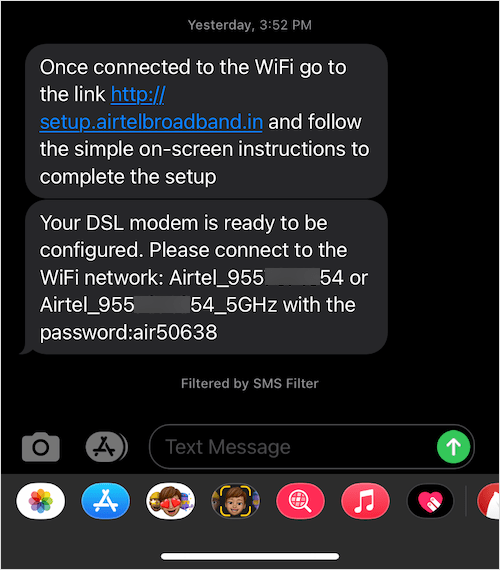
NOTE: I’ve masked my number above for privacy reasons. In reality, it reveals your entire mobile number registered with Airtel in the Wi-Fi SSID.
As shown in the screenshot below, the phone numbers of Fiber users are openly visible to the general public. Whereas earlier, the default SSID used to be “Airtel_Zerotouch”.
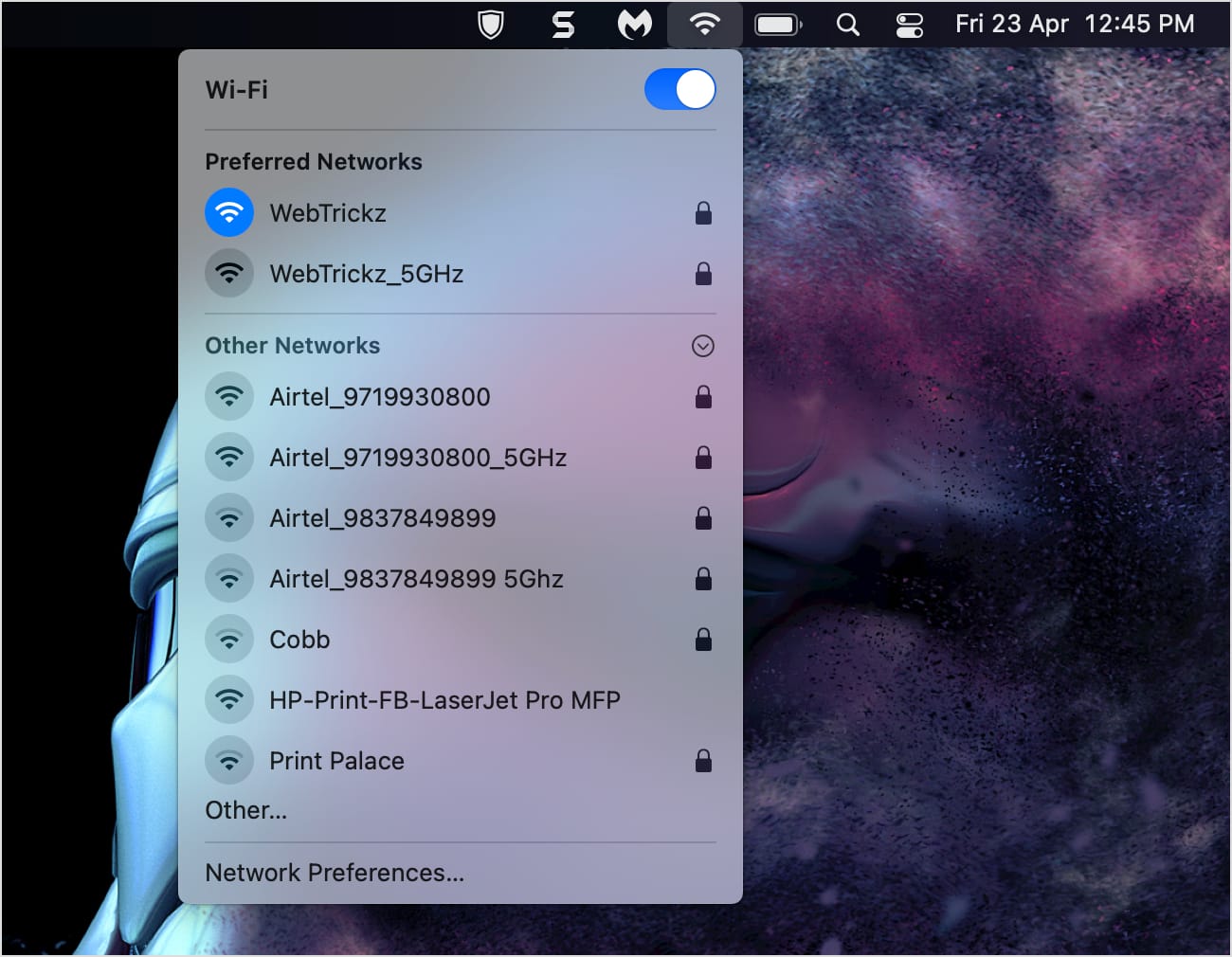
This is concerning as anyone with a smartphone or computer can see the phone numbers of people using Airtel Fiber near them. You can always change your Airtel WiFi name and password. However, not many people know how to do so, and even the technicians don’t care to make such changes post-installation.
If privacy matters to you, then you must switch to a custom name and a strong password for both the WiFi networks. Here’s how you can change Airtel Xstream Fiber password using your PC, Mac, iPhone, or Android device.
How to Change Airtel Fiber Password
Using the Airtel Thanks app on iPhone & Android
The Airtel Thanks app offers an easy way to change the Airtel WiFi password through a mobile. This method is good for users who don’t use a computer or aren’t familiar with router configuration.
- Make sure you’re running the latest version of the Airtel Thanks app on your phone.
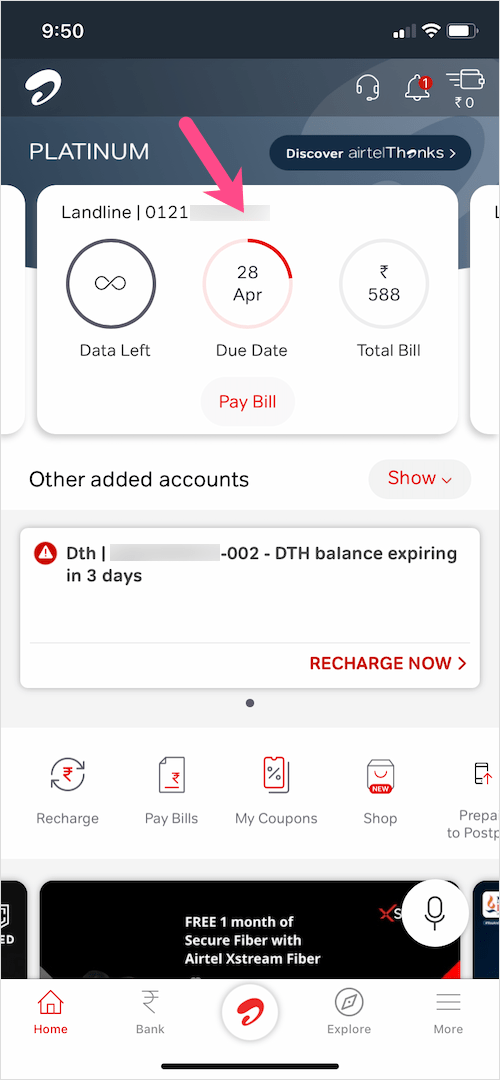
- Open the Airtel app and select the relevant landline or fiber connection.
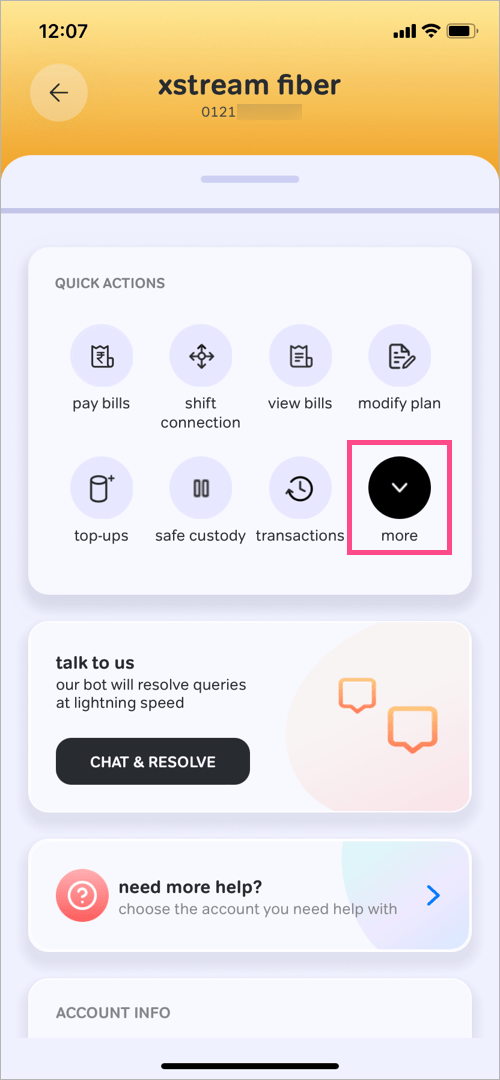
- Scroll down to ‘Quick Actions’, tap on more, and select the ‘update mobile nu…’ action.
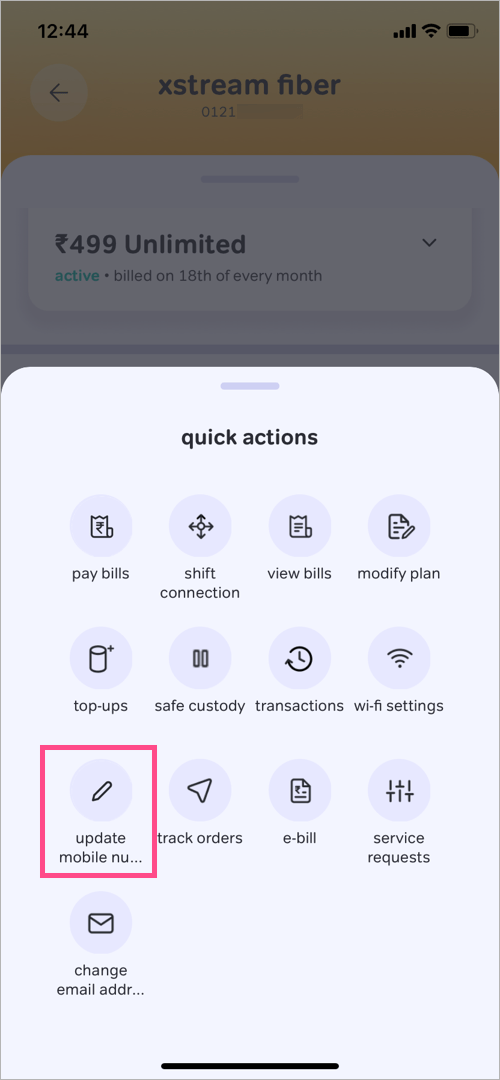
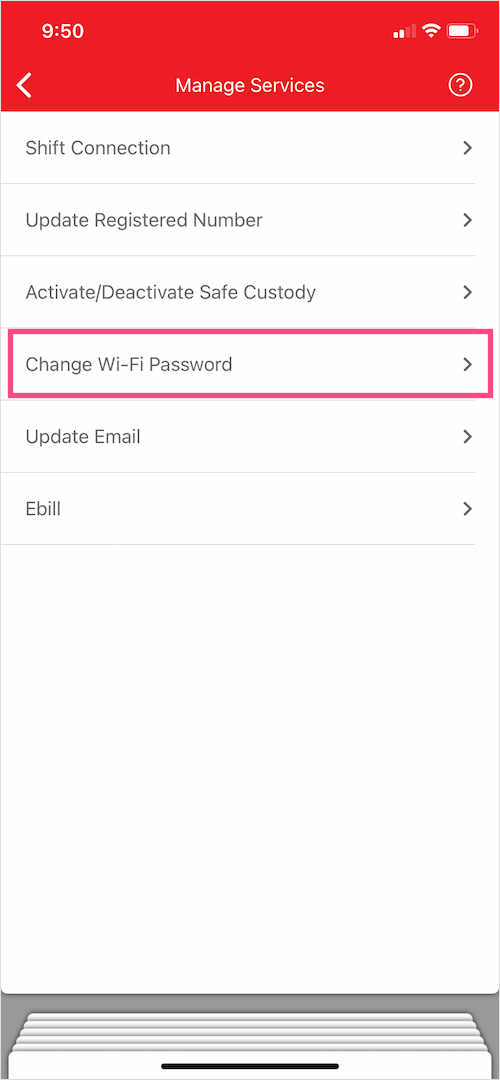
- Under Manage Services, select “Change Wi-Fi Password”.
- Enter a new name and password for your Wi-Fi. Then hit the Submit button.
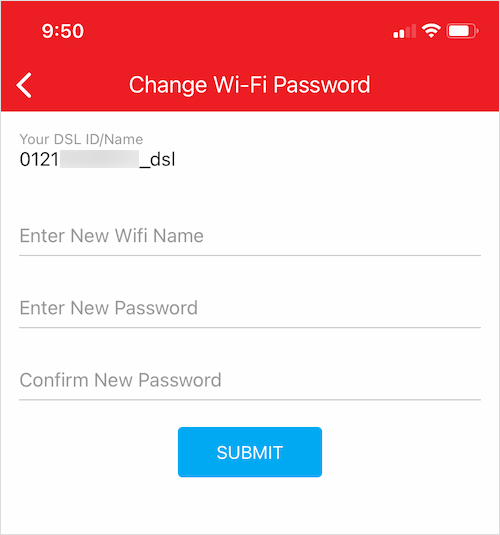
That’s it. Wait a minute for the changes to take effect. Then look for the Wi-Fi with a new name and join it using the new password.
NOTE: The limitation of this method is that it applies the chosen name and password to both the 2.4GHz and 5GHz wireless networks. If you want a different name and password for the two WiFi frequency bands, then check the method below instead.
ALSO READ: How to temporarily deactivate Airtel broadband connection
Using a computer on Nokia Router G2425G-A
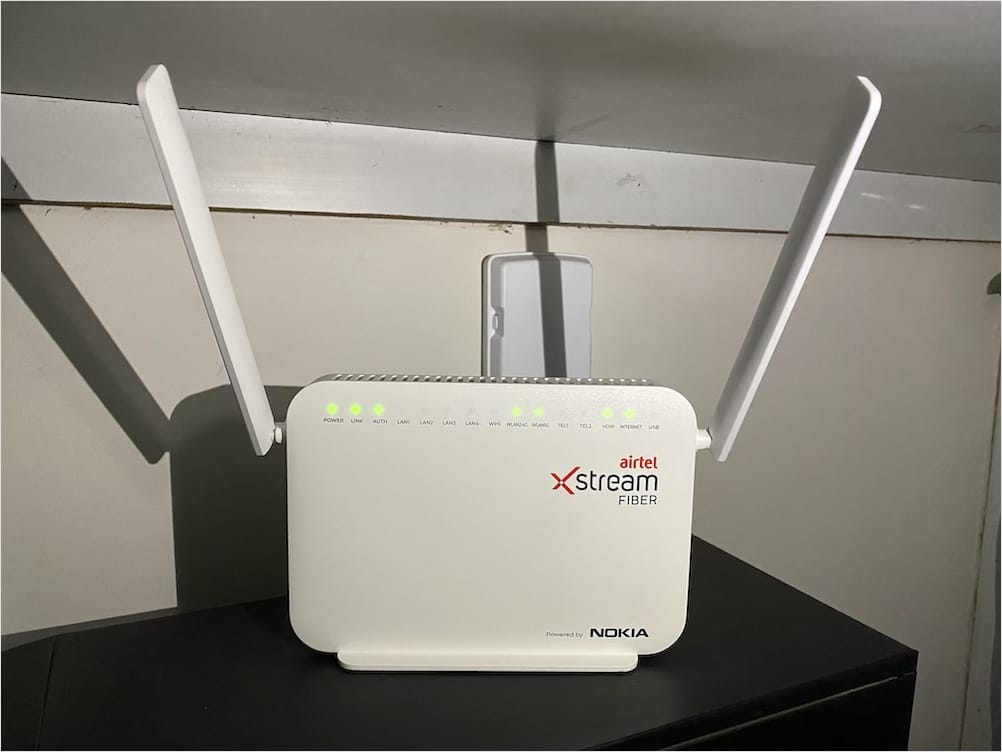
Follow the steps below to change the Airtel Wi-Fi password on a Nokia router (Model no. G2425G-A)
- Make sure your computer is connected to the router either via LAN cable or Wi-Fi. If you can’t connect over Wi-Fi, then you need to use LAN.
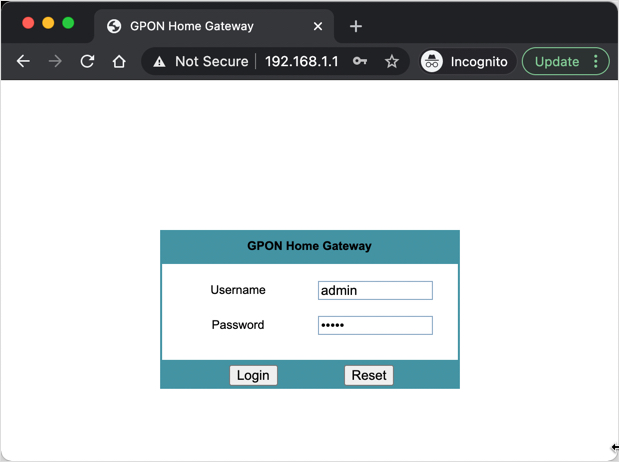
- Visit 192.168.1.1 in a web browser.
- Enter admin in the username and password fields. Then click “Login”.
- Go to Network tab > Wireless (2.4GHz) in the left sidebar.
- To change your Airtel Wi-Fi name, enter a custom name in the “SSID Name” field.
- To change your Airtel Fiber WiFi password, enter a password in the “WPA Key” field.
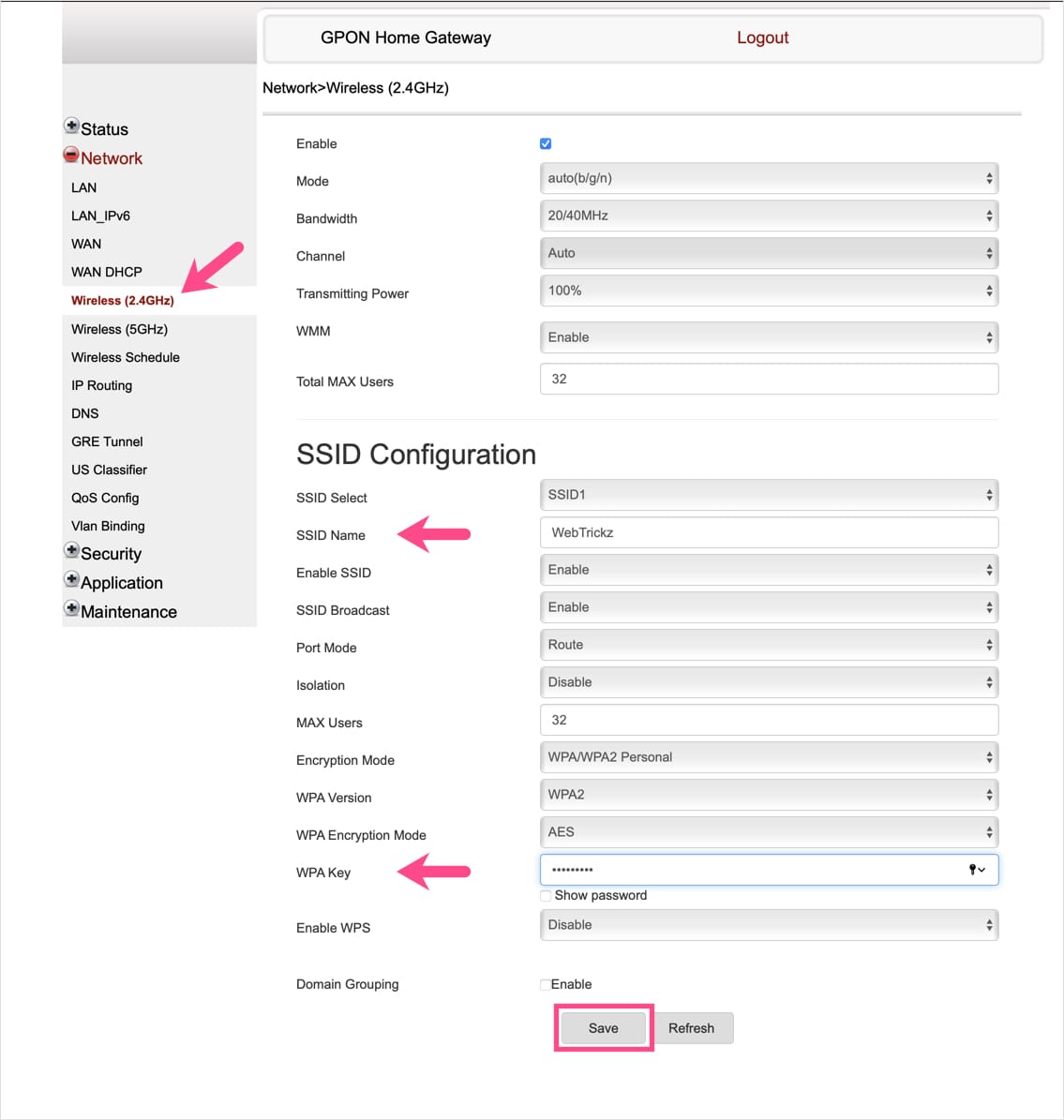
- Hit the “Save” button.
Let the computer recognize your wireless network again. To reconnect to WiFi, enter the new password.
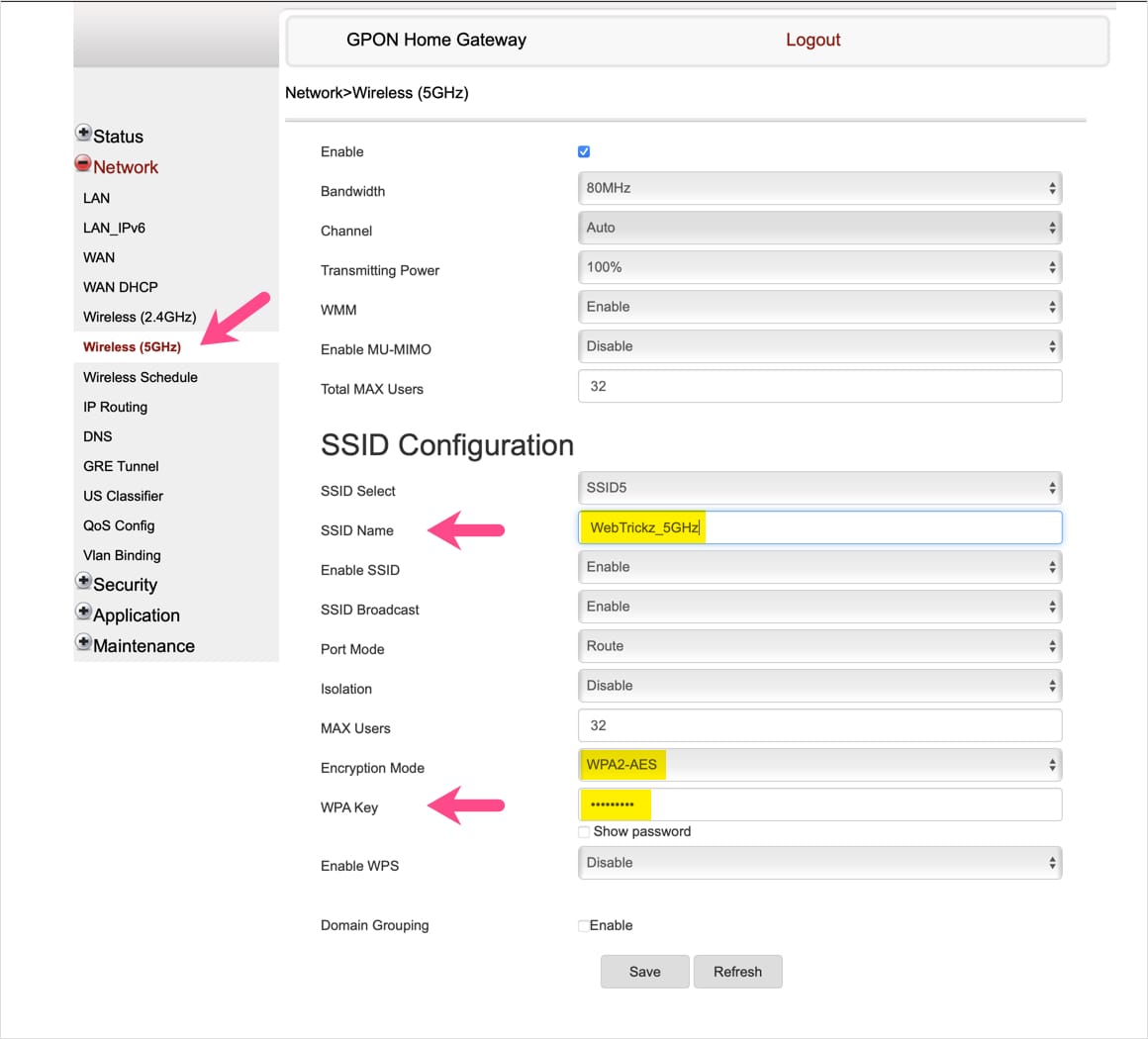
Similarly, select Wireless (5GHz) in the Network menu and follow the above steps to change the Wi-Fi name and password for the 5GHz band. Just make sure to add some indication for 5GHz in the SSID name (example: WebTrickz_5GHz).
TIP: Change Wireless Encryption to WPA2
By default, WPA and TKIP/AES encryption modes are selected. For better security, it is advisable to switch to WPA2 (Refer: WPA vs WPA2). To do so, select the 2.4GHz Wireless band in the Network tab and choose the settings below.
- Encryption Mode – WPA/WPA2 Personal
- WPA Version – WPA2
- WPA Encryption Mode – AES
For 5GHz, home users can set encryption mode to WPA2-AES.
Using PC on Huawei Router HG8145V5
- Connect your computer to the router either via LAN cable or Wi-Fi.
- Go to 192.168.1.1 in a browser such as Chrome or Safari.
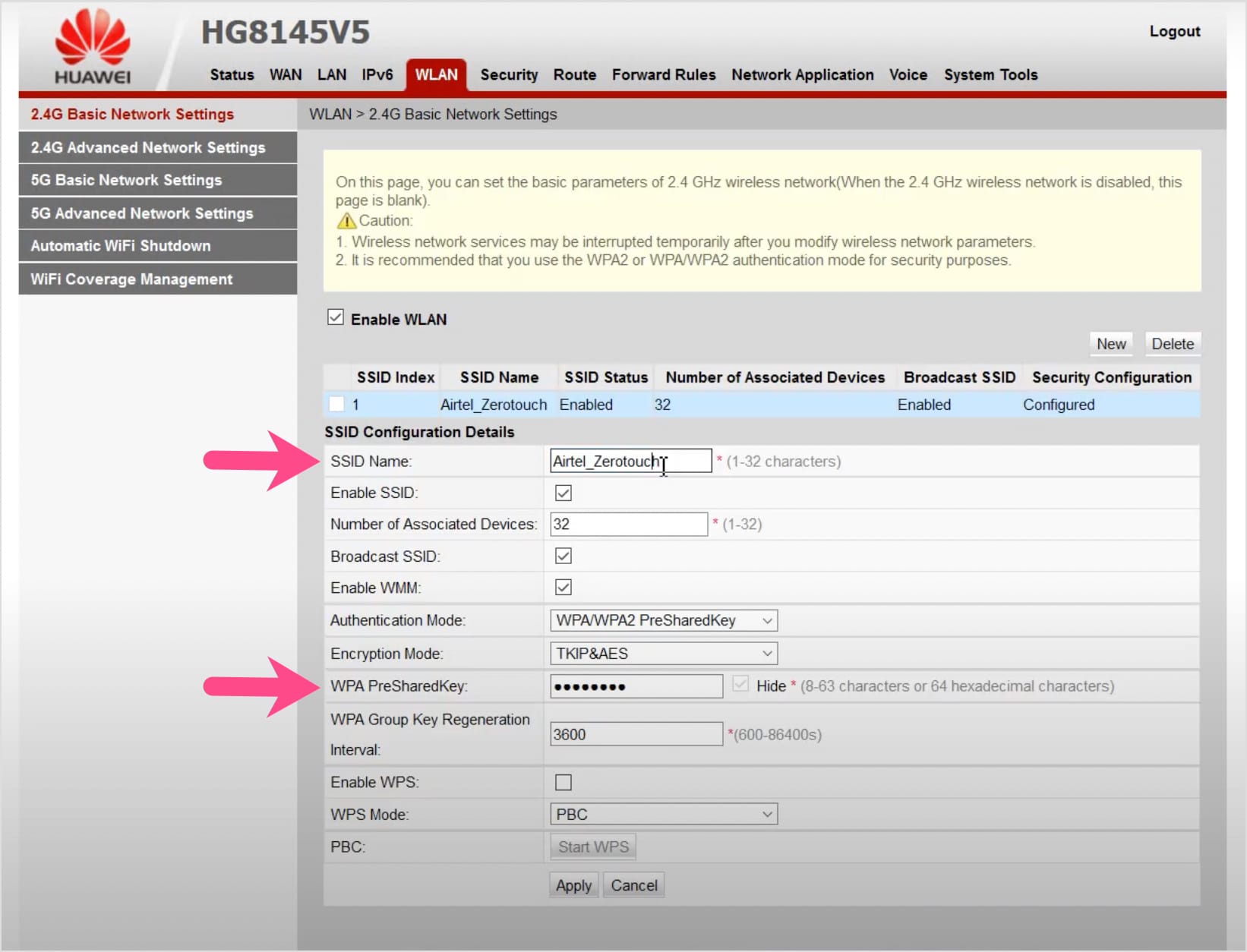
- Open the WLAN tab from the top row.
- Select “2.4G Basic Network Settings”.
- To change the WiFi name, enter your preferred name in the “SSID Name” box.
- In Authentication Mode, select “WPA2 PreSharedKey” and Encryption Mode as “AES”.
- To change the WiFi password, enter the new password in the “WPA PreSharedKey” field.
- Hit the “Apply” button to save the changes.
That’s it. Your wireless network may be interrupted temporarily after you modify the WiFi settings.
In a similar way, select “5G Basic Network Settings” in the sidebar to make changes to the 5GHz wireless network.
Using PC on Dragon Path Technologies Router 707GR1
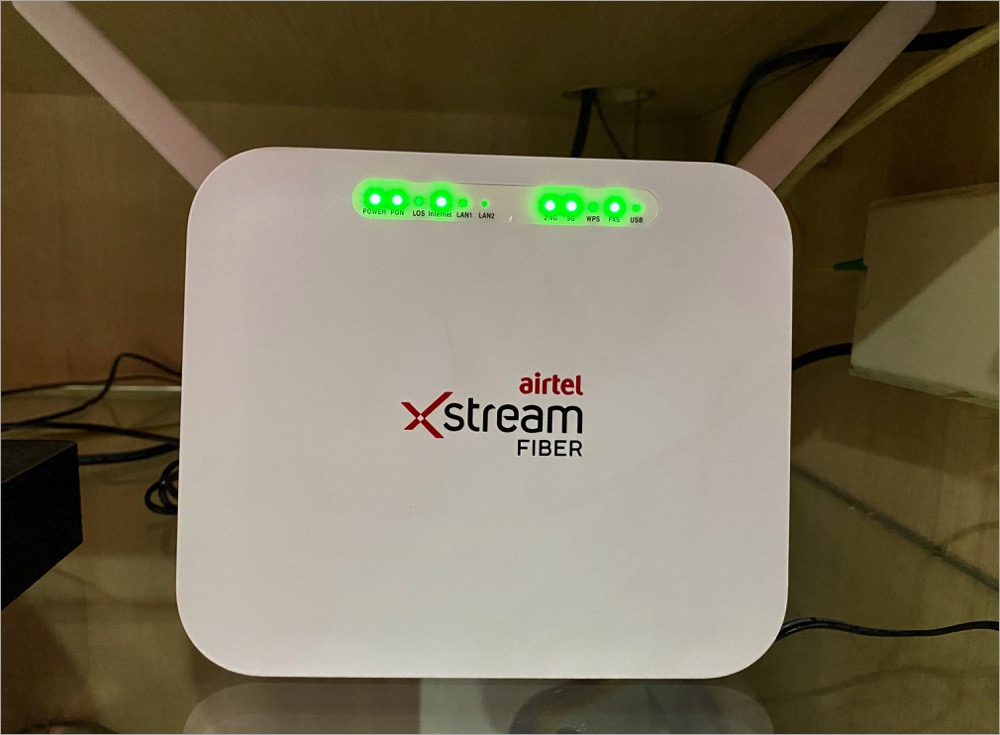
Follow the steps below to change your Wi-Fi password on a Dragon Path router (Model no. 707GR1).
- Connect your computer to the router using either a LAN cable or over Wi-Fi.
- Visit 192.168.1.1 in a browser such as Chrome or Safari.
- Enter admin in the username and password in the password fields. Then click “Login”.
- Click the WLAN tab from the top row.
- Expand wlan0 (2.4GHz) in the left sidebar.
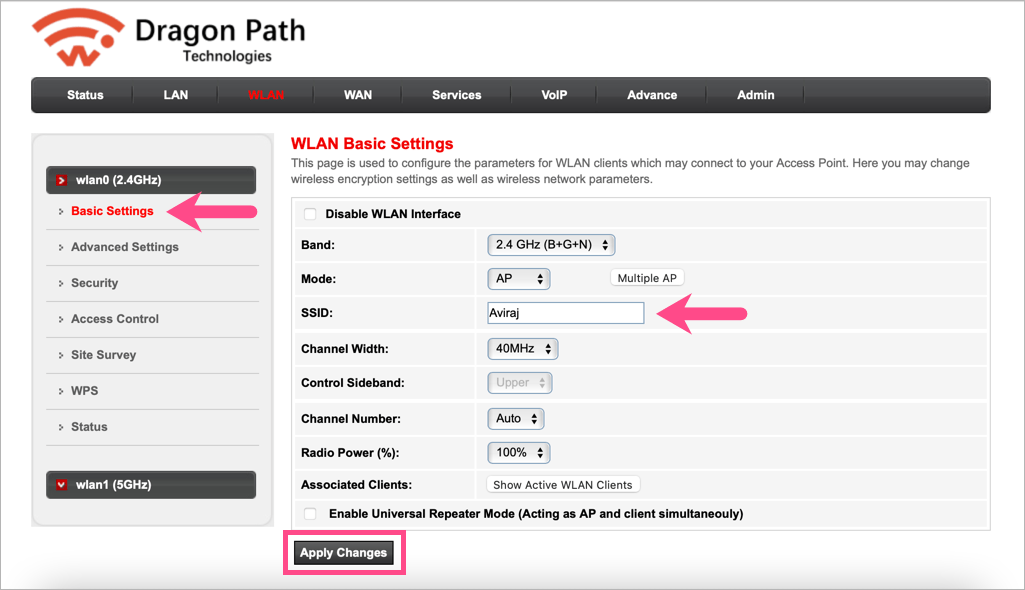
- To change your dragon path Wi-Fi name, select ‘Basic Settings’ and enter the desired Wi-Fi name in the ‘SSID’ field. Then click on ‘Apply Changes’.
- To change the Dragon Path router’s WiFi password, select “Security” and enter the new password in the “Pre-Shared Key” field. TIP: Set Encryption to “WPA2” for better security.
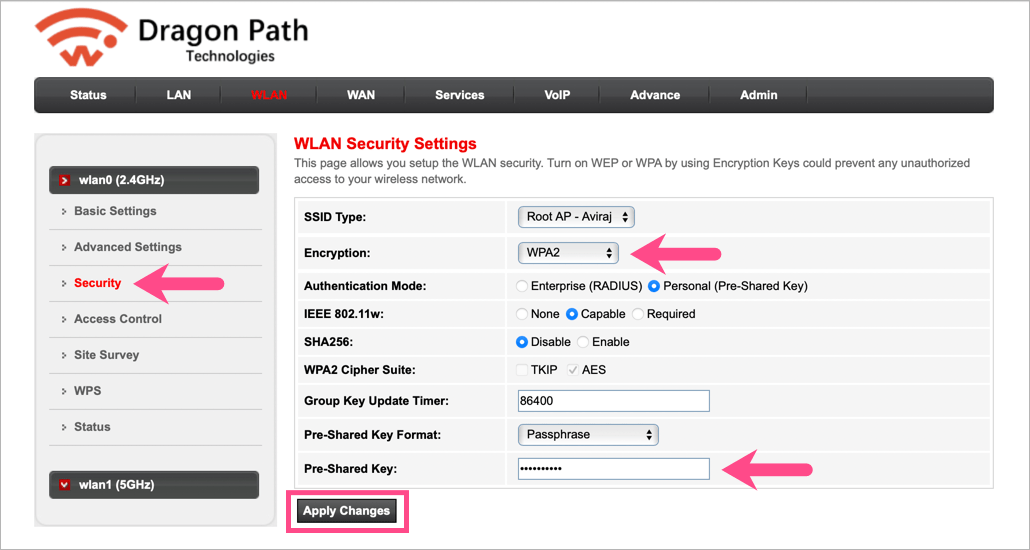
- Hit the ‘Apply Changes’ button.
Now let your devices re-recognize your wireless network. To reconnect to WiFi, simply enter the new password.
Similarly, expand wlan1 (5GHz) and follow the above steps to make necessary changes for the 5GHz band. Just remember to add an indication for 5GHz in the SSID name (example: Drake_5G).









thanks… this was helpful
Thanks a lot for explaining it so easily!
Thank you for explaining so well
How to do port forwarding?
Hi, really grateful for the info provided by you!
Can you help me with how to change the encryption to wpa2/wpa3 in ZTE router?
Would really appreciate your help
Thanks
Can I off the wife and use the internet only by Lan?
Please read Wi-Fi
Great. It worked for me
You have elaborately explained in easy steps. Thank you for that. I have a query: How to give Static IP address?
Helped alot.Thank you