WhatsApp lets you create a unique username so you can connect with new people without sharing your phone number. If you’ve found a better username or no longer want to use one, you can change or delete it anytime.
Want to switch to a different username or remove it altogether? It only takes a minute.
In this guide, we’ll show you how to change or delete your WhatsApp username on iPhone and Android.
How to change your WhatsApp username
Changing your WhatsApp username is quick and only takes a few taps. You can choose a different username at any time, as long as it’s available.
Here’s how to change your WhatsApp username:
- Android: Open WhatsApp and tap the three-dot menu > Settings.
iPhone: Open WhatsApp and tap the You tab. - Go to Account > Username.
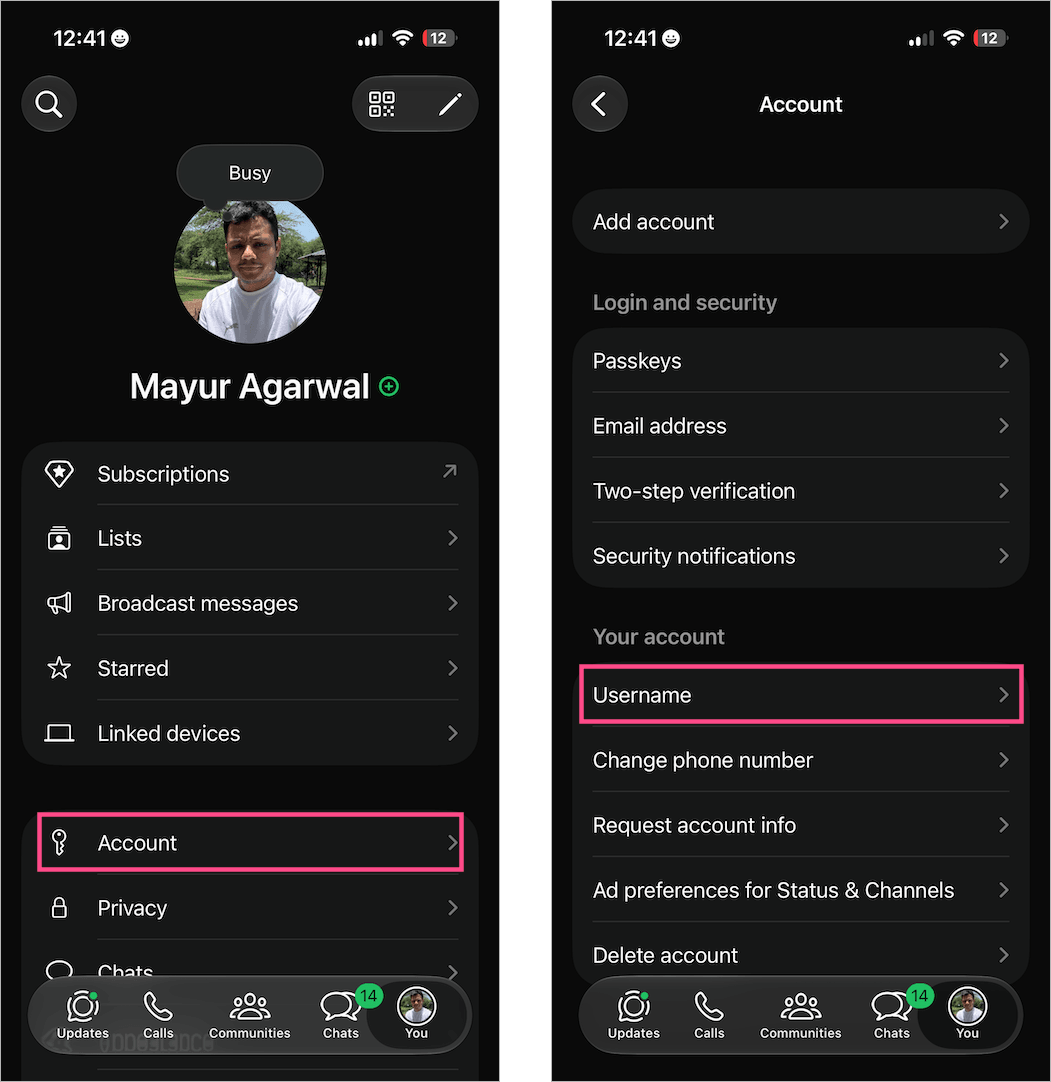
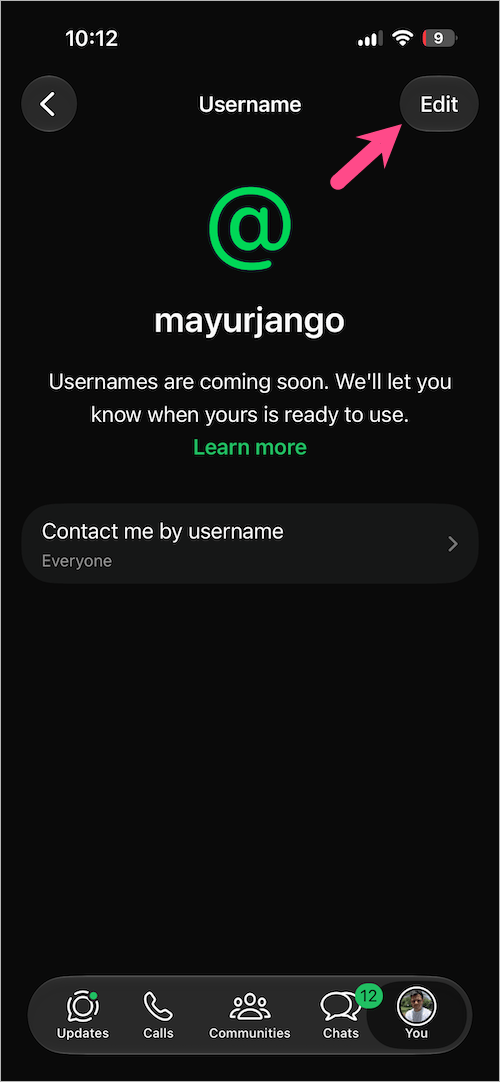
- Tap Edit in the top-right corner to edit your username.
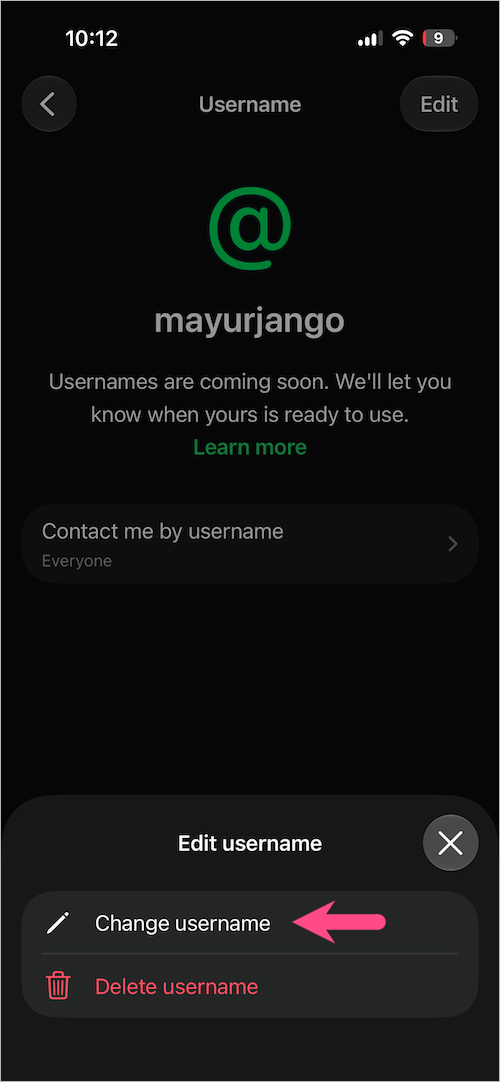
- Select Change username.
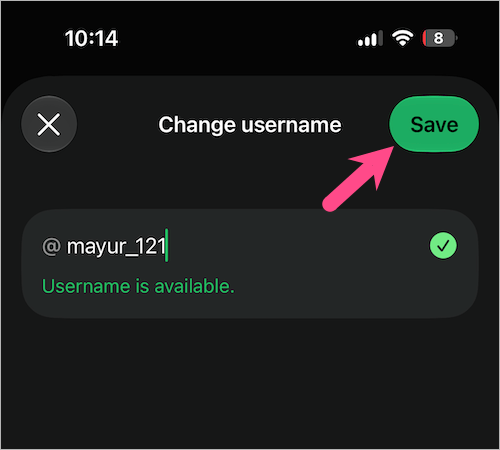
- Enter a new username.
- If the username is available, tap Save to apply the changes.
Note: You can only change your WhatsApp username a limited number of times. Once you change it, your previous username may become available for others to claim. If you later decide to use your old username again, simply check whether it’s still available.
How to delete your WhatsApp username
If you no longer want to use a username, you can delete it at any time. A WhatsApp username is optional, so deleting it won’t affect your account.
Here’s how you can remove or delete your username on WhatsApp:
- Android: Open WhatsApp and tap the three-dot menu > Settings.
iPhone: Open WhatsApp and tap the You tab. - Go to Account > Username.
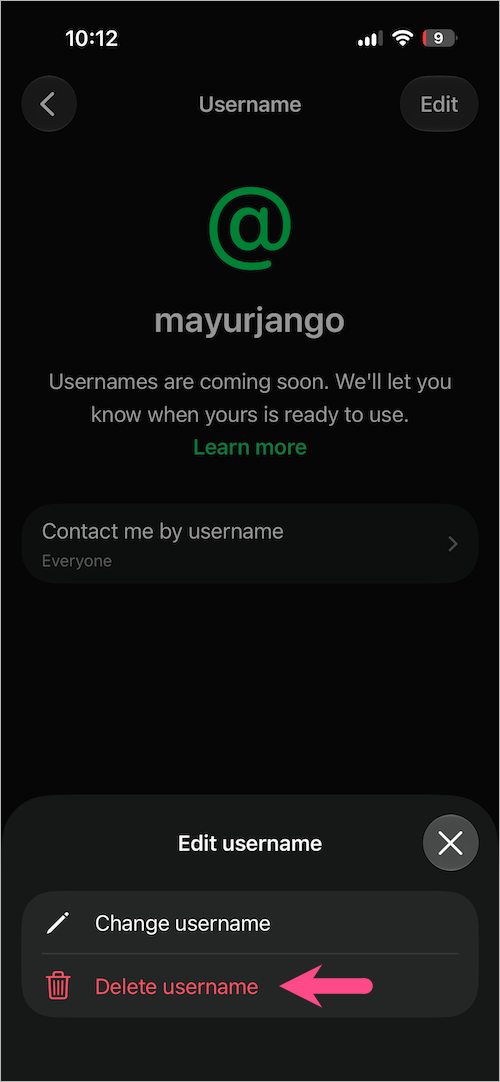
- Tap Edit in the top-right corner.
- Select Delete username.
- Tap Delete to confirm your choice.
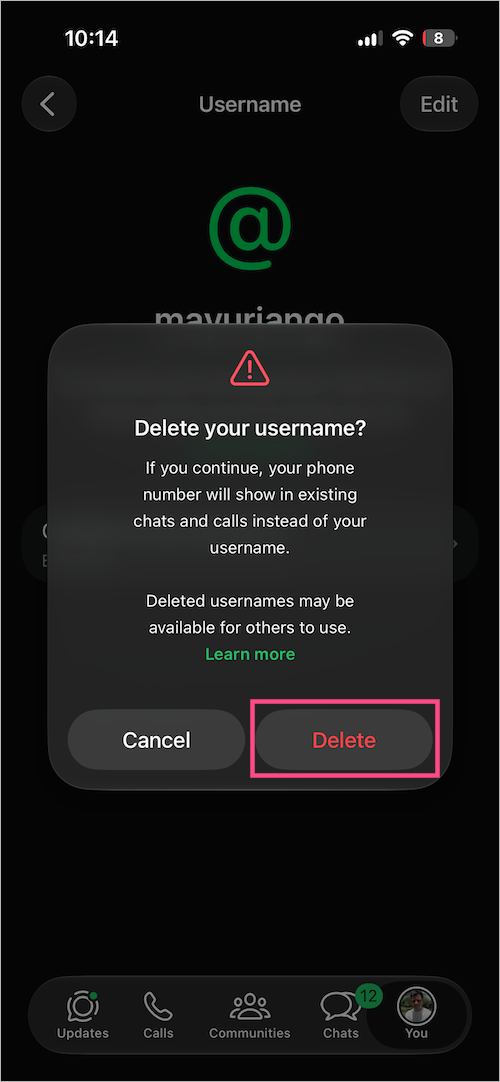
Once your username is deleted, people will see your phone number instead of your username.
Note: After deleting your username, you have 14 days to reclaim the same username before it becomes available to others.
What happens after you delete your username?
Deleting your username doesn’t delete your WhatsApp account or chats. Here’s what happens after you delete it:
- Your username gets removed from your profile.
- People who contact you will be able to see your phone number again.
- People who previously contacted you using your username will see your phone number instead.
- Your deleted username may become available for someone else to claim if you don’t reclaim it within 14 days.
Can I create a new username later?
Yes. You can create a new username at any time, as long as it’s available. For step-by-step instructions, check our guide on how to reserve a WhatsApp username.
If you deleted your username recently, you have 14 days to reclaim the same username before it’s released. After that, you’ll need to check whether it’s still available. If not, you’ll have to choose a different username.
Likewise, if you change your username instead of deleting it, your old username may become available for others. If you later decide you want it back, simply try changing your username again to see if it’s still available.
FAQs
Can I change my WhatsApp username multiple times?
Yes, but there’s a limit to how often you can change your username. If you’ve reached the limit, you’ll need to wait before changing it again.
Can someone else take my old username?
Yes. After you change your username, your previous username may become available for someone else to reserve. If you delete your username, you have a 14-day grace period to reclaim it before it’s released.
Is a WhatsApp username required?
No. A WhatsApp username is optional. You can continue using WhatsApp without one. If you delete your username, people will see your phone number instead.
Tip: If you simply want a different username, change it instead of deleting it. Delete your username only if you no longer plan to use it.