


Below are some of the useful hidden tricks and shortcuts for Windows, which you might not have known earlier. Please try them out and share your experience with us.
1) Using Multiple home pages on any browser
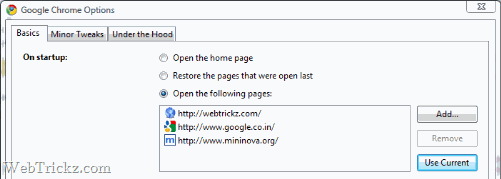
Open the sites or links that you want to set as your home pages. Now go to
Mozilla Firefox – Tools >Options >Tabs and select Use current pages >OK
Internet Explorer- Tools >Internet options >General tab >Use current >Ok
Google Chrome – Tool icon >Options >Basics >On startup >Use current >Close
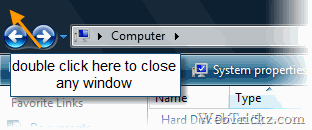
2) Double-click on the top left corner to close any open window
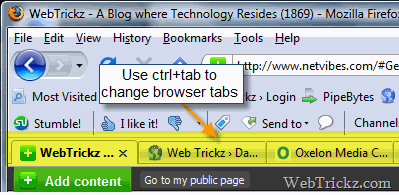
3) Ctrl+Tab to shift between tabs in any multi-tab supported browser
4) Copying text easily from error messages and dialogs.
For eg: Go to Run > type your name (mayur) > enter
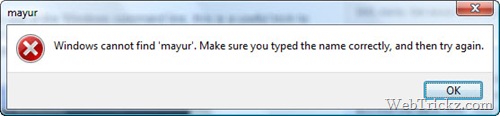
Now press Ctrl+c and the text will be copied to the clipboard which you can in paste in the Notepad, Word, etc.
[Window Title] mayur
[Content]
Windows cannot find ‘mayur’. Make sure you typed the name correctly, and then try again.[OK]
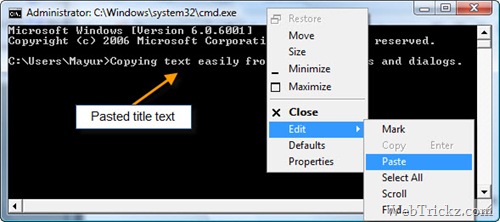
5) Copy and paste text in the command prompt (cmd).
Right-click on top of the cmd window > Edit > Paste
6) Drag and drop a file in the command prompt to input its name.
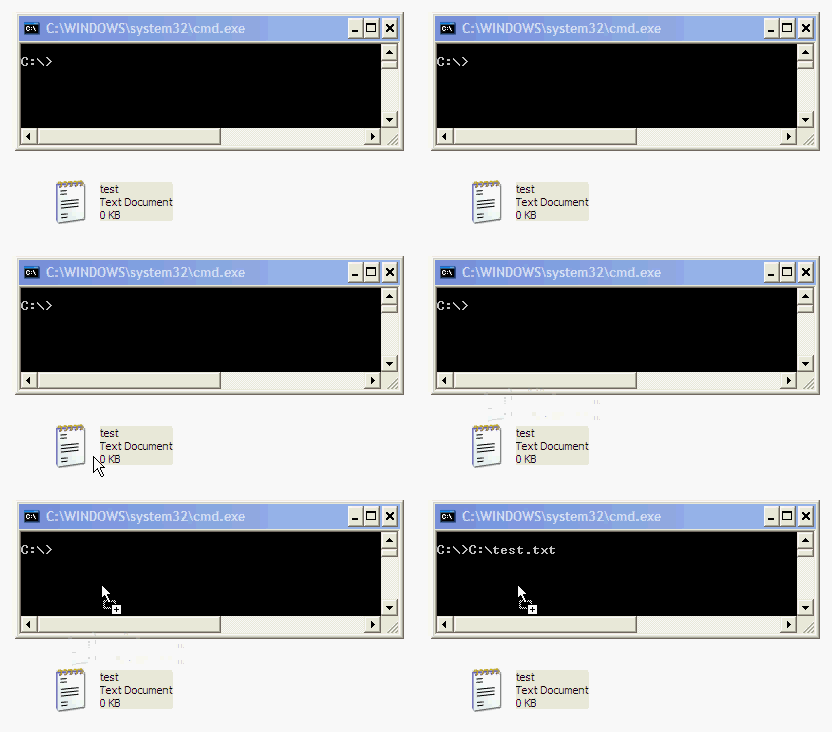
This trick works on all versions of Windows 95 to XP, but not on Windows Vista. [via]
7) Using toolbar of any folder on Windows taskbar
Right-click on taskbar > Toolbars > Select new toolbar > browse a folder and done.
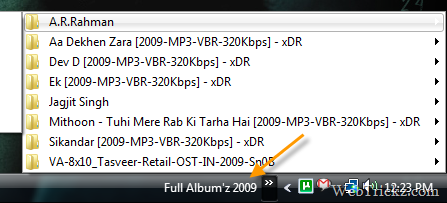
This is how I carry all my songs and movies on my desktop using the taskbar.
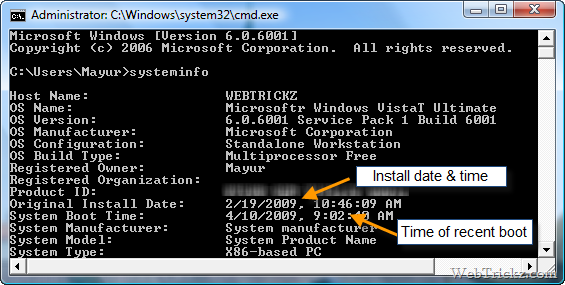
8) Get the Windows installation date and time of the recent boot
9) Use ALT+F4 to easily close any window.
10) Checking Windows activation status – Run slmgr.vbs –dlv
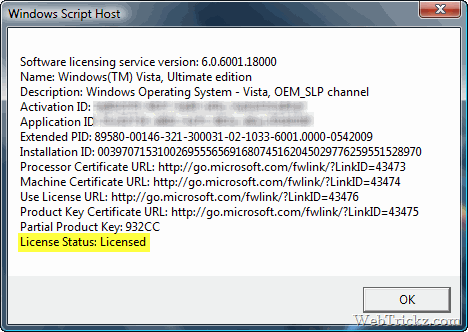
I hope you liked these hidden tricks for Windows. Do share your tricks with us if you have any in the comments section below.
Thanks, Pratyush for letting me know about some of these handy tricks.









@ Arun
Thanks for reminding me. I left out that point. Post edited now
Thanks Mayur, this trick is really useful. Earlier I used to take photographs from mobile on errors 😛 .
Hi Mayur, great trick, I didn't knew many :D. Also , I couldn't get how to copy error messages (Point four). Whats to method to copy the error messages ?
I’ll be using 1 and 3, especially. 2 kind of worries me because I’ve accidentally closed some windows like that before. I really like that you put useful information on your blog. Keep it coming.
Thanks for sharing such a wonderful tricks. I tried some its amazing and fantastic please keep it up such a nice work.
Regards
Telestagary
very useful tricks………thanks for sharing
Mayur boss, you are doing a lot of study and works on every aspect of windows and internet
Thx for the tricks….Mayur great research man!!!
Do you have any tricks on softwares like Adobe Photoshop, etc.
Keep it up man 🙂
These tricks are awesome and very helpful. Thanks!
hey thanx…it really help a lot…
I have to say this one is too good because when you are on a browser you can have like 2 or 3 browsers in one page which i like because you don’t have to open a new browser everytime.
Thanks for sharing the tricks
5) Copy and paste text in command prompt (cmd).
You can do this way faster, if you right-click the top of the window, go to defaults, check “QuickEdit Mode”.
– To copy text from the cmd window: just highlight the text and right-click on it. It is now copied, and you can paste it in another program.
– To paste text into the window: copy text from somewhere else, then just right-click in the window to paste it.
repost to correct typo. It’s not working on my xp machine.
Just discovered your site. It’s great. Thanks for your efforts.
You said:
10) Checking Windows activation status – Run slmgr.vbs –dlv
Is this applicable for Win XP sp3? It’s not working on my xp machine. A search for slmgr turned up nothing.
Interesting post,thanks
I thought it will be good, interesting & new thing to learn for me. But, the matter of fact is that 80% computer users know all these tricks.
Good post! Keyboard Shotcut to switch tabs is actually an operating system specific thing. Like I keep switching between my Macbook, Netbook *running Ubuntu Natty* and Windows 7 on my desk, and keyboard shortcuts keep changes. It’s a bit PITA you know!