


 USB Flash Tools is a free, simple and portable utility which includes handy tools for backing up, restoring, securely erasing and detecting fake flash memory cards and USB flash drives!
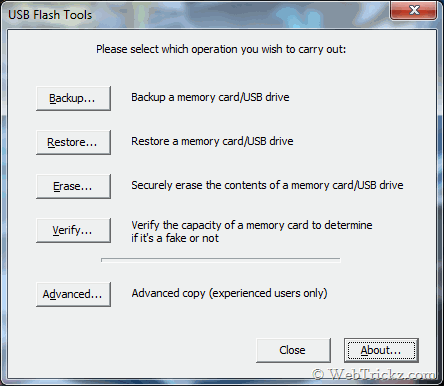
Use it to create a backup image (with optional compression) of a flash drive or restore a backup image. It erases a drive securely by overwriting its content and making data irretrievable. Also, it can detect fake flash devices that report false and incorrect memory capacity.
Download USB Flash Tools (742 KB)







I would like to use it, but I can not.
My Kingston DT 8GB is now named GENERIC USB Mass Storage USB Device and it has 0 MB Capacity/Free Space (in Windows, BIOS, Linux, MacOS) and it’s useless and raw and unformatable ;(
Please find the correct size by chip genius. After you can use partition tool for creating a partition for actual size and format it. I can do it. But I want to remove flash wrong size displaying in the partition tool.