You must have noticed a green dot next to the profile picture of a friend in the Direct inbox as well as in the friend list when you share a post from your feed. Like most chat clients, this green dot appears when a person is online on Instagram and available to chat.
Moreover, you can see when someone was last active on Instagram, provided the person is following you and their activity status is turned on.
While Instagram Activity Status lets users easily find when their friends are online or were last active. At the same time, some people prefer to hide their activity status to protect their privacy. Fortunately, the platform imposes certain restrictions to protect users’ privacy and also provides an option to turn off online status.
Can’t turn off Active Status on Instagram’s new update?
Is the Show Activity Status option not showing on Instagram after the May 2023 update?
While it’s easy to turn active status off if you want to appear offline on Instagram. That said, a recent update to the Instagram app changes the way how you hide last seen or turn off active on Instagram.
Worry not, you can still hide active status on Instagram for iPhone, Android, and desktop.
Now let’s see how you can turn off your active status on Instagram’s new update.
How to turn off your Active Status on Instagram
On iPhone and Android
- Make sure you’re running the latest version of the Instagram app.
- Go to your profile tab and tap the Menu button at the top-right.
- On the “Settings and activity” page, scroll down to the “How others can interact with you” section and tap “Messages and story replies“.
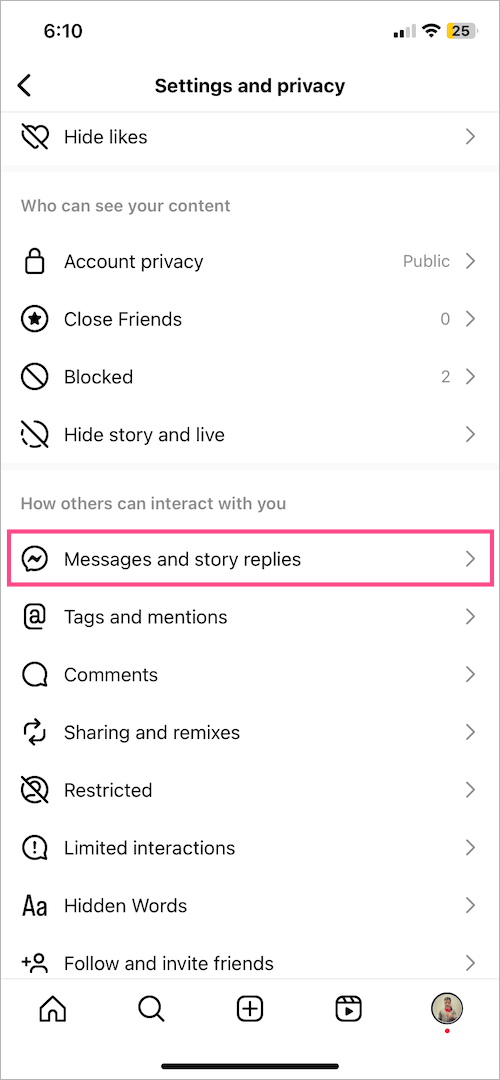
- Under “Who can see you’re online”, tap “Show activity status“.
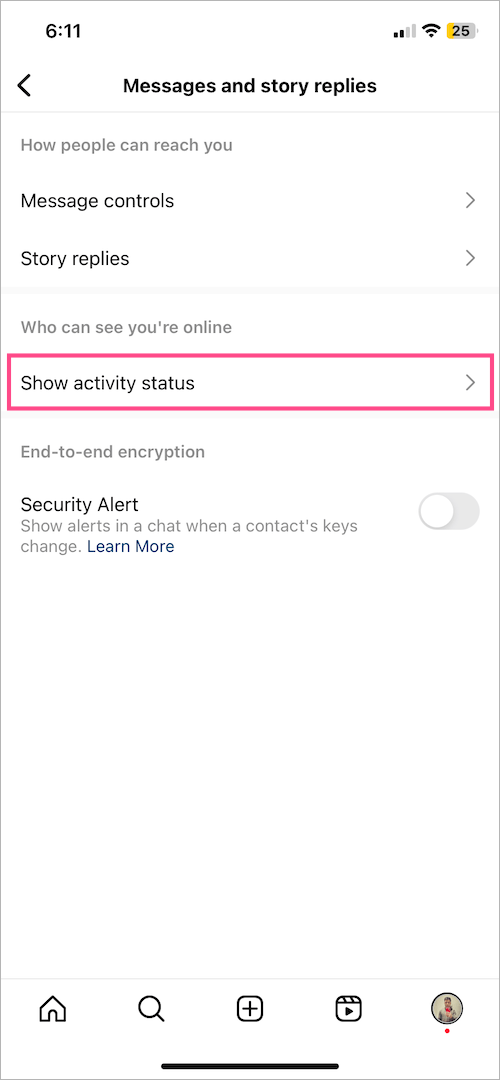
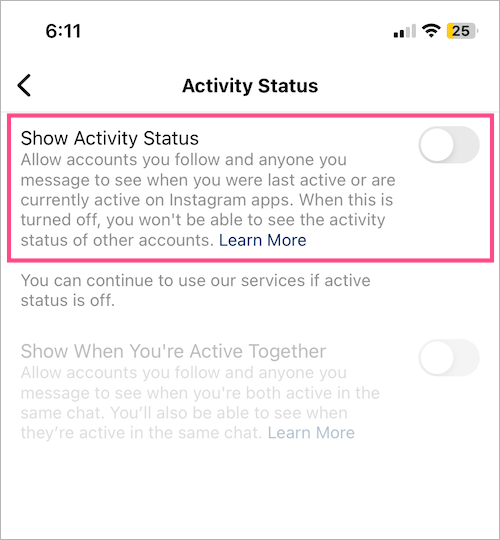
- Turn off the toggle button next to “Show Activity Status“.
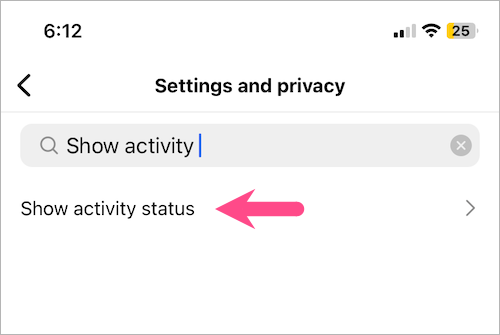
Alternate Way – Go to ‘Settings and activity’ and search for ‘Show activity’ in the search bar at the top.
On Computer
- Visit instagram.com in a web browser on your computer and log in to your account.
- In the bottom left, click the “More” menu and select “Settings“.
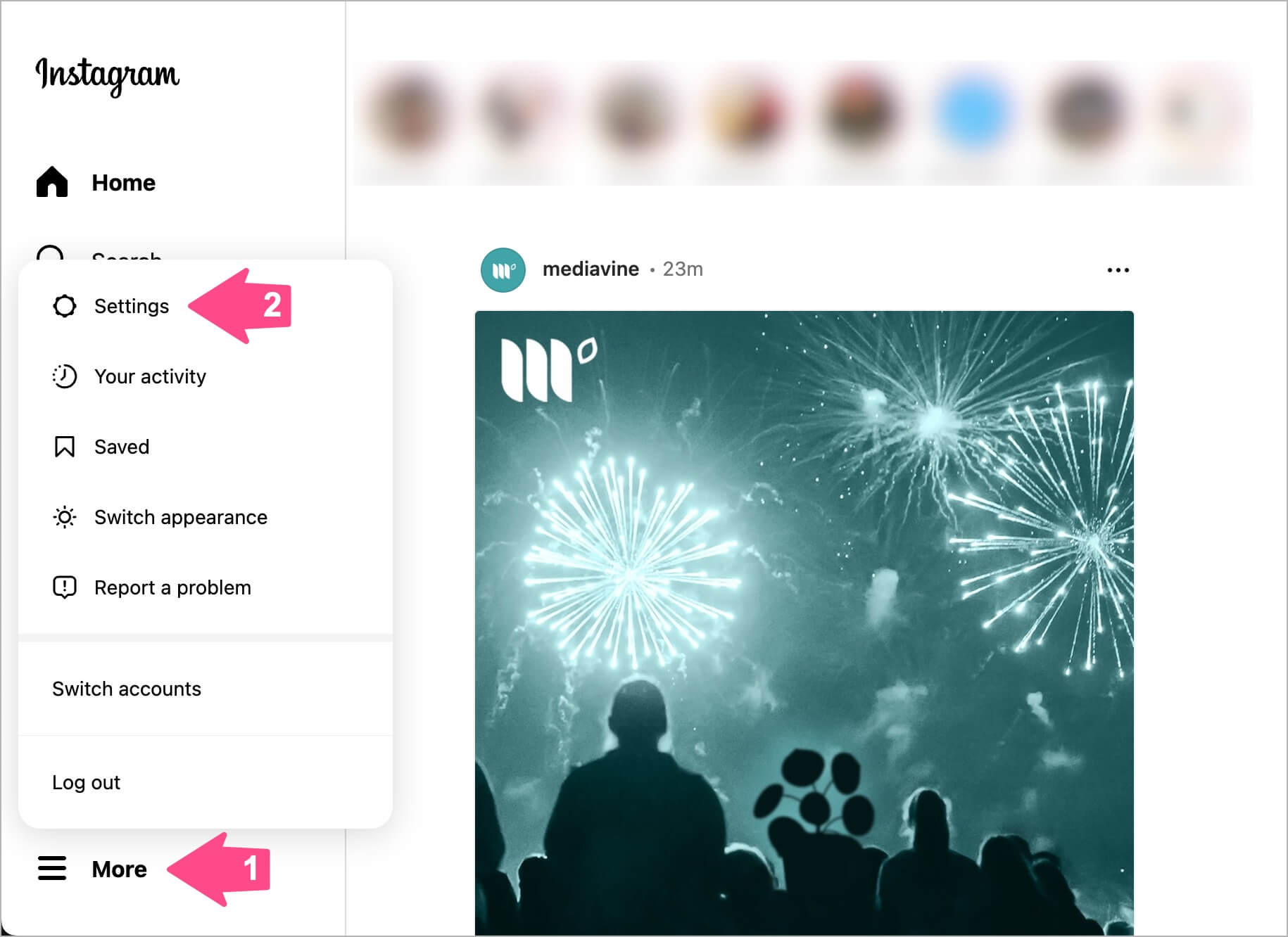
- In the Settings sidebar, click “Messages and story replies“.

- Click the ‘Show activity status’ option and turn off the toggle for “Show activity status” to appear offline.

Alternatively, you can directly visit https://www.instagram.com/accounts/how_others_can_interact_with_you/ and turn off “Show Activity Status”.
NOTE: Any changes made to activity status will affect other devices your Instagram account is logged into.
How to turn off Active Status for one person
Instagram offers no way to turn off active status for one person. You can however use a workaround to prevent specific people from seeing your online status.
To hide your active status or last seen for a particular person on Instagram, you simply need to restrict that person.
When you restrict someone,
- They can’t see when you’re online or if you’ve read their messages.
- Instagram won’t notify the particular person that you’ve restricted them.
- Chats made with the restricted person will move from your inbox to Message requests.
- New messages from restricted people will appear under Message requests.
- You can still see their message without them knowing that you’ve seen it.
- You won’t be able to reply to or send messages to the restricted person unless you unrestrict them.
To put someone on the restricted list on Instagram,
- Go to your Instagram Direct inbox.
- Open the chat with the person you want to restrict.
- Tap the person’s profile name at the top left.
- Tap Options (3-dot) and select ‘Restrict‘.
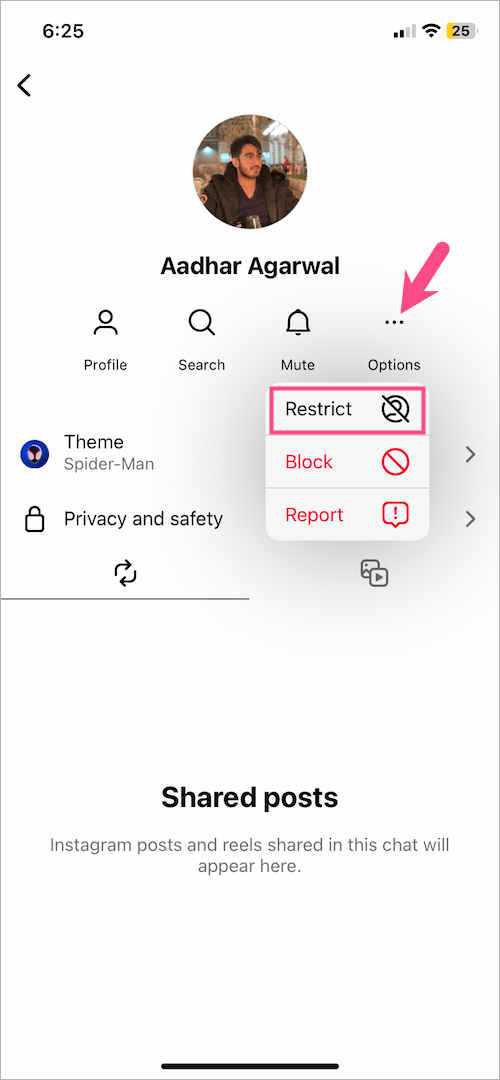
- Then tap ‘Restrict Account‘ to confirm.
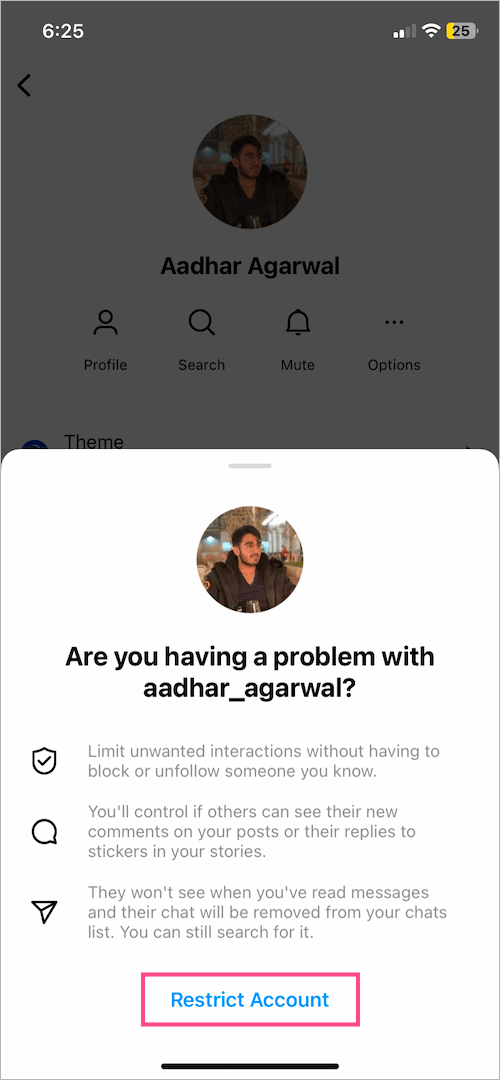
That’s it. The restricted person’s chat will then move to Message requests.
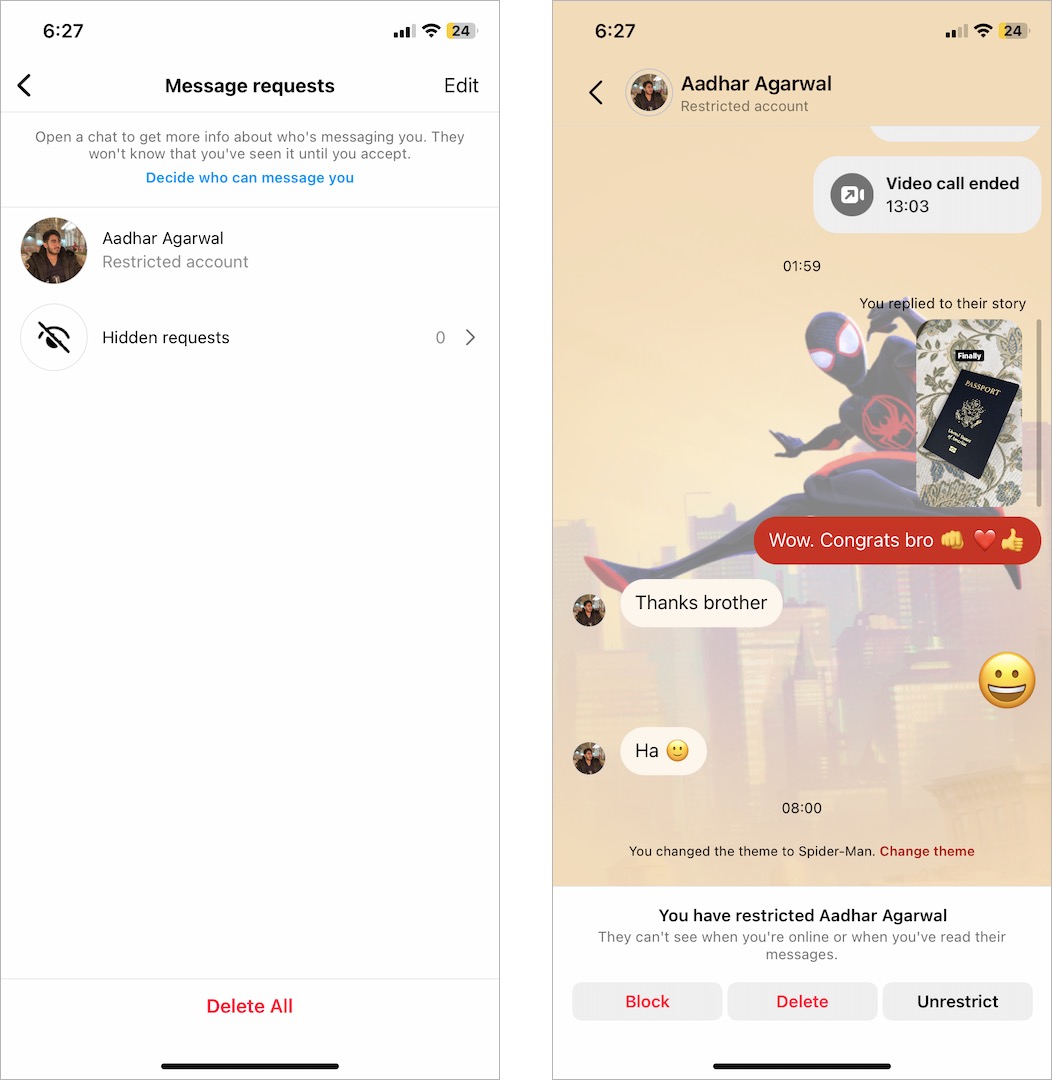
To view message requests, go to your inbox and tap on ‘Requests‘ at the top right.
What happens when you turn off Activity Status?
When you turn off your Activity status, you won’t see the online status and last seen of people who follow you or anyone you have interacted with in Instagram DMs. You won’t be able to see the Activity status of other accounts either.