McAfee is one of the most popular antivirus and security solutions available for Windows and Mac. Unlike most antivirus software, you can’t just download the trial version and start using it. Instead, McAfee requires you to create a McAfee account and add a payment method (such as a credit card) before you can activate the 1-month free trial.
Once the trial ends, your McAfee subscription is set to automatically renew at the renewal price (currently $119.99/year for McAfee Total Protection).
If you don’t wish to continue, it’s important to cancel your McAfee subscription or remove your payment method before the trial ends. Simply uninstalling McAfee from your PC or Mac does not cancel your subscription, and you may still get charged.
Below, we’ll guide you through everything you need to know about cancelling your McAfee subscription in 2025.
How McAfee Free Trial Works
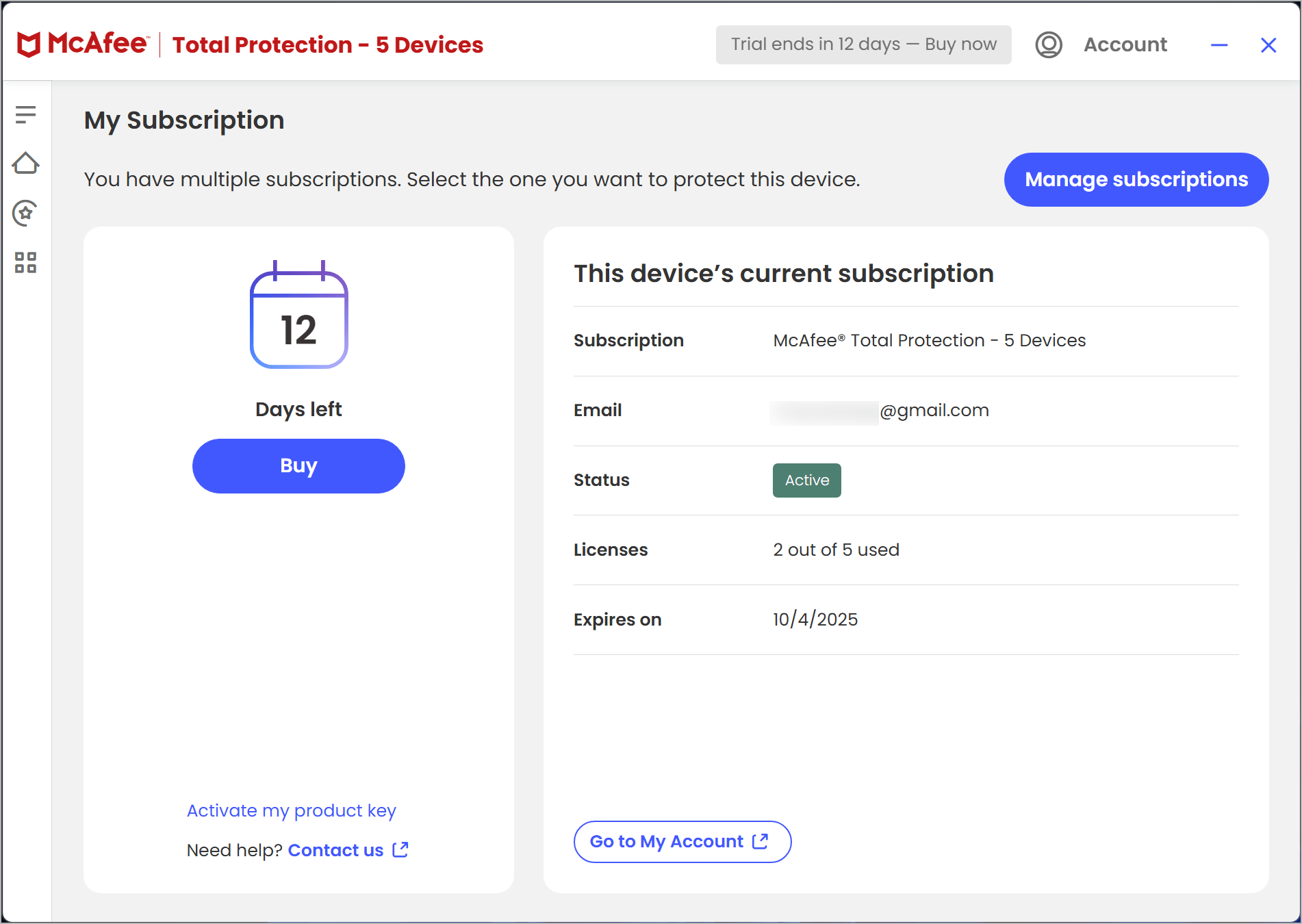
When you install the McAfee free trial, you get access to premium protection for 30 days. But here’s the catch:
- You must create a McAfee account and add your payment details to download the trial.
- The trial automatically converts into a paid subscription once the 30-day period is over.
- McAfee will charge your card 7 days before the expiration date for monthly subscriptions and 30 days before for annual subscriptions.
If you don’t want to be charged, make sure to cancel McAfee auto-renewal during the trial period or immediately after activation.
How to Cancel McAfee Auto-Renewal Subscription Online
The easiest way to cancel your McAfee trial or subscription is via your McAfee My Account. Here’s how:
- Go to the McAfee login page.
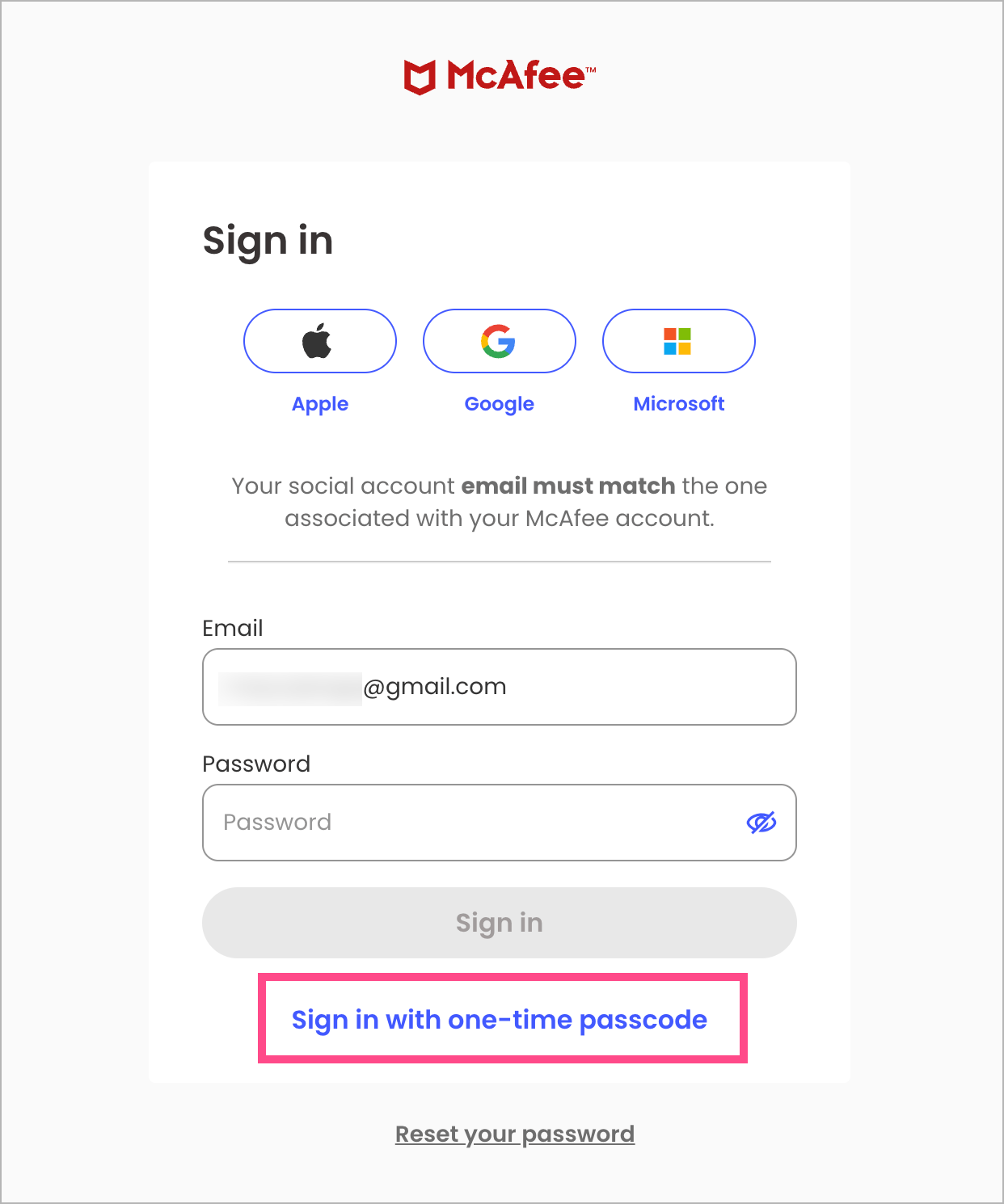
- Sign in with your registered email and password. Tip: Use the one-time passcode option if you’ve forgotten your password.
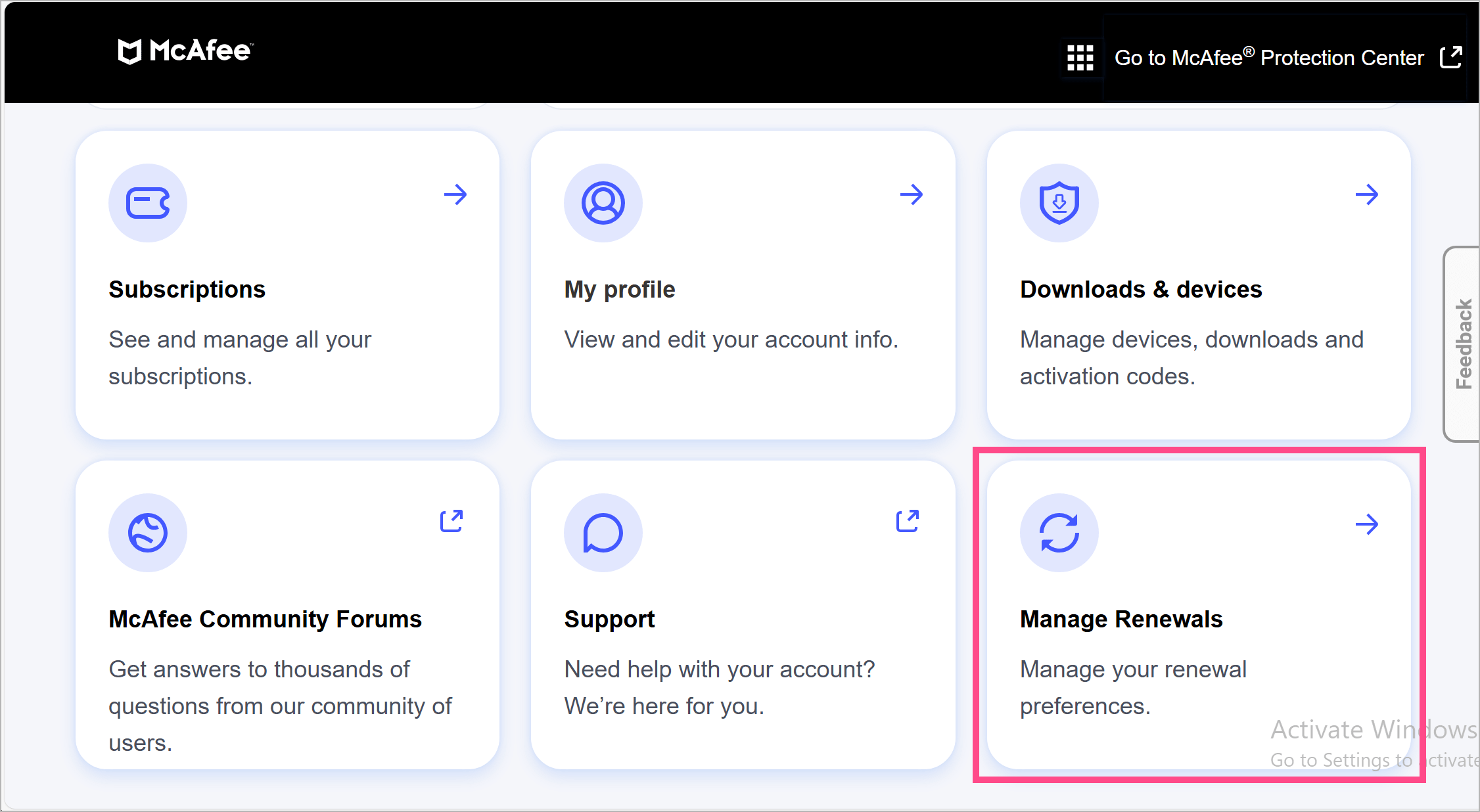
- On the My Account page, go to Manage Renewals.
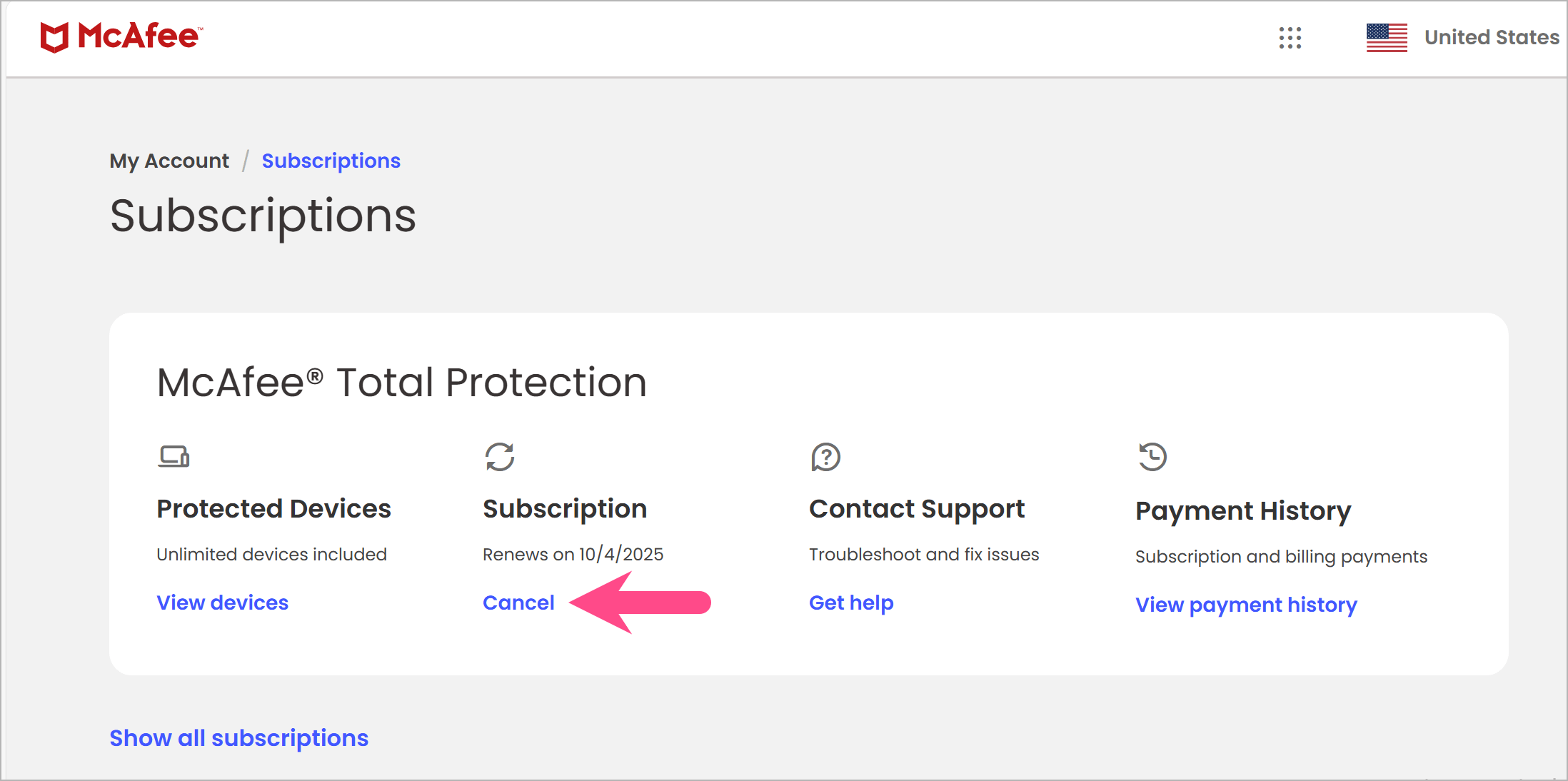
- On the Subscriptions page, click the Cancel option under Subscription.
- Click Cancel auto-renewal to confirm and turn off McAfee auto renewal.
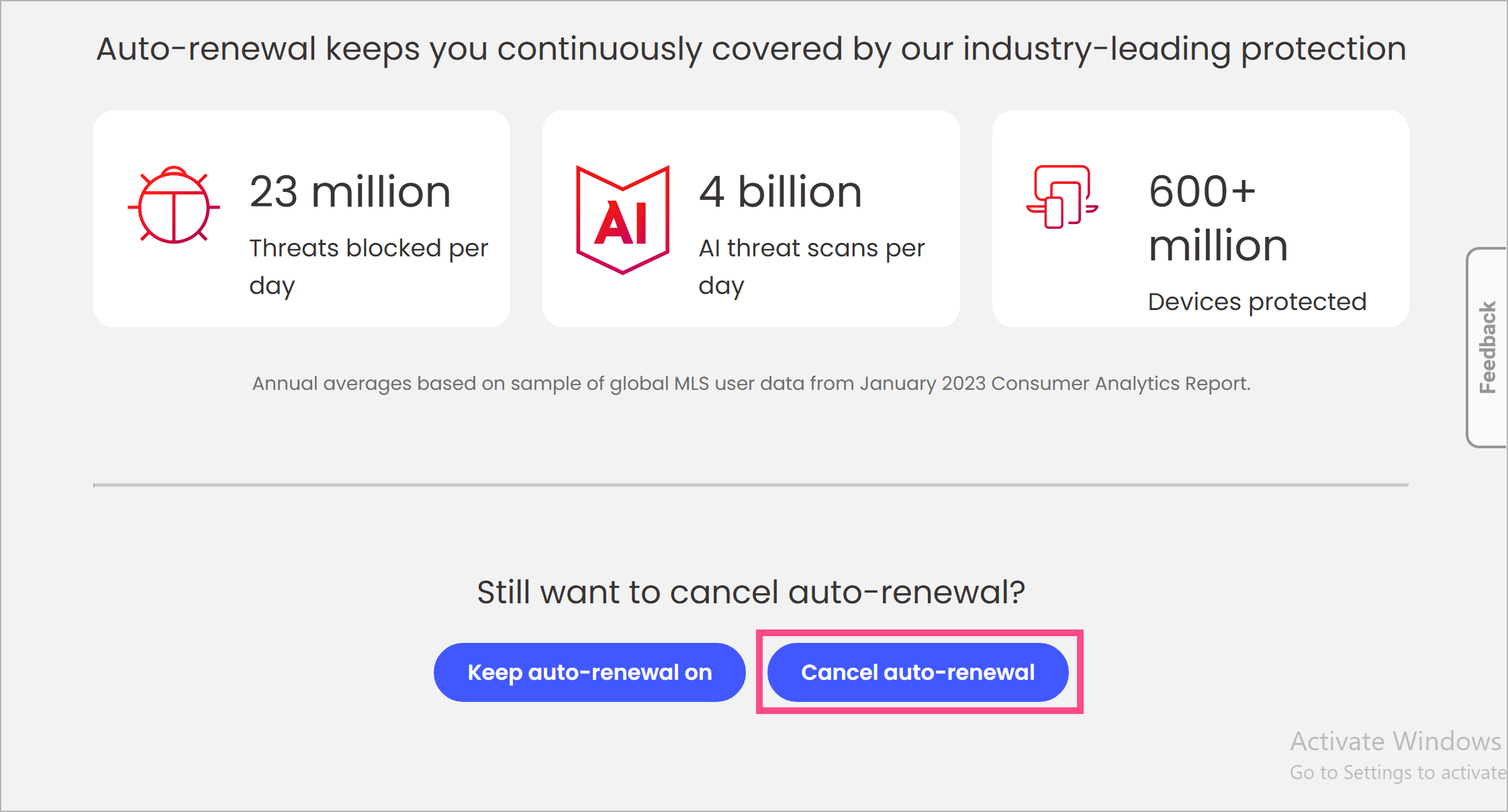
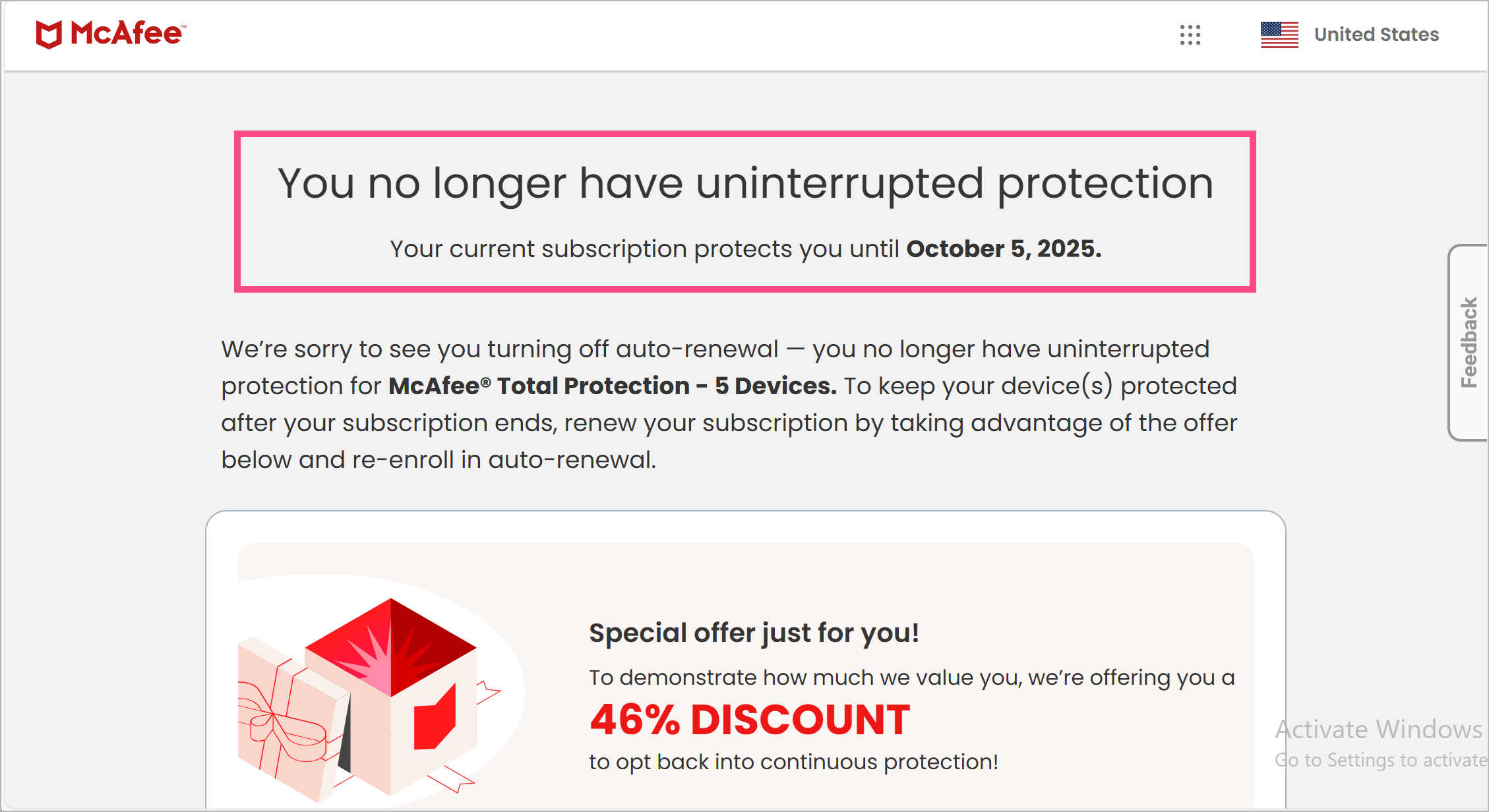
You’ll now receive an email confirmation that your McAfee auto-renewal has been deactivated.
How to Cancel Your McAfee Subscription and Get a Refund
McAfee will provide you a full refund (upon request) if you cancel your subscription within 30 days of initial purchase (for new subscriptions) or within 60 days of automatic renewal charge.
To cancel McAfee and get a refund:
- Visit the McAfee Support page.
- Contact McAfee Customer Support via chat or phone.

- Provide your account details and payment reference.
- Request for cancellation and refund.
Alternatively, you can log in to your McAfee My Account and go to Subscriptions. Click Cancel/Refund next to the subscription for which you want to request a refund.
Once approved, McAfee will reverse the charge to your original payment method.
How to Remove Payment Method from McAfee Account
To prevent being charged in the future, you can delete your payment details. Doing so will also turn off your auto-renewals.
Here’s how to delete a payment method from your McAfee account:
- Sign in to your McAfee account.
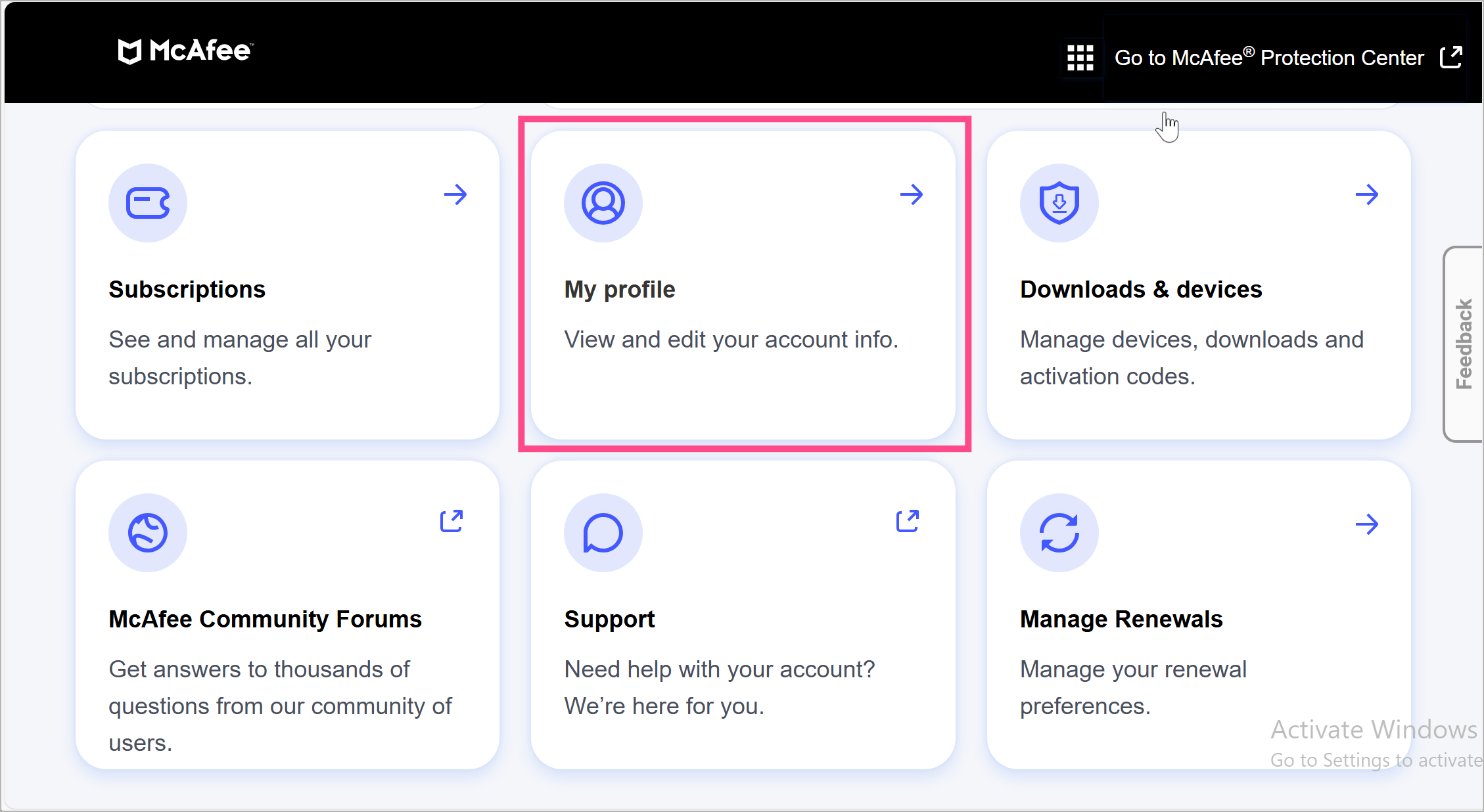
- Go to My profile.
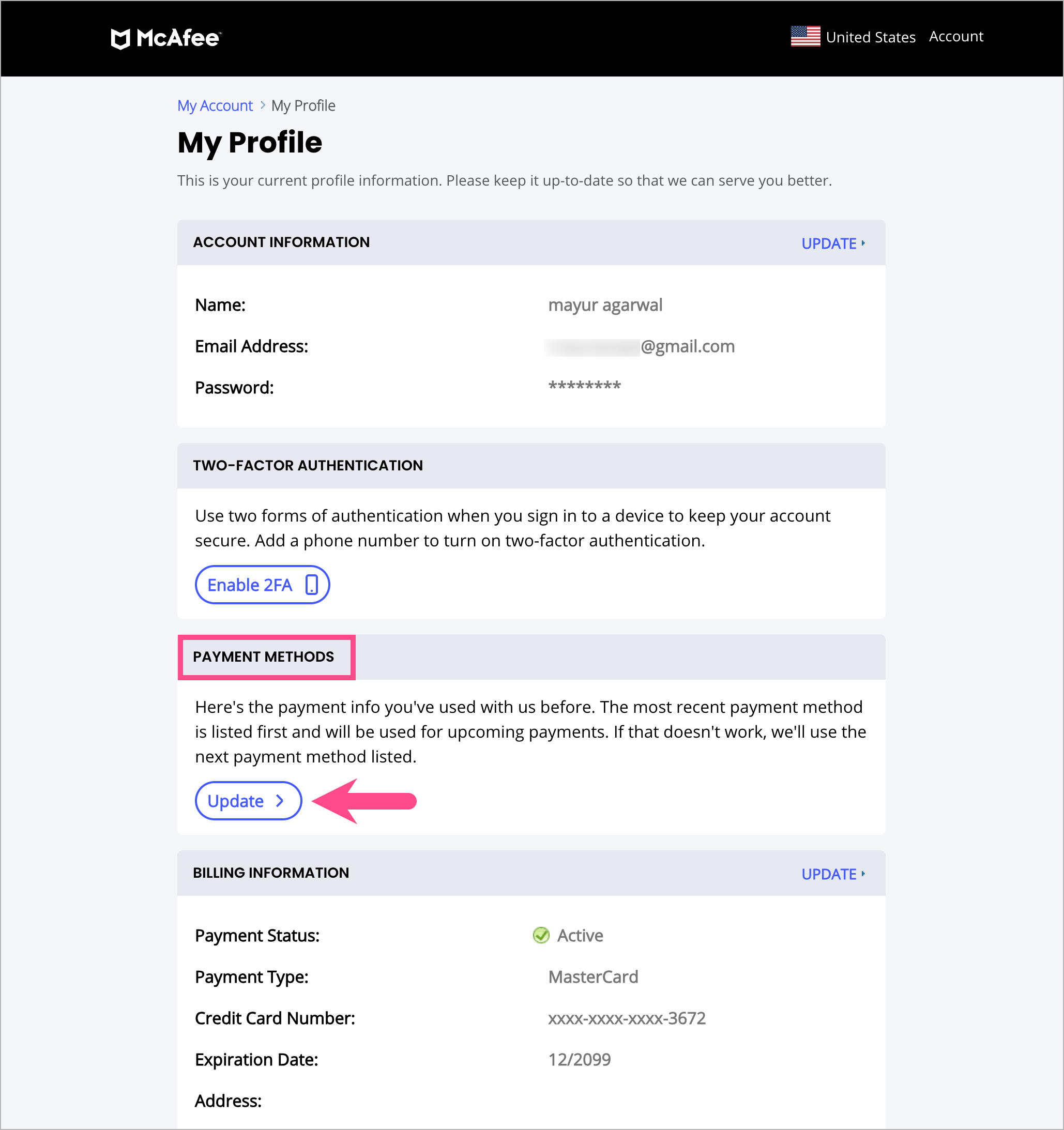
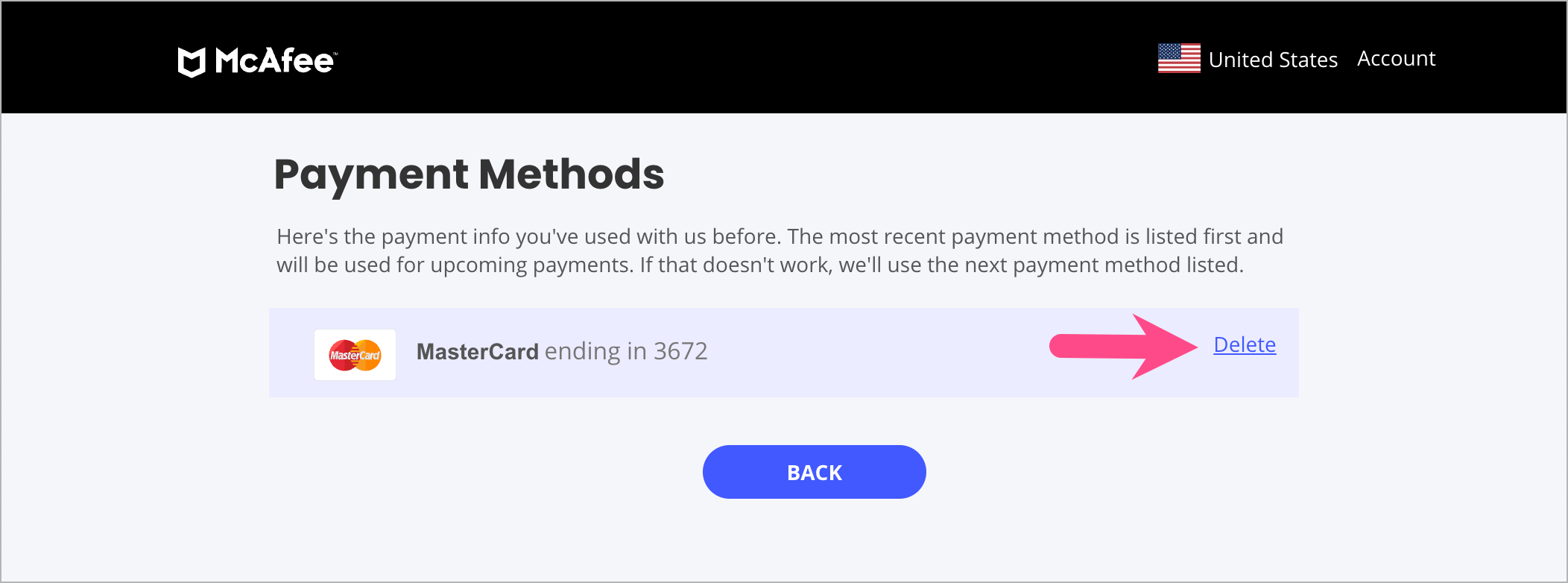
- Scroll down to Payment Methods and click Update.
- Select Delete next to the stored card or payment option you want to remove.
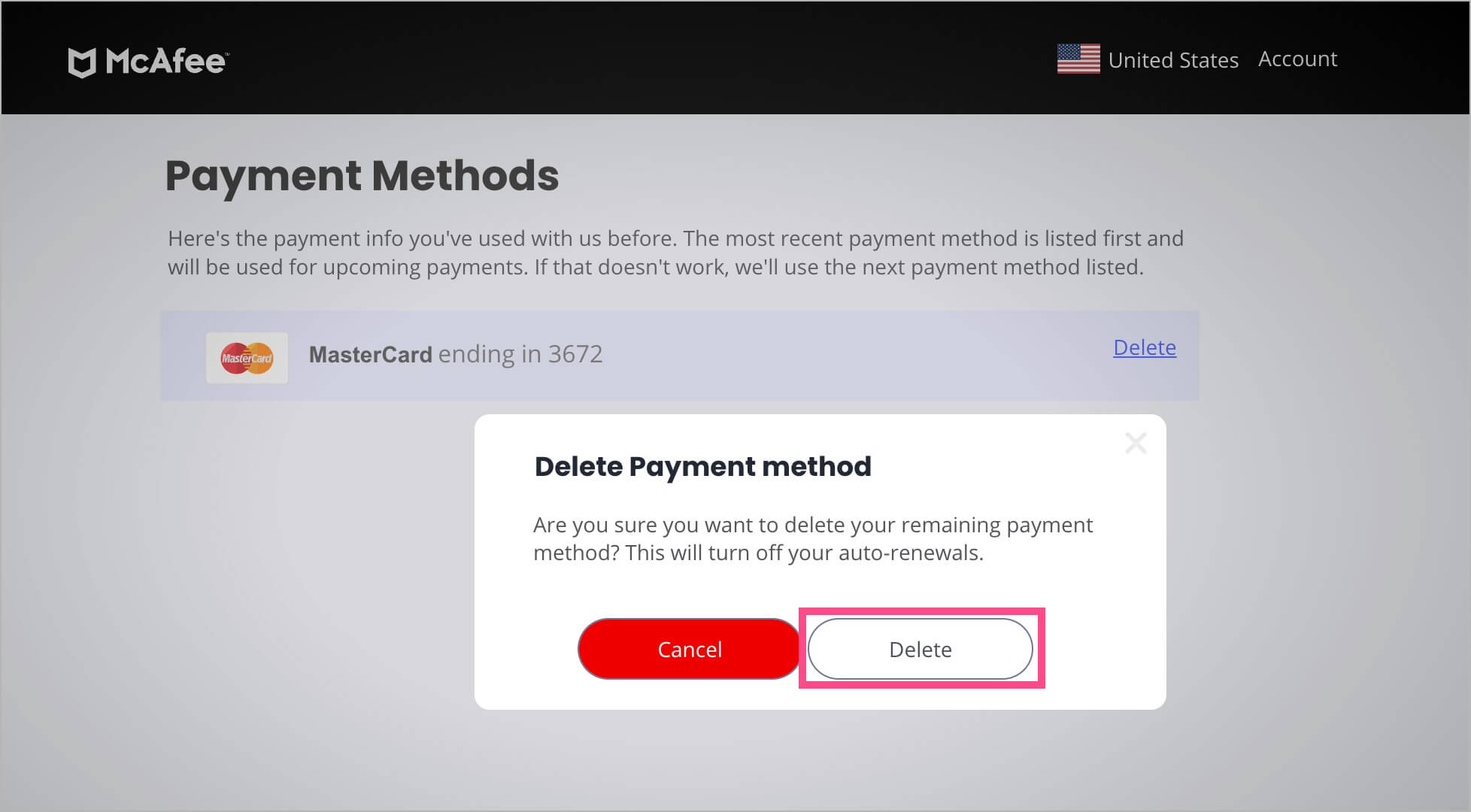
- Click Delete again to confirm the action.
What Happens When You Turn Off Auto-Renewal on McAfee?
When you disable McAfee auto-renewal:
- You’ll get an email confirmation from McAfee.
- Your antivirus protection will continue until your current subscription period ends.
- No further charges will be taken after your current term expires.
- You can still renew manually later if you choose to keep using McAfee.
Our Thoughts
McAfee’s trial system can be tricky since it requires upfront payment details and defaults to auto-renewal. To prevent unwanted charges or renewal fees:
- Stop McAfee’s automatic renewal before your trial ends.
- Remove your saved payment method.
- Contact support for a refund if you were charged.