


The ease and reliability of cloud services have encouraged most users to upload their photos and videos to the cloud. Google Photos is one such popular service that offers a seamless and efficient way to upload and backup your memorable photos for free. It lets users back up photos in high quality (in case of unlimited free storage), share them, edit photos into movies and collages, create photo albums, and a lot more.
The photos are automatically uploaded from a desktop or smartphone and are accessible across multiple platforms by just logging in to your Google account. iPhone and Android phone users with limited internal storage can free up device storage by removing original photos and videos from their devices once they are backed up on Google Photos. The process is really convenient and hassle-free.
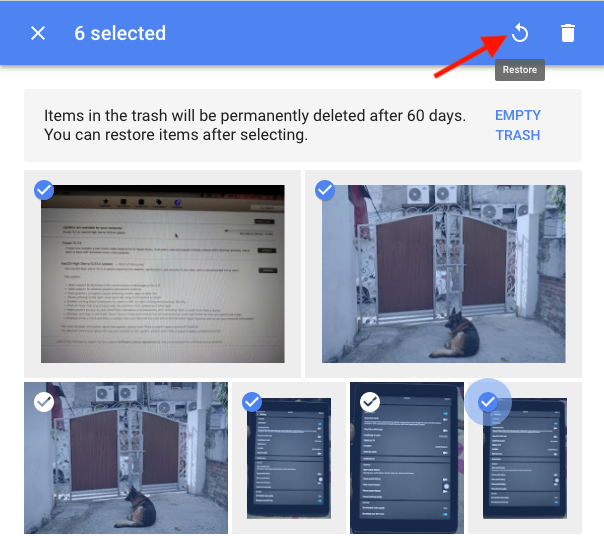
Coming to the point, if you want to restore deleted photos or pictures from Google Photos then that’s possible. That’s because when you delete photos from your account, the photos are moved to the trash or bin where they remain for 60 days. After 60 days, the items in the trash are permanently deleted. As a result, you can restore deleted photos within that time period, both on the desktop and mobile apps.
Restore Photos from Google Photos Trash
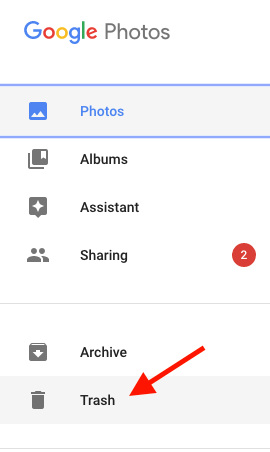
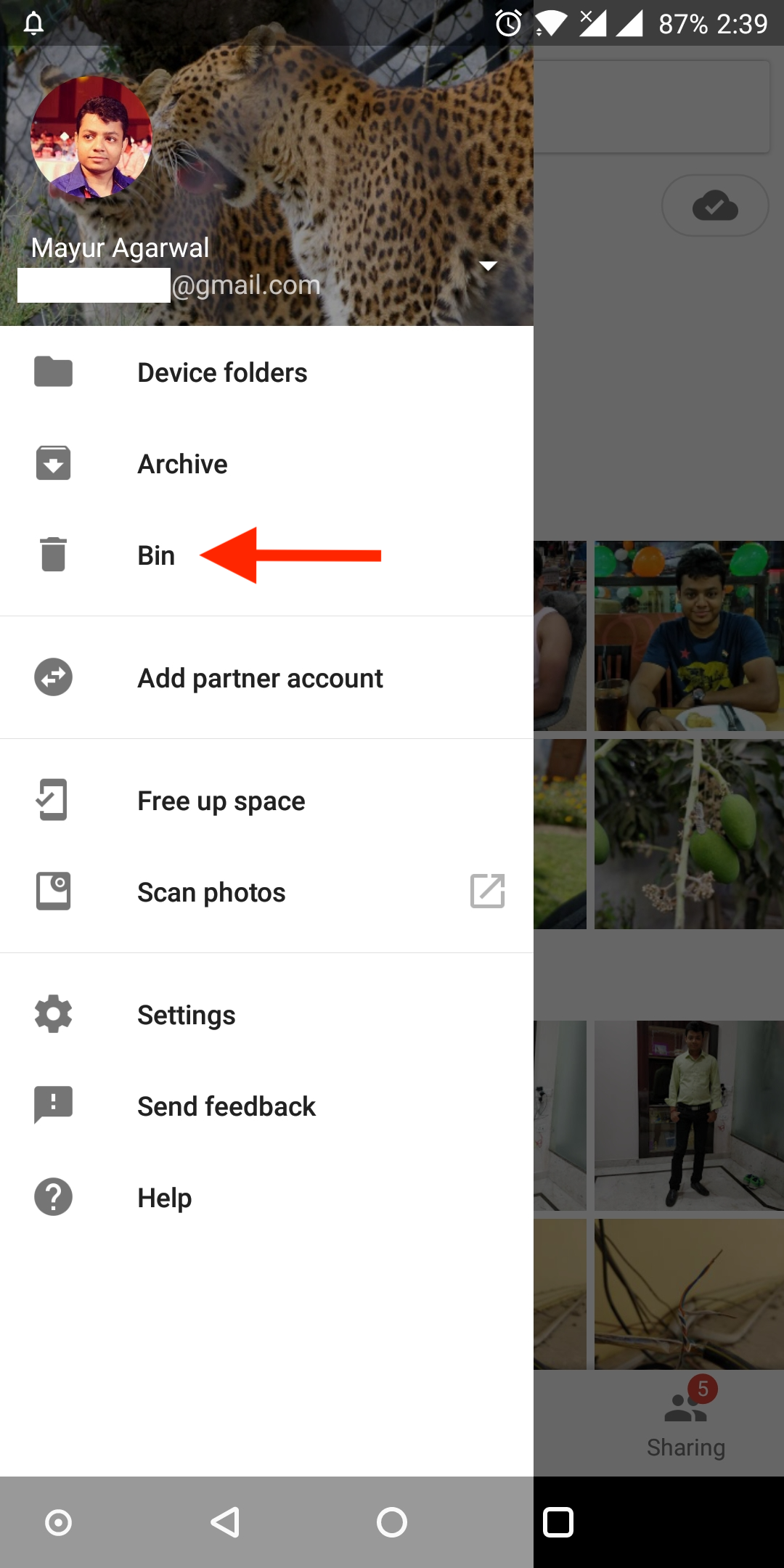
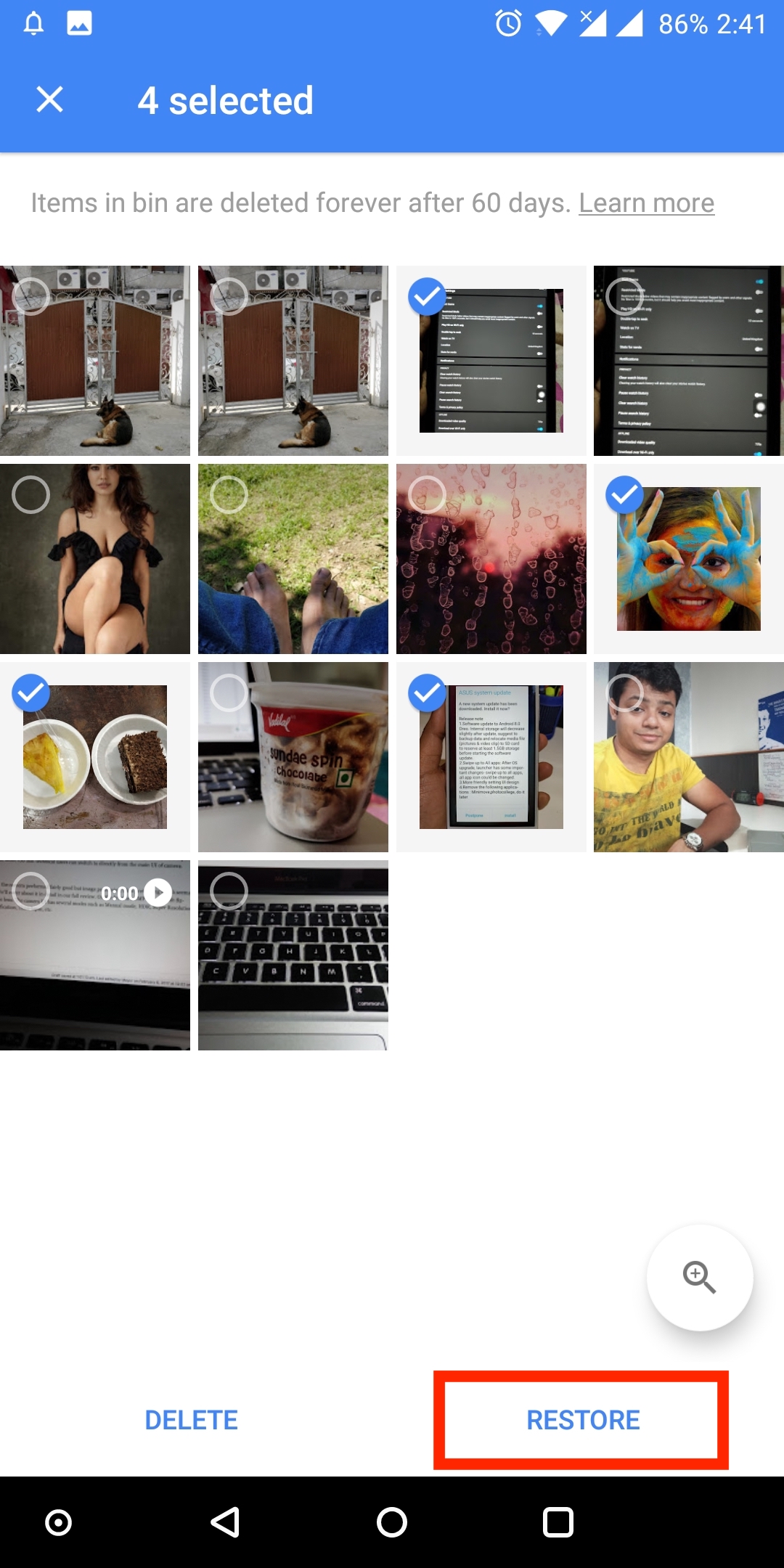
To restore deleted pictures from Google Photos, visit photos.google.com/trash or navigate to the Google Photos website, open the menu, and select the “Trash” option. Here you’ll find all the photos deleted by you in the past 60 days. Select the desired photos and click on the restore icon. The photos will be instantly restored and you can see them in the Photos section.
Recover permanently deleted photos
If you want to recover photos that are permanently deleted after 60 days then they might be really hard to recover. This situation could arise when you’ve deleted photos from your computer or phone storage as well as Google Photos, including the trash. In such a case, you can attempt to contact the Google Drive customer support team who reportedly uses a program to restore permanently deleted photos.
While going through Google Photos forums, I noticed that some users were able to recover 95% of their permanently deleted photos with the help of Google Drive support. It is reported that the team can restore photos up to 21 days after permanent deletion. However, to make such a request you need to have a genuine reason in case your important photos go missing without any reason or mistake.
To make a recovery request, visit the “Contact Us” page, select “Missing or deleted files” and opt for email or chat support. Optionally, you can call the Google Drive service.
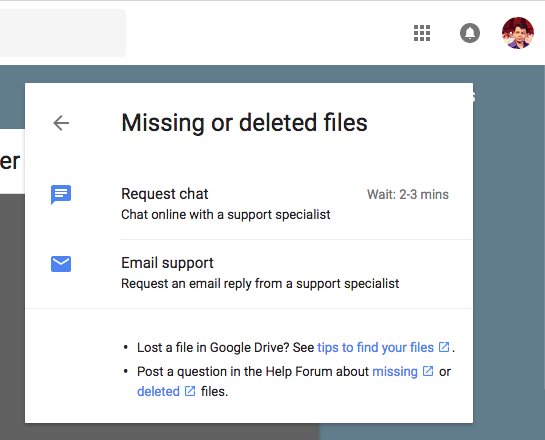
That said, note that there is no guarantee that Google will be able to recover your photos and you can’t hold them accountable for losing your photos unless there is a technical reason involved.
References: Google Drive Help








Doesn\’t work. Nothing deleted shows in trash. Nothing in trash at all. When I deleted stuff from Google Photos, it also deleted my originals on my phone. My only originals. Took out Google Photos and those in my phone camera. Absolutely nothing on Googles trash can.
I lost my Photos from gellery please recovery my Photos
I have lost my photos and videos from google photoes and its trash also…
How can i recover