


Instagram Notes is a fun way to share short messages and thoughts with your friends and followers. Recently, Instagram introduced the ability to share music, including songs from Spotify, directly to your Notes. This makes it easy to let your friends know what you’re currently listening to or what song matches your mood or current vibe.
When you share your Spotify songs on Instagram Notes, your note will update in real time to show the song you’re currently playing. Your note will continue to update for up to 24 hours or until 30 minutes after you’ve stopped playing music.
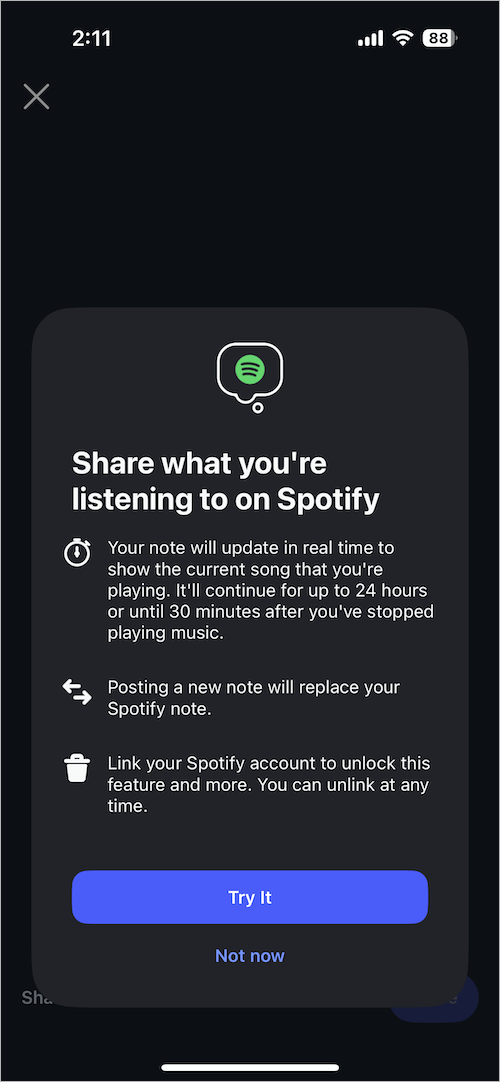
If you want to share what you’re listening to on Spotify as a note on Instagram, you first need to link Spotify to Instagram Notes. This quick guide shows how you can connect your Spotify account to Instagram Notes on iPhone and Android.
NOTE: Before proceeding, make sure to update your Instagram and Spotify apps to the latest version.
How to Connect Spotify to Instagram Notes
- Open the Instagram app and tap the Messenger icon at the top right.
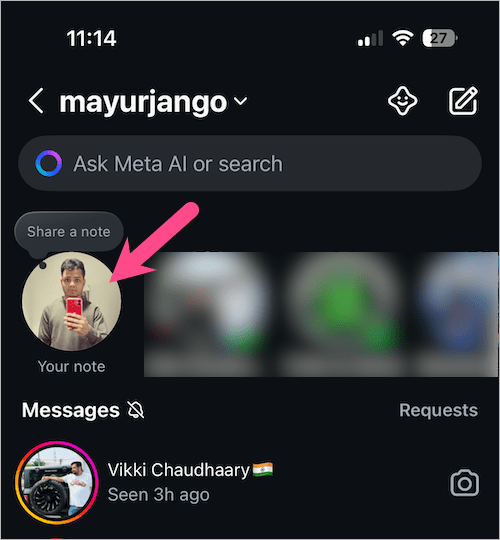
- Tap ‘Your note‘ at the top of your inbox to add a new note.
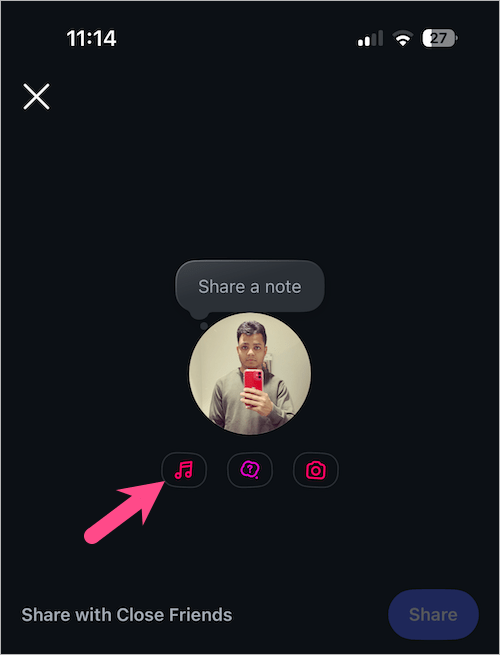
- On the create note screen, tap the ‘Music‘ icon.
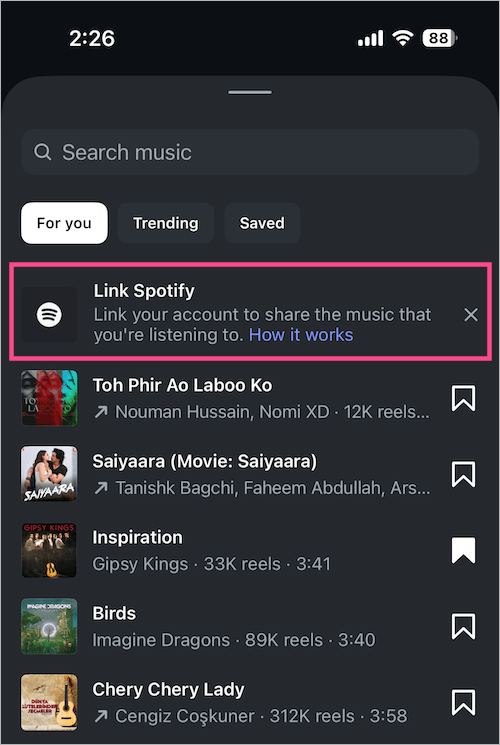
- Tap ‘Link Spotify‘ to link your Spotify account to Instagram.
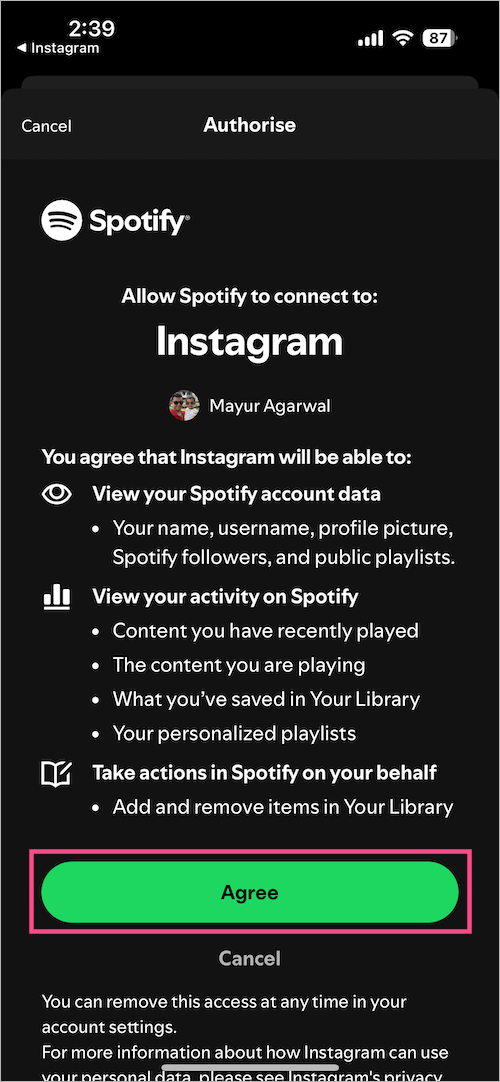
- Tap on ‘Agree‘ to grant access and allow Spotify to connect to Instagram.
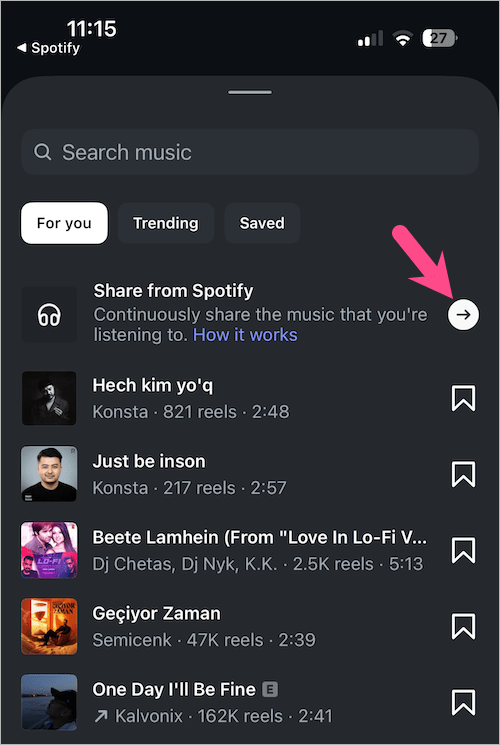
- To share Spotify music in Notes, create a new note, choose music, and tap the ‘Share from Spotify‘ option at the top.
- Optional – Add a note of up to 60 characters. You can also add an emoji and change the color of your Instagram Note.
- Choose to share the note with your Friends (Followers you follow back) or your Close Friends.
- Tap the ‘Share‘ button to share your live playlist from Spotify.
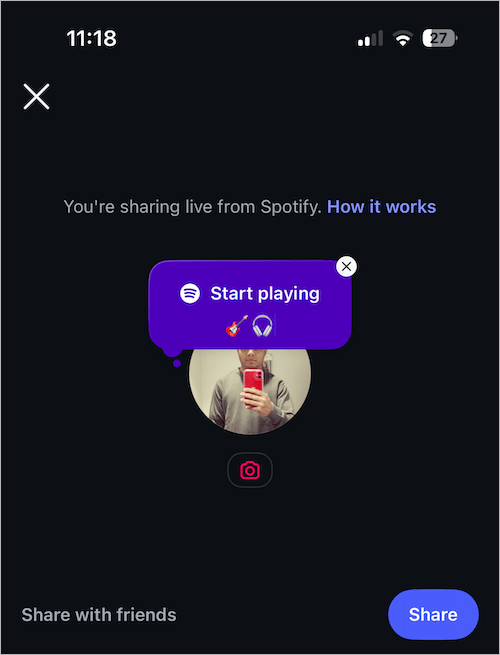
- Open the Spotify app and play music if you aren’t listening to Spotify.
Your note will appear at the top of your inbox and above your profile picture in the profile tab. Your followers can see the music you’re currently listening to on Spotify.
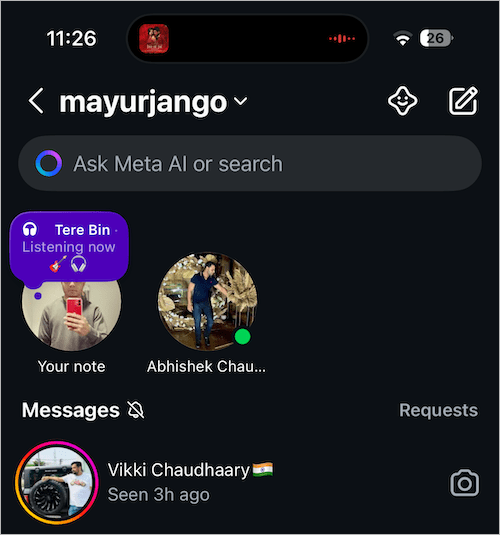
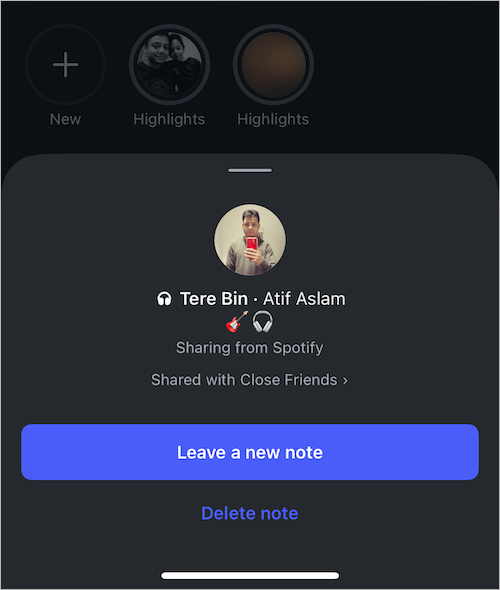
You can tap your note to leave a new note or delete it. Note that adding a new note will replace your Spotify note.
How to Unlink a Spotify account from Instagram
You can unlink your Spotify account from Instagram anytime if you decide to stop sharing music from Spotify.
Follow these steps to stop sharing from Spotify to Instagram Notes:
- Navigate to the Profile tab, located at the bottom right of the app.
- Tap the Menu button in the top right.
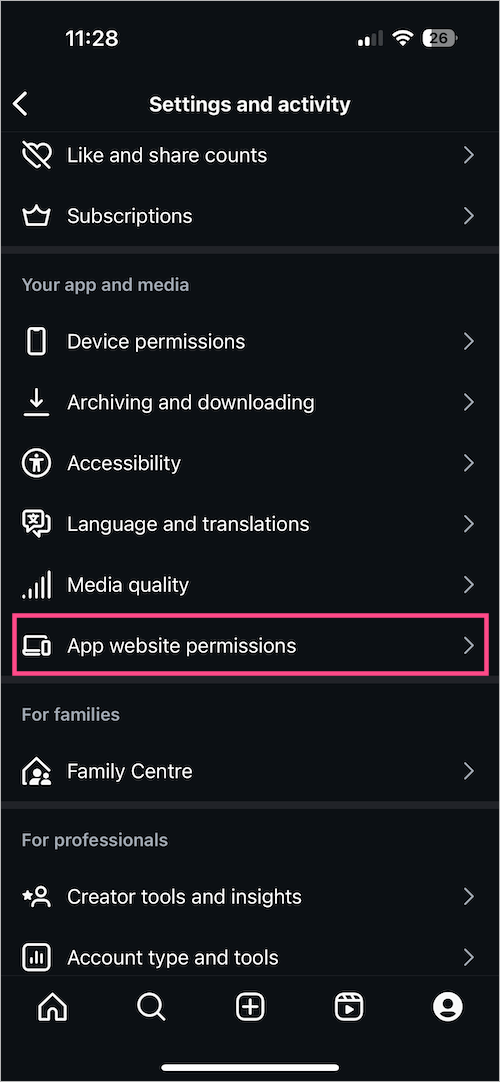
- Scroll down to the ‘Your app and media’ section, and tap ‘App website permissions‘.
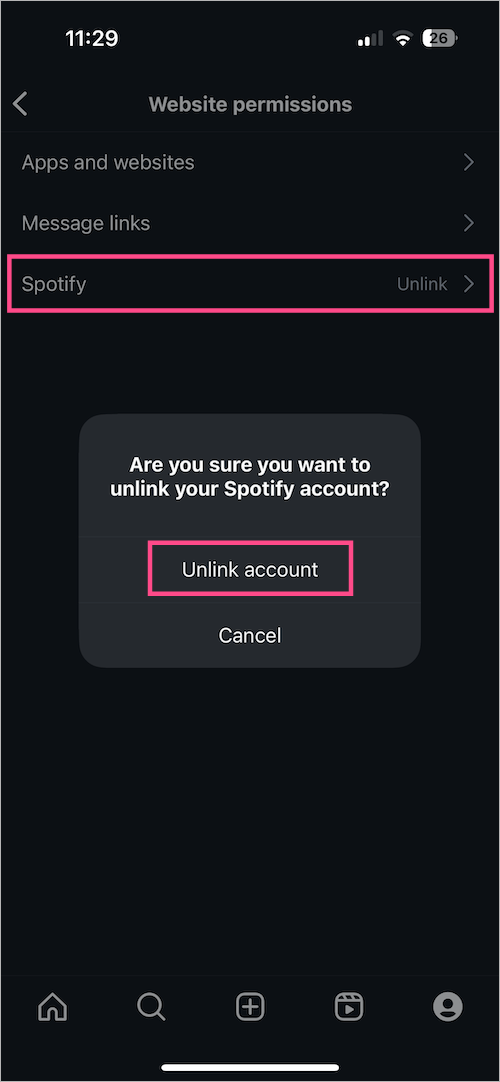
- Tap ‘Spotify‘ and select ‘Unlink account‘.
Share Spotify songs with sound to your Instagram story
A few days back, Instagram added the ability that lets users share their favorite Spotify songs with sound to Stories. Whereas earlier, you could only share a song without sound to the story, and clicking the link would open it in the Spotify app.
This has changed with the latest update, as story viewers will now be able to listen to a preview of the song within the Instagram app itself. Unlike Notes, you don’t need to link Spotify to add Spotify music to your stories.
Here’s how you can share a Spotify song on your Instagram story with sound:
- Ensure you’re running the latest versions of Instagram and Spotify.
- Open the Spotify app and find the music track you want to share.
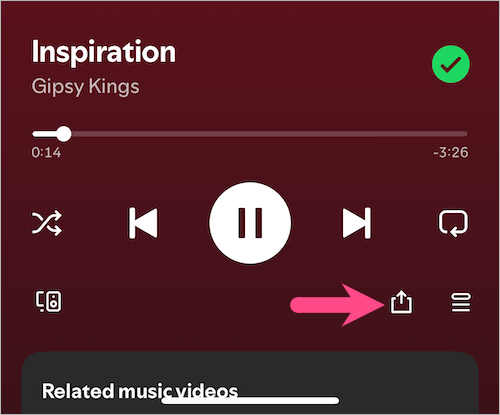
- To share the song, tap the Share icon on the ‘Now Playing’ screen.
- Select ‘Instagram Stories‘ from the share list. (Choose a different background if you want.)
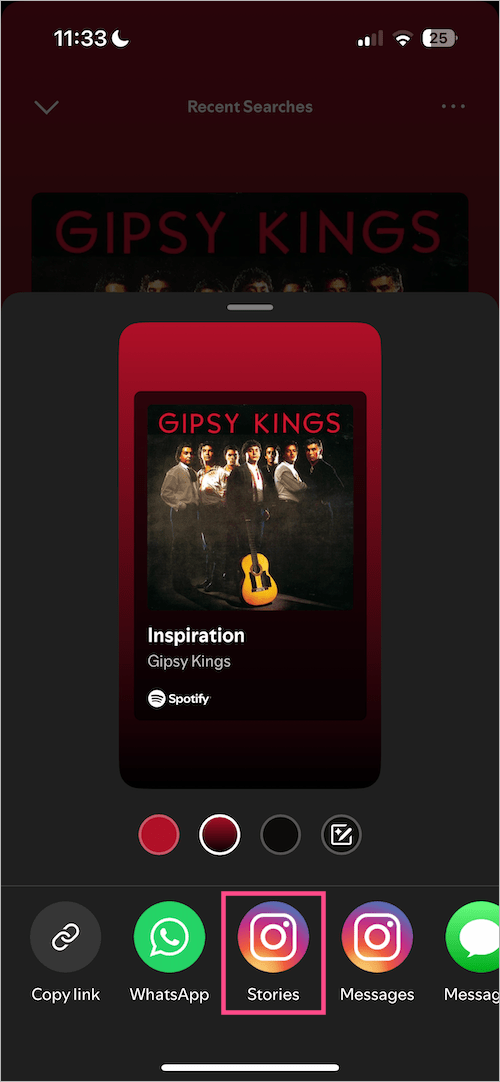
- A new story will be ready with the album art and a preview of the song from Spotify.
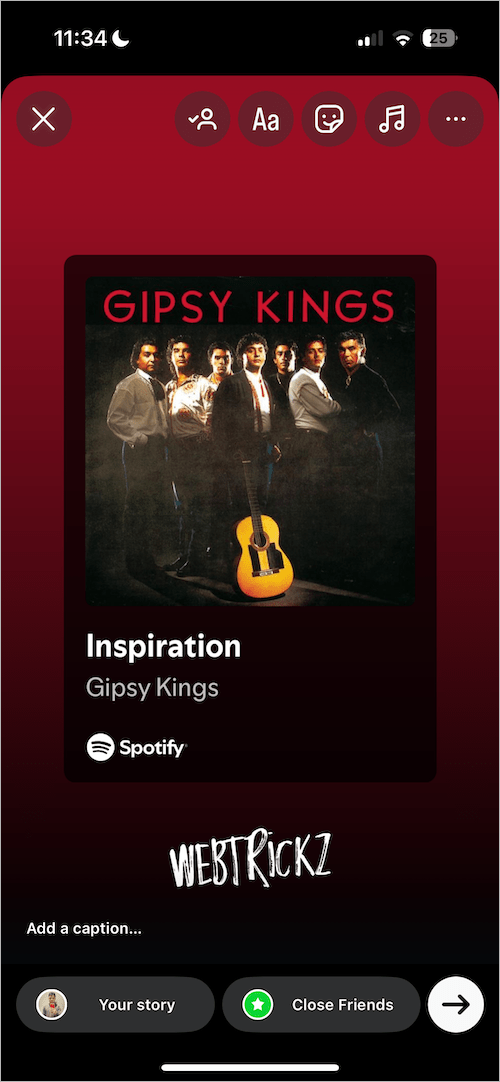
- Optional: Add text, stickers, a caption, or tag people in your story before sharing.
We hope you found this guide helpful.










