


Facebook Messenger is a feature-packed IM client that has evolved a lot over time. Besides offering messaging, voice, and video calling functions, it lets you share photos, videos, and Facebook stories.
However, unlike WhatsApp, Messenger lacks a basic yet handy feature which is the ability to send files or documents. Due to this limitation, it’s not possible to send attachments such as a PDF, Docx, MP3, or a Zip file using the Messenger app. Also, you won’t find Messenger in Android’s Share menu either when sharing a file directly using a file manager.
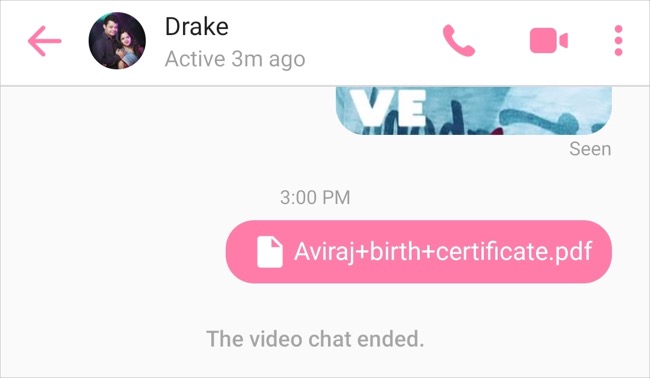
That said, if you want to send a file in Messenger 2022 itself then that’s possible. Ironically, Messenger Lite, a stripped-down and lighter version of Messenger includes the file sharing option. It is surprising that the feature is a part of the Lite version but excluded from the regular app.
The Lite app is just 10MB in size and consumes very less mobile data.
Speaking of Messenger Lite, the chat app by Facebook is available in many countries including the US, UK, Canada, and India. In regions where it isn’t available, Android users can simply download the app’s APK and sideload it.
On the other hand, you won’t find Messenger Lite for iPhone and iPad. Though iOS users will still receive any files sent to them from Messenger for Android.
Now let’s see how you can attach a file in Messenger on an Android phone.
How to send files in Messenger App on Android
- Install Messenger Lite on your Android phone.
- Open the app and log in with your Facebook account.
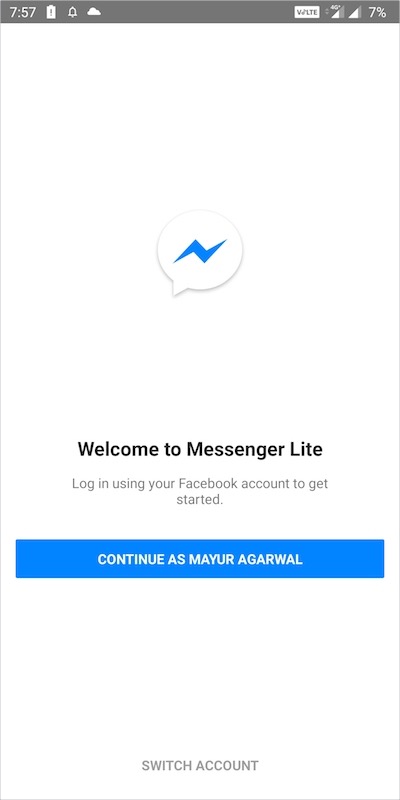
- Now open the desired conversation or chat. You can also search for the person to whom you want to send a file.
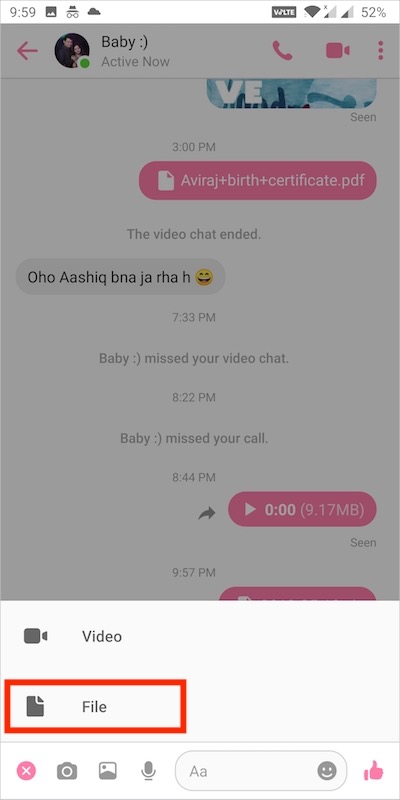
- Tap the + button at the bottom left and choose the File option.
- Then tap the menu from the top left and select your device.
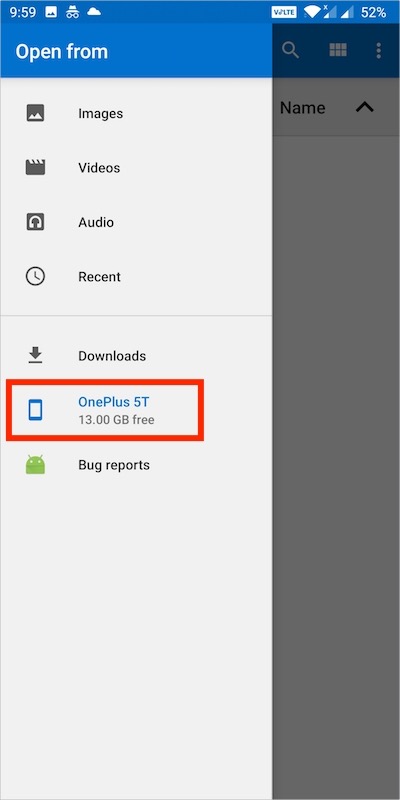
- Select the file from a particular folder on your internal storage.
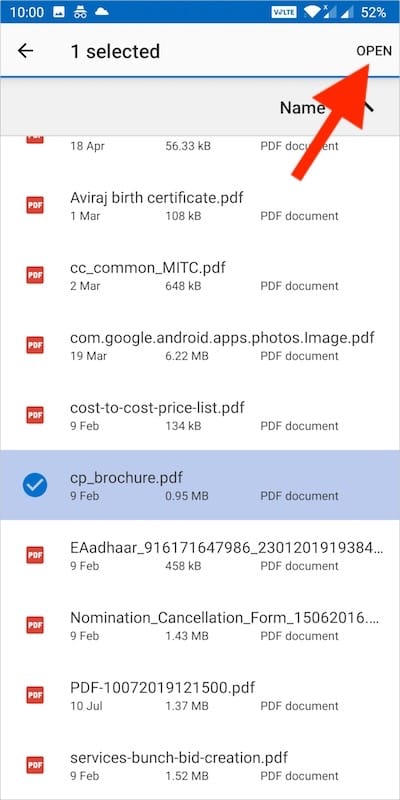
- Hit Open and then tap the ‘Send‘ option to send the file.
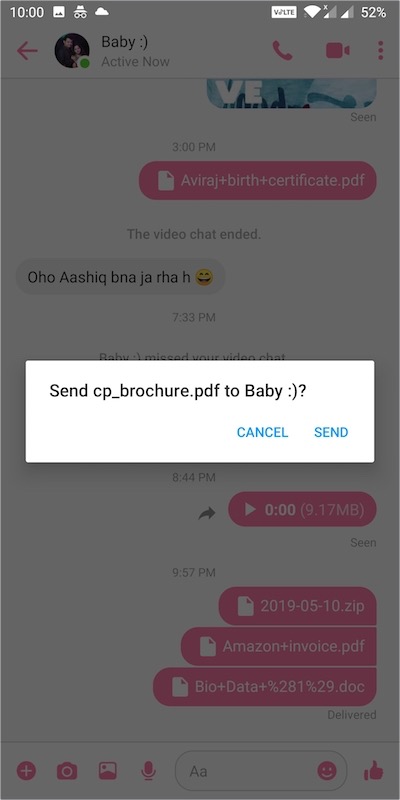
That’s it. After the file is sent, the receiver can download and view it using the regular Messenger app itself. The only downside is that you can’t send multiple files at once.
We hope you found this article helpful.
ALSO READ: How to Find Archived Stories on Facebook app










Super Helpful!!! been looking for this for a long time now. Weird design by facebook though that Messenger regular doesn\’t allow file sharing.
Might help if there was a + at the bottom of the screen
It has. On Messenger LITE. Not the regular Messenger app.
Thanks so much. I needed a tip that still works in 2020. The Messenger Lite version worked!
Indeed it\’s very helpful to me today. Thank you so much…
my internal storage does not show when I open file.plz help me.
Did you select your device from the “Open from” menu as shown in step #5?
Thank you so much. God bless and share more knowledge
How do you maintain the file name? It doesn\’t show the real file name in the chat
Hello the file i send in messenger lite changes their name to local_media and then a number. How do i fix this pls.
I have the same problem. Is there any solution to this at all?
Thank you so much for this.it was very helpful
2021 Messenger has no “send file’ button. You have to go to the browser and using the desktop version instead. Anyway, the website will automatically change your URL to http://m.facebook, which is still a mobile version. When using messenger through browser please delete “m.” make it become http://facebook ……. and all the function will be the same with the PC version.
That’s why the article asks you to install Messenger Lite as a workaround.
Thank you so much for this, I was able to send send for my requirement using my android phone, without opening my loptop. This is very helpful… Thank you
Thank you so much! This is what I wanted over the past years and it’s working!!!! A million thanks from Philippines! ??
thanks a lot? spent a whole night to figure this out!
Such a great help! I cannot open photo album from messenger on my Android 10 phone; so much pain until I read this post.
Super helpful. Thank you for sharing this idea.
a complete turn around. thanks.. i already downloaded messenger lite and just used it to send excel file.. and yes its true. tnx for the help
Thank you so much for the help. I can now use messenger lite to send my downloaded files to my colleagues through messenger. It is very helpful especially when the report asked from me it to be sent immediately.
Thank you for this clear guide info.
Now I understand why Mr Zuckenberg want to change the name of Facebook. As the light version of Messenger seems to be 50 million times better than the original version. He failed and he probably don’t know how to change this. Also that he wants to deny peoples individual freedom makes him as close to criminal and unethical as can be. That he won’t allow people to make their decisions like what files they want to share. The funny thing is that he do no want criminals to have a chance to come back to a real life. They simply are not allowed to be members of Facebook, which make them hide under a secret profile instead. Clever job..
And I cannot even send my ownmade songs to people in the original messenger. Criminals always change names and hide. These kind of internet trolls should be forbidden to use the internet forever. Mark destroyed the old way of using internet anyway, fooled all people to be collected at a few places. His own places.
And who on earth would remember the name of his new project? You might have money Mark but you really don’t have a heart. Once I was reported to my internet provider that i threathened someone for telling someone that I call the police if she continue to use bad words against me. And once I reported a picture where a pair of scissors cut of the wings of a butterfly. I thought that was really untasteful but Facebook didn’t agree. They thought it was completely normal. I’m sure this is not all made by Mark but it seems that it is simply to much for him to look over everything that is happening on Facebook. And his personel doesn’t seem to know what they are doing. If only I had a easy way to share my own music these days. If I want to give my own music away for free, it should be my choice. I am using royalty-free sounds which I have payed for. And if people want to download a song it is very easy to download anywhere like from Youtube. So denying people to share their own files makes no sense. In the computer I never had a problem to share it. But right now my internet on my computer is not working and suddenly I cannot share my files anymore without uploading it and make people to download it. It takes alot of time for me. You cannot also send friend invites to people that you don’t know on Facebook. I don’t think that Mr Zuckenberg understands the reason of the internet. To meet new people and explore others lifes and ideas.
when i try to send a file its name changes and i cant download it either wtf