


 Sticky notes are a useful feature in Windows Vista and 7. But in Windows 7, sticky notes work as a program and not as a gadget (like in Vista), and its icon is shown in the taskbar.
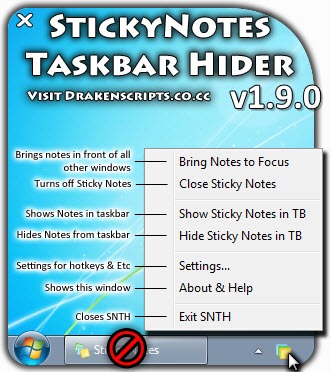
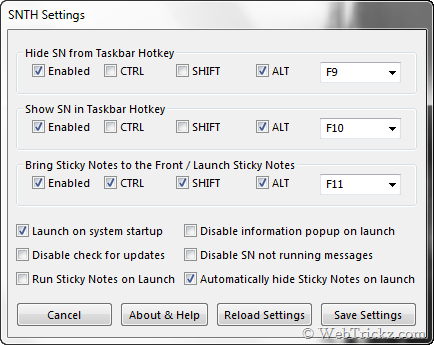
Sticky Notes Taskbar Hider is a small utility to remove or hide the Sticky Notes icon from Windows 7 taskbar. It provides easy access via hotkeys, or system tray icon, show or hide the Sticky Notes item from the taskbar. It offers complete functionality like launching on system startup, hotkeys and lets you recover that lost taskbar space.
– Link Removed






Awesome! I was just looking for this.
Thanks! Exactly what I was looking for. A bit buggy, but works fine most of the time.
A bit quick there … This does not work very well on 64 bit windows 7. Tried it first on 32 bit, which works fine, but it crashes on Win 7 x64 Pro. Not recommended.
Great Program
nice one, the program is working fine on mine win 7 ultimate x64
buggy but i just need to hide notes, and its working fine for that, i recommend
i tested it in vmware on win7 32bit and it worked pretty well…
moved it to a real win7 64bit install and it failed miserably: unresponsive and erratic
I’ve tried this program and it didn’t do exactly what it should it have done and when it did it did it poorly. To combat the situation, I’ve taken it upon myself to write an alternative utility called Note Magic. You can find it at .
Needs work….