


MP3 Toolkit for Windows is a newly launched featured packed utility that includes most of the significant audio related tools and frees you from the hassle of installing individual programs just for performing simple tasks like converting audio, merging MP3 files, rip an audio CD, etc. It’s 100% free and an essential tool even for basic Windows users.
MP3 Toolkit is a freeware and powerful suite comprising 6 music editing tools – MP3 converter, CD ripper, tag editor, MP3 cutter, MP3 merger and MP3 recorder. Using it, one can easily convert audio file formats, extract audio from videos, convert audio CD to MP3, batch edit MP3 tags, join MP3 files, cut/ trim MP3 to make ringtones, and record sound as MP3. All this can be done using one single program, sized a mere 10MB.
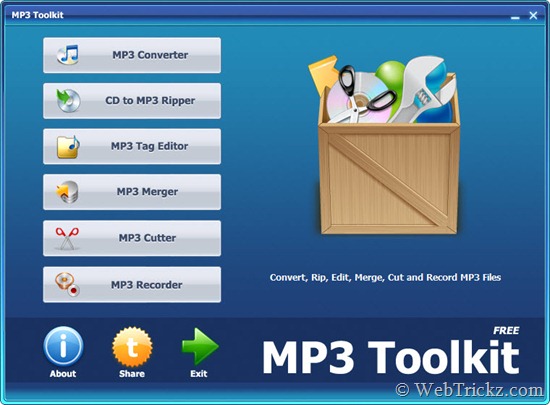
MP3 Toolkit Applications Include:
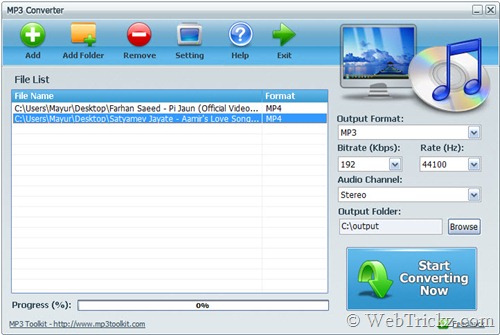
– MP3 Converter lets you convert one or more audio files to a desired audio format such as MP3, AC3, AAC (Apple Audio), OGG, AMR, WMA, FLAC, APE, WAV, MPG. One can customize output file settings such as bitrate, rate, audio channel and destination folder. It can also extract the audio from popular video formats like MP4, FLV, AVI, etc.
– CD to MP3 Ripper helps you quickly make backup copies of tracks from an audio disk. It can rip the audio from CD to MP3, WMA, APE or WAV for common players and you can customize the output. CD ripping is accurate and the output files are of high quality.
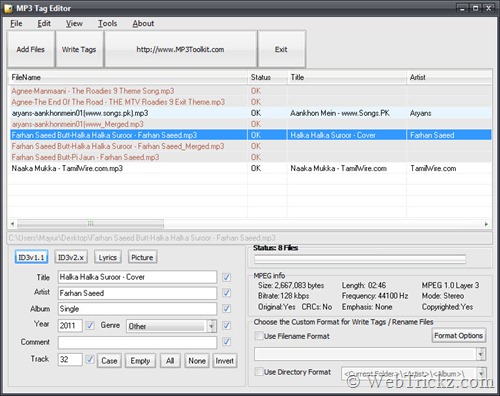
– MP3 Tag Editor provides a handy interface to edit MP3 tag (ID3v1 and ID3v2) information in batch mode. One can add or edit a song title, artist, album, year, comment and track number. Also it’s possible to define a file name format ([Artist] – [Title], [Title] – [Artist] and more), directory format ([Current Folder]\[Artist]\[Album]\), enable additional file rename options, edit album photos and lyrics.
– MP3 Merger is a handy tool for merging two or more audio files into a single MP3. You can select files in MP3, WAVE, FLAC or OGG, specify the output settings such as bitrate, rate, audio channel and output folder. Then start the process.
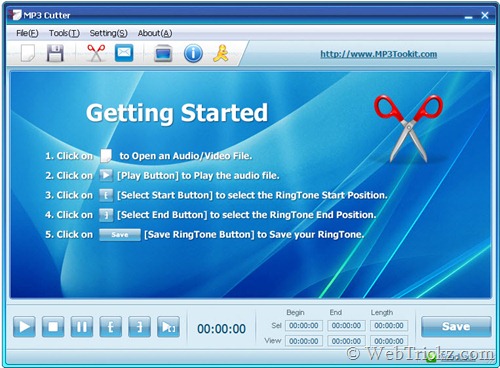
– MP3 Cutter lets you cut or trim an audio file to remove unnecessary parts. To do so, you simply need to select the file, select the start and end position during playback, and then click Save. One can customize the output settings such as bitrate, rate and channels. It also has the ability to cut a part of music from a video file, or a movie.
– MP3 Recorder helps users to record any sound from the microphone to standard MP3 format without any limitation on length. One can even record streaming audio provided that the sound card supports sound mixing. Simply select the sample rate, bitrate and channels, then proceed with the audio recording.
Verdict – “MP3 Toolkit is an amazing program featuring useful audio editing tools with good functionalities that are generally offered by a paid program, yet with a neat and intuitive interface.” Do try it out!
Download MP3 Toolkit Free (Size: 10.50 MB)








Good find Mayur. It’s from the same developer as PDFZilla. They already had a free MP3 Cutter – http://www.mp3cutter.org/ . It’s good that they made the total toolkit as free.
Oops has my last post gone to spam because of that link? Anyway what I have wrote in that post is that this tool is from the same developer as PDFZilla, PDFTiger. They had already a MP3 Cutter [mp3cutter .org]. Good to see the complete toolkit as free.
Oh, wasn’t aware of that and yes your 1st comment dropped in spam. 🙂