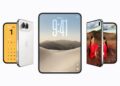
The iPhone Duo runs iOS 27 and offers several ways to silence incoming calls, messages, and notifications. Unlike the iPhone 18 Pro, the iPhone Duo doesn’t have an Action button, so you can’t use that button to toggle Silent mode. Instead, you can enable Silent mode through Control Center or Settings.
You can also configure vibration for incoming calls and alerts using the Haptics settings.
How to Put iPhone Duo on Silent
You can enable Silent mode on iPhone Duo using the Control Center or Settings.
Using Control Center
You can use Control Center to turn Silent mode on or off. You can access the Silent Mode control whether you use your iPhone Duo folded or unfolded.
- Swipe down from the top-right corner of the screen to open Control Center.
- Tap the Silent Mode control (bell icon) to enable Silent mode.
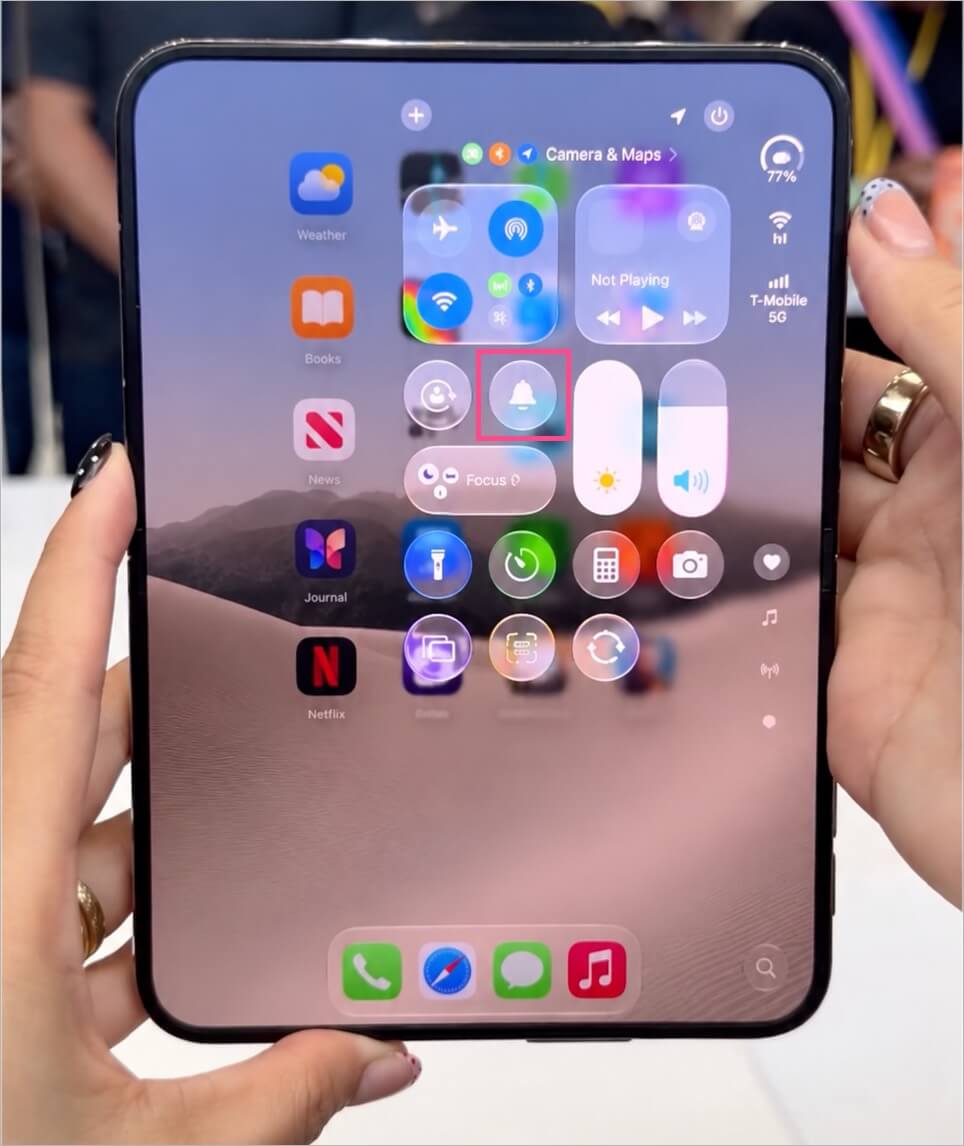
Silent Mode control in Control Center on iPhone - Tap the same control again to turn Silent mode off.
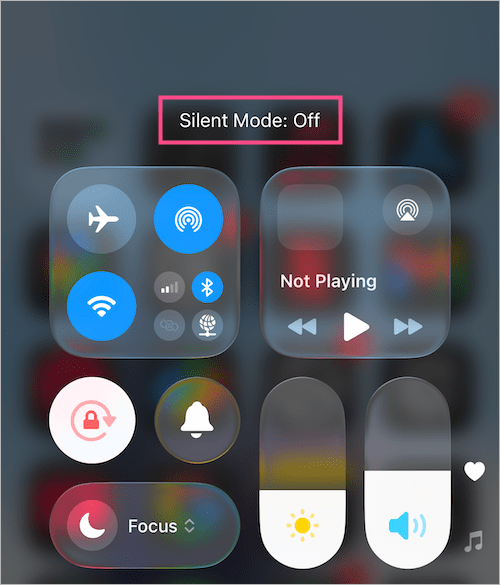
Your iPhone Duo will silence incoming calls and notification alerts when Silent mode is enabled.
Using Settings
You can also enable or disable Silent mode through the Settings app.
- Open Settings.
- Go to Sounds & Haptics.
- Turn on the Silent Mode toggle.
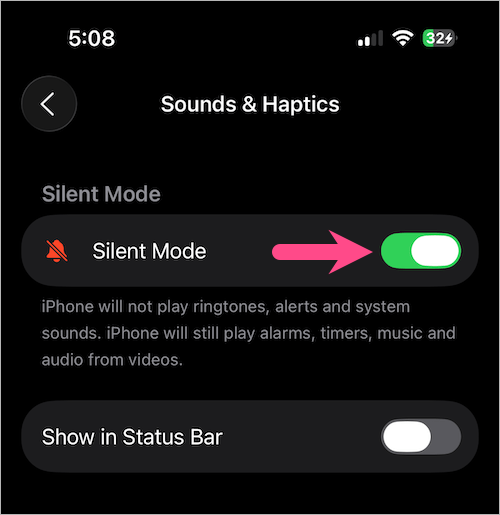
- Turn it off to switch back to Ring mode.
How to Put iPhone Duo on Vibrate
You can control when your iPhone Duo vibrates for incoming calls and alerts through the Haptics settings.
To make your iPhone Duo vibrate while Silent mode is enabled:
- Open Settings.
- Tap Sounds & Haptics.
- Tap Haptics under Ringtone.
- Select Play in Silent Mode.
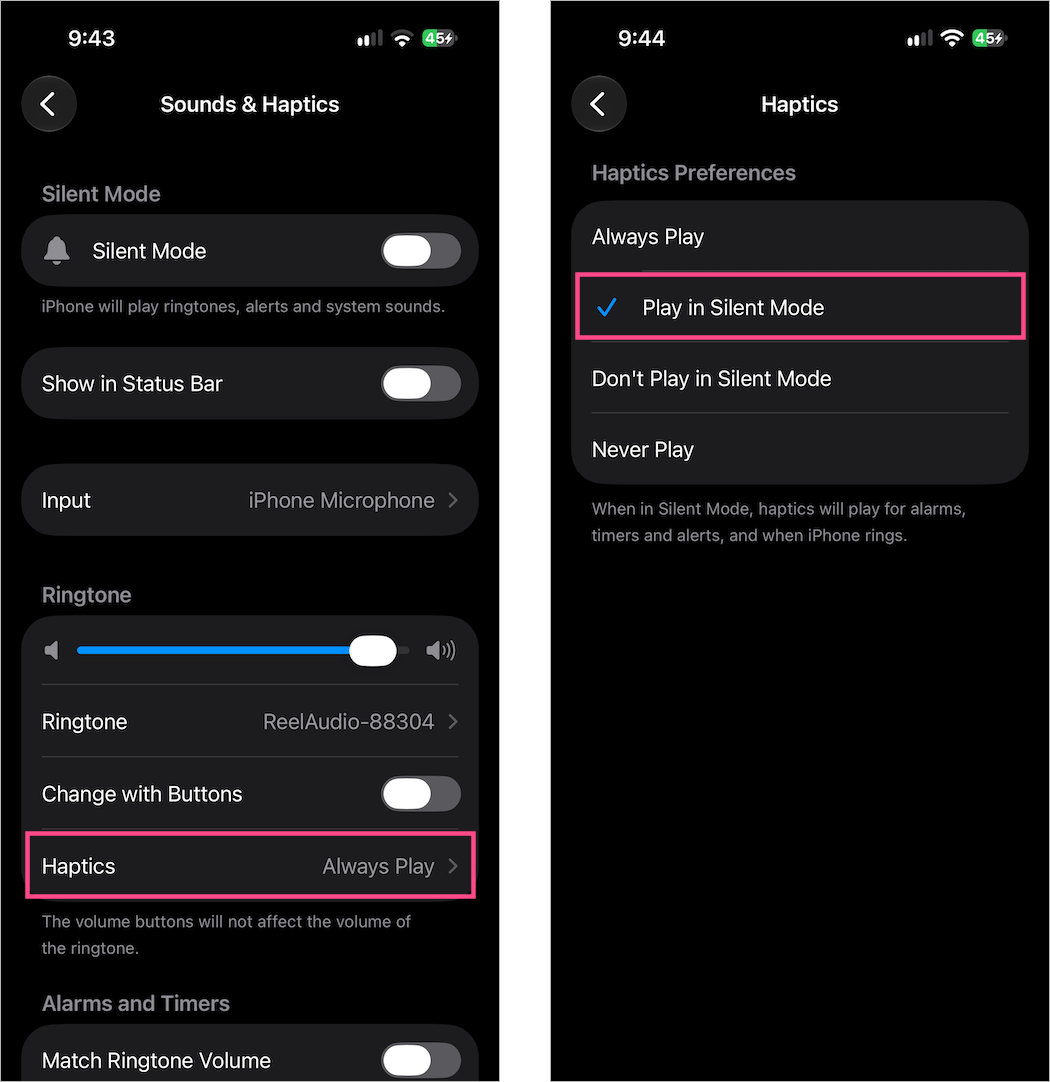
Your iPhone Duo will vibrate for incoming calls and alerts without playing their sounds.
Make iPhone Duo Vibrate in Ring Mode
If you want your iPhone to provide vibration feedback in both Ring and Silent modes:
- Go to Settings > Sounds & Haptics.
- Tap Haptics.
- Select Always Play.
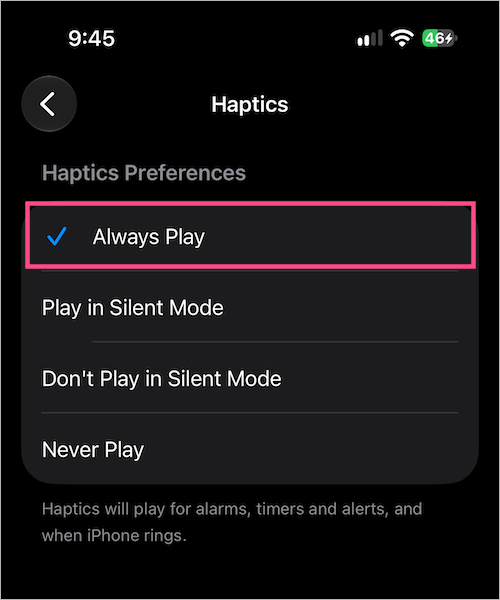
Your iPhone Duo will provide haptic alerts in both modes.
Stop iPhone Duo From Vibrating in Silent Mode
If you want your iPhone Duo to remain silent without vibrating:
- Open Settings > Sounds & Haptics.
- Tap Haptics.
- Select Don’t Play in Silent Mode.
Your iPhone Duo will remain silent without vibrating for incoming calls and alerts.
How to Turn the Ringer On or Off on iPhone Duo
You don’t have to enable Silent mode to stop your iPhone from ringing. You can lower the ringer volume while keeping the phone in Ring mode.
- Open Settings > Sounds & Haptics.
- Under Ringtone, drag the volume slider all the way to the left to turn off the ringer.
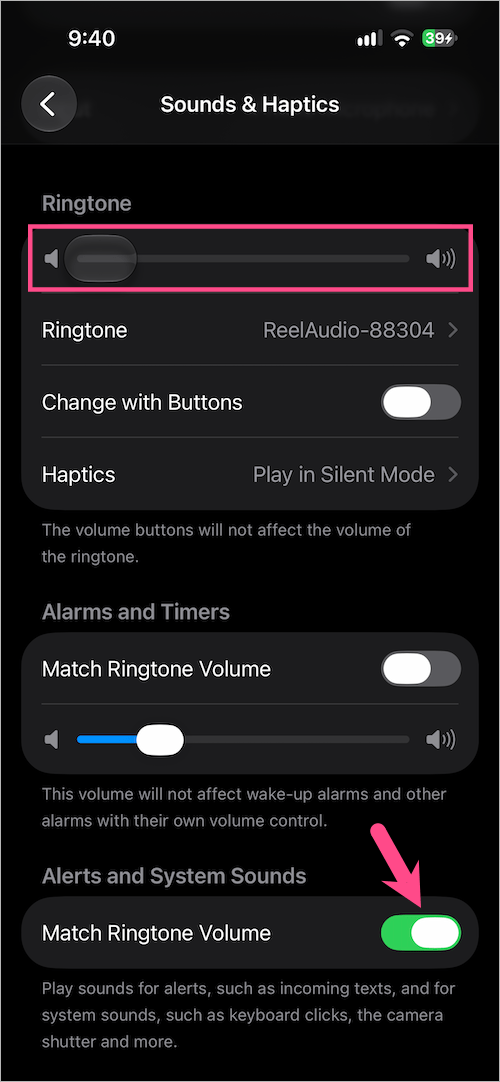
- Move the slider to the right whenever you want to increase the ringer volume again.
When you enable Match Ringtone Volume, the ringer volume can also control the volume of alerts and system sounds. This method lowers the ringer volume without enabling Silent mode.
If you want to shut down your device completely instead, see our guide on how to power off iPhone Duo.
How to Hide the Silent Mode Icon on iPhone Duo
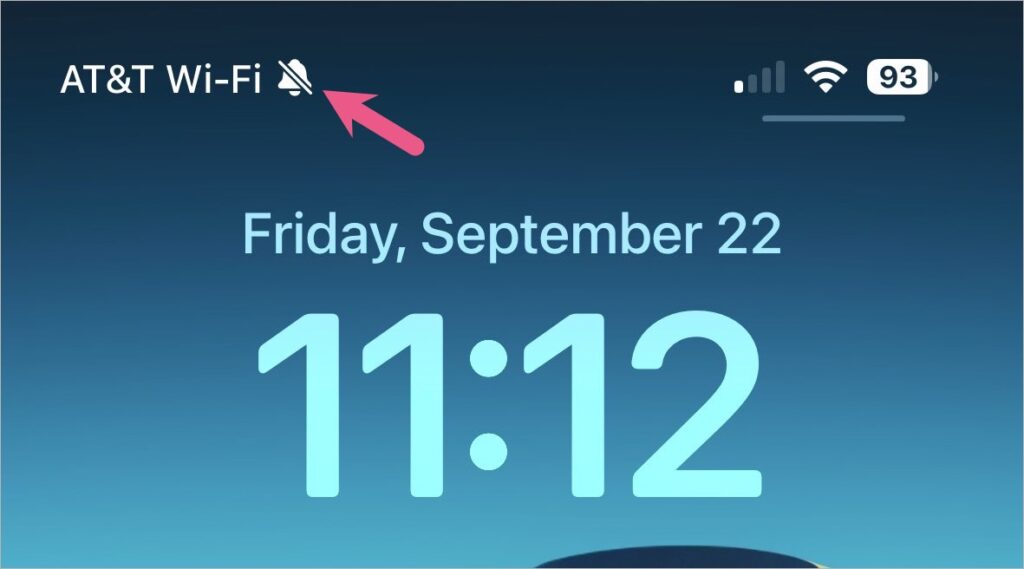
When you turn on Silent mode, your iPhone Duo may show a crossed-out bell icon in the status bar. If you don’t want this indicator to appear:
- Open Settings.
- Go to Sounds & Haptics.
- Under Silent Mode, turn off Show in Status Bar.
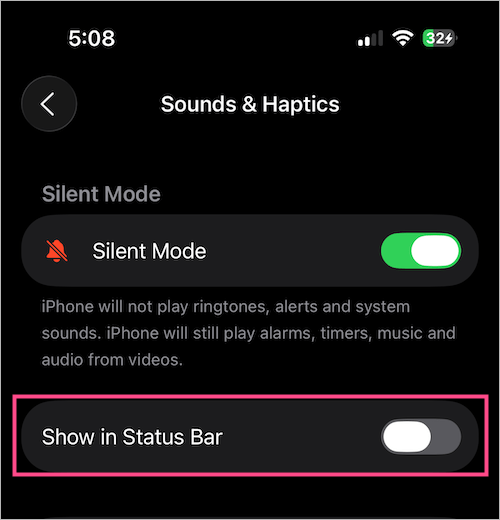
Your iPhone will stay in Silent mode without showing the indicator in the status bar.
FAQs
What happens when Silent mode is turned on?
When you turn on Silent mode, your iPhone Duo won’t ring or play alert sounds for incoming calls, texts, and notifications. It can still vibrate if haptics are enabled.
Sounds from alarms, music, videos, and some games may still play through the speaker.
How do I make my iPhone Duo vibrate?
Go to Settings > Sounds & Haptics > Haptics and select Play in Silent Mode. This allows your iPhone Duo to vibrate for incoming calls and alerts in Silent mode.
Why is my iPhone Duo not vibrating on Silent?
Go to Settings > Sounds & Haptics > Haptics and make sure Play in Silent Mode is selected.
If it still doesn’t vibrate, check that Do Not Disturb isn’t enabled under Control Center > Focus. Also, go to Settings > Accessibility > Touch > Vibration and turn on Vibration.
Where is the Silent button on iPhone Duo?
The iPhone Duo doesn’t have a dedicated Silent switch or an Action button like the iPhone 18 Pro. Instead, you can turn Silent mode on or off using the Silent Mode control in Control Center, whether the device is folded or unfolded. Alternatively, go to Settings > Sounds & Haptics and use the Silent Mode toggle.
If your iPhone Duo becomes unresponsive or frozen, see our guide on how to force restart iPhone Duo when frozen.