WebTrickz
TRENDING
  • Turn Off Copilot Search in Bing (Official Extension)
No Result
View All Result
  • Reviews
  • Editorials
  • Social Media
    • Facebook
    • Twitter
    • YouTube
    • Messenger
    • Instagram
    • Snapchat
    • WhatsApp
    • TikTok
  • Apps
  • How To’s
  • Apple
  • iPhone
  • Google
  • Android
  • Mac
  • Security
  • About Us
    • About Us
    • Contact Us
    • Privacy Policy
  • Reviews
  • Editorials
  • Social Media
    • Facebook
    • Twitter
    • YouTube
    • Messenger
    • Instagram
    • Snapchat
    • WhatsApp
    • TikTok
  • Apps
  • How To’s
  • Apple
  • iPhone
  • Google
  • Android
  • Mac
  • Security
  • About Us
    • About Us
    • Contact Us
    • Privacy Policy
No Result
View All Result
WebTrickz
No Result
View All Result
Home Internet

Easy way to Check Airtel Broadband Data Usage Online

Mayur Agarwal by Mayur Agarwal
March 17, 2018
in Internet, Telecom

Are you an Airtel Broadband customer looking to check your Internet usage? Then here’s a really simple way to quickly find the Airtel broadband data usage for your account. Smartbytes, a service recently introduced by Airtel allows broadband users to buy additional data packages to Retain High Speed Bandwidth after crossing FUP limit and acts as your internet usage manager as well.

To view Airtel Internet data usage, visit www.airtel.in/smartbyte-s/page.html from your Airtel broadband connection. The webpage will instantly show the internet usage details of your account for the current bill cycle without requiring any type of registration or login. The page lists your DSL ID (phone no.), monthly high-speed data limit as per your plan (including Top-up and myHome data), remaining high-speed data (non-FUP), and days left in your current billing cycle (calculated month wise).
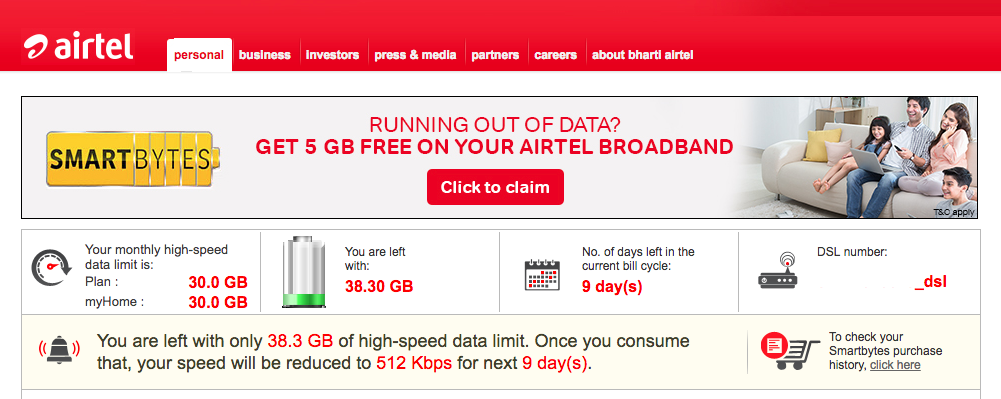
Check Airtel broadband data usage with Smartbytes

Using Smartbytes, you can also retain high data speeds by opting for one of the listed add-on data packs. This comes handy in case your high-speed data limit is over and you don’t wish to continue browsing at low-bandwidth, i.e. 256Kbps, 512Kbps or 1Mbps depending on your plan. It should be noted that additional GBs purchased are available for use in the current billing cycle only. The relevant charges for the add-on data will be added to your billing cycle.

Note: You can even check data usage of other Airtel users if you’ve access to their network. This is something that Airtel needs to fix.

Also Read: How to Check your Airtel Broadband Unused Carry Over Data

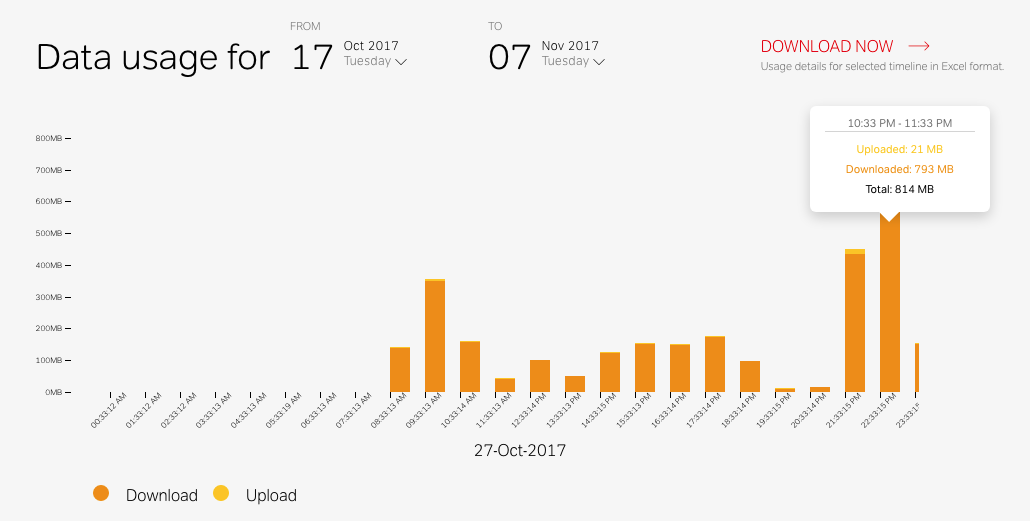
Update: Alternatively, Airtel broadband users can view their monthly data usage from Airtel Selfcare portal. Make sure to register your account to manage it and view its detailed information. To view current data usage, select your account from Accounts tab in the sidebar. Click on “History details” to view day-by-day usage and hover over the graph to see the time interval along with the amount of downloaded and uploaded data. Optionally, users can export the usage details in Excel file format.
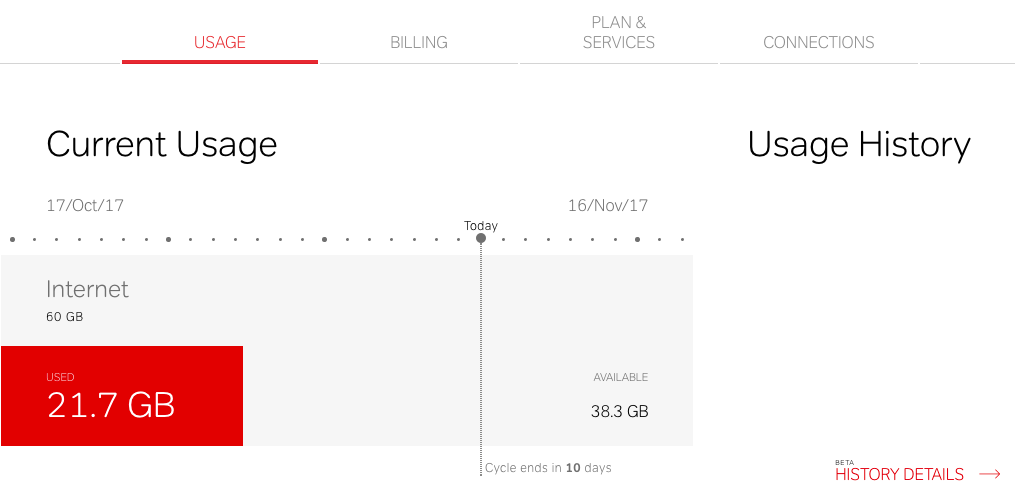
Airtel selfcare_broadband-data-usage
Airtel broadband day-to-day data usage history

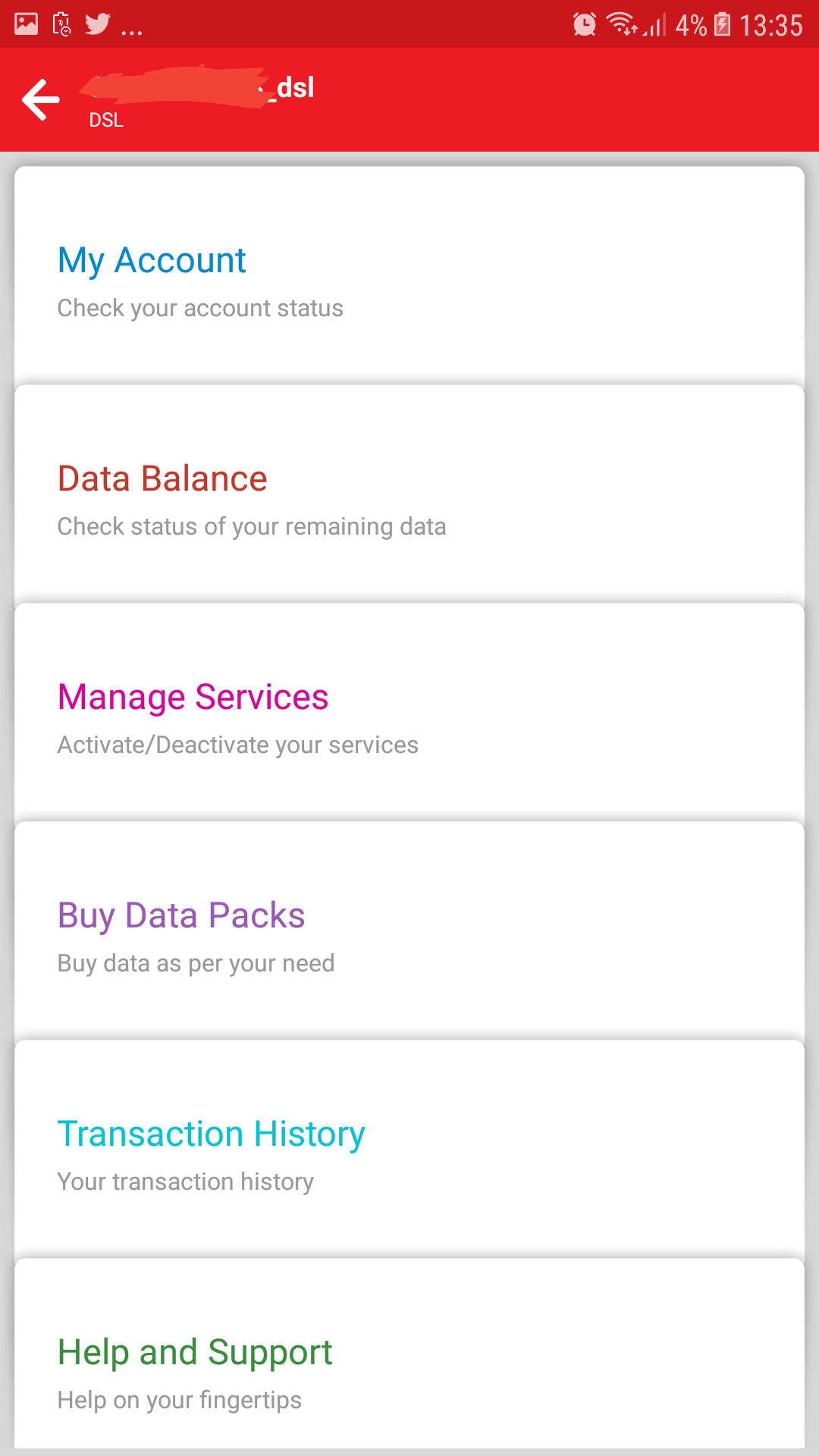
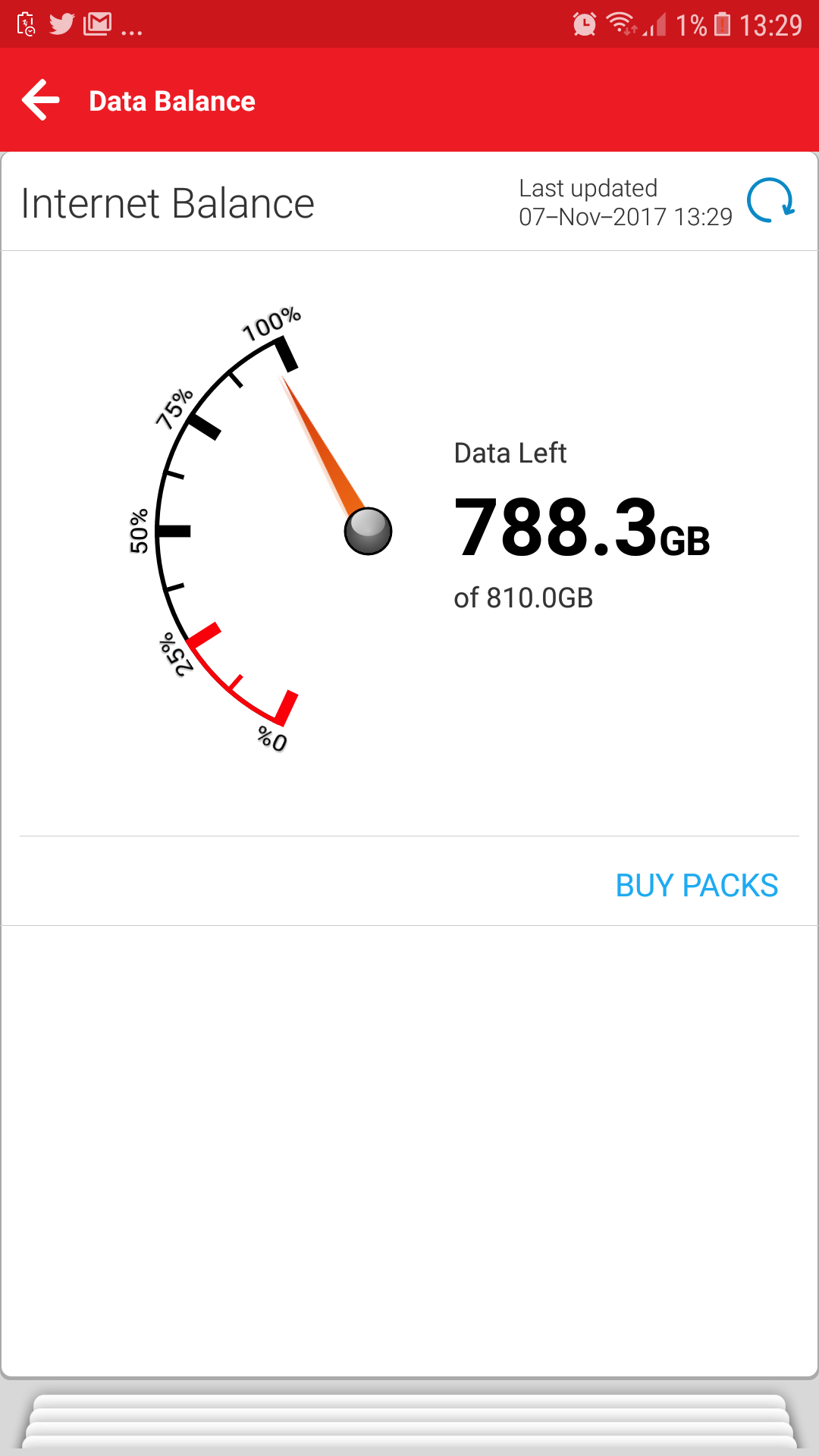
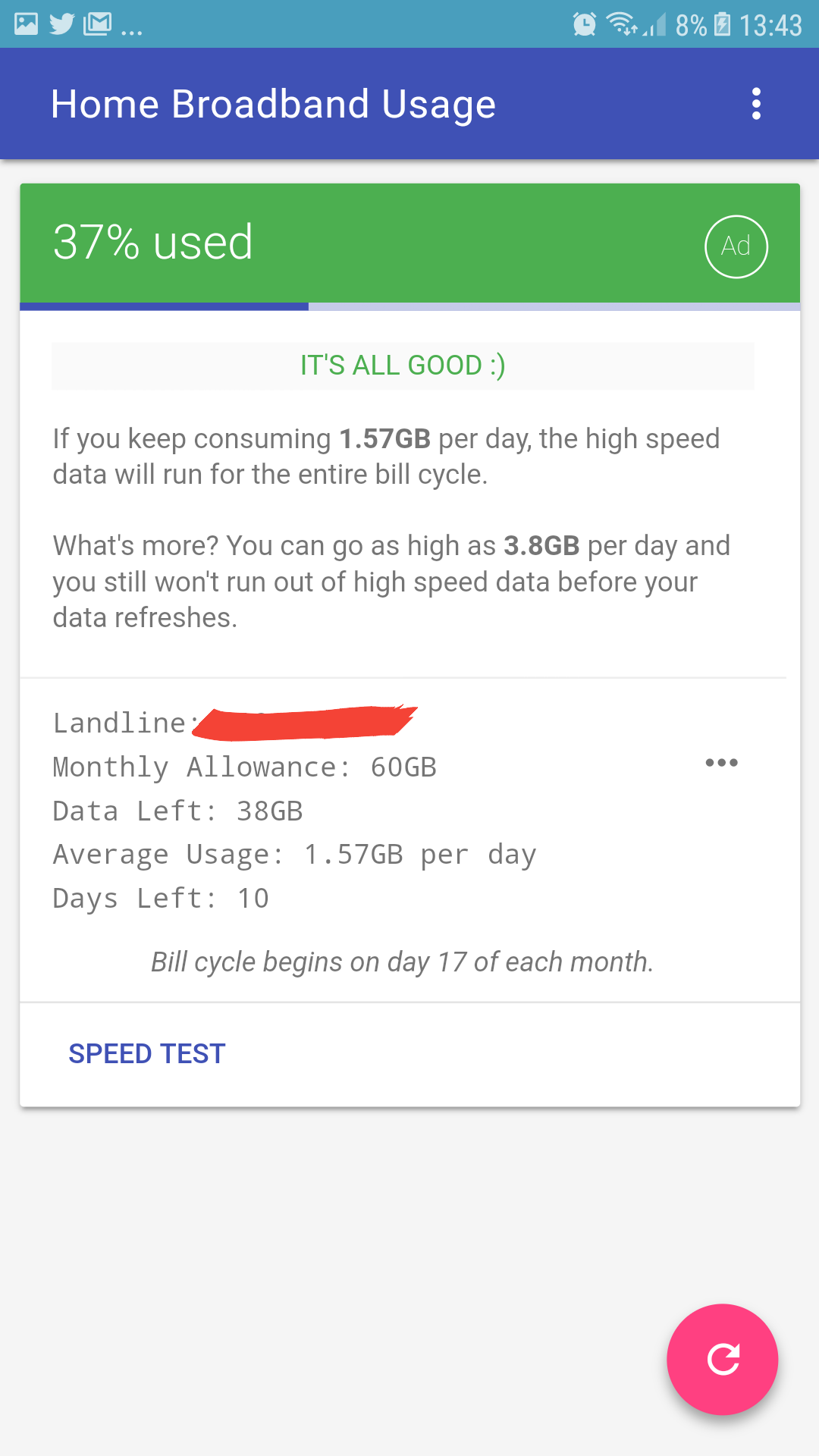
For mobile users – Airtel users can also track their broadband data usage right from their Android or iOS device. To do so, simply install “My Airtel” app from Google Play or App Store. Now open the app and select the desired account from My Accounts section. Then select “Data Balance” to view the remaining data as shown below. Home broadband usage is another nifty Android app with a minimalistic interface, letting you check data usage without the need to log into your Airtel account.
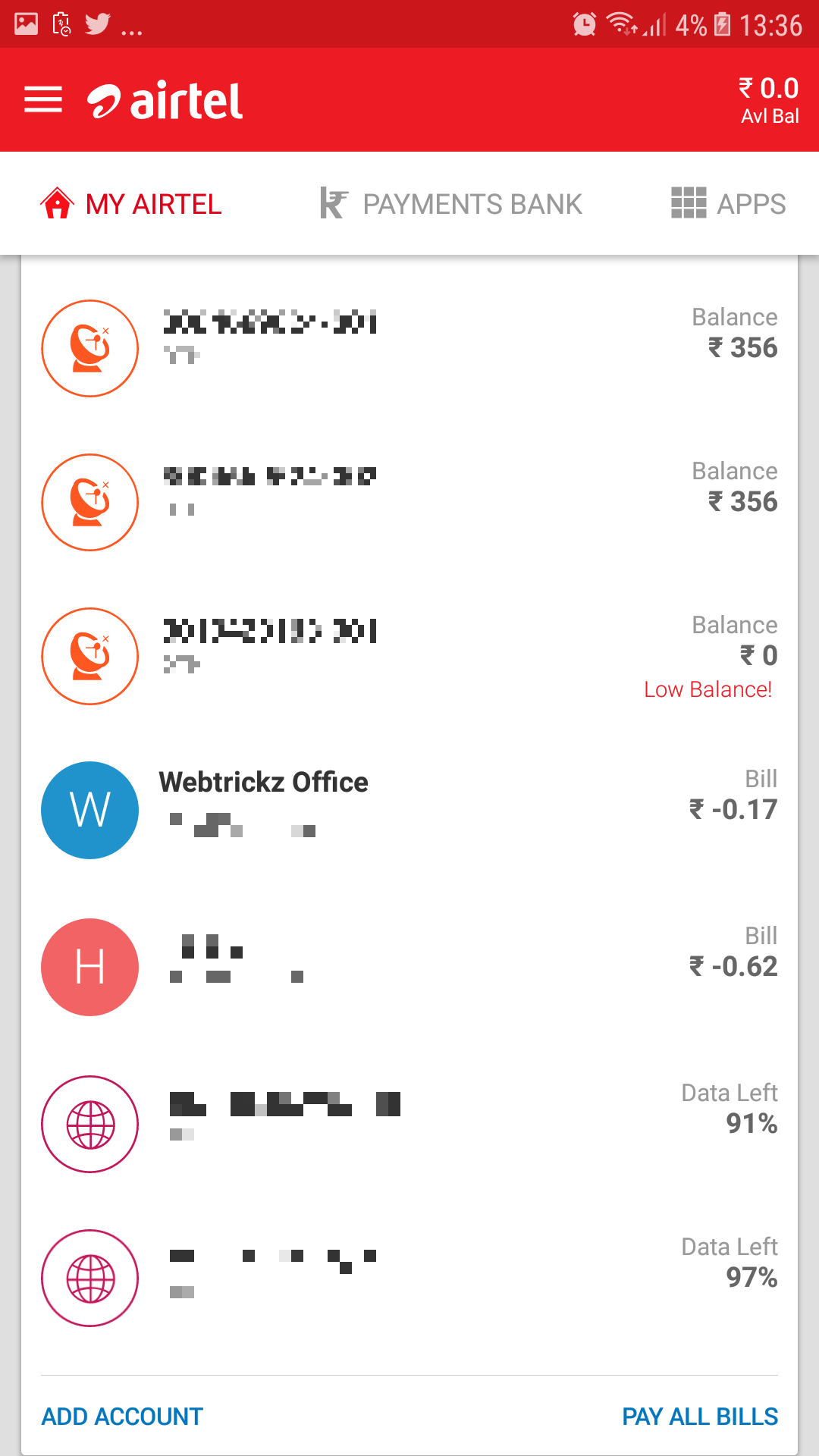
My Airtel app
Manage account
Current data usage
Home broadband usage app
Tags: AirtelBroadbandTelecomTips
ShareTweetSend
Previous Post

Backup & Restore Firefox easily using Firefox Backup Tool

Next Post

Download Avast Mobile Security Beta for Android [Free]

Mayur Agarwal

Mayur Agarwal

Mayur Agarwal, the founder and editor of WebTrickz, is a tech enthusiast with a Bachelor's degree in Computer Applications and over 15 years of experience in tech writing. His passion for technology and gadgets drives him to create insightful how-to articles and troubleshooting guides.

Next Post

Download Avast Mobile Security Beta for Android [Free]

Comments 4

  1. IntoWindows says:
    15 years ago

    Super! Thanks for the handy tip.

    Reply
  2. Gaurang says:
    14 years ago

    Very Useful info. Thanks for Share 🙂

    Reply
  3. balan says:
    14 years ago

    very informative tips. Thanks.

    Reply
  4. v says:
    9 years ago

    now you cam just use mobile app or website of airtel to check bb plan and usage details.

    Reply

Leave a Reply Cancel reply

Your email address will not be published. Required fields are marked *

Latest Stories

copilot logo

How to Turn Off Copilot Search in Bing on Edge & Chrome

June 10, 2026
microsoft edge new logo

How to Turn Off Notifications in Microsoft Edge (2026 Guide)

June 8, 2026
chatgpt logo

How to Clear or Delete ChatGPT Memory on PC and Mobile

June 5, 2026
1337x logo

1337x Proxy List 2026: Working Proxy & Mirror Sites

June 2, 2026

How to Find Saved Reels on Facebook App & Desktop (2026)

June 8, 2026
microsoft edge browser

How to Restore or Reopen Closed Tabs in Microsoft Edge

June 9, 2026
Facebook app on iPhone

How to See Recently Watched Reels on Facebook (2026 Guide)

June 5, 2026

Trending Stories

  • microsoft family safety settings

    How to Turn Off Microsoft Family Safety on Windows 11 & 10

  • 1337x Proxy List 2026: Working Proxy & Mirror Sites

  • How to Turn Off Microsoft Edge Game Assist in Windows 11

  • How to See Recently Watched Reels on Facebook (2026 Guide)

  • How to Turn Off Fn Lock or Fn Key on Windows 11/10 Laptop

  • About Us
  • Contact Us
  • Privacy Policy
  • Advertise

© 2026 WebTrickz. All Rights Reserved.

No Result
View All Result
  • Reviews
  • Apps
  • How To’s
  • Android
  • Google
  • iPhone
  • Mac
  • About Us
  • Contact Us
  • Privacy Policy

© 2026 WebTrickz. All Rights Reserved.