WebTrickz
TRENDING
  • Complete list of 1337x Proxy and Mirror Sites
No Result
View All Result
  • Reviews
  • Editorials
  • Social Media
    • Facebook
    • Twitter
    • YouTube
    • Messenger
    • Instagram
    • Snapchat
    • WhatsApp
    • TikTok
  • Apps
  • How To’s
  • Apple
  • iPhone
  • Google
  • Android
  • Mac
  • Security
  • About Us
    • About Us
    • Contact Us
    • Privacy Policy
  • Reviews
  • Editorials
  • Social Media
    • Facebook
    • Twitter
    • YouTube
    • Messenger
    • Instagram
    • Snapchat
    • WhatsApp
    • TikTok
  • Apps
  • How To’s
  • Apple
  • iPhone
  • Google
  • Android
  • Mac
  • Security
  • About Us
    • About Us
    • Contact Us
    • Privacy Policy
No Result
View All Result
WebTrickz
No Result
View All Result
Home Facebook

How to Heart React on Facebook Messenger

Send the new heart reaction in Messenger to express feelings of love

Taigun by Taigun
March 17, 2024
in Facebook, How To's

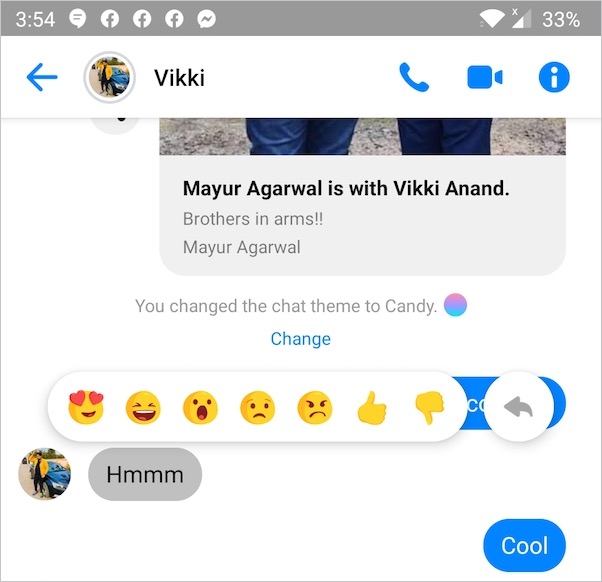
Facebook Reactions are an apt way to quickly express your feelings and emotions for a certain message on Messenger. Users can choose from seven reactions and send them just by holding an individual message. Heart-Eyes emoji, the first in order, represents a smiling face with heart eyes. It is probably one of the most used reaction to convey feelings of love and affection.

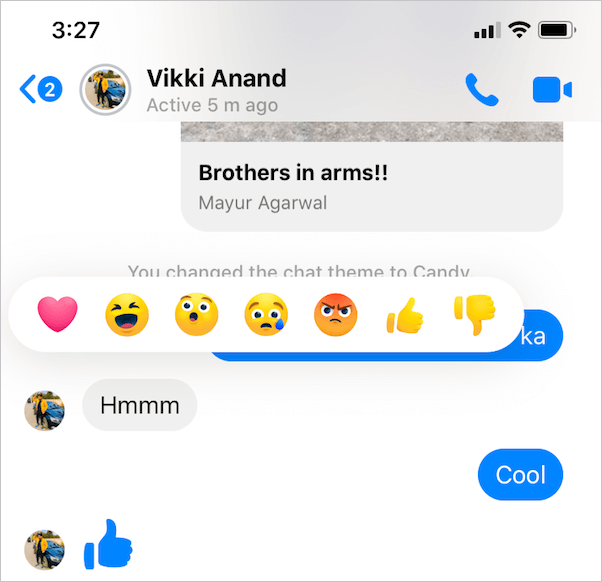
Facebook is testing Heart reaction in Messenger
messenger reactions

Messenger Reaction – Heart Eyes vs Heart

That said, it appears that Facebook is planning to replace the existing heart-eyes emoji with heart emoji instead. Though no official announcement has been made regarding this subtle change, yet.

Apparently, the company is currently testing the heart reaction in Messenger with a handful of users. I can personally confirm this as the new heart reaction is visible for me in the latest version (253.3) of Messenger for iPhone. For those curious, I’m using an iPhone 11 running iOS 13.3.1.

How to react with a heart emoji in Messenger

If you are one of the lucky ones to get the new heart reaction then you can use it right away.
How to Heart React on Facebook Messenger
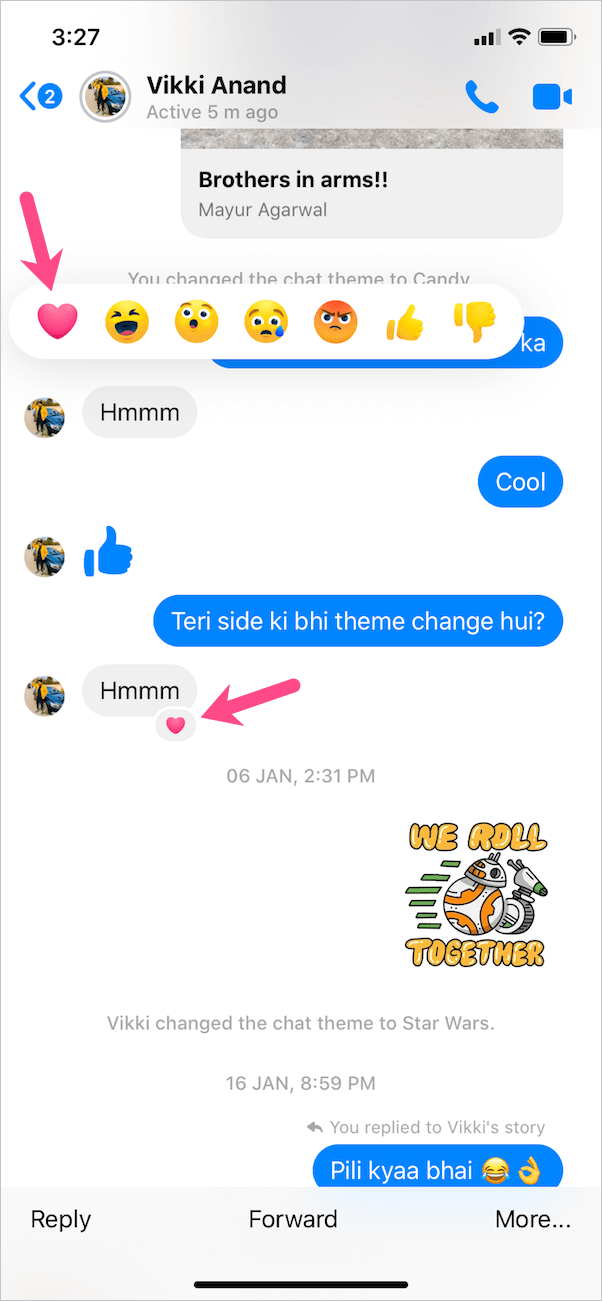
New Heart Reaction in Messenger

To heart react in the Facebook Messenger app, open the desired chat conversation and locate a message you wish to react to. Then tap and hold the message to open reaction emojis. Now simply tap the heart reaction. That’s it. The chosen reaction will be visible alongside the particular message.

As you would expect, the receiver will see the heart reaction even if the new (love heart) one isn’t enabled for them.

RELATED: How to remove a reaction in Messenger

How to get heart reaction in Messenger

Unfortunately, there is nothing you can do to get the heart reaction on Messenger. This stands true for both iOS and Android users, even if they have the latest version of Messenger installed.

That’s because this feature seems to be part of a server-side rollout. Hence, it will happen in phases and the final rollout may still take a while.

In addition to the Messenger app, the heart reaction is not available on Facebook’s desktop interface as well as Messenger.com.

Personally, I feel that the new heart emoji reaction looks relatively better and cool. We hope Facebook soon rolls it out to all those eagerly waiting for it.

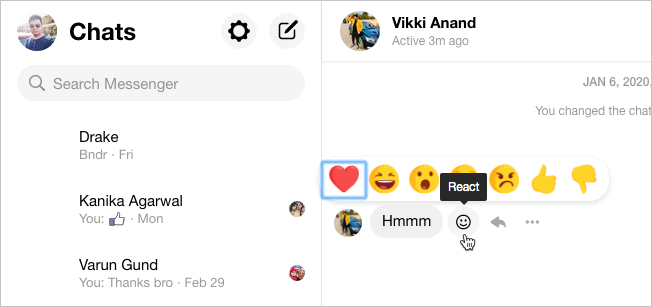
UPDATE (March 7) – It appears that you can now react with a heart emoji on both Facebook.com and Messenger.com on a desktop.
heart reaction on messenger.com
Heart Emoji on Messenger.com
Tags: AppsEmojiFacebookMessenger
Share2TweetSend
Previous Post

Here’s How to Turn Off Game Notifications on Facebook

Next Post

How to Unmute Stories on Facebook for iPhone and Android

Taigun

Taigun

Mayur Agarwal, the founder and editor of WebTrickz, is a tech enthusiast with a Bachelor's degree in Computer Applications and over 15 years of experience in tech writing. His passion for technology and gadgets drives him to create insightful how-to articles and troubleshooting guides.

Next Post
facebook

How to Unmute Stories on Facebook for iPhone and Android

Comments 5

  1. luke says:
    6 years ago

    I randomly was able to use heart reaction on desktop tonight, which got me to look this up. It was only temporarily strangely enough, but there is a extension on chrome that allows it.

    Reply
    • Mayur Agarwal says:
      6 years ago

      It seems that Facebook is aggressively testing all this stuff.

      Reply
  2. Emily Erdoch says:
    6 years ago

    FYI to update your article – today for me and yesterday/day before for some friends, the messenger.com interface was also updated with the new red heart reaction! Interestingly enough, although I had the heart on mobile last year in the spring/summer, currently I do not have it on the Messenger app on my phone.

    Reply
    • Mayur Agarwal says:
      6 years ago

      Yes, I can see it now on messenger.com. Thanks for your comment. 🙂

      Reply
  3. Gabi says:
    6 years ago

    I liked the other one more …

    Reply

Leave a Reply Cancel reply

Your email address will not be published. Required fields are marked *

Latest Stories

1337x logo

1337x Proxy List 2026: Working Proxy & Mirror Sites

June 2, 2026

How to Find Saved Reels on Facebook App & Desktop (2026)

April 1, 2026
microsoft edge browser

How to Restore or Reopen Closed Tabs in Microsoft Edge

March 26, 2026
Facebook app on iPhone

How to See Recently Watched Reels on Facebook (2026 Guide)

April 3, 2026
microsoft edge new logo

Download Microsoft Edge Offline Installer [Latest Version]

March 16, 2026

How to Turn Off Bing SafeSearch in Microsoft Edge

March 12, 2026
google chrome logo

Download Google Chrome Offline Installer [Latest Version]

June 3, 2026

Trending Stories

  • microsoft family safety settings

    How to Turn Off Microsoft Family Safety on Windows 11 & 10

  • How to Turn Off Fn Lock or Fn Key on Windows 11/10 Laptop

  • How to Turn Off Microsoft Edge Game Assist in Windows 11

  • How to See Recently Watched Reels on Facebook (2026 Guide)

  • How to Restore or Reopen Closed Tabs in Microsoft Edge

  • About Us
  • Contact Us
  • Privacy Policy
  • Advertise

© 2026 WebTrickz. All Rights Reserved.

No Result
View All Result
  • Reviews
  • Apps
  • How To’s
  • Android
  • Google
  • iPhone
  • Mac
  • About Us
  • Contact Us
  • Privacy Policy

© 2026 WebTrickz. All Rights Reserved.