


Instagram has just introduced a Repost feature, similar to the repost or retweet function on X (formerly Twitter). While users could already share content via DMs or Stories, the new Instagram repost button now makes it easier to reshare posts or Reels directly to your profile.
However, it’s easy to accidentally tap the repost button, especially since it sits between the comment and share icons. In this guide, you’ll learn how the repost feature works, how to see your reposts, how to undo a repost, and more.
What is the New Reposts Feature on Instagram?
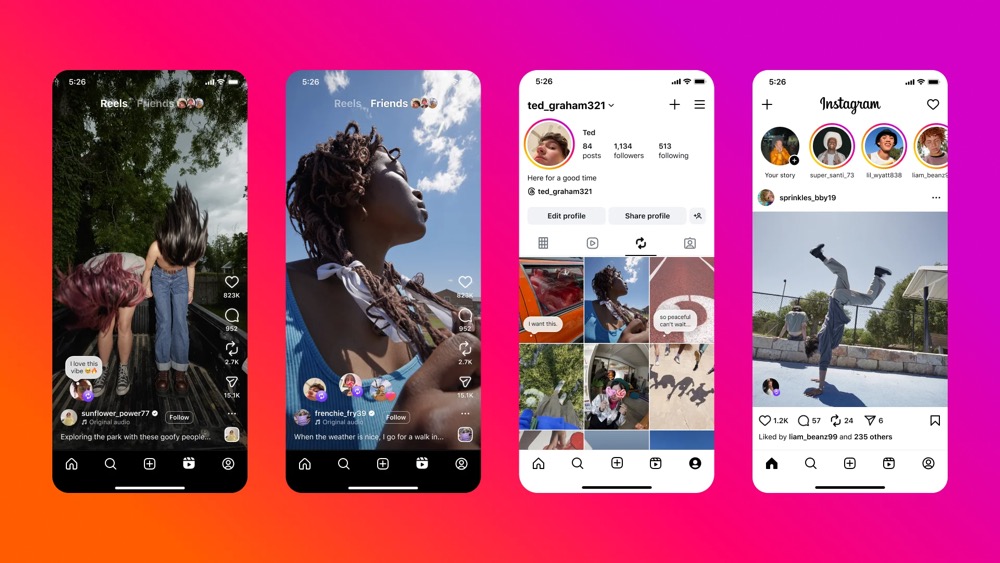
Instagram’s new Reposts feature lets users easily re-share posts and Reels, not just from other accounts, but also from their own profile. All reposted content appears in a dedicated Reposts tab on your Instagram profile, which is visible to everyone if your account is public.
What happens when you Repost on Instagram?
- The post or Reel appears in your Reposts tab.
- Your followers can see that you reposted it.
- The original creator receives credit for all views and engagement, such as likes, shares, and comments, on the reposted content.
- The content isn’t duplicated and remains linked to the original post.
How to See Your Reposts on Instagram
Not sure if you reposted something by mistake? You can easily view all your reposted content in one place.
To view all your reposts on Instagram:
- Open the Instagram app.
- Go to your profile.
- Tap the “Reposts” tab (between “Reels” and “Tagged”).
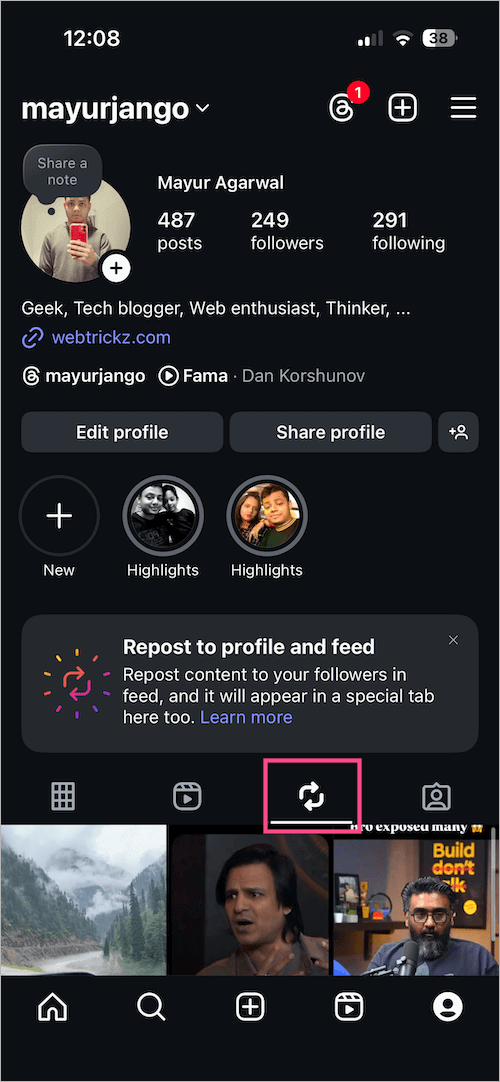
New Reposts Tab on Instagram - You’ll now see all the posts and Reels you’ve reposted.
How to Undo a Repost on Instagram
If you’ve reposted a Reel or post by mistake, you can quickly remove it.
To undo a repost or unrepost on Instagram:
- Go to the Reposts tab in your profile.

- Find and open the post or Reel you want to unrepost.
- Tap the repost icon again (the same one you used to repost).
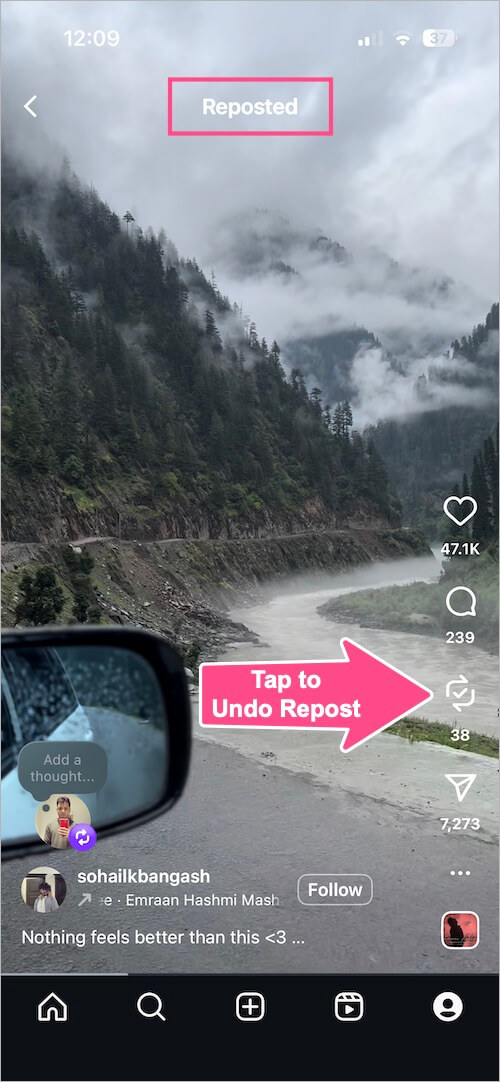
Repost button on Instagram Reel - Doing so will undo the repost without any confirmation prompt.
Alternate Way to Remove a Repost on Instagram (iPhone)
If you’re using an iPhone, you can also:
- In the Reposts tab, tap and hold (long-press) the post or Reel you’d like to remove from your Reposts.
- Select “Delete repost” from the menu.
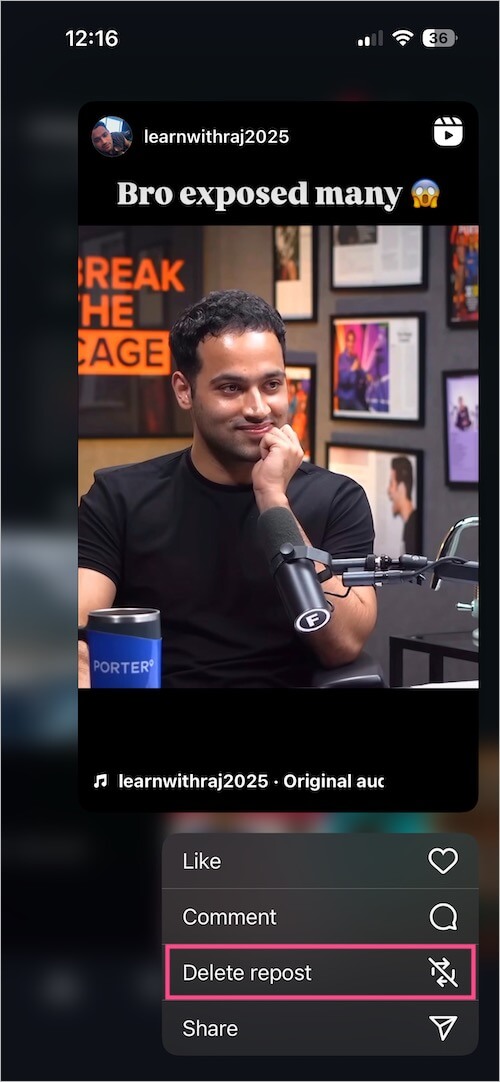
Delete repost option in Instagram on iPhone
Tip: You can undo a repost instantly by tapping the repost button again right after reposting.
How to Delete Multiple Reposts at Once on Instagram
Have you accidentally reposted a lot of content that you’d like to remove in one go? Fortunately, there is an option to delete multiple Instagram reposts at once. Here’s how:
- Go to your profile tab and tap the Menu button (three lines) at the top right corner.
- Tap Your activity > Reposts.
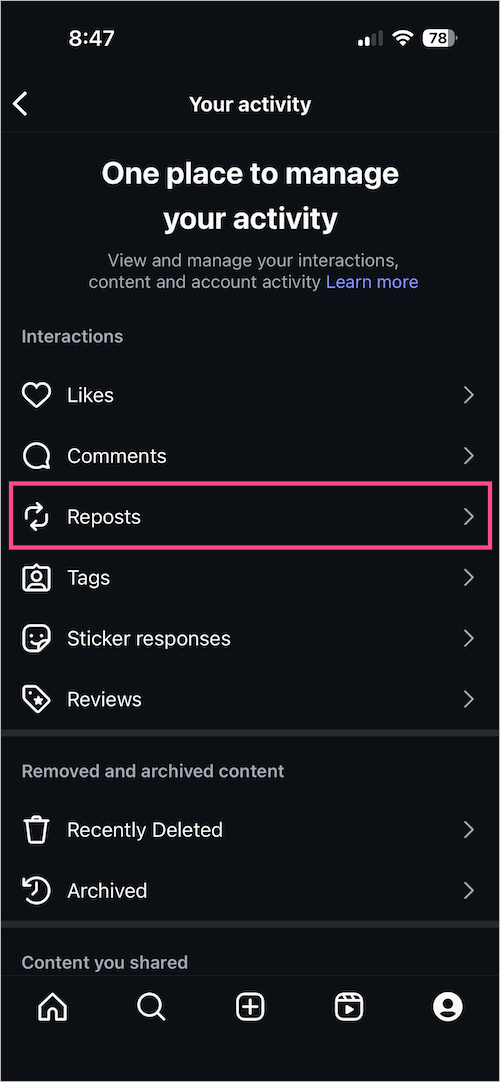
- Here you will find all your reposted content in Newest to oldest order.
- Tap Select and select all the Reposts you want to delete.
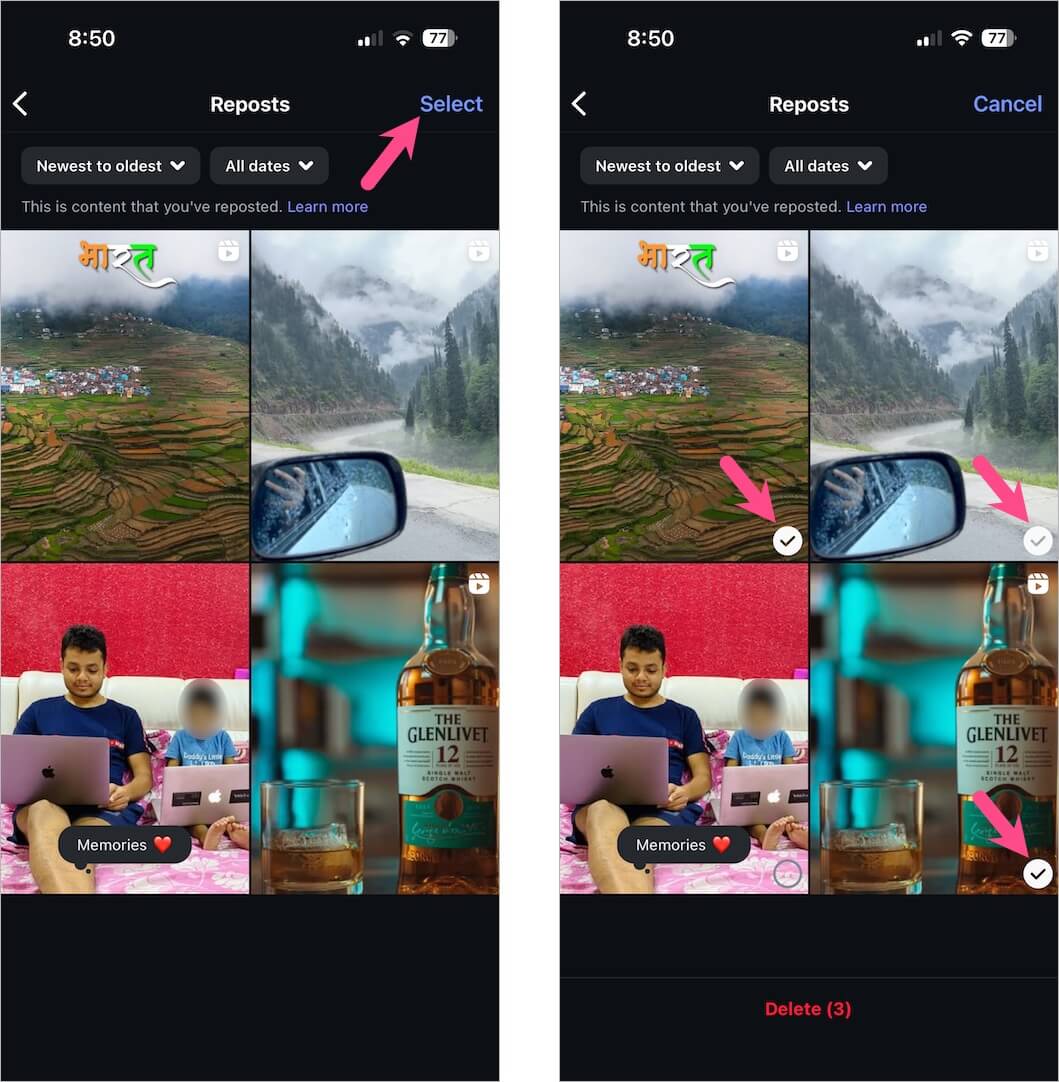
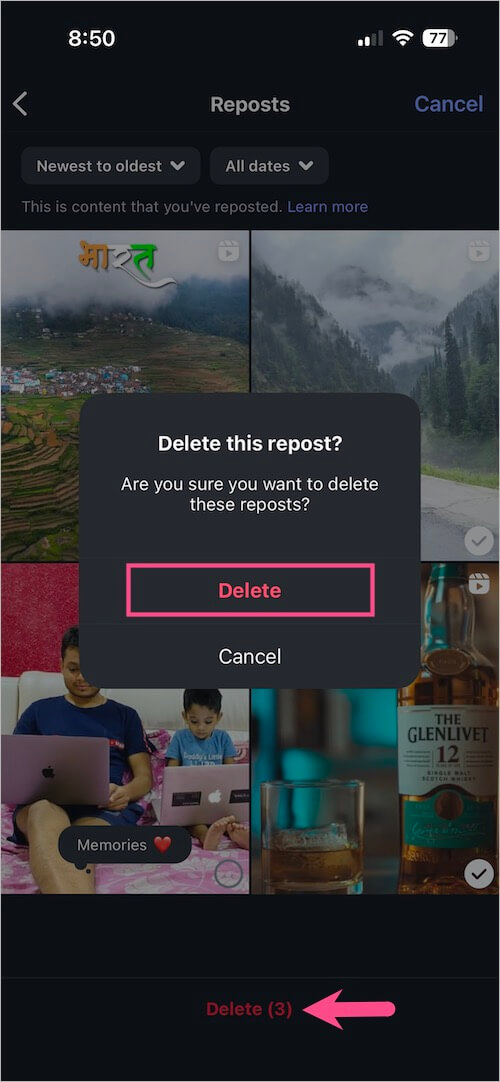
- To delete multiple Reposts, tap Delete at the bottom. Tap Delete again to confirm.
How to Get Rid of the Repost Button on Instagram
Is there any way to turn off Repost on Instagram?
While you can’t completely disable the repost feature across Instagram, you can remove the repost button from your own posts and reels by turning off reposting for your account.
Once this setting is disabled, the repost button will no longer appear under your content, thereby preventing others (and even you) from reposting your posts or reels to their profiles.
How to Repost Posts or Reels on Instagram
Want to repost your own or someone else’s content? Here’s how:
To repost something on Instagram, find the Reel or post you want to repost. Then simply tap the repost icon below the content.
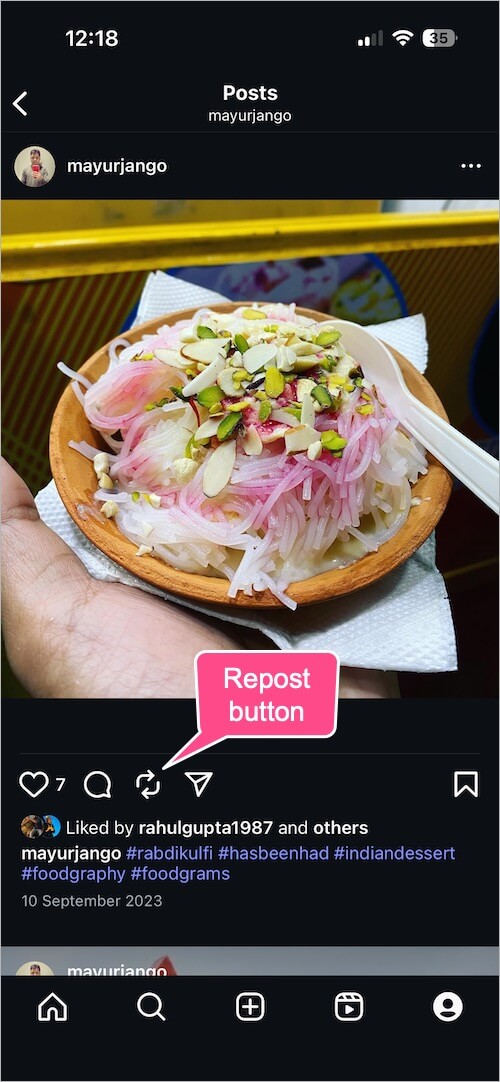
The content you repost appears in your followers’ feed and your profile (in the Reposts tab).
You can repost:
- Your own posts and Reels
- Public posts and Reels from other users
You cannot repost from private accounts unless you follow them and your follow request is approved.
ALSO READ:








