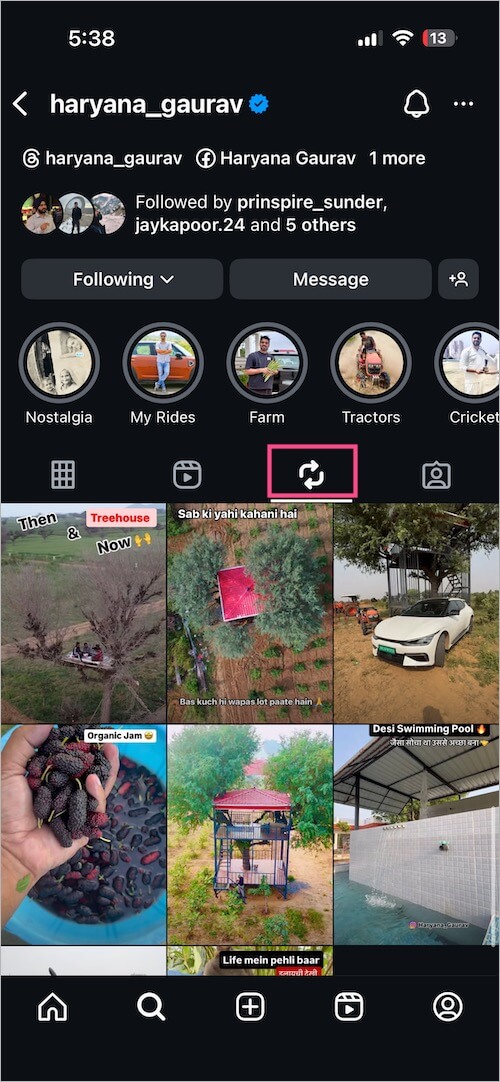
With the introduction of the Repost feature on Instagram, users can now share others’ posts and reels directly to their profile. While this adds a new way to engage with content, not everyone wants their content to be reshared.
If you want to stop people from reposting your content on Instagram, you can simply turn off reposting for your account by adjusting a privacy setting.
Can I Turn Off Repost on Instagram?
How can I get rid of the Repost button on Instagram?
While you cannot completely disable the repost feature across Instagram, you can turn off reposting for your own content. This means other users won’t be able to repost your posts or reels to their profiles, and the repost button will no longer appear on your content.
This comes in handy if you don’t prefer unwanted resharing of your original work or are concerned about accidental reposting from your profile.
How to Turn Off Reposting on Instagram
Here’s how you can disable reposting on Instagram for your posts and reels:
- Open the Instagram app and go to your profile.
- Tap the Menu button (three lines) at the top-right corner.
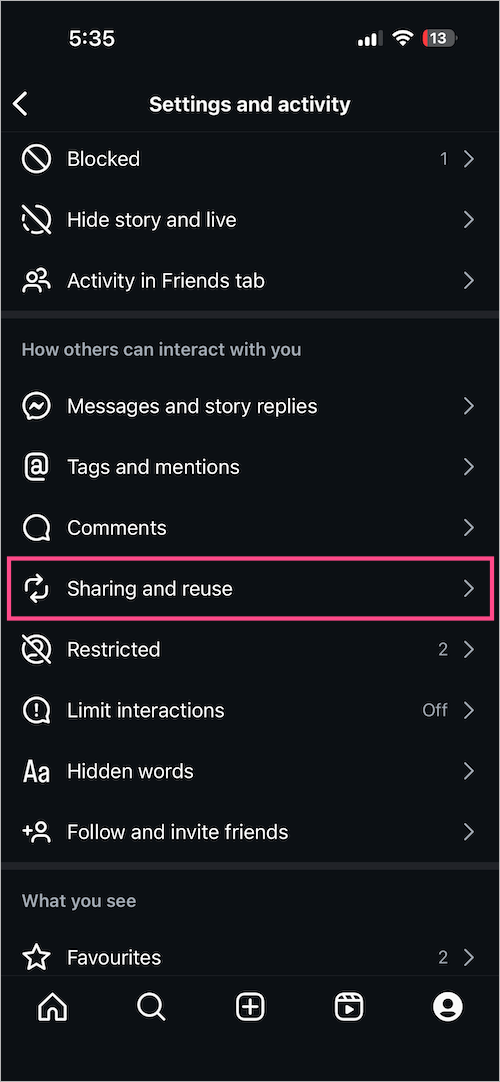
- Under the “How others can interact with you” section, tap Sharing and reuse.
- Turn off the toggle next to “Reposts on posts and reels.”
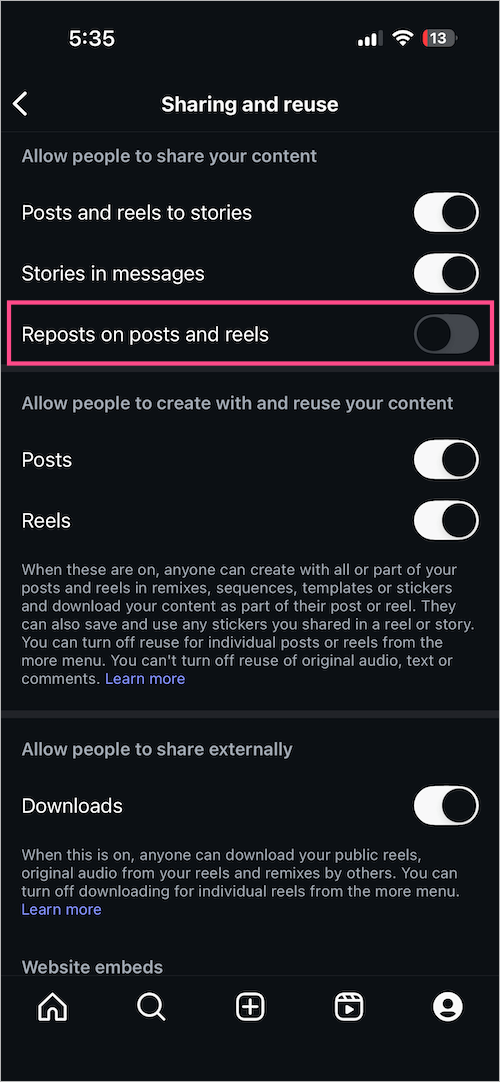
Note: This setting only applies to your own posts and reels, and you can still repost from others if they haven’t disabled it.
What Happens When You Turn Off Reposting:
- The repost button won’t appear on your reels and posts.
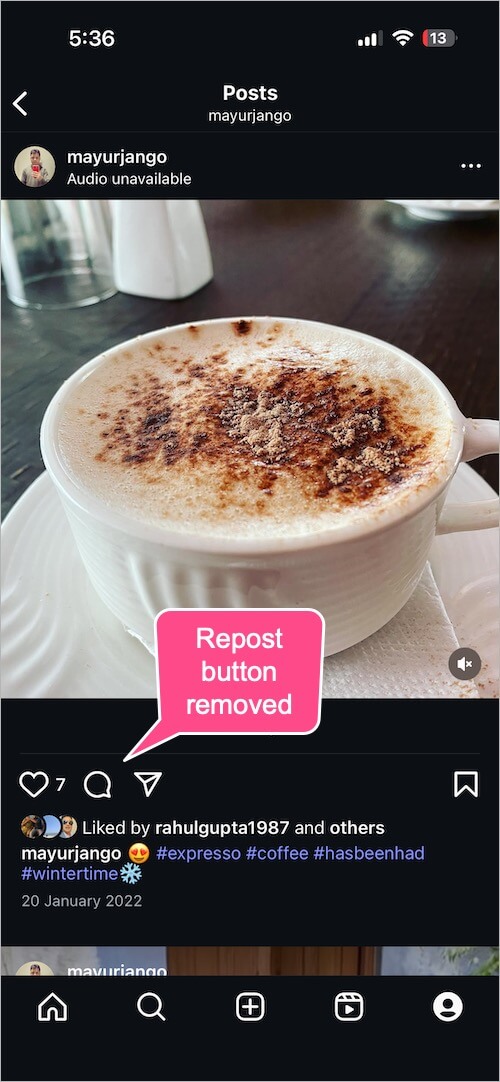
Repost button not appearing - No one (including you) will be able to repost your content to their profiles.
- You can still repost content from other public accounts – if they have reposting enabled.
- Your reposted content from others (existing or new) will remain visible in your Reposts tab.
- Your own previously reposted content will be hidden from your Reposts tab. Turning the “Reposts on posts and reels” setting back on will make those reposts visible again.
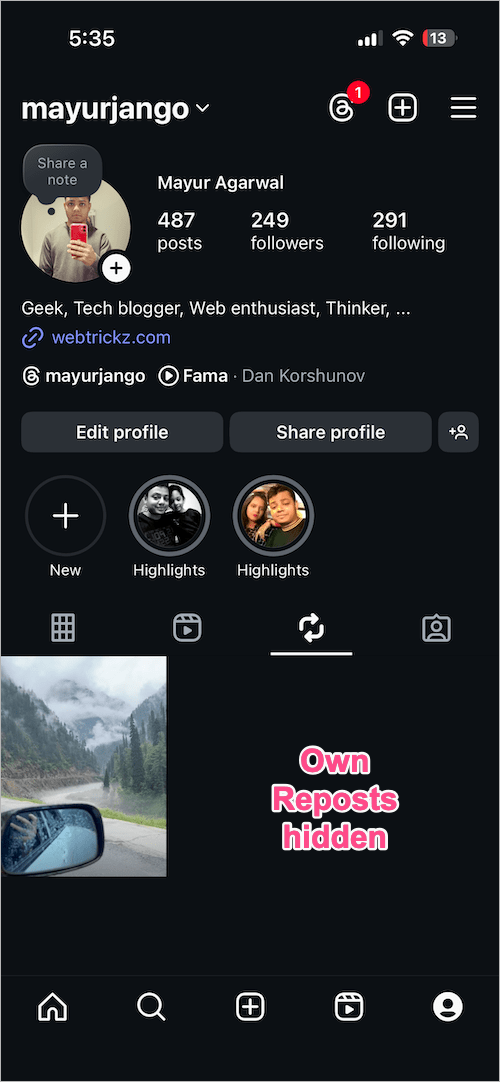
Own Reposts hidden in Reposts tab
To remove individual reposts from your profile, check out our guide to undo repost on Instagram.
How to See Someone’s Reposts on Instagram
Even if you turn off reposting for your own content, others can still view content that you’ve reposted from public profiles.
To view someone’s reposted content:
- Visit their Instagram profile.
- If they’ve reposted any content, you’ll see a “Reposts” tab next to their Posts, Reels, or Tagged tabs.
- Tap it to see all their reposted content.