Microsoft Edge, the Chromium-based browser from Microsoft, can be installed using the online/web installer or the full standalone offline installer. The online installer works for most users but requires internet during installation to fetch setup files.
If you want to install Edge on multiple devices or a PC without internet access, the Microsoft Edge offline installer is a better choice.
In this guide, you’ll find direct download links for the latest 146.0 version of Microsoft Edge for Windows, macOS, and Linux.
Benefits of Using an Offline Installer
What is an Offline Installer?
An offline installer (also known as a full standalone installer) is a complete setup package that contains all the files needed to install the software without requiring additional downloads during installation.
Why Use the Edge Offline Installer?
- No Internet Required – Perfect for computers with limited or no internet access.
- Faster Installation – No need to wait for files to download during setup.
- Multiple Installations – Install Edge on several PCs without downloading it each time.
- Backup Copy – Keep the installer saved for future installations or for installing a specific version.
- Enterprise Deployment – Ideal for IT admins to install Edge on multiple systems in business environments.
Download Edge Offline Installer [Direct Download Links]
Microsoft provides official offline installers for all versions of Edge, including Stable, Beta, and Dev builds. Available for:
- Windows – Windows 7, 8, 8.1, Windows 10, and Windows 11 (32-bit, 64-bit, ARM64)
- macOS (Intel & Apple Silicon)
- Linux distributions (Debian/Ubuntu, Fedora, openSUSE)
You can download the Edge for Business packages (works for personal use too) directly from Microsoft’s website.
How to Download Microsoft Edge Stable Offline Installer
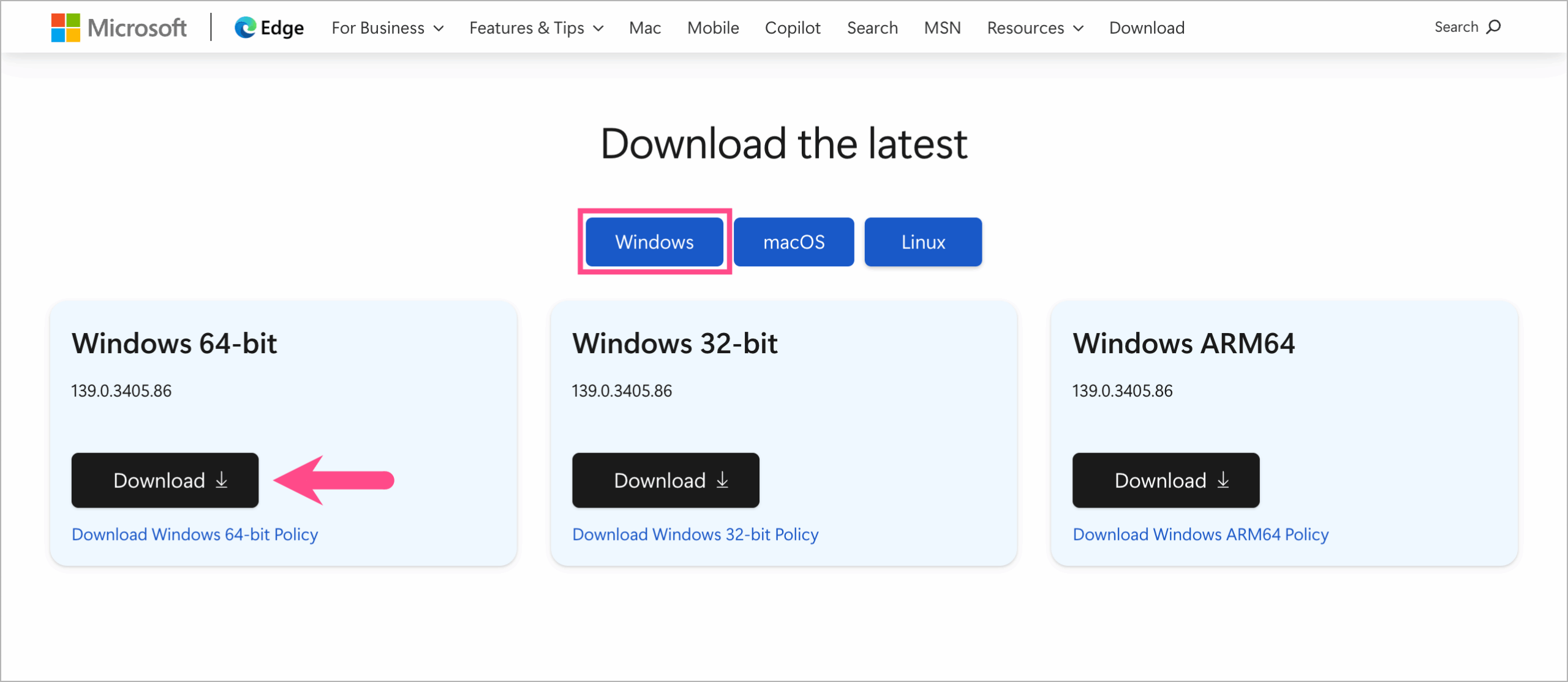
- Visit the Microsoft Edge for Business webpage.
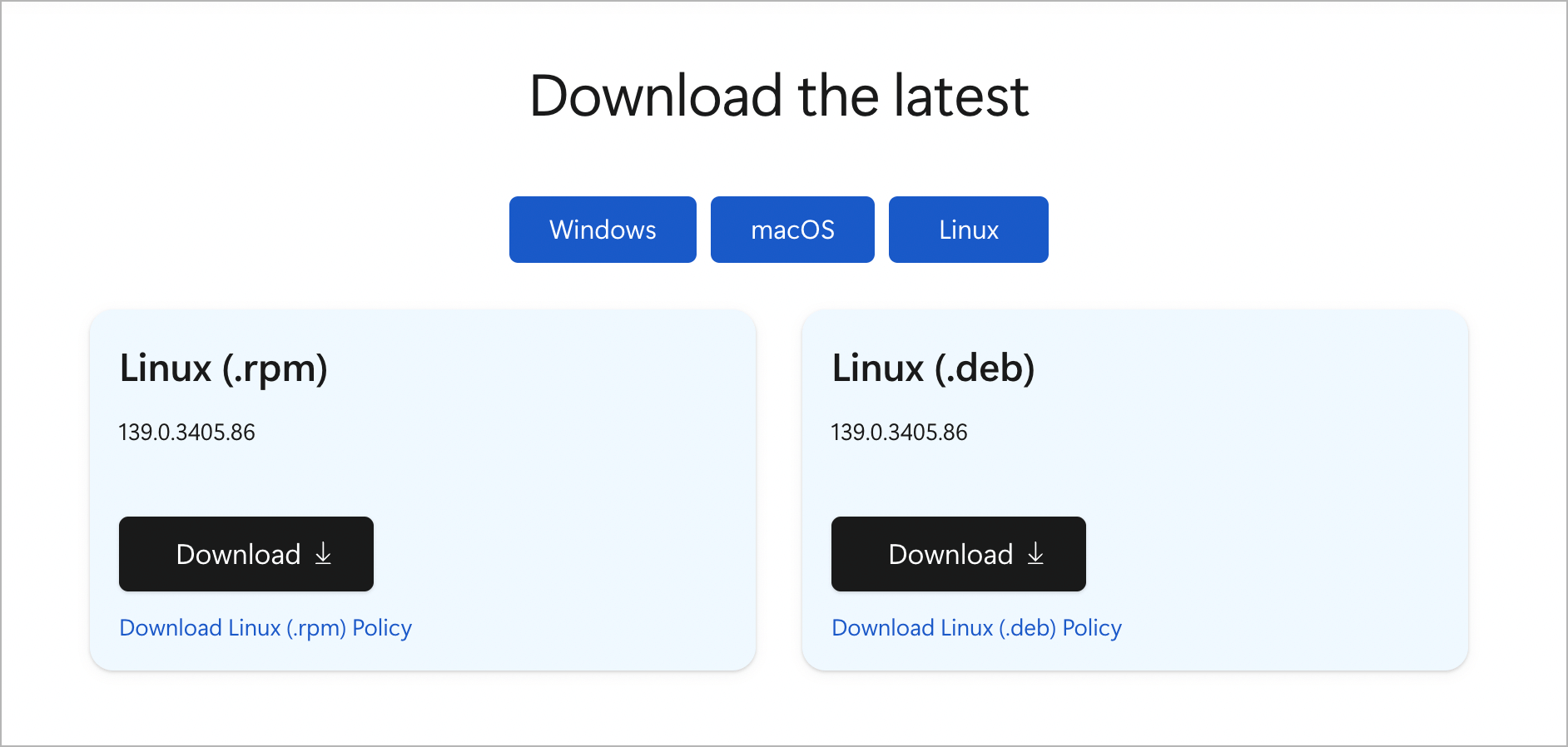
- Choose your preferred OS: Windows, macOS, or Linux.
- To download the offline installer for the 32-bit, 64-bit, or ARM64 version of Windows, click the relevant Download option.
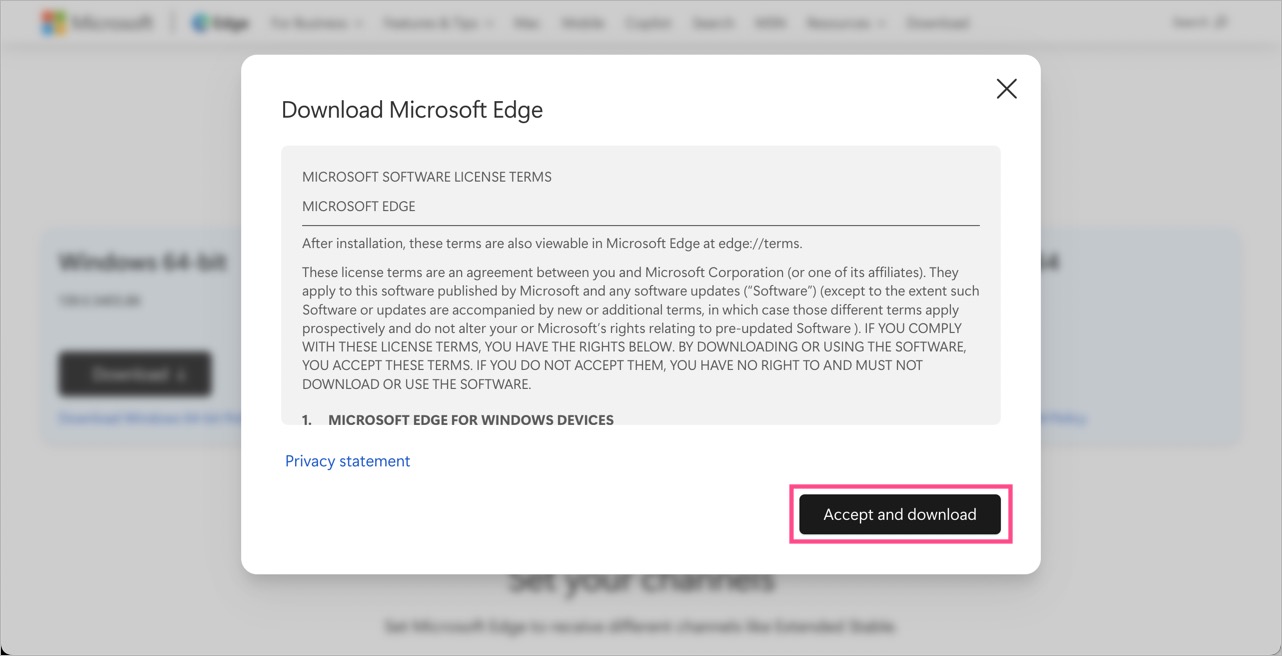
- Click the Accept and download button, and the standalone installer will start downloading.
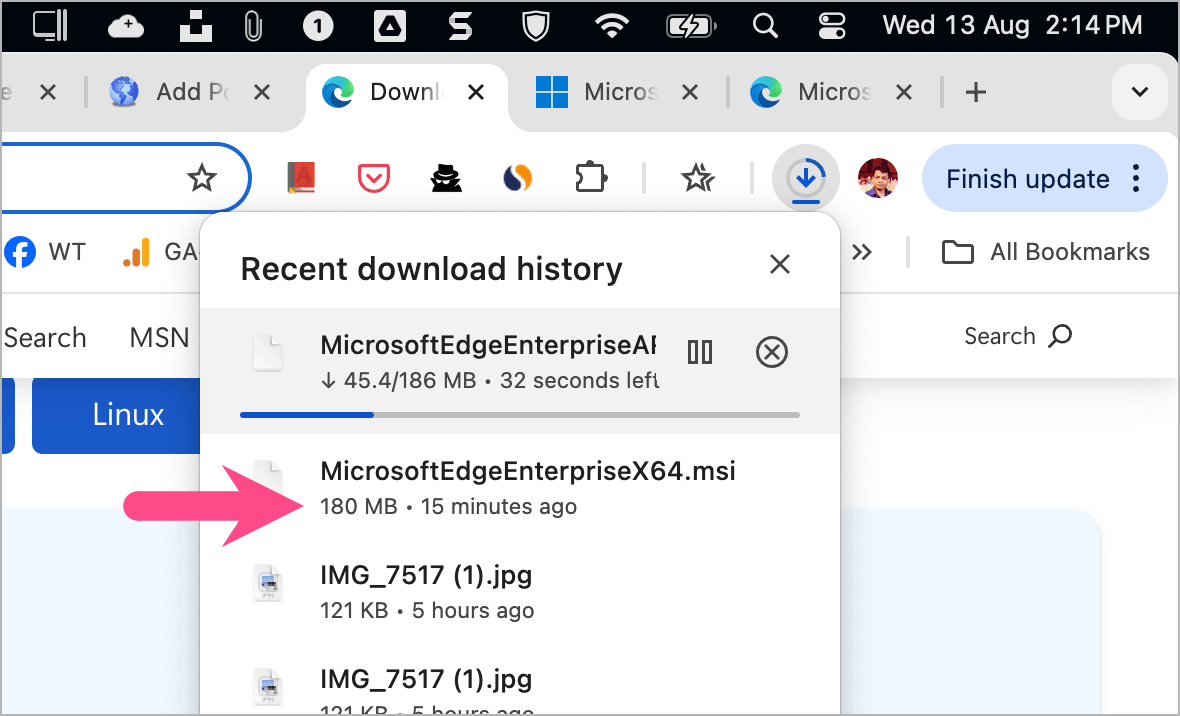
The full offline installer for Windows in MSI format has the following file name and size:
- MicrosoftEdgeEnterpriseX64.msi (193 MB)
- MicrosoftEdgeEnterpriseX86.msi (172 MB)
- MicrosoftEdgeEnterpriseARM64.msi (198 MB)
Once downloaded, you can use the MSI installer to quickly install Microsoft Edge offline on multiple PCs.
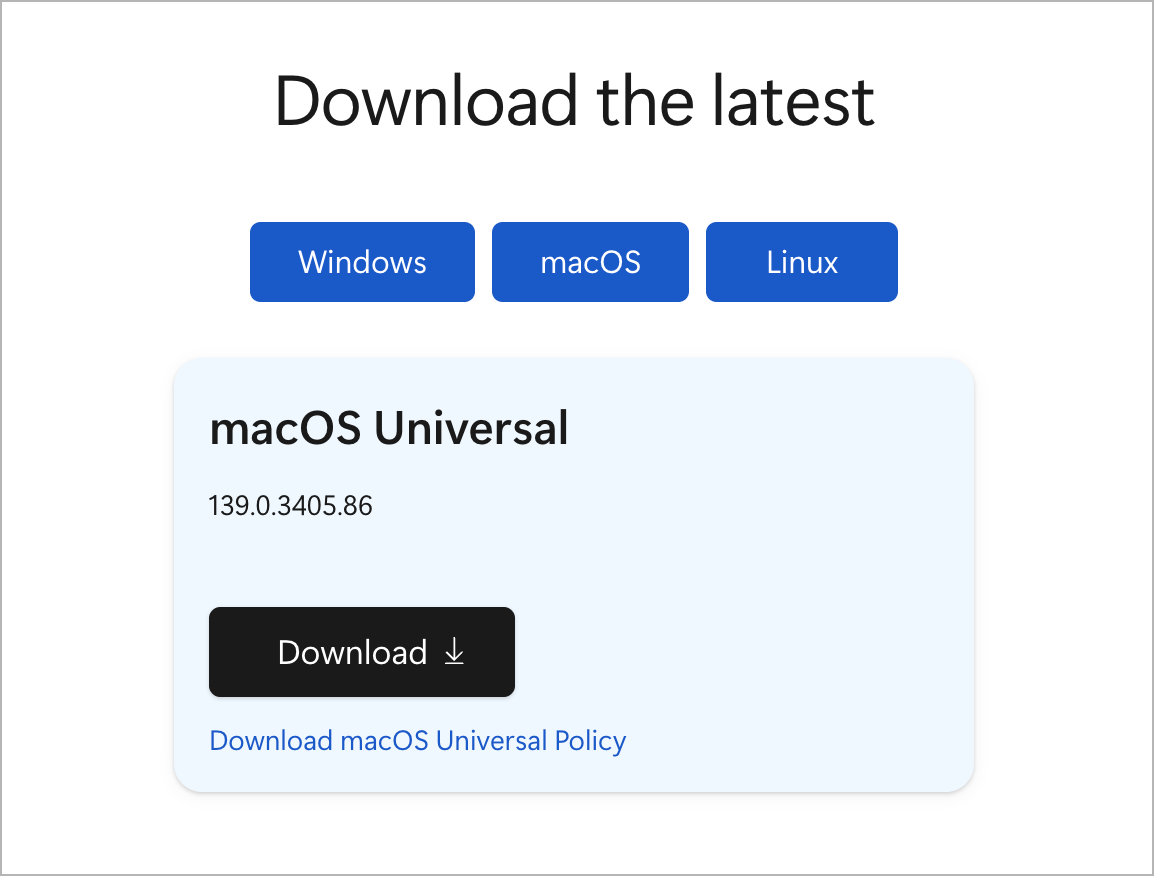
You can also download the offline installer of Edge for Mac and Linux.
- The universal installer for macOS is available in PKG format and is 403 MB in size.
- Full installers for Linux can be downloaded in DEB and RPM formats.
Download Older Versions of Microsoft Edge
The latest version of Edge might not be supported on your computer if you’re using an old or obsolete version of Windows.
Fortunately, Microsoft also offers older versions of Edge as a standalone installer so that users can run Edge on an unsupported Windows.
To download an older version of Microsoft Edge for Windows, macOS, or Linux:
- Visit Microsoft Edge for Business.
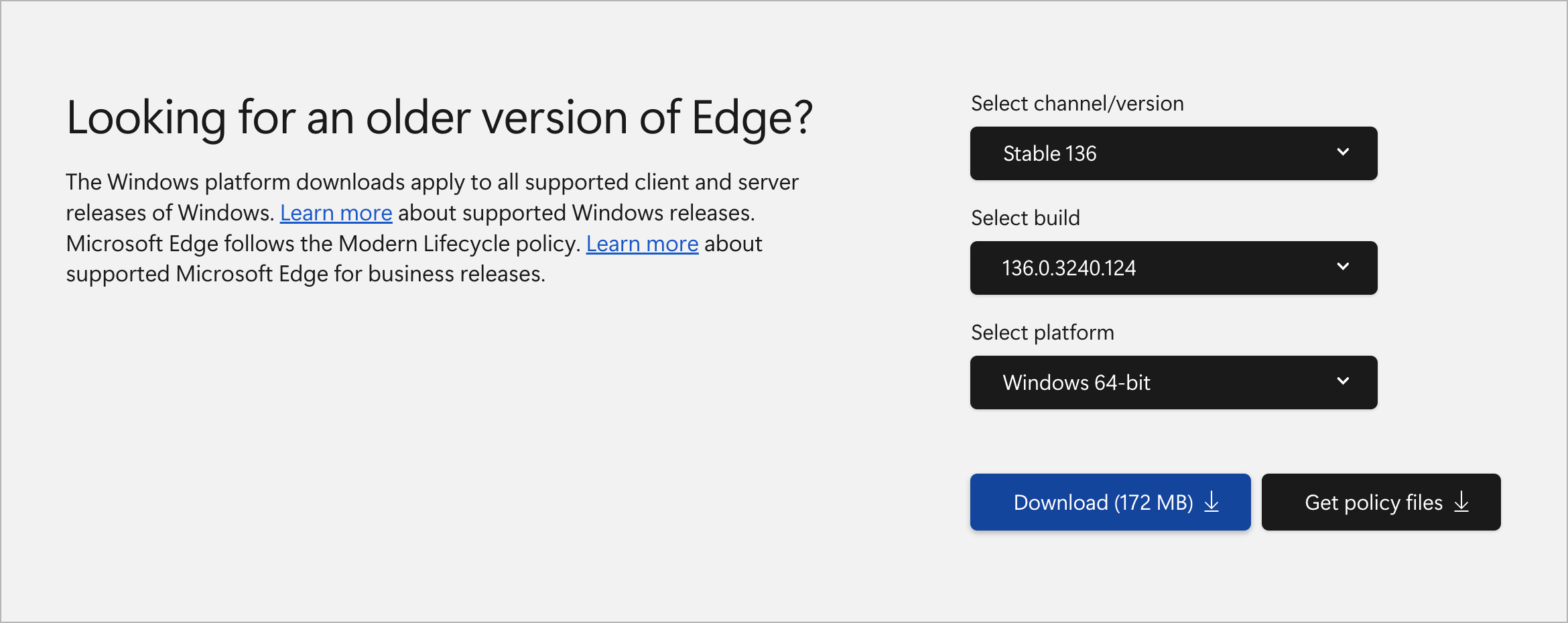
- Scroll down to the “Looking for an older version of Edge?” section.
- Select the channel/version and build from the dropdown menu.
- Choose the desired platform and click the Download button.
- Click Accept and download to start downloading.
Notes:
- The Edge for Business download page offers enterprise installers in .msi or .pkg formats, which are also suitable for personal use.
- Make sure to select the correct architecture (32-bit, 64-bit, or ARM64) for your system.
Tip: Always download from Microsoft’s own Edge for Business or Insider pages to ensure you get the latest secure build.
RELATED: