Microsoft Edge is Microsoft’s Chromium-based web browser for Windows, macOS, and Linux. While Microsoft normally provides a small online installer, many users prefer the offline installer because it contains everything needed to install Edge without downloading additional files during setup.
This guide shows how to download the latest Microsoft Edge offline installer for Windows, macOS, and Linux directly from Microsoft’s official website. You’ll also learn how to download older versions if needed.
Download the Latest Microsoft Edge Offline Installer
Microsoft provides official offline installers for the Stable, Beta, and Dev versions of Microsoft Edge on its Edge for Business download page.
Offline installers are available for:
| Platform | Installer |
|---|---|
| Windows | MSI (32-bit, 64-bit, ARM64) |
| macOS | Universal PKG |
| Linux | DEB and RPM |
Steps to Download Microsoft Edge Offline Installer
- Visit the Microsoft Edge for Business download page.
- Select your operating system:
- Windows
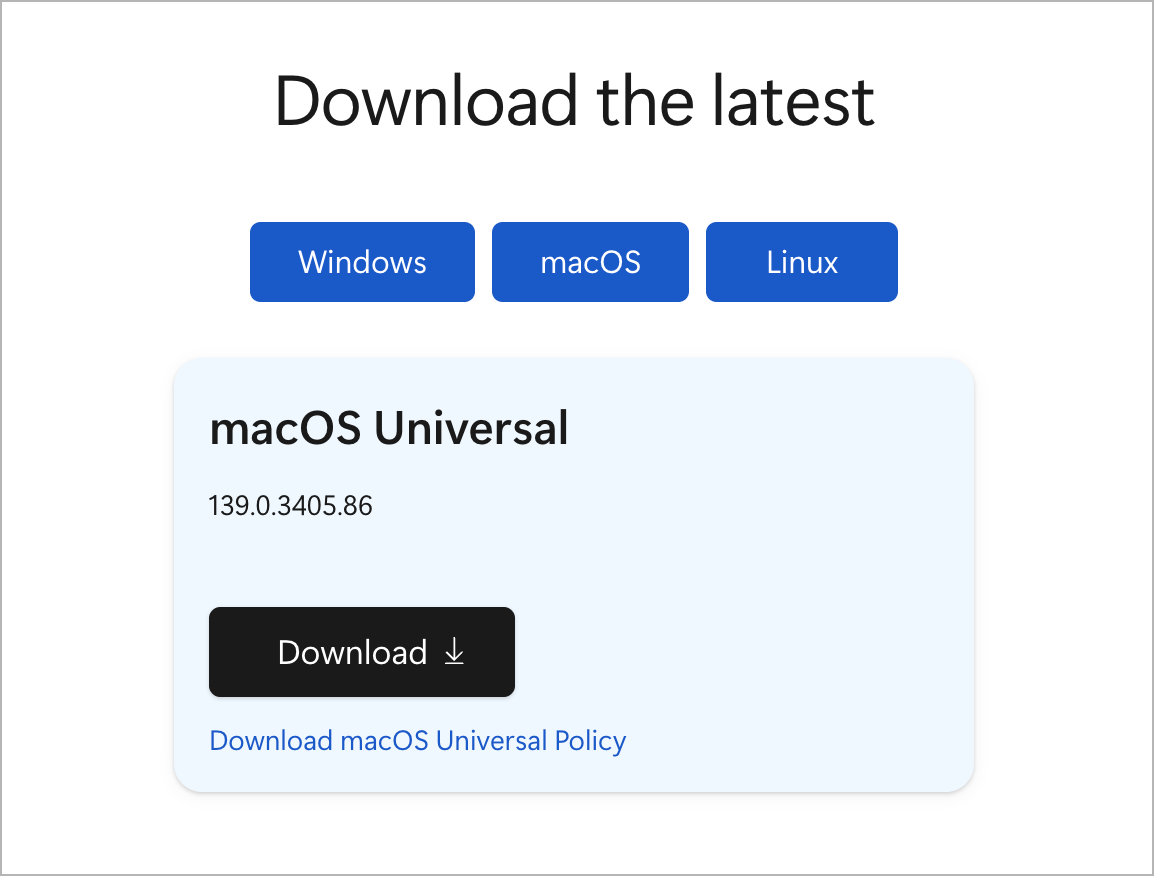
- macOS
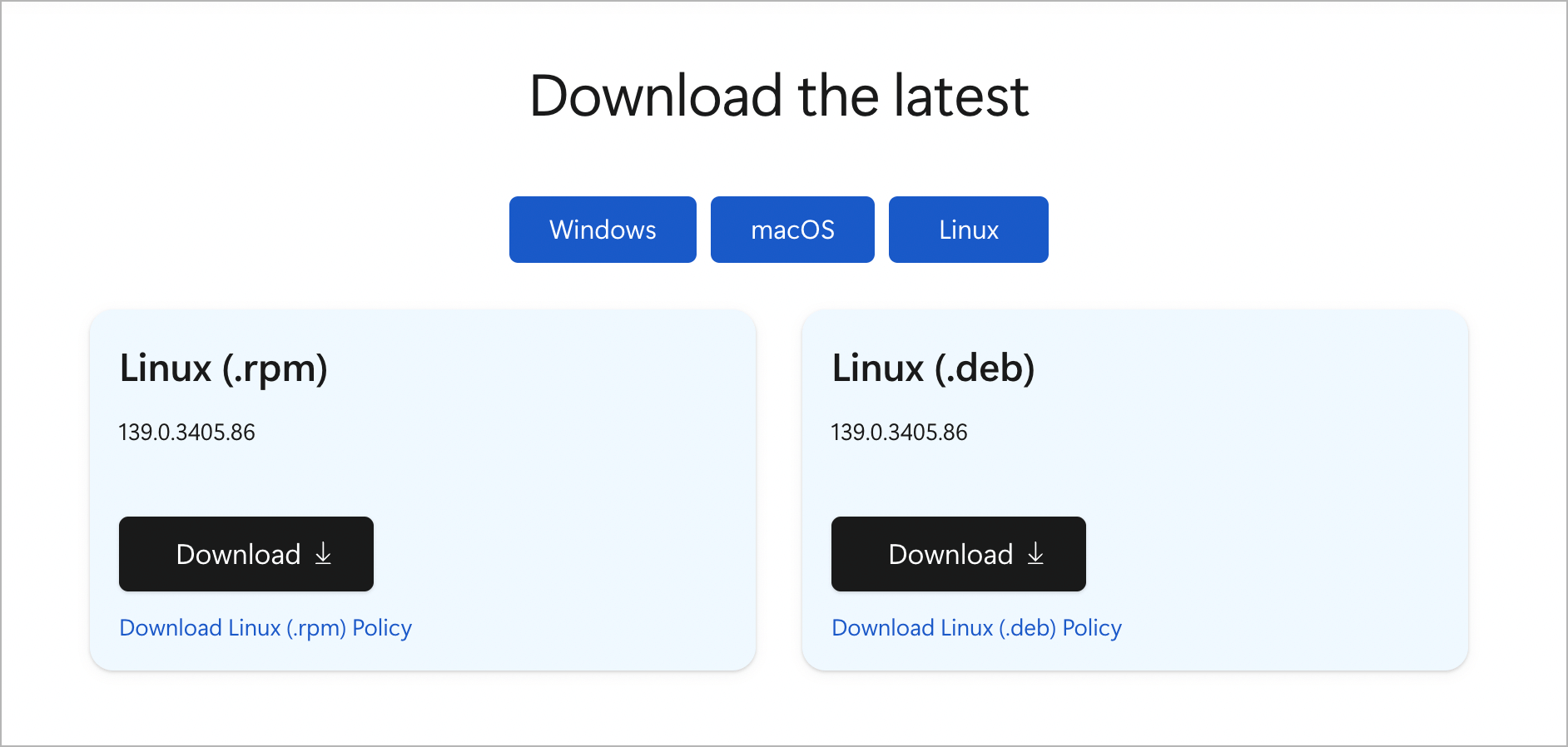
- Linux
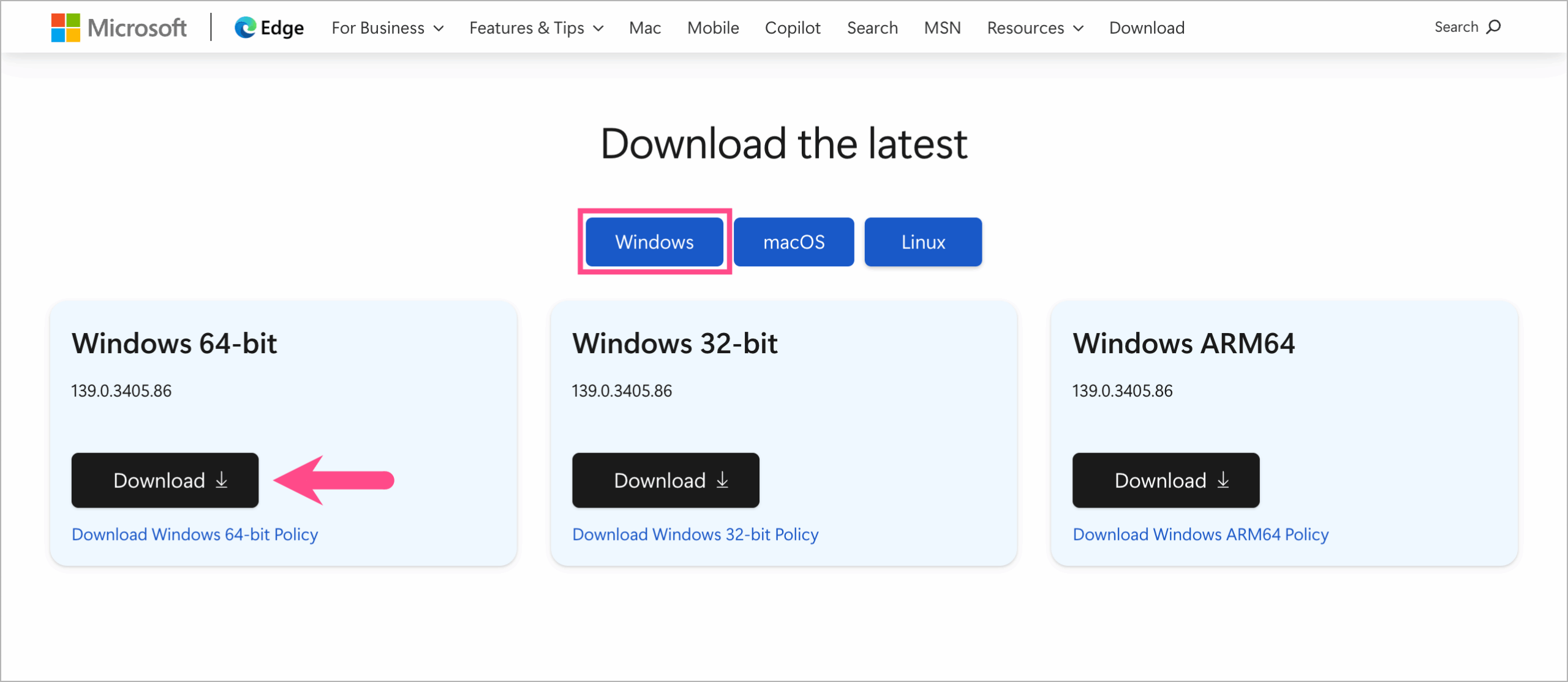
- Choose the appropriate installer for your device.
- Windows: 32-bit, 64-bit, or ARM64
- macOS: Universal PKG
- Linux: DEB or RPM
- Click Download.
- Select Accept and download to begin downloading the offline installer.
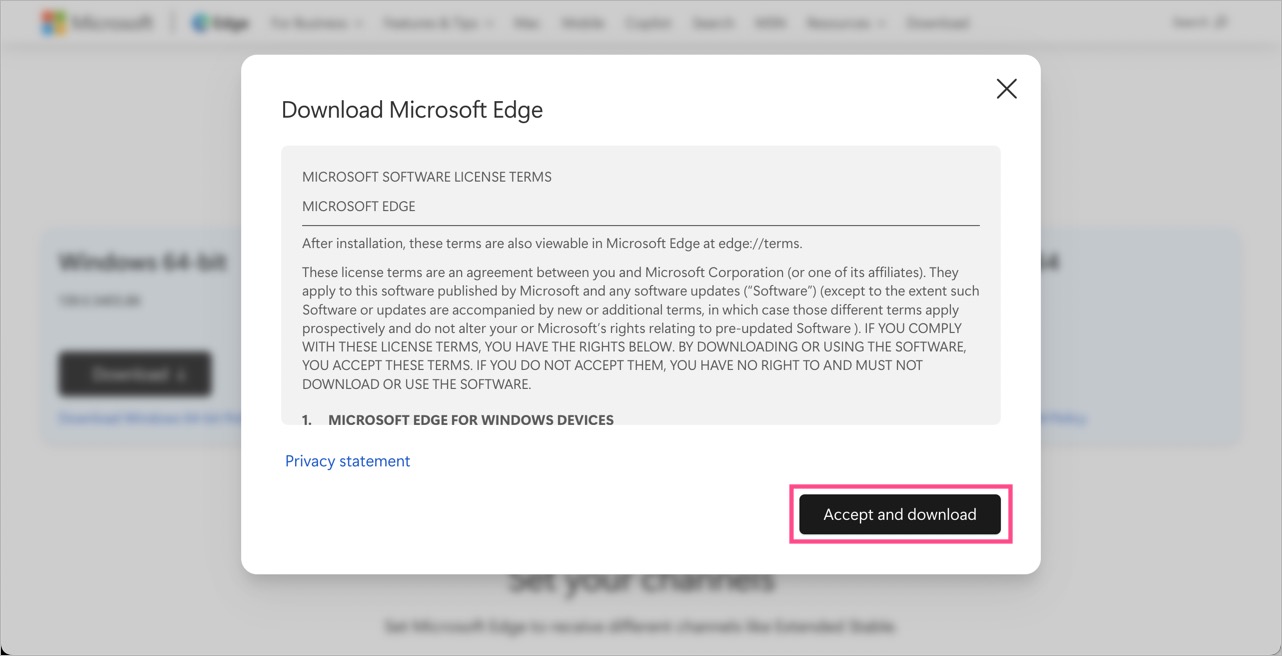
Once downloaded, run the MSI installer to install Microsoft Edge without an internet connection. You can also reuse the installer on multiple compatible PCs.
Download Edge Offline Installer for macOS and Linux
The same download page also includes official offline installers for macOS and Linux.
- macOS is available as a Universal PKG installer that supports both Intel and Apple Silicon Macs.
- Linux installers are available in DEB and RPM formats for Debian/Ubuntu, Fedora, and openSUSE distributions.
Download Older Versions of Microsoft Edge
You may need an older version of Microsoft Edge for software compatibility, testing, or if you’re using an unsupported operating system.
To download an older version:
- Open the Microsoft Edge for Business download page.
- Scroll to Looking for an older version of Edge?
- Select the desired:
- Channel/Version
- Build
- Choose your operating system and architecture.
- Click Download.
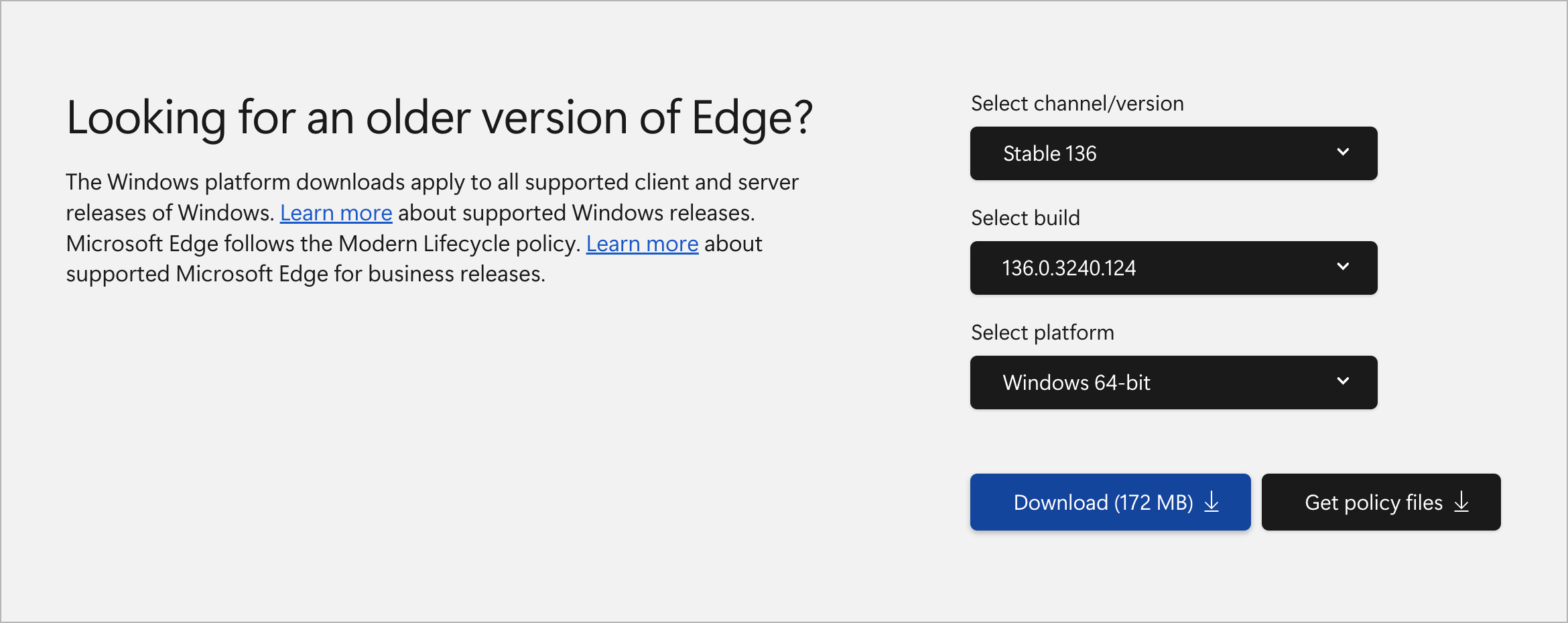
- Click Accept and download.
Note
- Enterprise MSI and PKG installers are also suitable for personal use.
- Always download the installer that matches your system architecture (32-bit, 64-bit, or ARM64).
What Is an Offline Installer?
An offline installer (also called a standalone installer) is a complete installation package that contains all the files required to install software without downloading additional data during setup.
Unlike a web installer, it can be reused on multiple computers and doesn’t require an active internet connection during installation.
Why Use the Microsoft Edge Offline Installer?
Using the offline installer offers several advantages:
- Install Microsoft Edge without an internet connection.
- Reuse the same installer on multiple computers.
- Faster installation because no additional files are downloaded.
- Keep a local copy for future installations.
- Ideal for IT administrators and enterprise deployments.
Related Articles
- Download Google Chrome Full Offline Installer
- Download Mozilla Firefox Standalone Installer
- Download Adobe Acrobat Reader Offline Installer