WebTrickz
TRENDING
  • Claude vs ChatGPT: Which Is Better in 2026?
No Result
View All Result
  • Reviews
  • Editorials
  • Social Media
    • Facebook
    • Twitter
    • YouTube
    • Messenger
    • Instagram
    • Snapchat
    • WhatsApp
    • TikTok
  • Apps
  • How To’s
  • Apple
  • iPhone
  • Google
  • Android
  • Mac
  • Security
  • About Us
    • About Us
    • Contact Us
    • Privacy Policy
  • Reviews
  • Editorials
  • Social Media
    • Facebook
    • Twitter
    • YouTube
    • Messenger
    • Instagram
    • Snapchat
    • WhatsApp
    • TikTok
  • Apps
  • How To’s
  • Apple
  • iPhone
  • Google
  • Android
  • Mac
  • Security
  • About Us
    • About Us
    • Contact Us
    • Privacy Policy
No Result
View All Result
WebTrickz
No Result
View All Result
Home How To's

How to Remove Scratches from Silver iPhone X with Stainless Steel Frame

Mayur Agarwal by Mayur Agarwal
December 27, 2021
in How To's, iPhone

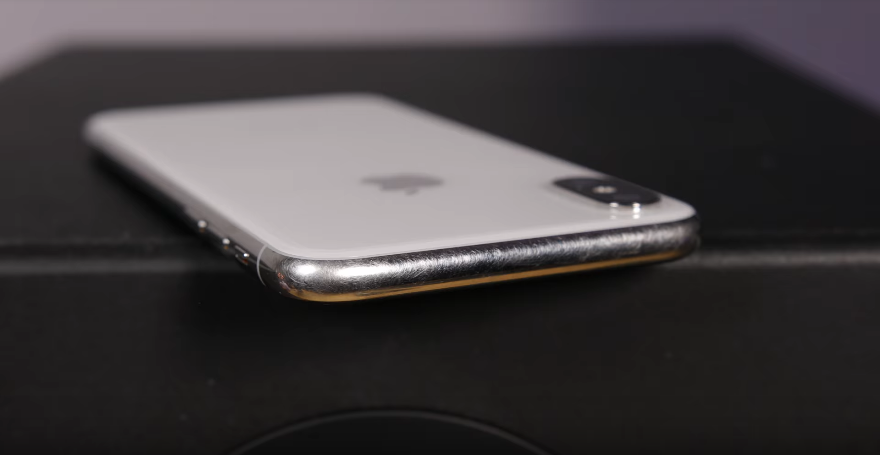
scratches on iPhone X Silver with stainless steel chassis

Despite carrying a steep price tag, the iPhone X is a hot-selling smartphone. With iPhone X, Apple has departed from the usual aluminium to a stainless steel frame. Those who’ve seen it in person must be aware that the stainless steel looks way premium and offers a higher rigidity. However, unless you’re using a cover or keep wiping your iPhone X very often, the stainless steel might turn into an eyesore. That’s because the stainless steel body is easily prone to fingerprints, smudges and attracts a lot of fine scratches over time. Considering iPhone X’s premium factor, this isn’t something that a user would ever expect or want to live with.

Perhaps, if you’re an iPhone X user with a Silver model particularly then you’d be happy to know that scratches from Silver iPhone X can be removed up to a major extent. There is a DIY trick by Quinn Nelson, host at Snazzy Labs who demonstrates the procedure to remove iPhone X scratches at home. You don’t need to have any technical skills to do it but some patience is needed.

Removing Scratches from iPhone X –

Requirements –

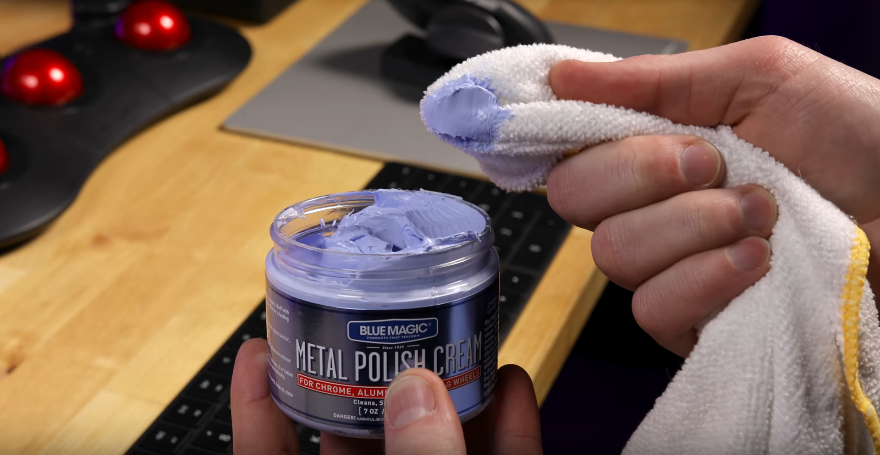
  • Metal or Aluminium polish [Blue Magic or Mothers Mag]
  • Microfiber cleaning cloth

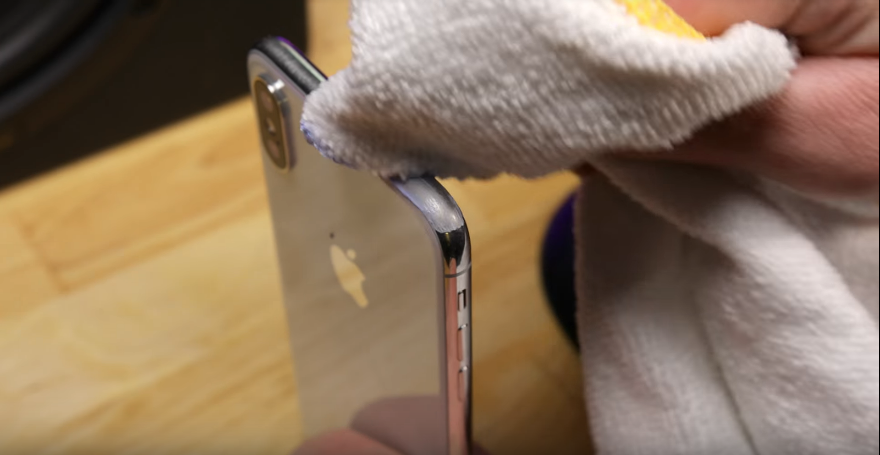
To clean scratches, take a small amount of polish or cream on the microfiber cloth and start rubbing the steel chassis in a sideways motion. You need to buff the frame firmly in the back and forth direction for about 60 to 90 seconds, depending on the scratches and abrasions. Make sure to polish carefully so as to not rub the cloth against the display and glass back. After buffing, wipe the sides with a clean cloth in a circular motion. The fact that iPhone X is water-resistant, you can wash the phone later in a basin to remove any leftover cream from side buttons and other ports.

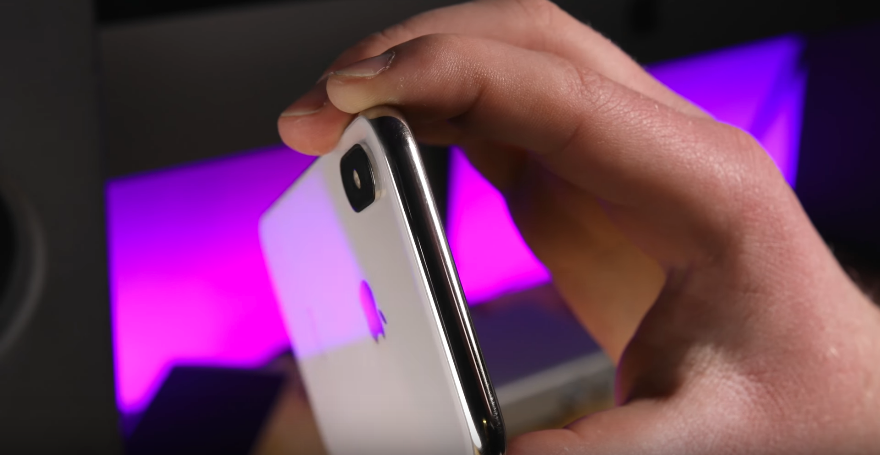
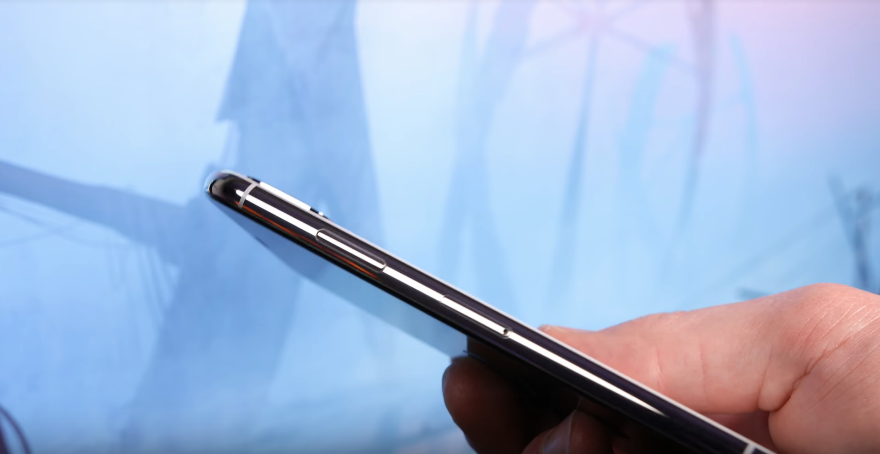
Voila! Your iPhone X should now look shiny and beautiful just like it used to appear in its initial days. That said, the process should work on the stainless steel edition of the Apple Watch as well.

Make sure to watch the video tutorial before proceeding.

Note: This is NOT meant for the Space Gray version of the iPhone X.

Image credit: Snazzy Labs video

Add WebTrickz as a preferred source on Google
Tags: AppleiPhone XTipsTricksTutorials
ShareTweetSend
Previous Post

Download YouTube Vanced – Best Replacement for YouTube Android App

Next Post

“Nacho Notch” Hides the Notch on Android phones in One Tap

Mayur Agarwal

Mayur Agarwal

Mayur Agarwal, the founder and editor of WebTrickz, is a tech enthusiast with a Bachelor's degree in Computer Applications and over 15 years of experience in tech writing. His passion for technology and gadgets drives him to create insightful how-to articles and troubleshooting guides.

Next Post

"Nacho Notch" Hides the Notch on Android phones in One Tap

Leave a Reply Cancel reply

Your email address will not be published. Required fields are marked *

Latest Stories

silent mode popup in dynamic island

How to Put iPhone 18 Pro on Silent or Vibrate Mode

September 14, 2026
Restarting iPhone 18 Pro and 18 Pro Max

How to Restart or Force Restart iPhone 18 Pro and 18 Pro Max

September 11, 2026
iPhone 18 Pro and 18 Pro Max

How to Turn Off iPhone 18 Pro or 18 Pro Max

September 11, 2026
instagram logo

How to Find Scheduled Posts on Instagram

July 29, 2026
Facebook app on iPhone

How to Delete Watched Reels on Facebook (iPhone, Android, and Desktop)

July 28, 2026
facebook reels

How to See Your Liked Reels on Facebook App and Desktop

July 14, 2026
whatsapp username key

How to Add, Change, or Remove Your WhatsApp Username Key

July 3, 2026

Trending Stories

  • Photo by Jeff Hardi on Unsplash

    How to Turn Off Fn Lock on a Windows Laptop

  • How to Turn Off Microsoft Edge Game Assist in Windows 11

  • How to Turn Off Microsoft Family Safety on Windows 11 & 10

  • How to Delete Watched Reels on Facebook (iPhone, Android, and Desktop)

  • How to See Recently Watched Reels on Facebook

  • About Us
  • Contact Us
  • Privacy Policy
  • Advertise

© 2026 WebTrickz. All Rights Reserved.

No Result
View All Result
  • Reviews
  • Apps
  • How To’s
  • Android
  • Google
  • iPhone
  • Mac
  • About Us
  • Contact Us
  • Privacy Policy

© 2026 WebTrickz. All Rights Reserved.