


You can delete individual watched Reels on Facebook from the Videos you’ve watched section in Activity Log. If you want to remove everything at once, you can also clear your entire Facebook watch history.
Facebook doesn’t have a separate Reels history. Instead, it stores watched Reels and regular videos together under Videos you’ve watched.
This guide shows you how to delete watched Reels on Facebook on Android, iPhone, or desktop.
How to Delete Watched Reels on Facebook App
Follow these steps to remove watched Reels from your Facebook watch history on Android and iPhone:
- Open the Facebook app.
- Tap the Profile tab.
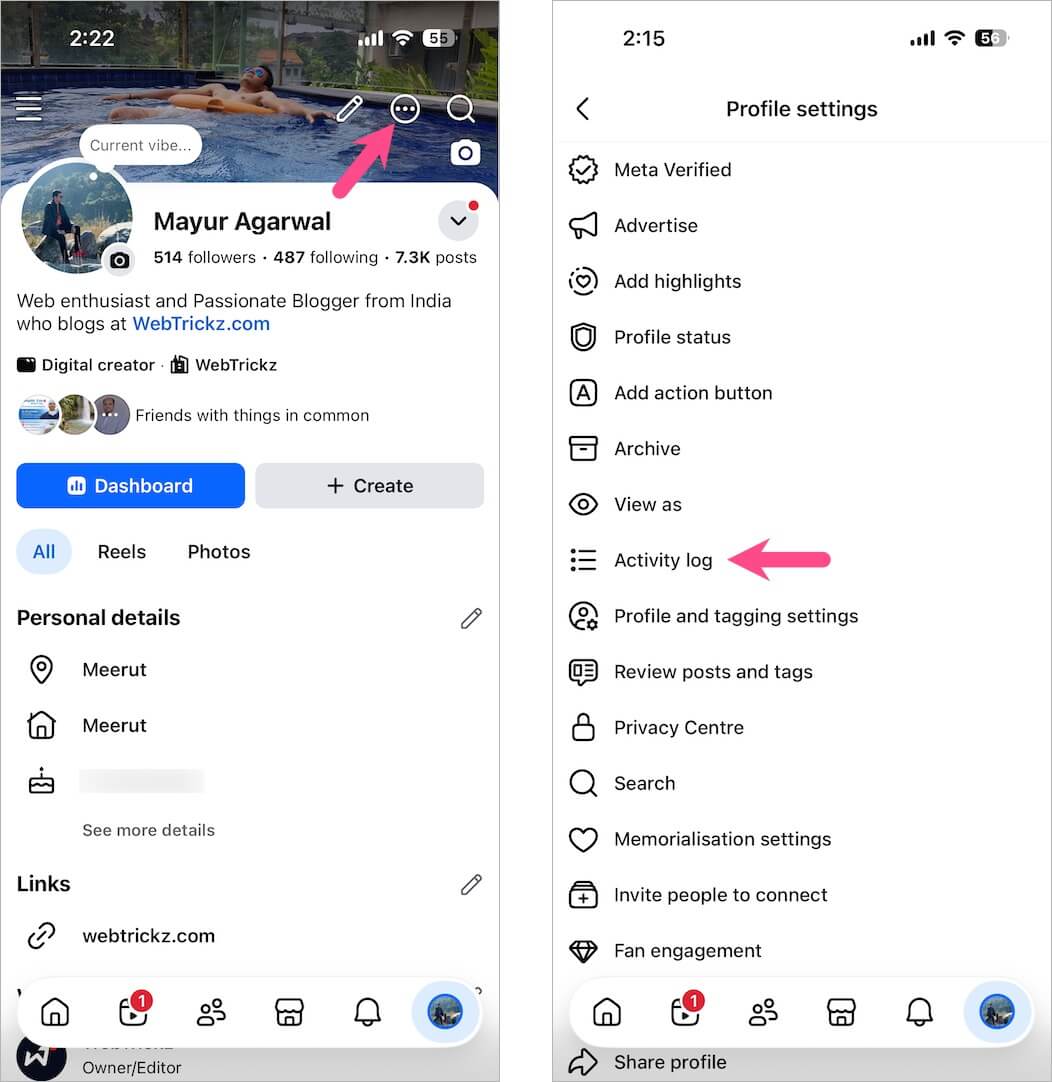
- Tap the three-dot menu at the top-right and select Activity log.
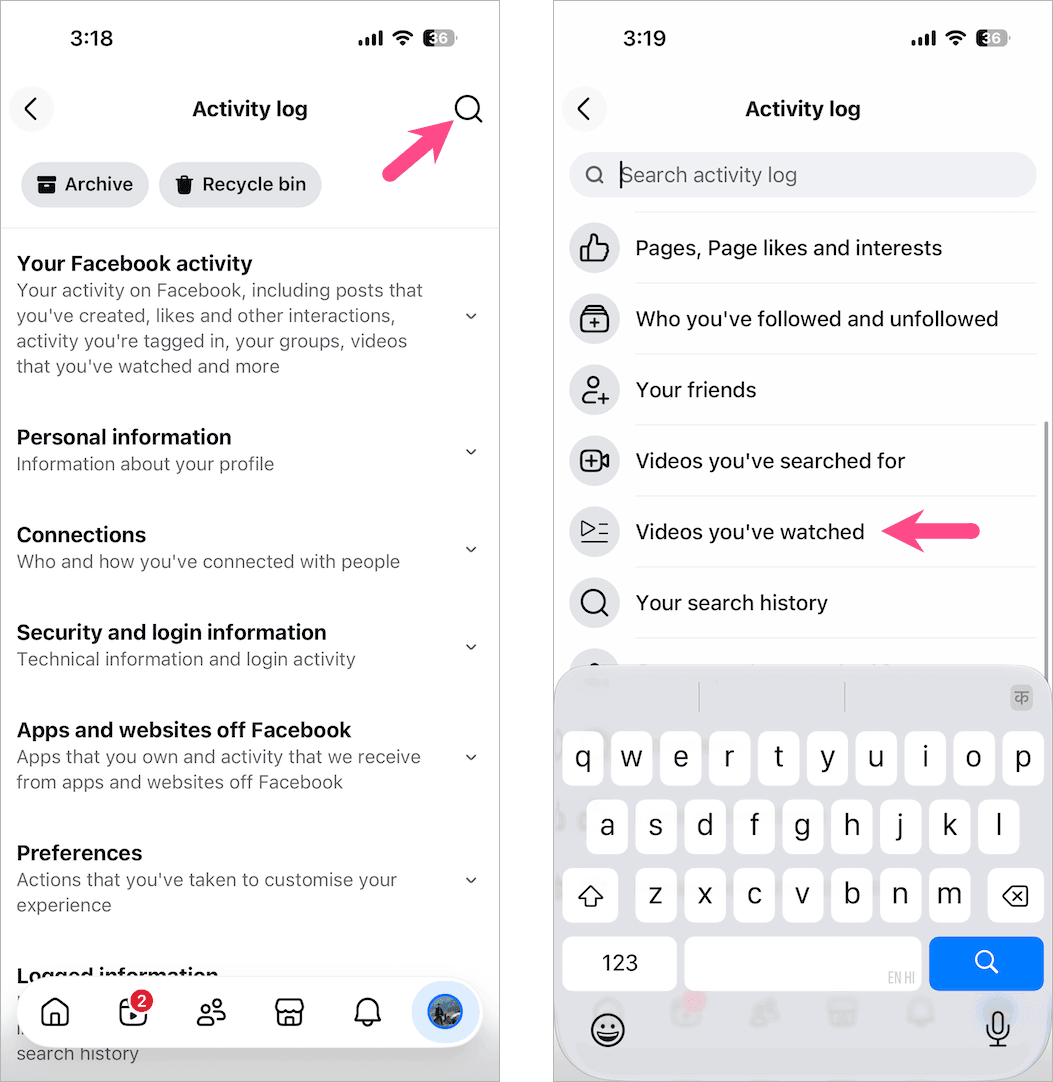
- Tap the Search option, scroll down, and select Videos you’ve watched.
- Find the Reel or video you want to delete.
- Tap the three-dot icon next to it and select Delete.
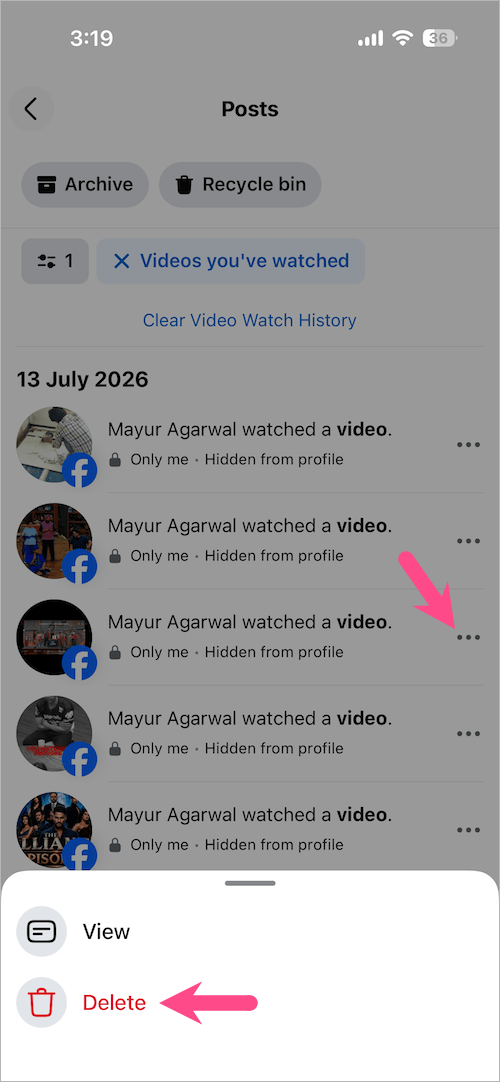
The selected Reel will be immediately removed from your watch history.
Note: Facebook stores watched Reels and regular videos together under Videos you’ve watched. Every Reel appears simply as “watched a video,” and there’s no option to filter Reels separately. You can, however, see the date and time each item was viewed.
Important: During my testing, Facebook didn’t always record every watched Reel or video under Videos you’ve watched. If a Reel doesn’t appear there, you won’t be able to remove it from your watch history because Facebook hasn’t logged it.
Want to find a Reel instead of deleting it? Check out our guide on how to find recently watched Reels on Facebook.
How to Delete Watched Reels on Facebook Desktop
Here’s how to remove individual watched Reels from your Facebook watch history on a computer.
- Visit Facebook.com in a browser and sign in to your account.
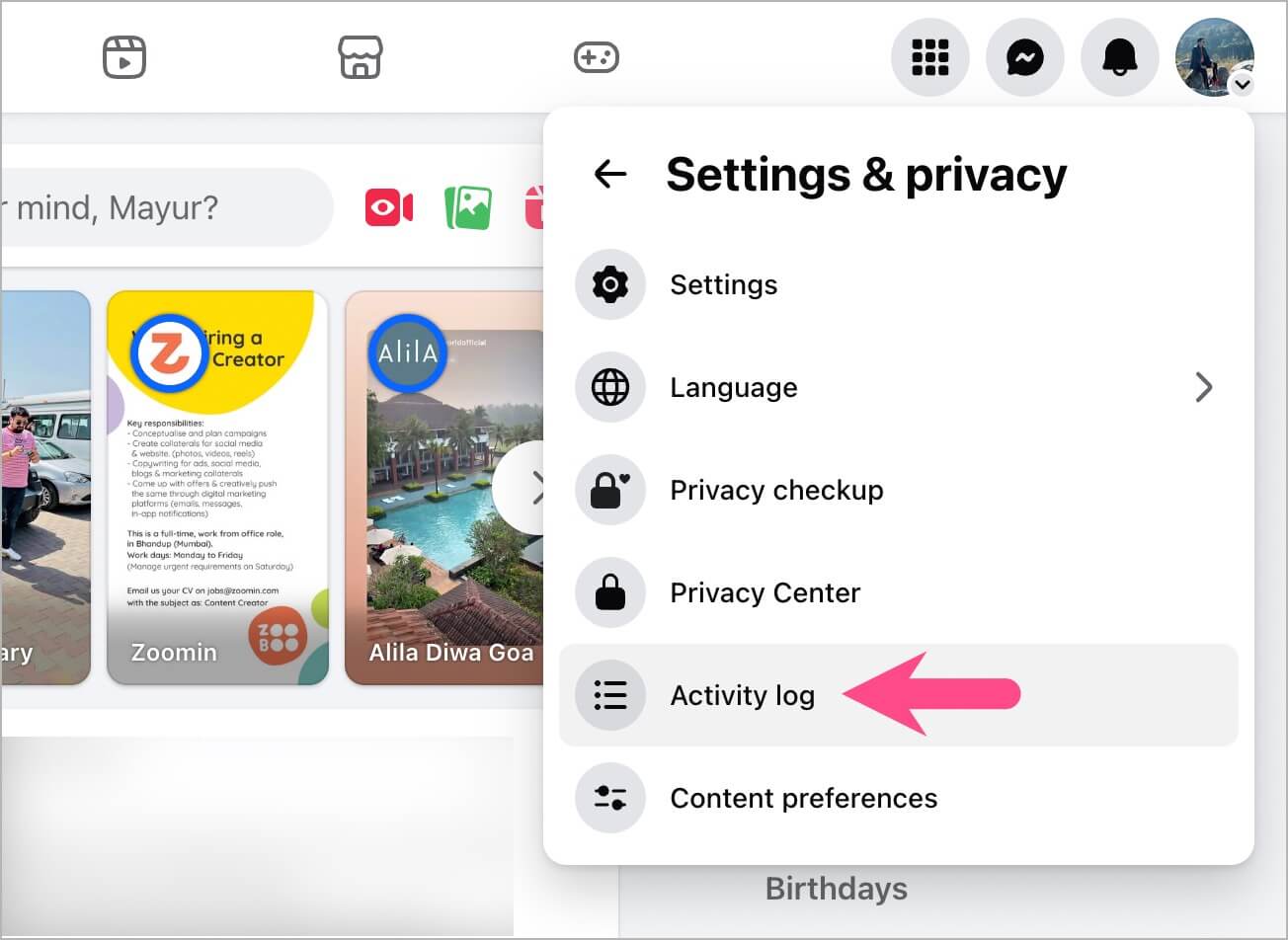
- Click your profile picture in the top-right corner.
- Select Settings & privacy > Activity log.
- Go to Videos you’ve watched.
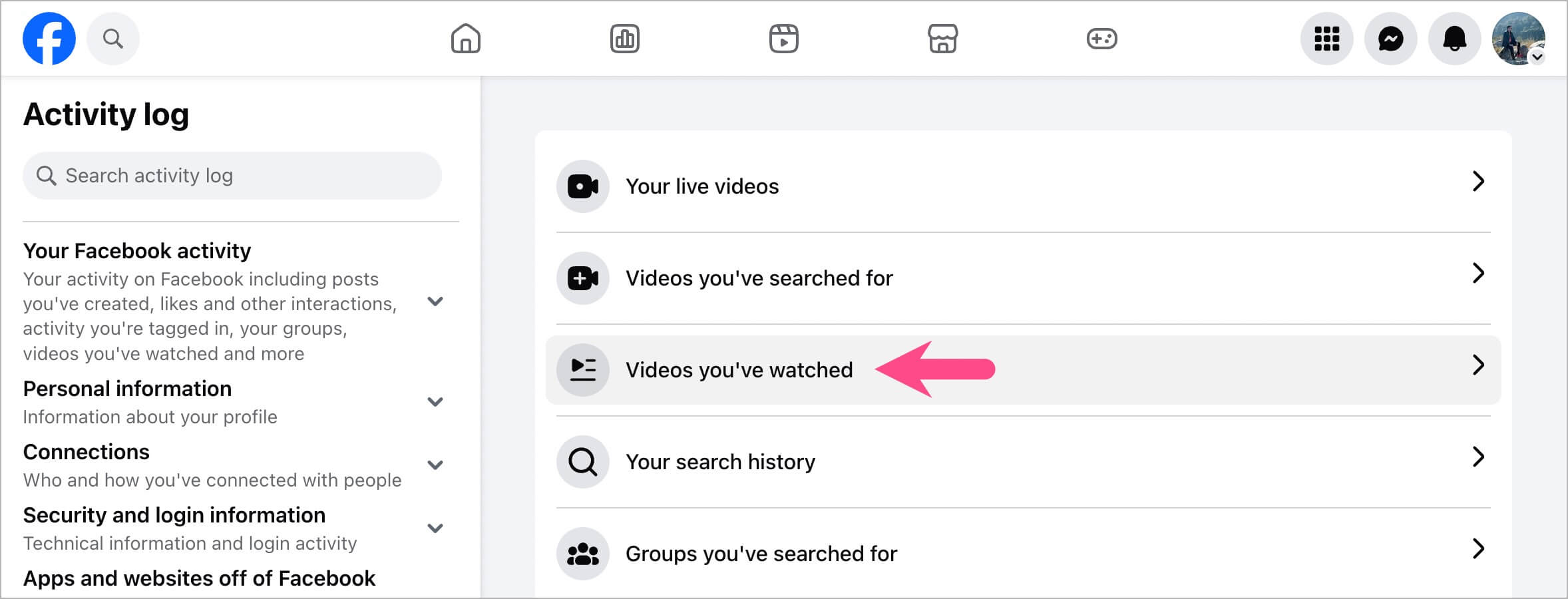
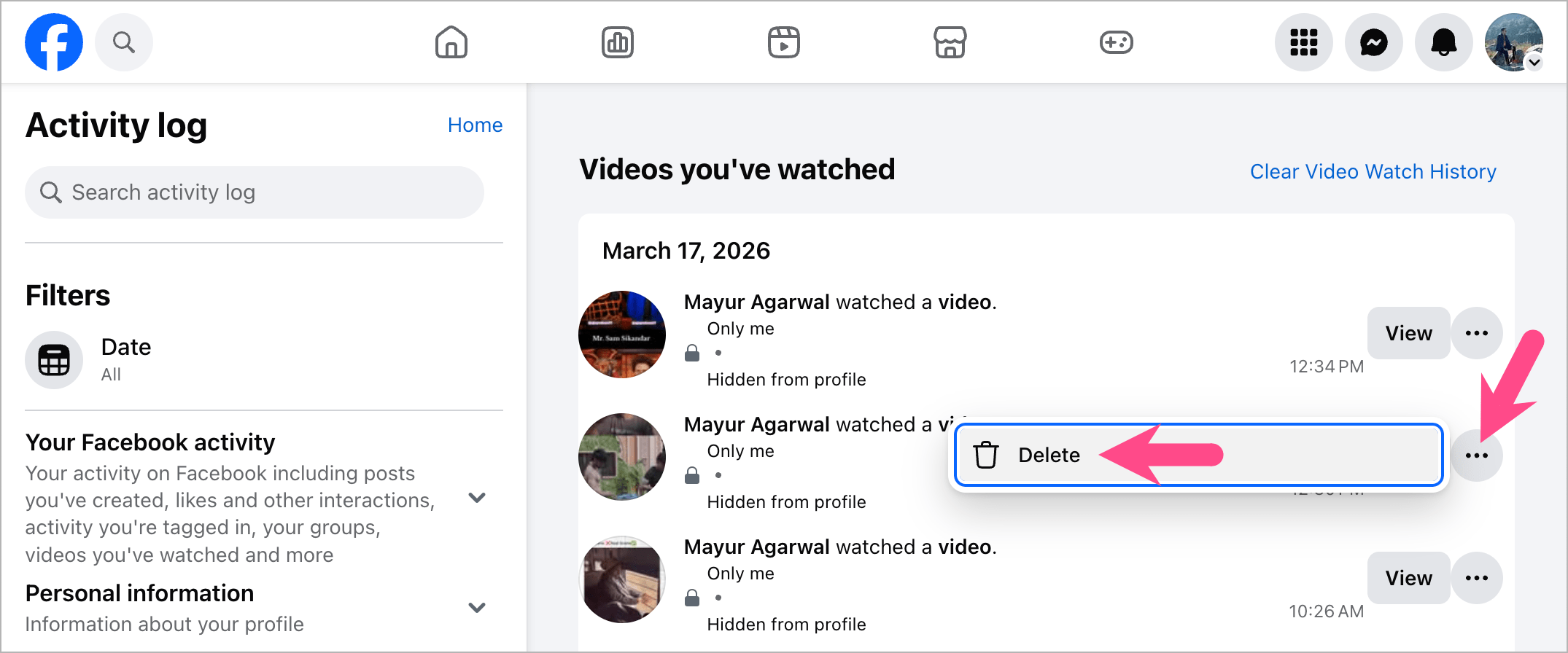
- Find the Reel or video you want to remove.
- Click the three-dot menu (ellipsis icon) next to it.
- Select Delete.
How to Delete All Watched Reels at Once
Facebook doesn’t let you clear only watched Reels. Instead, you can use Clear Video Watch History, which removes your entire Facebook watch history, including both watched Reels and regular videos.
To clear your Facebook watch history:
On Mobile
- Open the Facebook app and go to the Profile tab.
- Tap the three-dot menu at the top-right and select Activity log.
- Tap Your Facebook activity dropdown menu.
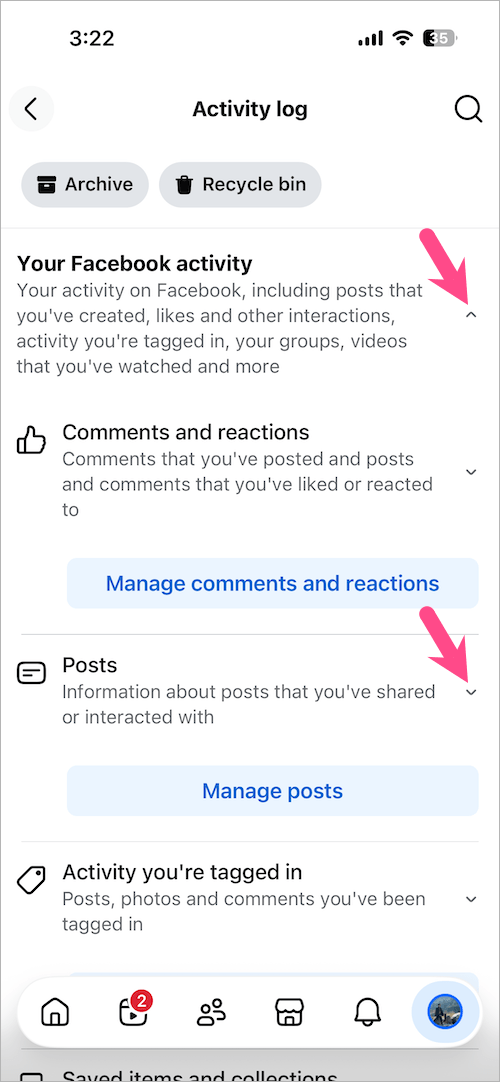
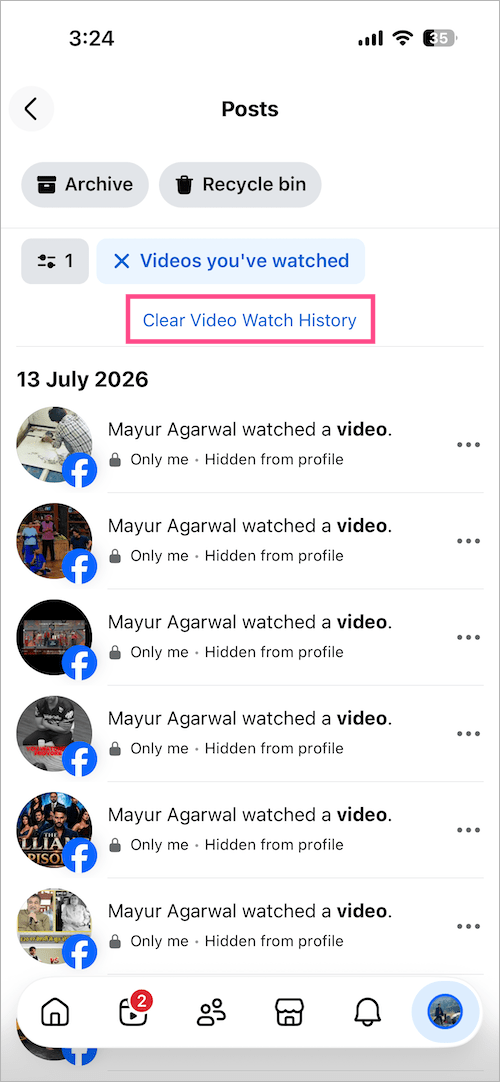
- Expand the Posts section, tap See more, and select Videos you’ve watched.
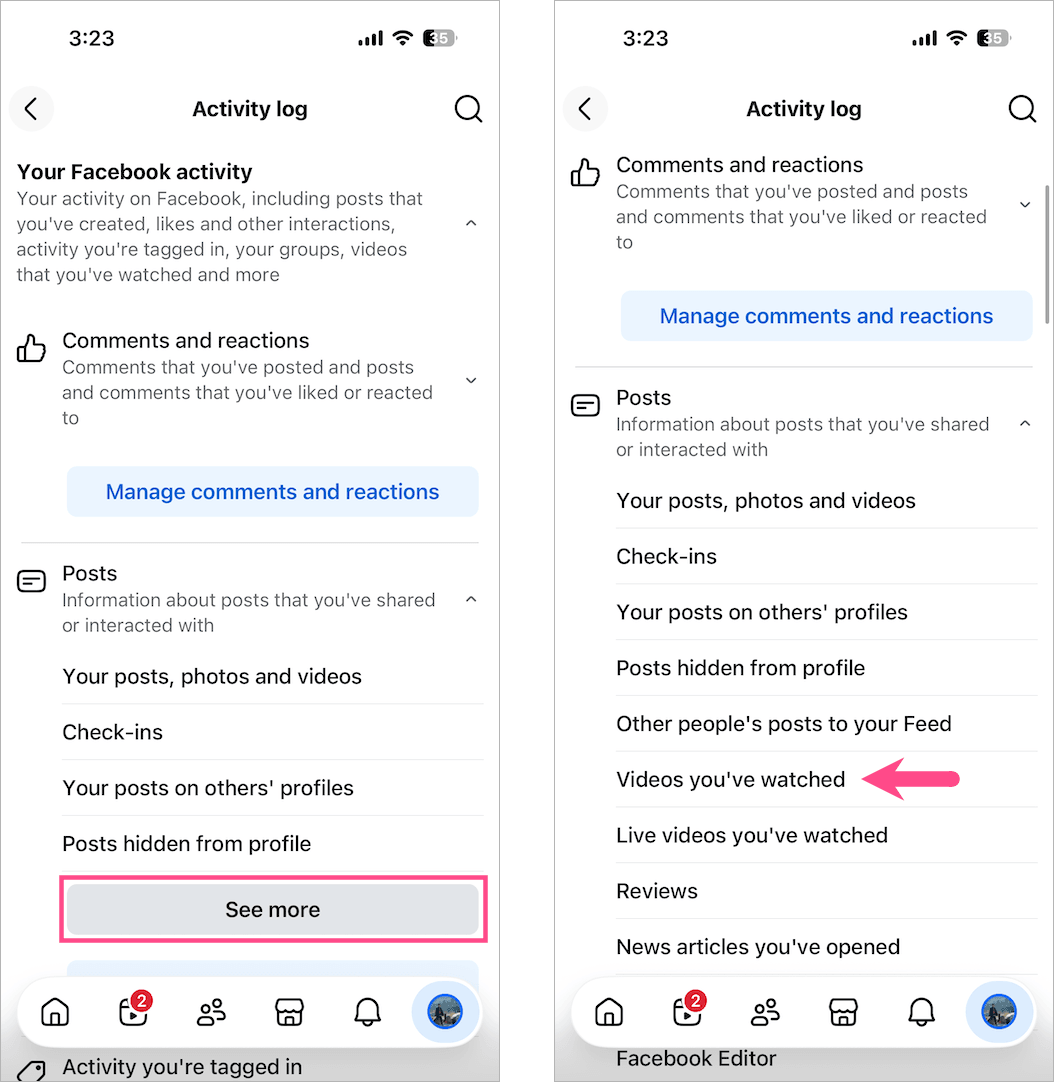
- Tap Clear Video Watch History and select Clear to confirm.
On Desktop
- Visit the Facebook website on a computer and sign in to your account.
- Click your profile icon.
- Navigate to Settings & privacy > Activity log.
- Select Videos you’ve watched.
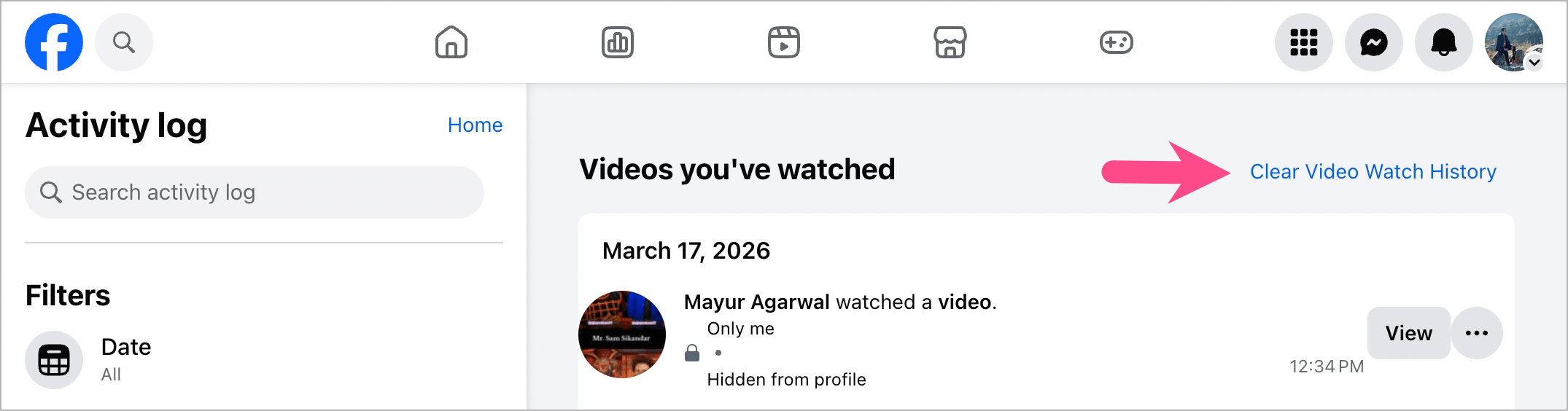
- Click Clear Video Watch History.
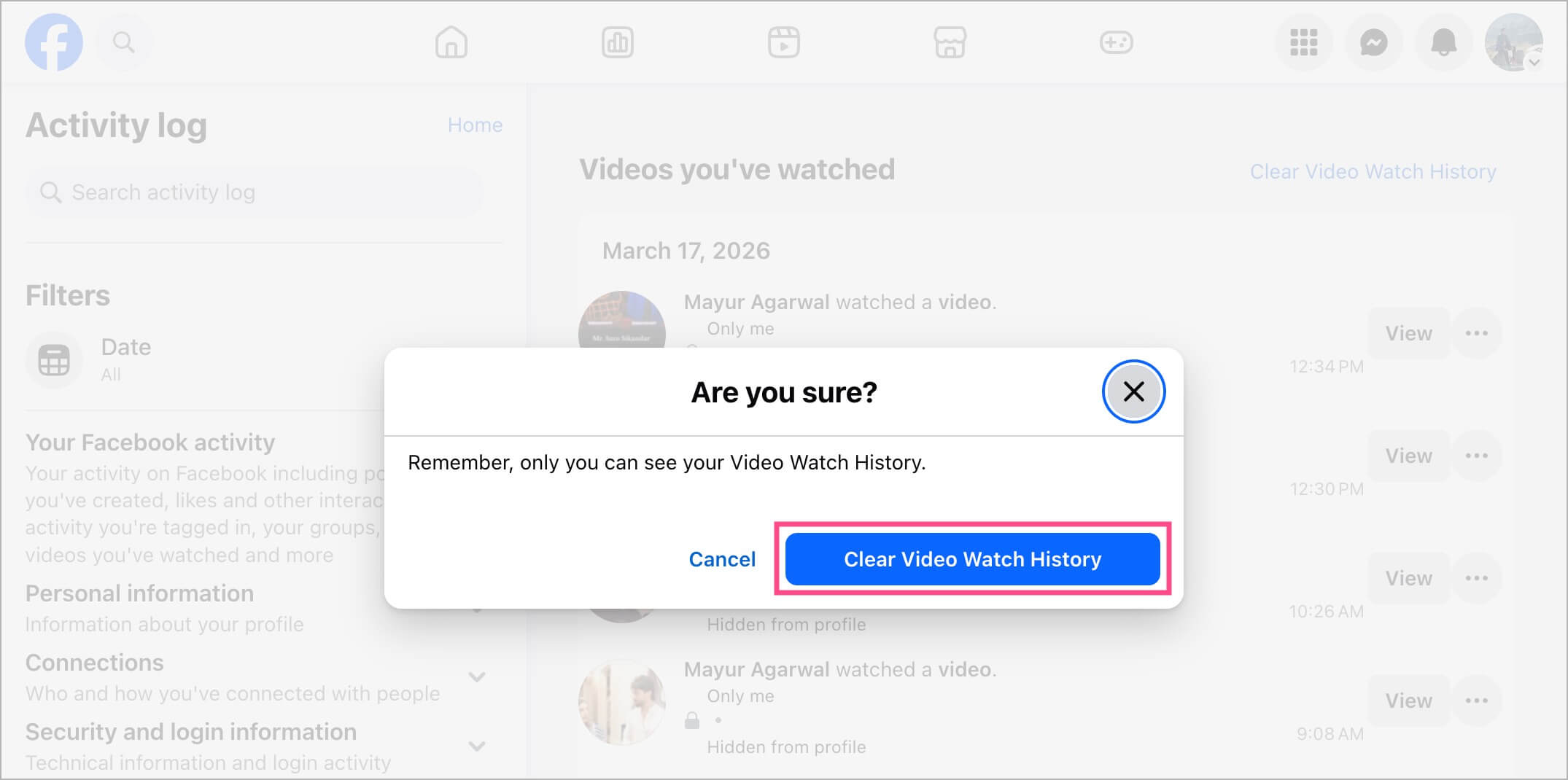
- Confirm by selecting Clear Video Watch History.
What Happens When You Delete Your Watch History?
Deleting your Facebook watch history removes entries from the Videos you’ve watched section, including watched Reels and regular videos. However, it doesn’t delete or change your other Facebook activity.
- Liked Reels stay liked. Your reactions remain intact. See how to see your liked Reels on Facebook.
- Saved Reels stay in your Saved collection. Learn how to find saved Reels on Facebook.
- Your comments and shares aren’t removed.
- Your own Reels and uploaded videos aren’t affected.
If you only want to remove a few watched Reels, deleting them individually is usually a better option than clearing your entire watch history.
Can’t Find a Watched Reel?
Facebook doesn’t always save every watched Reel in Videos you’ve watched.
During my testing, some watched Reels never appeared in Videos you’ve watched, even after refreshing the page and waiting for Facebook to sync activity. If a Reel isn’t listed there, there’s currently no way to remove it because Facebook hasn’t recorded that viewing activity.










You cannot delete watched reels. Even following your instructions, it’s still the same as it ever was… The reels watched history remains… and can still be seen using the Facebook app and choosing “Reels” then “Your Library” (circle with three dots / upper right corner) then “Watched Reels”