WebTrickz
TRENDING
  • Turn Off Copilot Search in Bing (Official Extension)
No Result
View All Result
  • Reviews
  • Editorials
  • Social Media
    • Facebook
    • Twitter
    • YouTube
    • Messenger
    • Instagram
    • Snapchat
    • WhatsApp
    • TikTok
  • Apps
  • How To’s
  • Apple
  • iPhone
  • Google
  • Android
  • Mac
  • Security
  • About Us
    • About Us
    • Contact Us
    • Privacy Policy
  • Reviews
  • Editorials
  • Social Media
    • Facebook
    • Twitter
    • YouTube
    • Messenger
    • Instagram
    • Snapchat
    • WhatsApp
    • TikTok
  • Apps
  • How To’s
  • Apple
  • iPhone
  • Google
  • Android
  • Mac
  • Security
  • About Us
    • About Us
    • Contact Us
    • Privacy Policy
No Result
View All Result
WebTrickz
No Result
View All Result
Home How To's

How to Factory Reset Fitbit Charge 3

Mayur Agarwal by Mayur Agarwal
July 26, 2024
in How To's, Wearable

factory reset fitbit charge 3
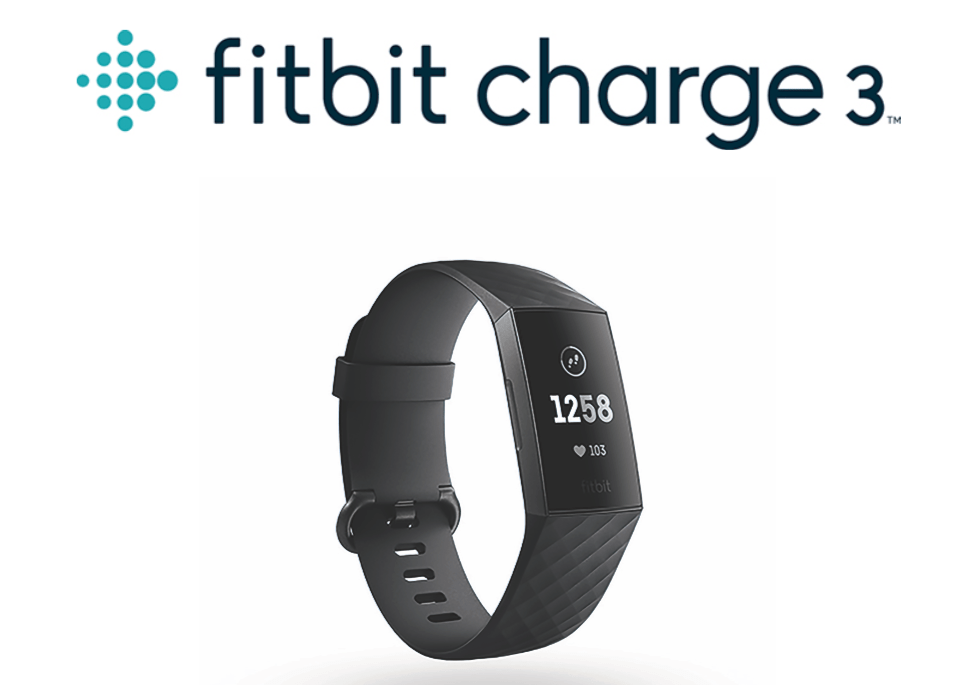
Fitbit is widely renowned as one of the best fitness trackers and wearables in the global market. The company offers a wide range of products and Fitbit Charge 3 is one of them. Charge 3 announced by Fitbit back in October last year is an advanced health and fitness tracker that monitors your activity, heart rate, exercise, sleep, and whatnot.

Think of a scenario where your Charge 3 isn’t working as expected, thus messing with your all-day activity tracking. For instance, the device is having issues with pairing, syncing, showing a blank screen, or can’t be detected by the computer over Bluetooth. In such a case, the best option is to factory reset your Charge 3.

In this post, we will guide you through the steps to restore Fitbit Charge 3 back to default settings. This also comes in handy in case you’re giving your Charge 3 to someone else or wish to return it.

Before proceeding, note that a factory reset will erase all apps and personal data stored on your tracker. This includes your alarms, goals, notifications, and all data that hasn’t been synced to your Fitbit account.

How to Factory Reset Fitbit Charge 3

  1. Press the side button to wake up the screen.
  2. Swipe the screen three times towards the left and select the “Settings” app.
  3. Now scroll down to the bottom and tap the “About” option.
  4. In the About menu, scroll down and select “Clear User Data”.
  5. A warning will now appear “This will unpair your device and you will lose any unsynced data”.
  6. Scroll down and tap on the “Tick” button to proceed.

That’s it! You’ve successfully reset it and you can now set up your tracker again.

ALSO READ: How to Get Your Phone Notifications on Fitbit Versa

Tags: Factory ResetTutorials
ShareTweetSend
Previous Post

How to Factory Reset Xiaomi Redmi Note 7

Next Post

Tip: Where You Should Double Tap on AirPods

Mayur Agarwal

Mayur Agarwal

Mayur Agarwal, the founder and editor of WebTrickz, is a tech enthusiast with a Bachelor's degree in Computer Applications and over 15 years of experience in tech writing. His passion for technology and gadgets drives him to create insightful how-to articles and troubleshooting guides.

Next Post

Tip: Where You Should Double Tap on AirPods

Comments 1

  1. P A says:
    7 years ago

    You can factory reset it all you want, but I became suspicious of the accuracy of my new Fitbit Charge when I was winded while following the dubious MaxHR the watch was indicating. After checking with a number of varying sources, I confirmed that the Fitbit Charge 3 was indicating 20 to 30 BEATS LOWER THAN ANY OTHER DEVICE. There was no fix. No wonder I was having trouble. My advice to anyone is to dump that thing and try another brand. I did, and I\’m very very glad I did no damage to my health because of the misreading.

    Reply

Leave a Reply Cancel reply

Your email address will not be published. Required fields are marked *

Latest Stories

copilot logo

How to Turn Off Copilot Search in Bing on Edge & Chrome

June 10, 2026
microsoft edge new logo

How to Turn Off Notifications in Microsoft Edge (2026 Guide)

June 8, 2026
chatgpt logo

How to Clear or Delete ChatGPT Memory on PC and Mobile

June 5, 2026
1337x logo

1337x Proxy List 2026: Working Proxy & Mirror Sites

June 2, 2026

How to Find Saved Reels on Facebook App & Desktop (2026)

June 8, 2026
microsoft edge browser

How to Restore or Reopen Closed Tabs in Microsoft Edge

June 9, 2026
Facebook app on iPhone

How to See Recently Watched Reels on Facebook (2026 Guide)

June 5, 2026

Trending Stories

  • microsoft family safety settings

    How to Turn Off Microsoft Family Safety on Windows 11 & 10

  • 1337x Proxy List 2026: Working Proxy & Mirror Sites

  • How to Turn Off Microsoft Edge Game Assist in Windows 11

  • How to See Recently Watched Reels on Facebook (2026 Guide)

  • How to Turn Off Fn Lock or Fn Key on Windows 11/10 Laptop

  • About Us
  • Contact Us
  • Privacy Policy
  • Advertise

© 2026 WebTrickz. All Rights Reserved.

No Result
View All Result
  • Reviews
  • Apps
  • How To’s
  • Android
  • Google
  • iPhone
  • Mac
  • About Us
  • Contact Us
  • Privacy Policy

© 2026 WebTrickz. All Rights Reserved.