Threads, Meta’s latest social network and Twitter’s rival is witnessing massive popularity since its launch. Mark Zuckerberg claims that 10 million users have already signed up for Threads in the first seven hours.
Since Meta’s Threads is an integral part of Instagram, you can use your Instagram account to log in and create a Threads profile. Threads share the same name and username as your Instagram profile.
Right now, users cannot sign up for Threads separately and you can only access the service via the Threads app for iPhone and Android.
Can I delete my Threads account without deleting my Instagram account?
Have you already signed up for Threads to check what the hype is all about, and now want to delete your Threads account? Well, you’d be surprised to know that deleting a Threads account isn’t as simple as you’d assume.
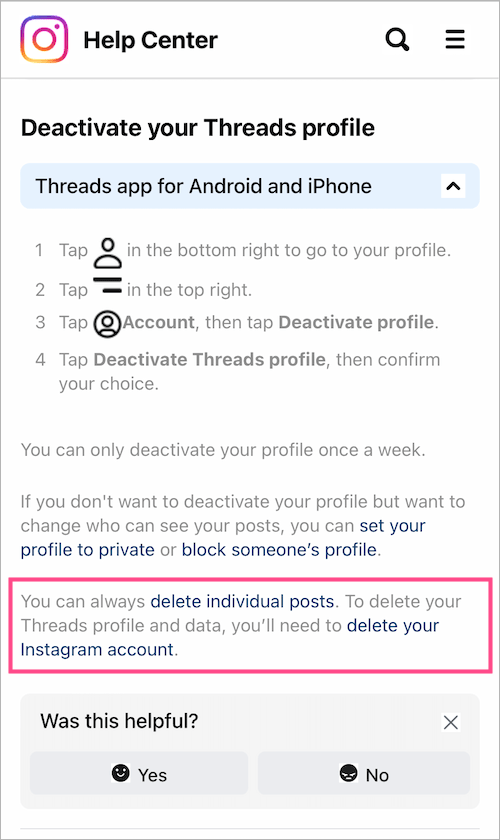
According to Threads’ privacy policy,
You may deactivate your Threads profile at any time, but your Threads profile can only be deleted by deleting your Instagram account.
Moreover, you cannot change your Threads username without changing your Instagram username as well. This isn’t a deal breaker though if you prefer to have the same username across your social media profiles.
How do I delete my account on Threads?
Unfortunately, there is no way to delete Threads account without deleting Instagram account first. This certain restriction is indeed annoying and forced upon users. Once you’ve signed up for Threads, you can only deactivate your Threads profile if you don’t want to lose your entire Instagram account.
Besides, the option to deactivate Threads account is temporary as your account reactivates automatically when you log back into Threads. It’s also worth noting that you can only deactivate your Threads profile once a week.
Apparently, your best bet would be to deactivate your account on Threads if you prefer to hide your profile and stay inactive on Instagram Threads.
Without further ado, let’s see how you can deactivate your Threads account temporarily.
How to temporarily deactivate your Threads account
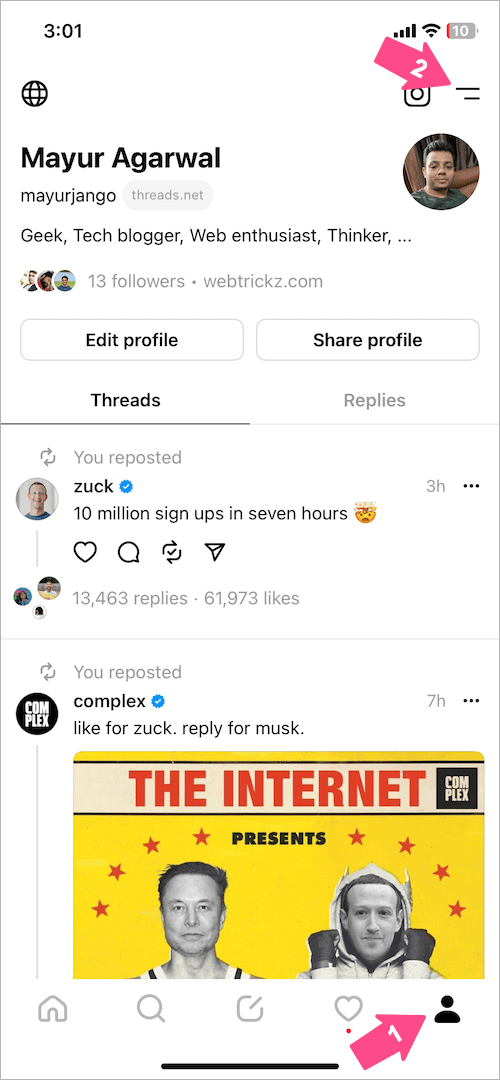
- In the Threads app, go to your profile tab at the top left corner.
- Tap the Menu button (double lines) at the top-right corner.
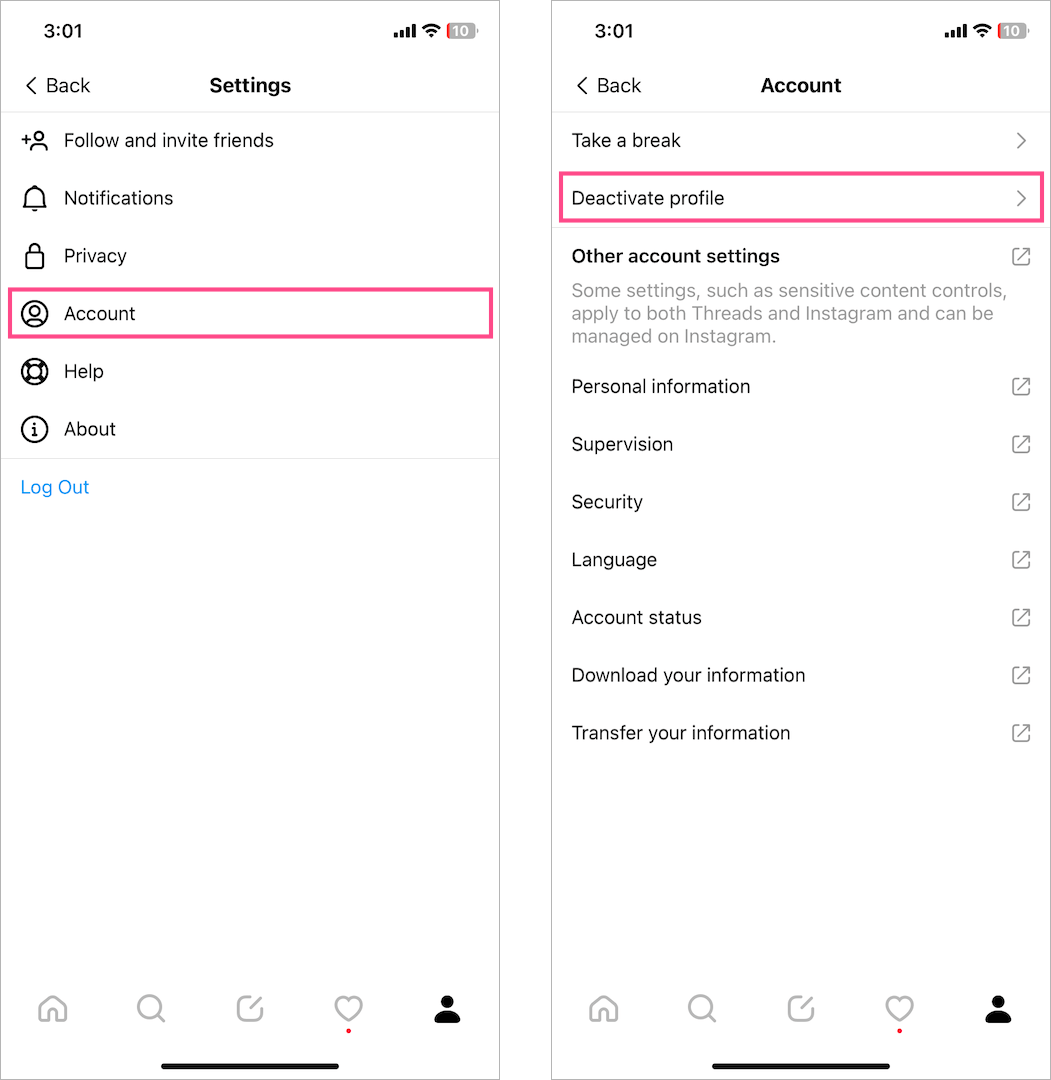
- Go to ‘Account‘ and tap on ‘Deactivate profile‘.
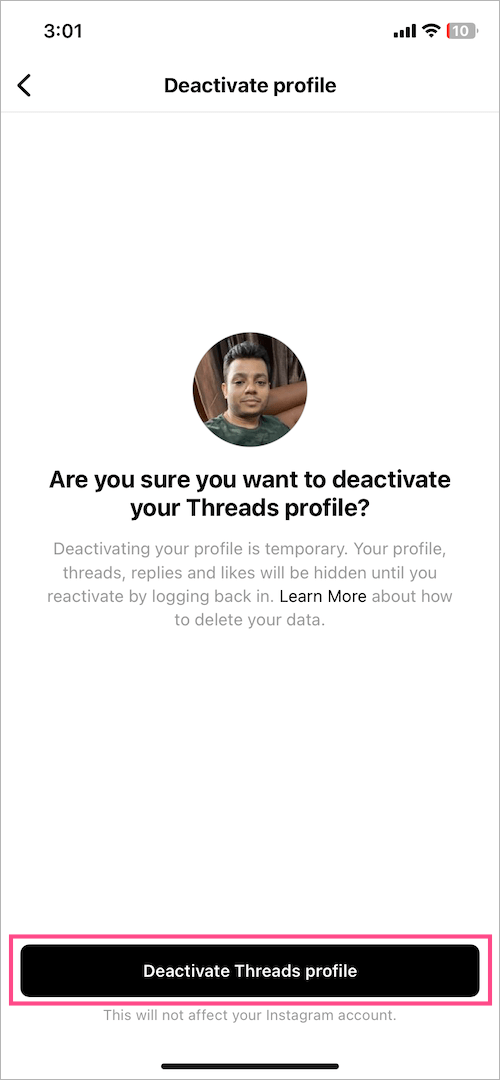
- Tap the ‘Deactivate Threads profile‘ button at the bottom.
- Tap ‘Deactivate‘ again to confirm your choice.
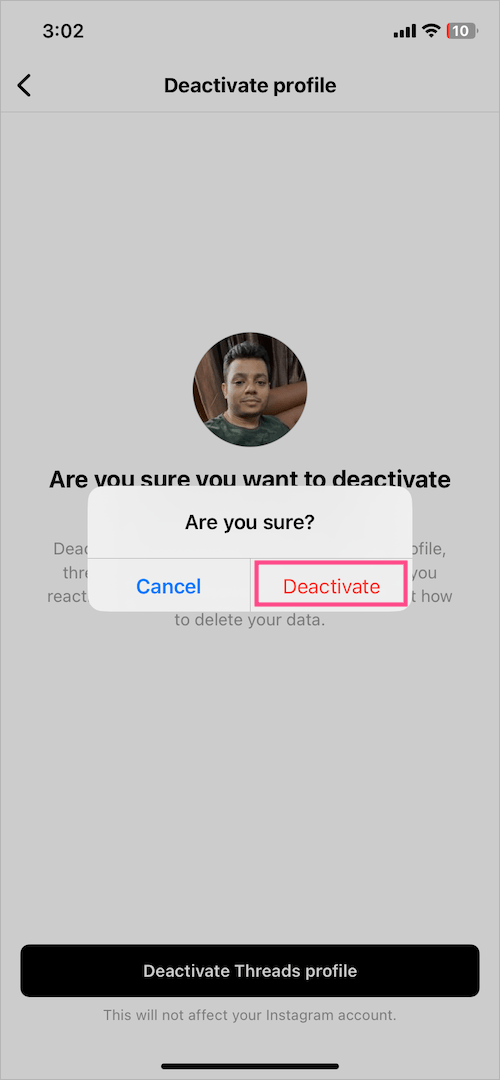
That’s it. The Threads app will now log you out of your account.
NOTE: You can log in to Threads (with Instagram) anytime in just one click. Hence, it’s better to delete the Threads app if you’re looking to deactivate your Threads account permanently.
What happens when you deactivate your Threads account?
When you deactivate your Threads profile, your content and profile will be hidden and other users won’t be able to see them until you reactivate your account. This includes your threads, replies or interactions with others’ posts, and likes.
Deactivating your Threads account won’t delete your Threads data or affect your Instagram account. However, if you deactivate your Instagram account, Meta will also deactivate your linked Threads profile.
Note that your Threads data will remain on the Threads servers unless you choose to delete your Instagram account. However, if you manually delete individual posts then they will be instantly deleted from Threads servers.
RELATED TIPS: