


Did you come across an interesting Instagram Reel but couldn’t find it again to rewatch later? Until recently, Instagram didn’t offer any built-in option to see previously watched Reels. Hence, users had to rely on workarounds like liking, saving, or sharing a Reel just so they could find it again.
Thankfully, Instagram has now introduced a much-needed Watch History feature. This new option allows you to see Reels you’ve already watched directly within the app and without any hassle.
This quick guide shows how to see recently watched Reels on Instagram for iPhone and Android, delete your watch history, and what to do if the option isn’t showing for you.
How Do I Check My Instagram Reel Watch History?
Many Instagram users have this common query: Where can I find recently viewed reels by me today? or Where is Recently Watched on the Instagram app?
If you’ve been wondering the same, the new Instagram Reels Watch History feature is exactly what you need. It lets you:
- View the Reels you watched recently
- Sort them from newest to oldest or vice versa
- Filter by a specific date
- Filter Reels by creator or author
The only limitation is that Instagram’s watch history only shows Reels you’ve viewed in the last 30 days. Older Reels won’t appear in this section.
How to See Recently Viewed Reels on Instagram
Looking to view watched Reels on Instagram? Follow these steps to see recently watched Instagram Reels on iPhone and Android:
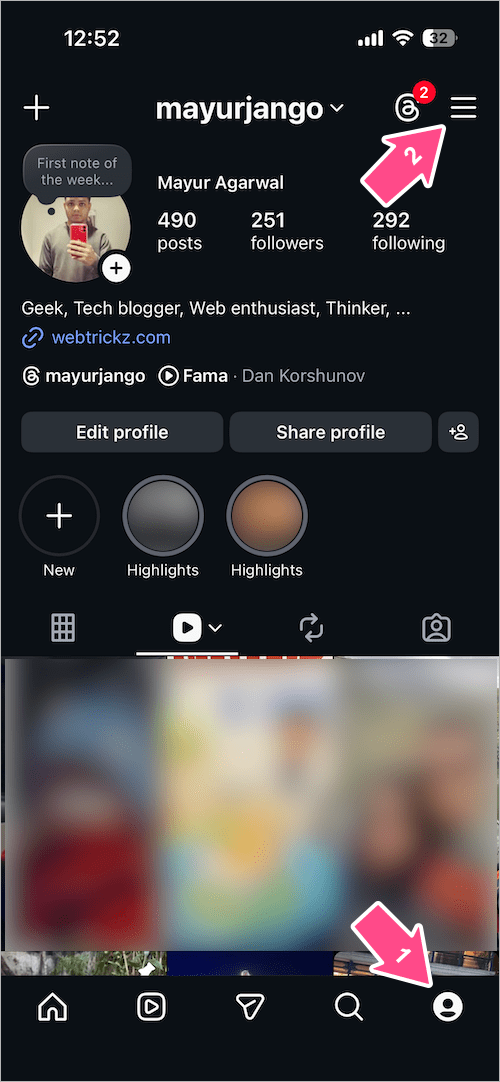
- Open the Instagram app and tap the profile icon in the bottom-right corner.
- Tap the three-line menu icon in the top-right corner.
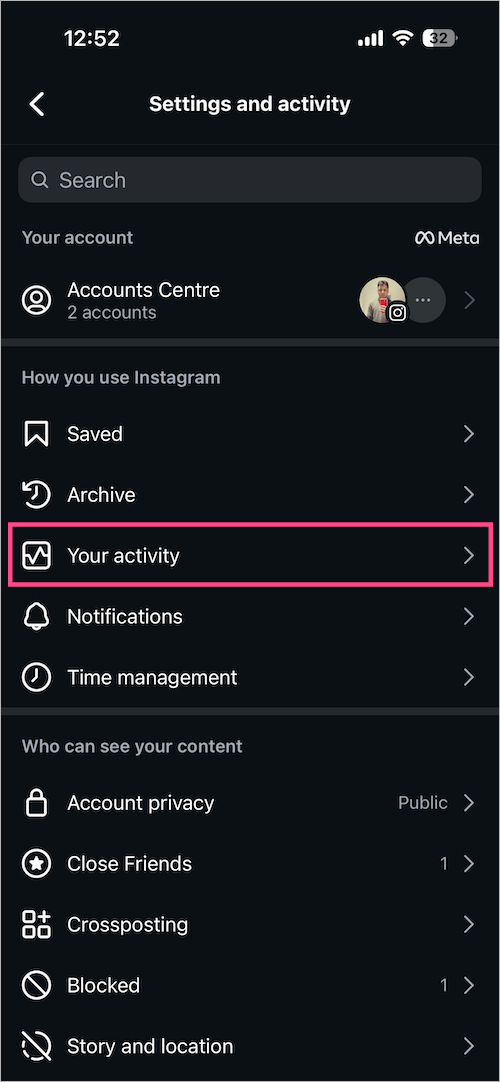
- Select Your activity.
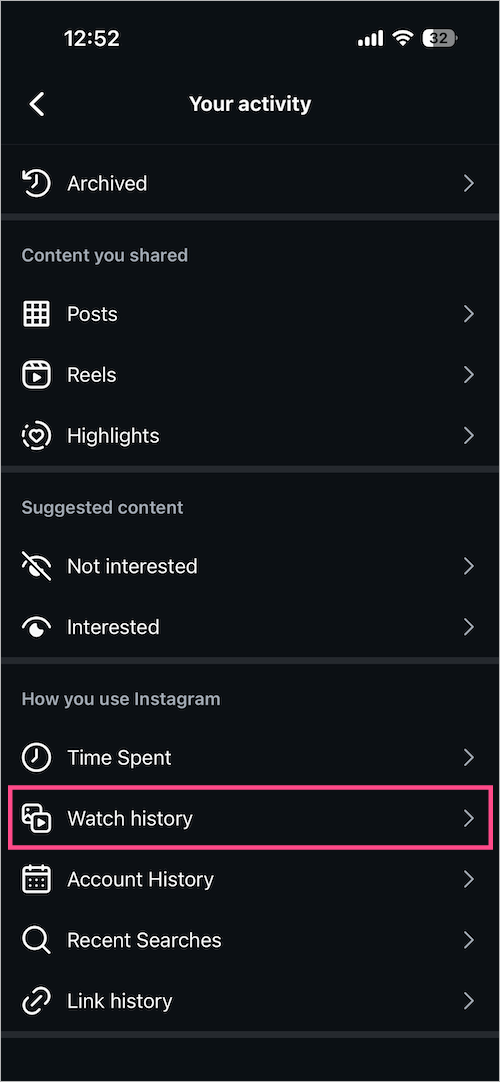
- Scroll to the bottom and tap on Watch history.
- You’ll now see a list of Reels you’ve watched in the past 30 days.
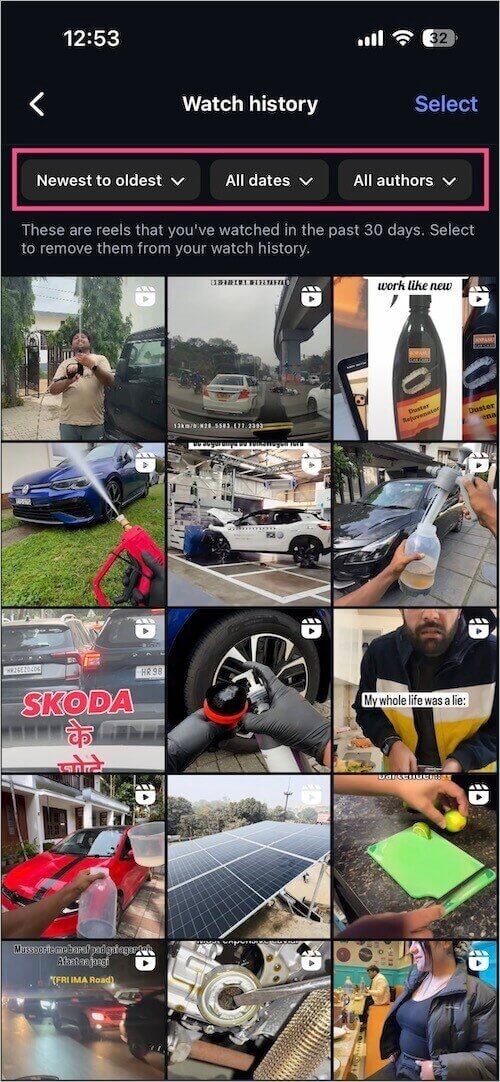
Watch history on the Instagram app
From here, you can:
- Sort Reels by Newest to Oldest or Oldest to Newest
- Filter by date (All dates, Past week, Past month, or Date range)
- Filter by specific authors
How to Delete Instagram Reels Watch History
If you value privacy or want to clear your viewing activity, Instagram also allows you to delete your Reels watch history.
To remove Reels from Watch history on Instagram:
- Go to the Profile tab and tap the Menu button. Then tap Your activity.
- Tap on Watch history.
- To delete individual Reels from your watch history, tap the Select option at the top-right.
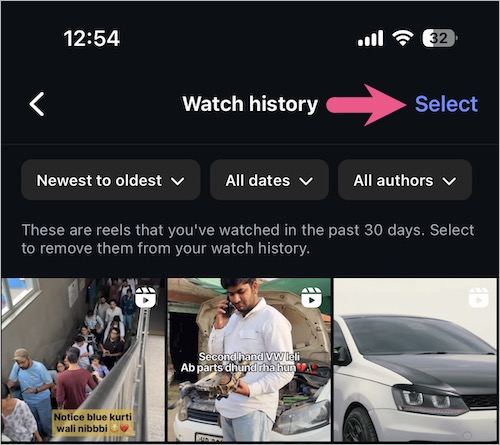
- Select the Reels you want to remove.
- Tap the Remove option at the bottom and tap Remove again to confirm.
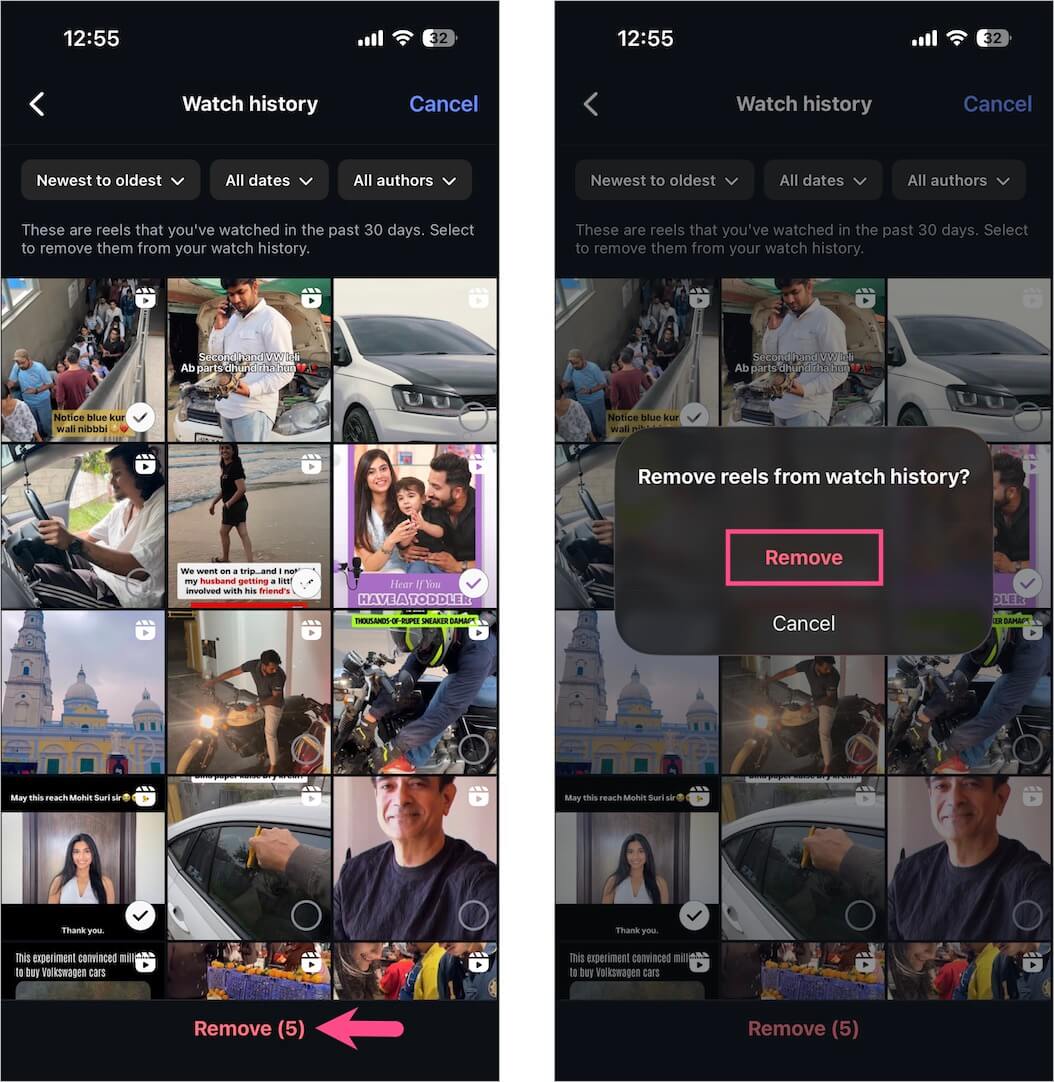
Unfortunately, there is currently no option to clear the entire Reel history at once.
Instagram Reels Watch History Not Showing? Here’s Why
If you don’t see the Watch History option in your Instagram app, don’t worry. Here are some common reasons and fixes:
Possible Reasons & Solutions
1. App not updated
The Watch History feature is available only on newer versions of Instagram.
Fix: Update Instagram from the Play Store or App Store.
2. Feature rollout is gradual
Instagram often rolls out features in phases.
Fix: Wait a few days and make sure your app is updated.
3. Region or account limitations
Some features may appear later in certain regions or account types.
Fix: Switch to a personal account and ensure your app language/region is standard.
4. You haven’t watched enough Reels
If you’ve barely watched any Reels recently, the history may appear empty.
Fix: Watch a few Reels and check again.
5. App cache or bug
Temporary glitches can hide new options.
Fix: Clear app cache (Android) or reinstall the app.
Hope you found this guide helpful.
RELATED TIPS:









