WebTrickz
TRENDING
  • Claude vs ChatGPT: Which Is Better in 2026?
No Result
View All Result
  • Reviews
  • Editorials
  • Social Media
    • Facebook
    • Twitter
    • YouTube
    • Messenger
    • Instagram
    • Snapchat
    • WhatsApp
    • TikTok
  • Apps
  • How To’s
  • Apple
  • iPhone
  • Google
  • Android
  • Mac
  • Security
  • About Us
    • About Us
    • Contact Us
    • Privacy Policy
  • Reviews
  • Editorials
  • Social Media
    • Facebook
    • Twitter
    • YouTube
    • Messenger
    • Instagram
    • Snapchat
    • WhatsApp
    • TikTok
  • Apps
  • How To’s
  • Apple
  • iPhone
  • Google
  • Android
  • Mac
  • Security
  • About Us
    • About Us
    • Contact Us
    • Privacy Policy
No Result
View All Result
WebTrickz
No Result
View All Result
Home Freebies

Grab Free license of MacX DVD Ripper Pro worth $49.95

Mayur Agarwal by Mayur Agarwal
August 3, 2021
in Freebies, iPhone, Software

Digiarty Software is now offering “MacX DVD Ripper Pro” for Mac worth $49.95 for Free to everyone as a giveaway, to celebrate upcoming Halloween and the foundation of their new site www.macxdvd.com. The promotion runs from Oct 12 to Oct 28.

MacX DVD Ripper Pro is the Mac version of WinX DVD Ripper Platinum, upgraded to be a more stable and powerful Mac DVD ripper. It is an ultimate DVD backup and ripping solution that offers the highest quality MP4 M4V H264 videos for iPhone, iPad, and iTunes on Mac OS. It stands out among similar DVD ripper software in the market by speed, quality, and DVD encryption ability.
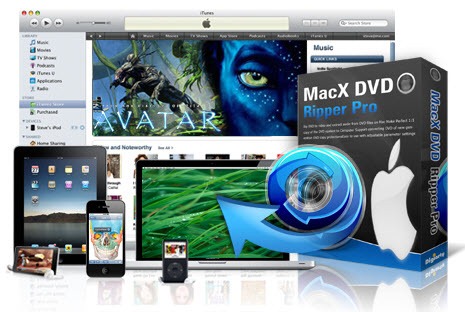
MacX DVD Ripper Pro

It allows you to:

  • Rip DVD to iPhone 4/3GS/3G, iPad, iPod Touch, iTunes on Mac OS – DVD ripper & DVD converter software, which helps you rip DVDs to MP4, AVI, MOV, MPEG, FLV, QT (QuickTime), MP3 with and without subtitle.
  • With MacX DVD Ripper can easily import DVD to iTunes, iPad, iPhone 4/3GS/3G, iPod, and PSP video player.
  • Backup DVD to MPEG-2 file – Backup DVD to single MPEG-2 file with original Video and original 5.1 channel AC3/DTS Dolby audio.

To get a free license, Download MacX DVD Ripper Pro for Mac and use the license code BD-TGTXUVYO-OONQRP to activate it as a full version.

Besides this, they’re also offering the Windows version, WinX DVD Ripper Platinum to everyone as a giveaway. Windows users, just go here and click the “Download for Windows” button. Install the software, it doesn’t need a license code to activate. Enjoy!

Thanks, Sophia for informing us about the promotion.

Update – This giveaway has been extended to Nov 1st.

Add WebTrickz as a preferred source on Google
Tags: BackupConverterGiveawayiPhoneMacSoftware
ShareTweetSend
Previous Post

Grooveshark Windows Application – Listen to Free Music online without using any browser

Next Post

How to update Samsung Galaxy S to Android 2.2 Froyo via Kies [Anywhere in the world]

Mayur Agarwal

Mayur Agarwal

Mayur Agarwal, the founder and editor of WebTrickz, is a tech enthusiast with a Bachelor's degree in Computer Applications and over 15 years of experience in tech writing. His passion for technology and gadgets drives him to create insightful how-to articles and troubleshooting guides.

Next Post

How to update Samsung Galaxy S to Android 2.2 Froyo via Kies [Anywhere in the world]

Comments 3

  1. bike says:
    16 years ago

    This software is okay. But I much prefer Free DVD Ripper. It more fast.

    Reply
    • motorcycle says:
      16 years ago

      “This software is okay. But I much prefer Free DVD Ripper. It more fast.”

      – Brilliant. You do know Free DVD Ripper is for Windows, and this software is for Mac, don’t you? No? Oh… that explains it…

      Reply
  2. Pingback: Download MacX DVD Ripper Pro For Free Today Only | Lifehacker Australia

Leave a Reply Cancel reply

Your email address will not be published. Required fields are marked *

Latest Stories

Closing Apps on iPhone 18 Pro and 18 Pro Max

How to Close Apps on iPhone 18 Pro and 18 Pro Max

September 19, 2026

How to Screen Record on iPhone 18 Pro and 18 Pro Max

September 19, 2026
iPhone 18 Pro and 18 Pro Max

How to Take a Screenshot on iPhone 18 Pro or 18 Pro Max

September 23, 2026
silent mode popup in dynamic island

How to Put iPhone 18 Pro on Silent or Vibrate Mode

September 18, 2026
Closing Apps on iPhone 18 Pro and 18 Pro Max

How to Restart or Force Restart iPhone 18 Pro and 18 Pro Max

September 23, 2026
iPhone 18 Pro and 18 Pro Max

How to Turn Off iPhone 18 Pro or 18 Pro Max

September 23, 2026
instagram logo

How to Find Scheduled Posts on Instagram

July 29, 2026

Trending Stories

  • Photo by Jeff Hardi on Unsplash

    How to Turn Off Fn Lock on a Windows Laptop

  • Easiest Way to Change Galaxy Nexus from Yakjuxw (Non-Yakju) to Android 4.2 Yakju/Takju and Get future Updates from Google

  • How to Turn Off Microsoft Edge Game Assist in Windows 11

  • How to Turn Off Microsoft Family Safety on Windows 11 & 10

  • Guide to Update Galaxy Nexus (YAKJUXW) to Android 4.0.4 YAKJU and Get future Updates from Google

  • About Us
  • Contact Us
  • Privacy Policy
  • Advertise

© 2026 WebTrickz. All Rights Reserved.

No Result
View All Result
  • Reviews
  • Apps
  • How To’s
  • Android
  • Google
  • iPhone
  • Mac
  • About Us
  • Contact Us
  • Privacy Policy

© 2026 WebTrickz. All Rights Reserved.