WebTrickz
TRENDING
  • Claude vs ChatGPT: Which Is Better in 2026?
No Result
View All Result
  • Reviews
  • Editorials
  • Social Media
    • Facebook
    • Twitter
    • YouTube
    • Messenger
    • Instagram
    • Snapchat
    • WhatsApp
    • TikTok
  • Apps
  • How To’s
  • Apple
  • iPhone
  • Google
  • Android
  • Mac
  • Security
  • About Us
    • About Us
    • Contact Us
    • Privacy Policy
  • Reviews
  • Editorials
  • Social Media
    • Facebook
    • Twitter
    • YouTube
    • Messenger
    • Instagram
    • Snapchat
    • WhatsApp
    • TikTok
  • Apps
  • How To’s
  • Apple
  • iPhone
  • Google
  • Android
  • Mac
  • Security
  • About Us
    • About Us
    • Contact Us
    • Privacy Policy
No Result
View All Result
WebTrickz
No Result
View All Result
Home Android

Guide to Root YU Yureka & Install Official TWRP 2.8 Recovery

Mayur Agarwal by Mayur Agarwal
May 16, 2020
in Android, How To's

In order to root Micromax Yureka smartphone, you first need to install a custom recovery like CWM or TWRP. But before flashing the recovery, one needs to unlock the bootloader of Yureka which is an easy task. Good news is that the official TWRP (Team Win Recovery Project) 2.8 recovery is now available for YU Yureka with a touch interface. So, if you’re interested in rooting your phone or want to install a custom ROM then custom recovery is a must. You can also use TWRP recovery to backup the firmware of Yureka phone which is recommended before trying any MODs. A step-by-step procedure is stated below to unlock the bootloader, flash TWRP recovery and then root Yureka.

Installing TWRP Custom Recovery on Yureka –

1. Unlock the bootloader of your phone. Refer our post: How to Unlock YU Yureka Bootloader on Windows

2. Download TWRP 2.8 Official recovery for Yureka. Then transfer the recovery file ‘openrecovery-twrp-2.8.4.0-tomato.img’ to the ‘adb_fastboot’ folder (used in Step #1).

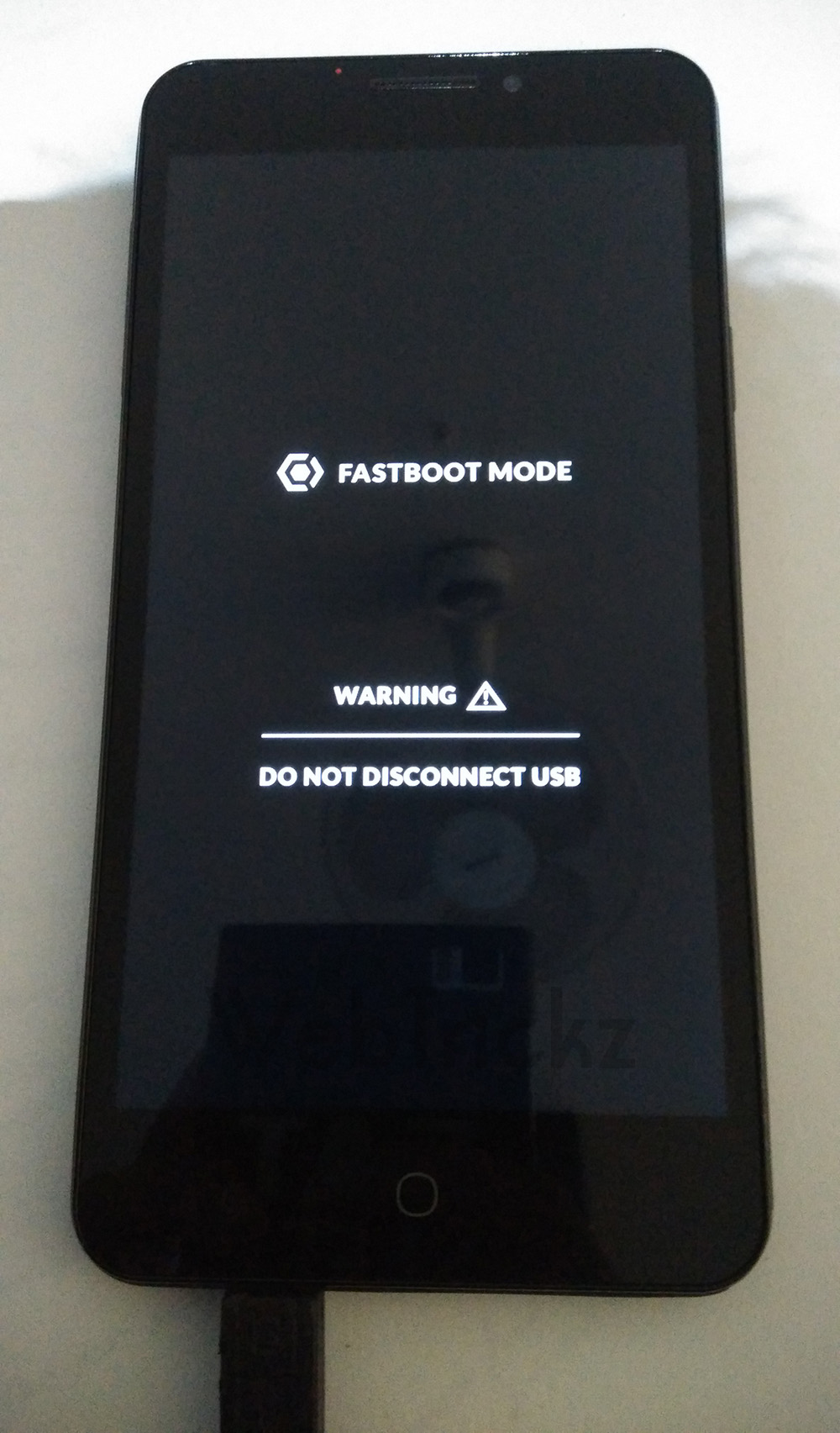
3. Boot Yureka in Fastboot mode – To do so, power off the phone. While pressing the Volume UP key, connect the phone to PC via USB cable.
IMG_20150118_1617392

4. Now right-click on the ‘ADB_Fastboot’ folder while holding down the ‘Shift’ key in Windows. Click on the option ‘Open command window here’.

5. In Command Prompt (CMD) window, enter the below command and hit enter.

fastboot -i 0x1ebf flash recovery openrecovery-twrp-2.8.4.0-tomato.img

6. Reboot the device. Use command: fastboot -i 0x1ebf reboot

Rooting YU Yureka – 

1. Download SuperSU (UPDATE-SuperSU-v2.40.zip). Transfer the file to the root directory of the phone’s internal storage.

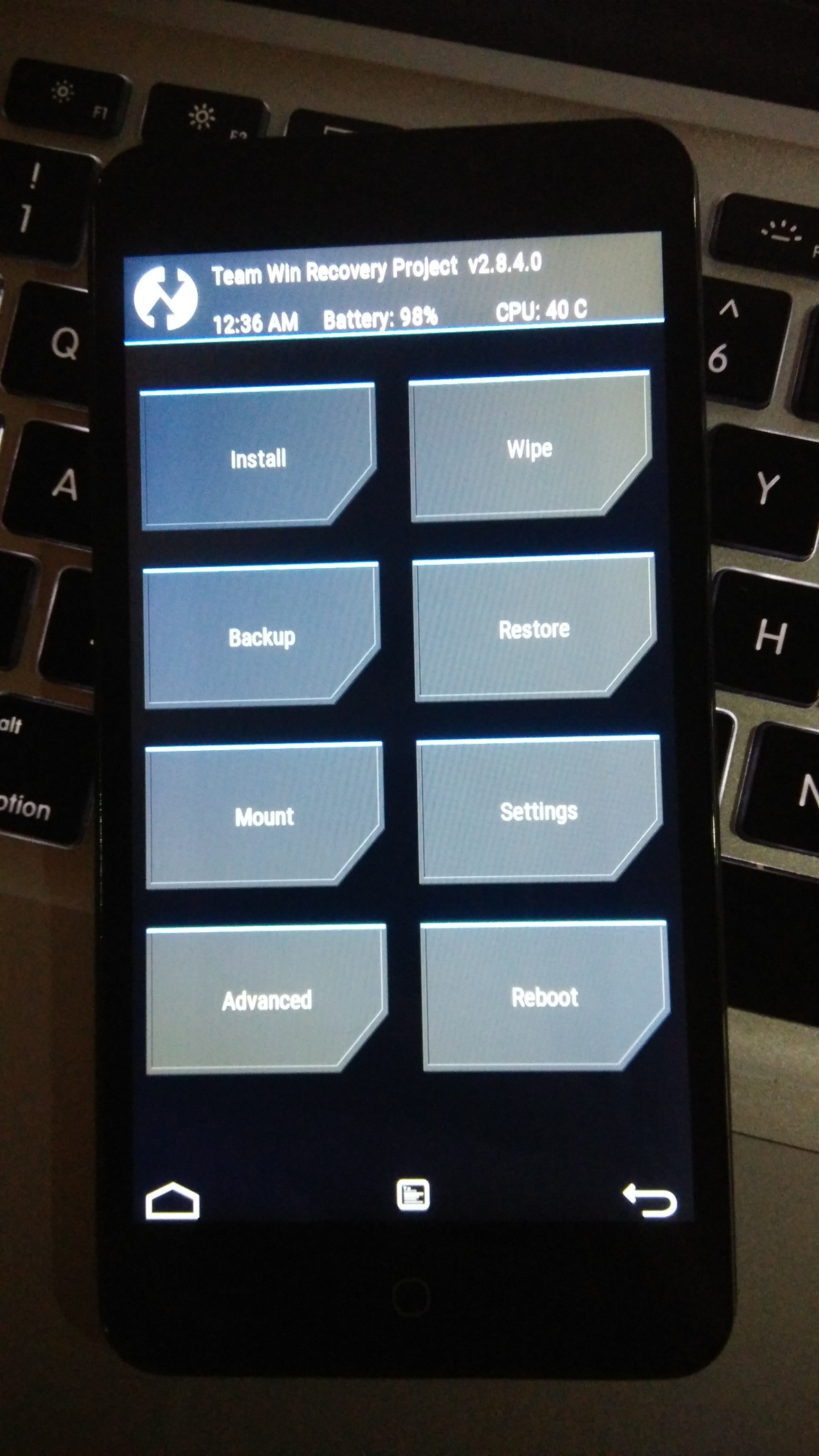
2. Boot Yureka into TWRP recovery. To do so, power off the phone. Then press Volume Up + Volume Down and Power button simultaneously.
IMG_20150118_012730

3. In TWRP, install the ‘SuperSU.zip’ file. Then reboot the phone.

The phone should be rooted now. You can install the ‘Root Checker‘ app to confirm.

Tags: AndroidBootloaderFastbootGuideRecoveryROMRooting
ShareTweetSend
Previous Post

How to Unlock YU Yureka Bootloader on Windows

Next Post

Now Use WhatsApp on Desktop with WhatsApp Web App for Chrome

Mayur Agarwal

Mayur Agarwal

Mayur Agarwal, the founder and editor of WebTrickz, is a tech enthusiast with a Bachelor's degree in Computer Applications and over 15 years of experience in tech writing. His passion for technology and gadgets drives him to create insightful how-to articles and troubleshooting guides.

Next Post

Now Use WhatsApp on Desktop with WhatsApp Web App for Chrome

Comments 2

  1. Jerryy says:
    11 years ago

    Thanks this is interesting useful information Thanks for sharing.. Great Thanks.

    Reply
  2. Fazzil says:
    11 years ago

    Great article about TWRP 2.8 Recovery.good post! keeps rocking!

    Reply

Leave a Reply Cancel reply

Your email address will not be published. Required fields are marked *

Latest Stories

Google Gemini

How to Cancel Your Gemini Subscription (2026 Guide)

June 21, 2026
difference between chatgpt and claude

Claude vs ChatGPT: Which AI Should You Use in 2026?

June 18, 2026
google chrome logo

Google Chrome Offline Installer: Direct Download Links

June 17, 2026
X logo

How to Remove All Bookmarks on X (Twitter) At Once in 2026

June 15, 2026
X logo

How to Find Bookmarks on X (Twitter) in 2026

June 15, 2026
copilot logo

How to Turn Off Copilot Search in Bing on Edge & Chrome

June 10, 2026
microsoft edge new logo

How to Turn Off Notifications in Microsoft Edge (2026 Guide)

June 8, 2026

Trending Stories

  • 1337x logo

    1337x Proxy List 2026: Working Proxy & Mirror Sites

  • How to Turn Off Microsoft Family Safety on Windows 11 & 10

  • How to See Recently Watched Reels on Facebook (2026 Guide)

  • How to Turn Off Microsoft Edge Game Assist in Windows 11

  • How to Turn Off Fn Lock or Fn Key on Windows 11/10 Laptop

  • About Us
  • Contact Us
  • Privacy Policy
  • Advertise

© 2026 WebTrickz. All Rights Reserved.

No Result
View All Result
  • Reviews
  • Apps
  • How To’s
  • Android
  • Google
  • iPhone
  • Mac
  • About Us
  • Contact Us
  • Privacy Policy

© 2026 WebTrickz. All Rights Reserved.