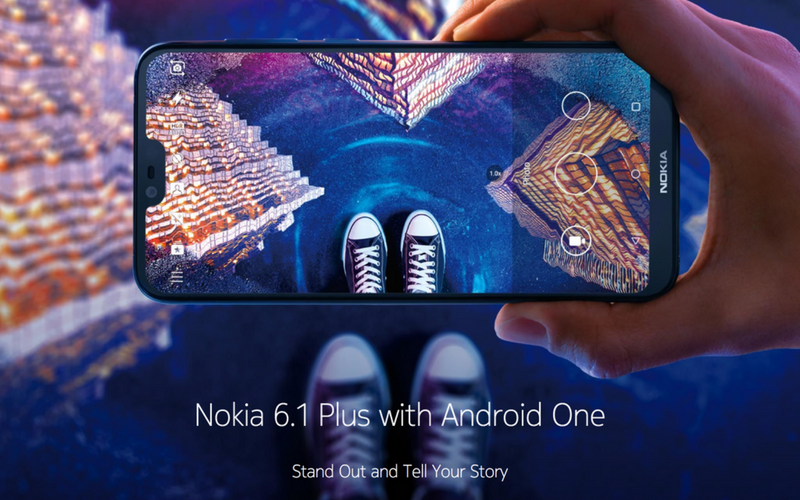
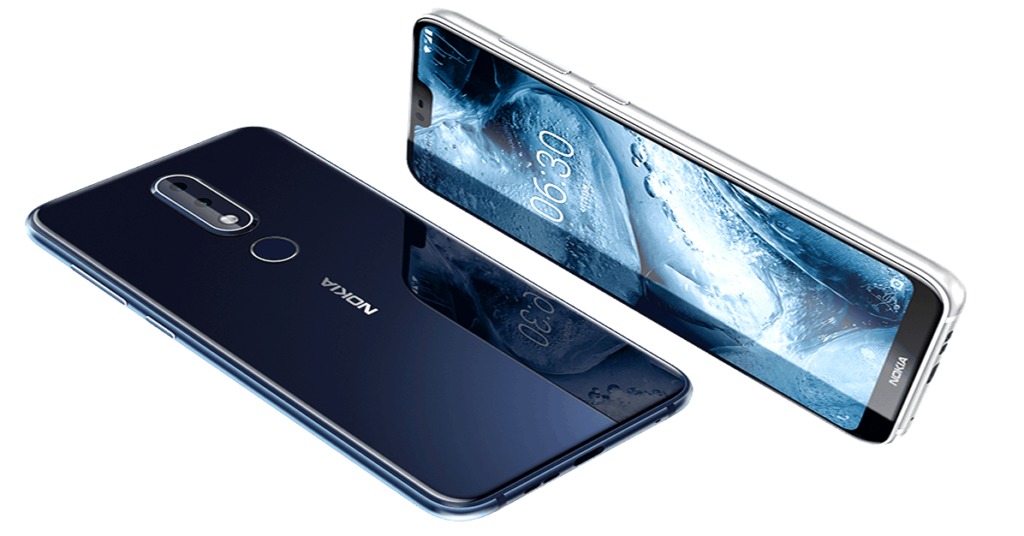
Recently, HMD Global launched two new smartphones in India – the Nokia 6.1 Plus and Nokia 5.1 Plus. Both these phones feature notched displays and a glass back. Speaking of Nokia 6.1 Plus, it is the global variant of the Nokia X6 that was launched in China earlier this year. Nokia 6.1 Plus is an Android One smartphone and Nokia’s first smartphone to sport the infamous ‘display notch’. Coming at a pricing of Rs. 15,999, the smartphone looks a promising offering from Nokia that is believed to lure the end buyers.
At this price range, the Nokia 6.1 Plus directly competes with the likes of Xiaomi Redmi Note 5 Pro, Asus Zenfone Max Pro M1, and the newly launched Xiaomi Mi A2 (runs on Android One). The device also offers an exciting range of colour options. It will go on sale on August 30th through Flipkart and Nokia’s online store. Now let’s talk about the key highlights of the Nokia 6.1 Plus.
Nokia 6.1 Plus Key Features
Android One
Like Nokia’s most other smartphones, Nokia 6.1 Plus is an Android One smartphone that runs on stock Android 8.1 Oreo out of the box. This primarily means that the device will offer an optimised experience with stock Android and will get timely updates as well. Thanks to the Android One program, the users can expect two major Android version updates and guaranteed three years of Android security updates. HMD Global has also confirmed that the device will be updated to Android 9 Pie in the coming months.
Notched Display
Like it or not but there are barely any smartphones in 2018 that come without a notch. Nokia too has joined the notch bandwagon with the introduction of the Nokia 6.1 Plus. This is HMD’s first device to feature a display notch. Unlike iPhone X, the notch on Nokia’s phone is significantly smaller in size that makes it less distracting. However, there is a noticeable bezel on the bottom of the display followed by a Nokia logo. The curved edges combined with a 19:9 taller display make the handset compact and comfortable to hold with one hand.
Attractive Design
Without any doubt, the build and design are some of the most crucial aspects of any smartphone. Thankfully, HMD has done a commendable job with the design of the Nokia 6.1 Plus. The all-screen design and the glass back make the phone look certainly premium and attractive. The glossy finish, however, is easily prone to smudges and fingerprints. Apart from his, there are accents around the power button, volume rocker, rear camera module, and fingerprint sensor that adds to the looks. Colours options include Gloss Black, Gloss White, and Gloss Midnight Blue.
Good Performance
Powering the Nokia 6.1 Plus is Qualcomm’s Snapdragon 636 processor with 4GB of RAM. This is one of the best chipsets in this certain price range that also powers the likes of Redmi Note 5 Pro and Zenfone Max Pro M1. The efficient SoC combined with stock Android should make for an impressive performance. Moreover, the Adreno 509 graphics onboard would ensure that your gaming experience isn’t compromised.
Fast Charging
The Nokia 6.1 Plus packs a modest 3060mAh battery which doesn’t sound great on paper. However, the phone supports fast charging via QuickCharge 3.0 technology. HMD claims that the smartphone can be charged up to 50 percent in just 30 minutes using an 18W charger (not bundled). The device comes with a USB Type-C port which is a bonus.
Having said that, the aggressive pricing and above features together make the Nokia 6.1 Plus an interesting smartphone. What are your thoughts regarding HMD’s latest offering? Do share them in the comments section below.