

WebTrickz
TRENDING
  • Claude vs ChatGPT: Which Is Better in 2026?
No Result
View All Result
  • Reviews
  • Editorials
  • Social Media
    • Facebook
    • Twitter
    • YouTube
    • Messenger
    • Instagram
    • Snapchat
    • WhatsApp
    • TikTok
  • Apps
  • How To’s
  • Apple
  • iPhone
  • Google
  • Android
  • Mac
  • Security
  • About Us
    • About Us
    • Contact Us
    • Privacy Policy
  • Reviews
  • Editorials
  • Social Media
    • Facebook
    • Twitter
    • YouTube
    • Messenger
    • Instagram
    • Snapchat
    • WhatsApp
    • TikTok
  • Apps
  • How To’s
  • Apple
  • iPhone
  • Google
  • Android
  • Mac
  • Security
  • About Us
    • About Us
    • Contact Us
    • Privacy Policy
No Result
View All Result
WebTrickz
No Result
View All Result
Home Gadgets

LG Music Flow P7 Portable Bluetooth Speaker [Giveaway]

Mayur Agarwal by Mayur Agarwal
February 16, 2024
in Gadgets, Music

LG Music Flow P7 Portable Bluetooth Speaker Giveaway

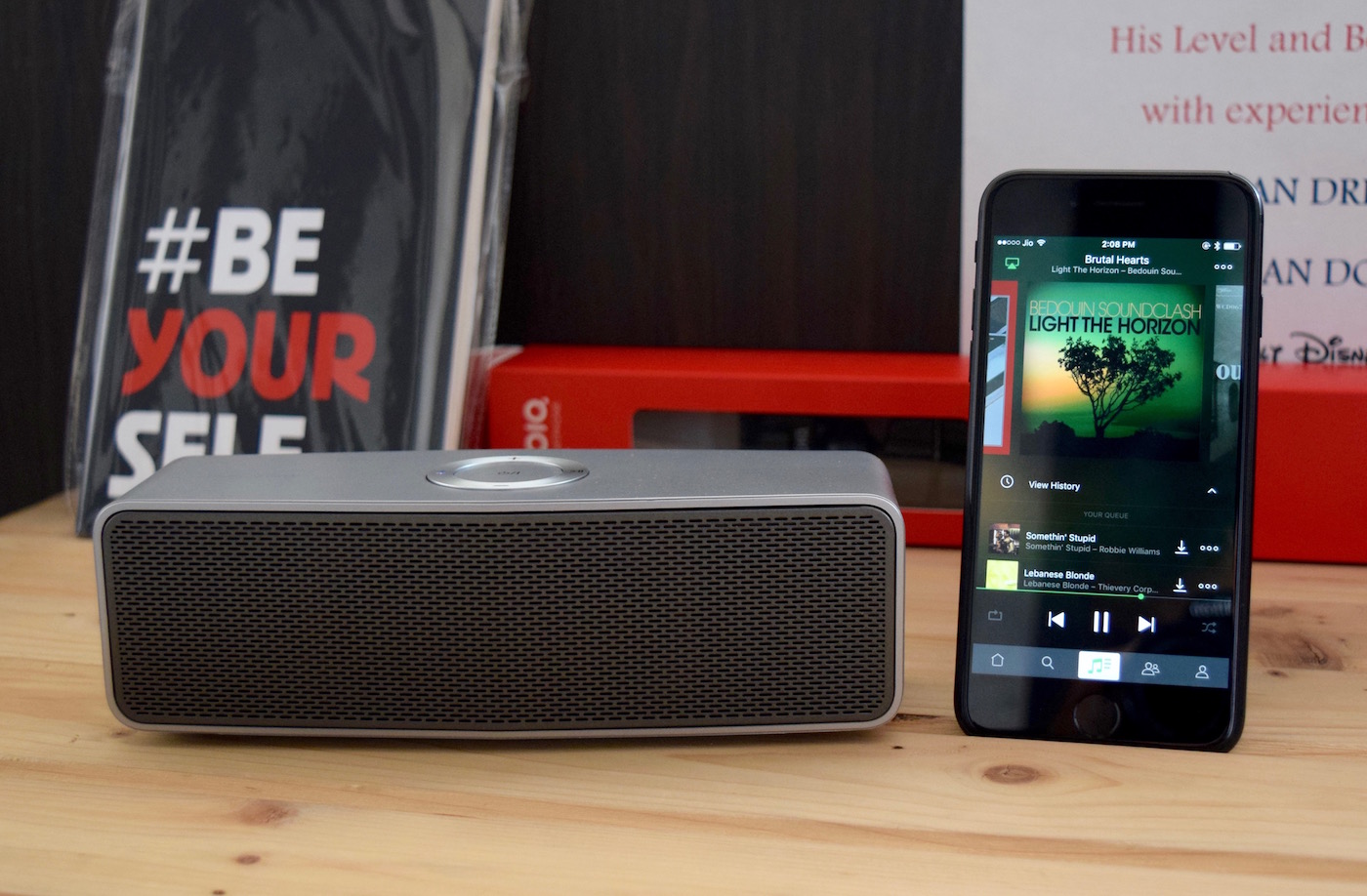
Hello readers, it’s been a long time since we organized a giveaway here at WebTrickz but as always said “Better late than never”. So today, we’re offering a useful product specially for music lovers that can help them bust stress due to ongoing busy schedules in their daily life. Those who can’t guess, WT is giving away a brand new Portable Bluetooth Speaker from LG called “LG Music Flow P7“. LG NP7550 is a 20 watts 2.0 channel stereo speaker offering a superior grade sound quality. The P7 sports a premium build and is reddot design award 2015 winner. The rest of its features are highlighted below:

  • Connect up to 3 Bluetooth devices at the same time
  • 2600mAh battery offers up to 9 hours of music playback
  • Control remotely via LG Music Flow App
  • Connects via Bluetooth and 3.5mm audio jack
  • LG Auto Sound Engine and two passive radiators provide full-range sound and clarity

lg-music-flow-p7

This compact speaker has the ability to fill up your standard-size living room with crisp and loud music. So participate now and stand your chance to win it by following the simple steps in the widget below:

LG Music Flow P7 Portable Bluetooth Speaker [Giveaway]

Note: The Giveaway is open only to residents of India holding valid ID proof. No one from the WebTrickz team or family is entitled to participate in the giveaway. This giveaway is in no way sponsored by LG Electronics. The winner will have to respond to us back within 24 hours to claim their prize and failing to do so would result in drawing a new winner. The product is brand new and has been opened only to take device shots. An invoice of the same won’t be provided.

~ One lucky winner will be announced on December 25th 🙂

Tags: AndroidGiveawayiPhoneLGMusic
ShareTweetSend
Previous Post

Nubia launches Z11 with bezel-less display and N1 with 5000mAh battery [Features & Hands-on Photos]

Next Post

How to Manually Install OxygenOS 4.0 Official Nougat OTA update on OnePlus 3 & OnePlus 3T

Mayur Agarwal

Mayur Agarwal

Mayur Agarwal, the founder and editor of WebTrickz, is a tech enthusiast with a Bachelor's degree in Computer Applications and over 15 years of experience in tech writing. His passion for technology and gadgets drives him to create insightful how-to articles and troubleshooting guides.

Next Post

How to Manually Install OxygenOS 4.0 Official Nougat OTA update on OnePlus 3 & OnePlus 3T

Comments 2

  1. KAUSHIK CHANDRA MEDHI says:
    10 years ago

    Thanks for the Amazing Gadget GiveAway. Really hope to WIN this fabulous LG Music Flow P7 Portable Bluetooth Speaker as my Christmas Gift as well as Advanced Birthday present on January.

    Reply
  2. Anuwak Soni says:
    9 years ago

    Waiting for the result. Although I & \’giveaway\’ are little bit off with each other, but hope is what makes me enter into one. Anyway thanks for the giveaway. I wish to be the lucky..no..have to be the luckiest one.

    Reply

Leave a Reply Cancel reply

Your email address will not be published. Required fields are marked *

Latest Stories

Google Gemini

How to Cancel Your Gemini Subscription (2026 Guide)

June 21, 2026
difference between chatgpt and claude

Claude vs ChatGPT: Which AI Should You Use in 2026?

June 21, 2026
google chrome logo

Google Chrome Offline Installer: Direct Download Links

June 17, 2026
X logo

How to Remove All Bookmarks on X (Twitter) At Once in 2026

June 15, 2026
X logo

How to Find Bookmarks on X (Twitter) in 2026

June 15, 2026
copilot logo

How to Turn Off Copilot Search in Bing on Edge & Chrome

June 10, 2026
microsoft edge new logo

How to Turn Off Notifications in Microsoft Edge (2026 Guide)

June 8, 2026

Trending Stories

  • 1337x logo

    1337x Proxy List 2026: Working Proxy & Mirror Sites

  • How to Turn Off Microsoft Family Safety on Windows 11 & 10

  • How to See Recently Watched Reels on Facebook (2026 Guide)

  • How to Turn Off Microsoft Edge Game Assist in Windows 11

  • How to Turn Off Fn Lock or Fn Key on Windows 11/10 Laptop

  • About Us
  • Contact Us
  • Privacy Policy
  • Advertise

© 2026 WebTrickz. All Rights Reserved.

No Result
View All Result
  • Reviews
  • Apps
  • How To’s
  • Android
  • Google
  • iPhone
  • Mac
  • About Us
  • Contact Us
  • Privacy Policy

© 2026 WebTrickz. All Rights Reserved.





