


The customization features and widgets for the Lock Screen are one of the main highlights of iOS 16. Besides changing the font and color for time, you can add up to five individual widgets on your Lock Screen. While widgets for Apple apps like Weather, Calendar, Clock, Fitness, News, and Reminders are baked into iOS. At the same time, third-party app developers can also create and introduce Lock Screen widgets for their apps.
With the public release of iOS 16 yesterday, a lot of apps have already added support for Lock Screen widgets. You can check for app updates on App Store to see if an app has been updated to support iOS 16 Lock Screen widgets. Some of these apps include Facebook, Carrot, Apollo, Fantastical, and WidgetSmith. Google will also roll out widgets for Search, Chrome, Google Maps, and Gmail in the coming weeks.
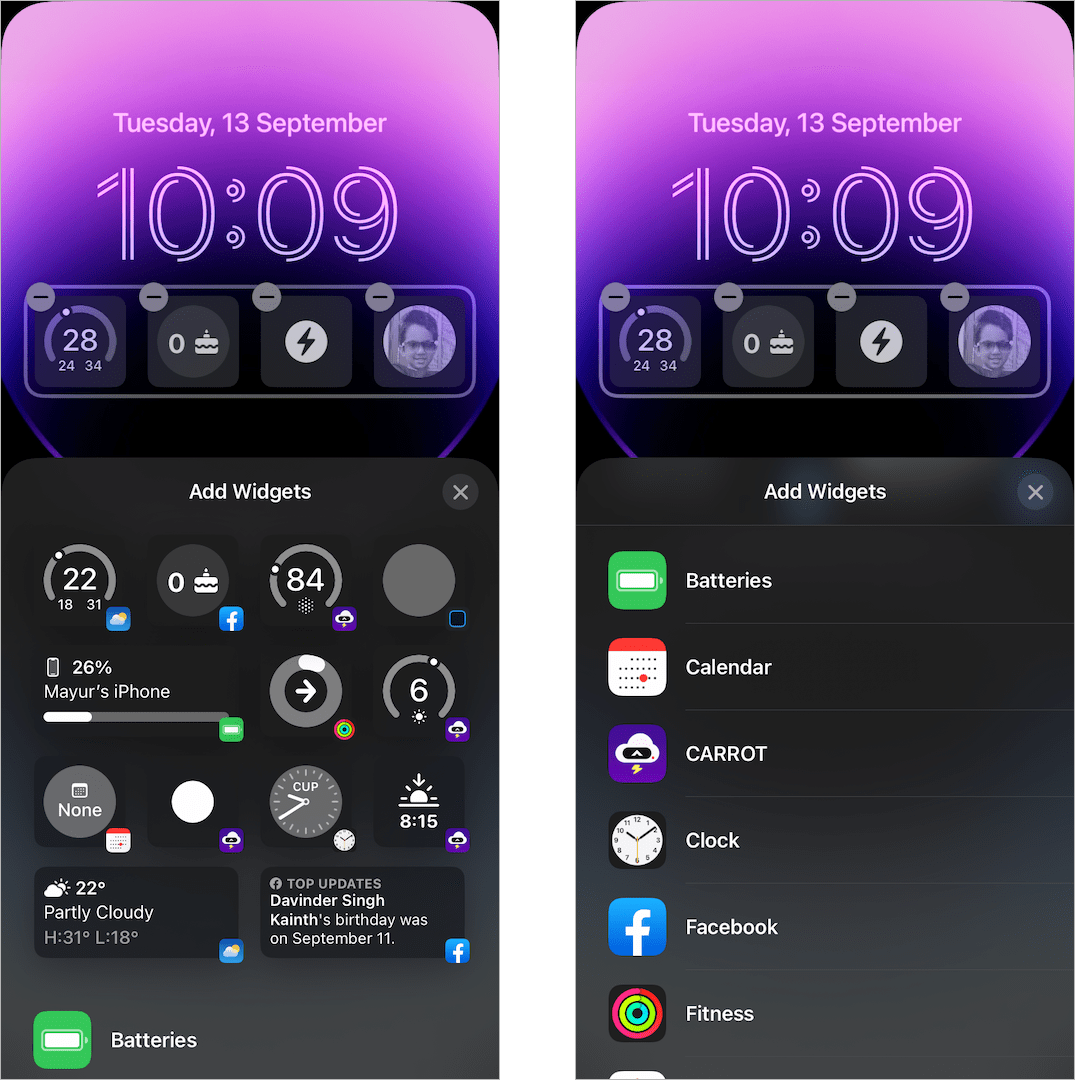
Why I can’t see 3rd party app widgets?
Though Apple’s native widgets are visible right away, some users can’t see third-party app widgets while customizing the Lock Screen. This happened to me too when I updated the Facebook app but couldn’t find its widget in the ‘Add Widget’ section.
Worry not if you facing a similar problem. This seems to be a bug and should be fixed in a future update. Until then you can use the below workaround if third-party widgets are not showing on your iOS 16 Lock Screen.
Now let’s see how to make third-party Lock Screen widgets appear in iOS 16 on iPhone.
How to add third-party app widgets to iOS 16 Lock Screen
Try the below fixes if 3rd party apps are not appearing under available widgets. Before proceeding, ensure that the certain app supports Lock Screen widgets and is updated to the latest version.
Restart your iPhone
This should certainly fix the missing lock screen widgets issue on iPhones running iOS 16.
To restart an iPhone with Face ID, press and hold the Side button + Volume Up or Down button at the same time. Then drag the “slide to power off” slider to the right.
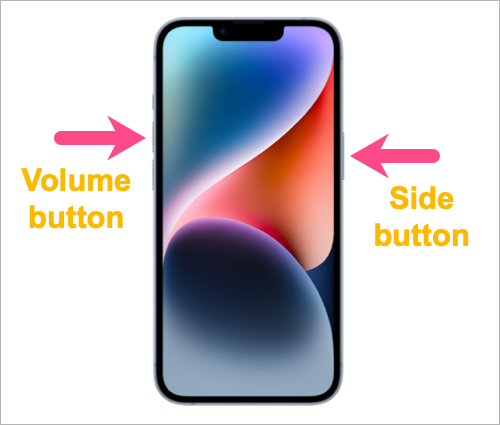
Turn on the device and open the app again. Lock Screen widgets for 3rd party apps should now appear fine.
Change the device language
Reddit user S2580 suggests changing the device language (as per a tip from Carrot) to load all the widgets. For this,
- Navigate to Settings > General > Language & Region.
- Tap on “Add Language”.
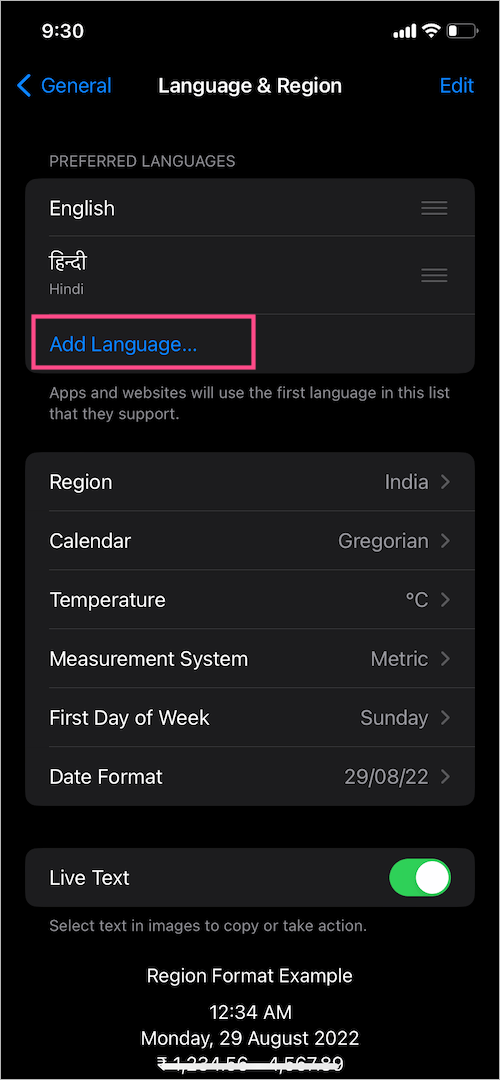
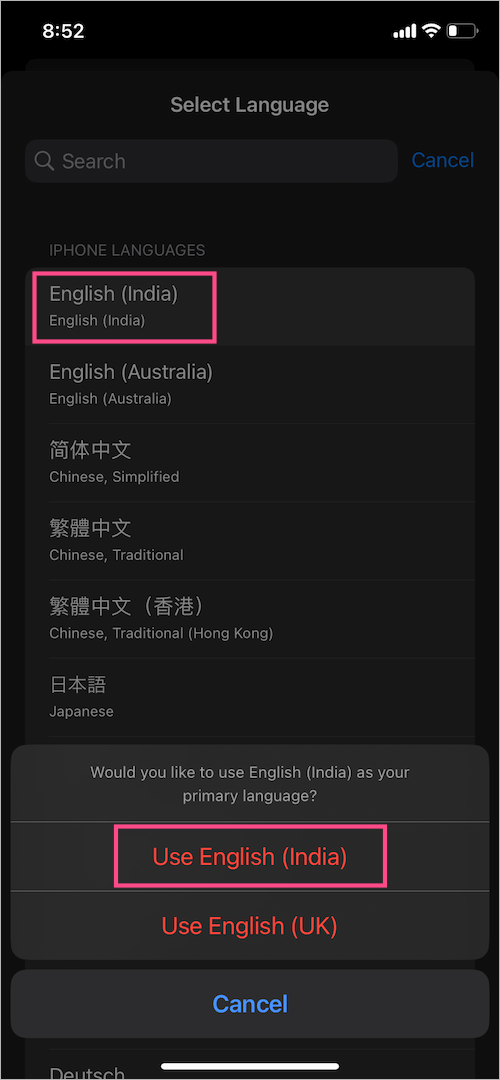
- Select one of the languages that you can understand.
- Choose that language again to set it as your primary language.
Alternatively, you can also try switching the Temperature setting back and forth to make widgets work.
Offload and Reinstall the app
This is another solution that you can try to get third-party widgets to work in iOS 16.
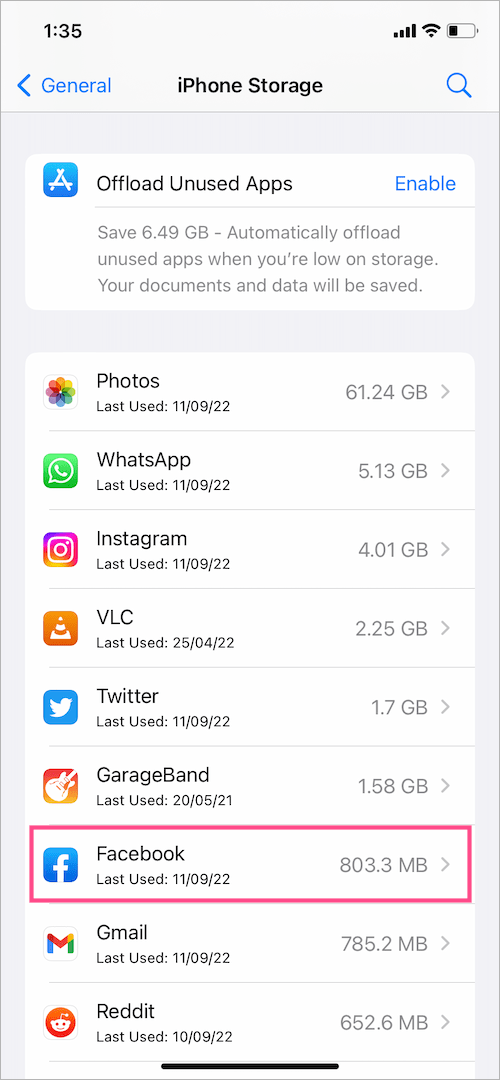
- Go to Settings > General > iPhone Storage.
- Select the Facebook app (example app).
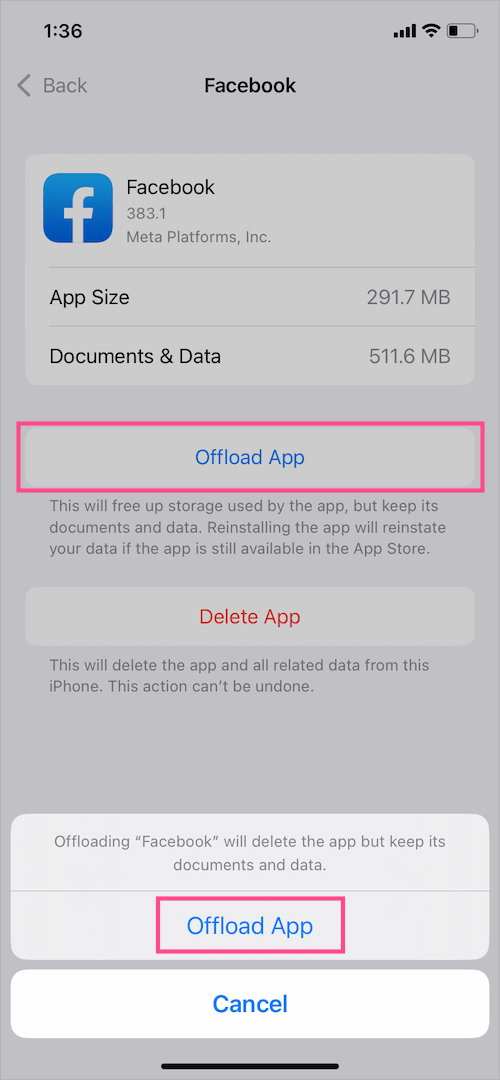
- Tap on “Offload App” to offload the app. Offloading temporarily deletes the app but preserves its data and login credentials.
- Tap ‘Offload App’ again.
- Then select the “Reinstall App” option to reinstall the app on your iPhone.
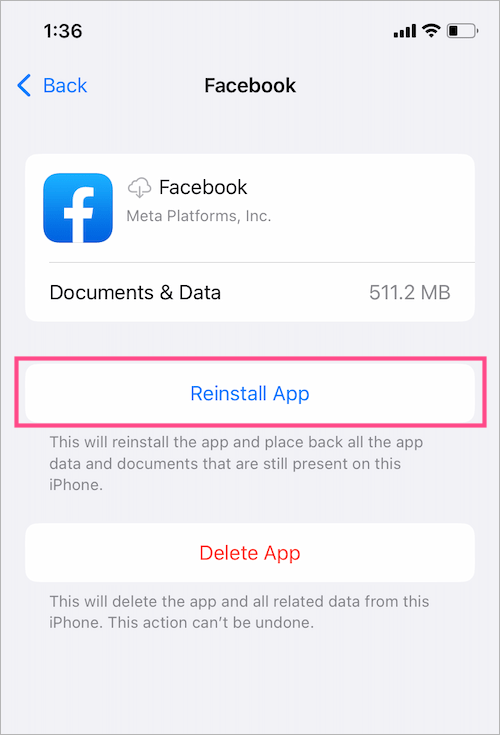
Now open the app again. Then edit the Lock Screen and try adding its widget.
NOTE: It seems necessary to open the app after updating or installing it for its widgets to show up.
Conclusion
I personally tried the above workarounds in a different order. In my case, 3rd party app widgets only showed up after restarting the device. Hence, I’m not sure whether restarting the iPhone made the widgets appear or a different fix made it work but only after rebooting.
NOTE: You only need to do this just once and then external widgets from third-party apps will start to appear automatically when you edit your Lock Screen.
TIP: MacRumors and TechCrunch have shared a list of apps featuring Lock Screen widget support that you can try now.
Do try all the above-listed solutions and let us know what worked for you.
RELATED:
- How to add Snapchat widget to iPhone Lock Screen on iOS 16
- How to add Spotify widget on iPhone Lock Screen
MORE TIPS:








