


Are you trying to archive an order on Amazon but can’t find the Archive Order button? You’re not alone. Many users have recently noticed that the Archive Order option is missing on Amazon, both on desktop and mobile. If you’re wondering why you can’t archive an order on Amazon anymore, here’s everything you need to know.
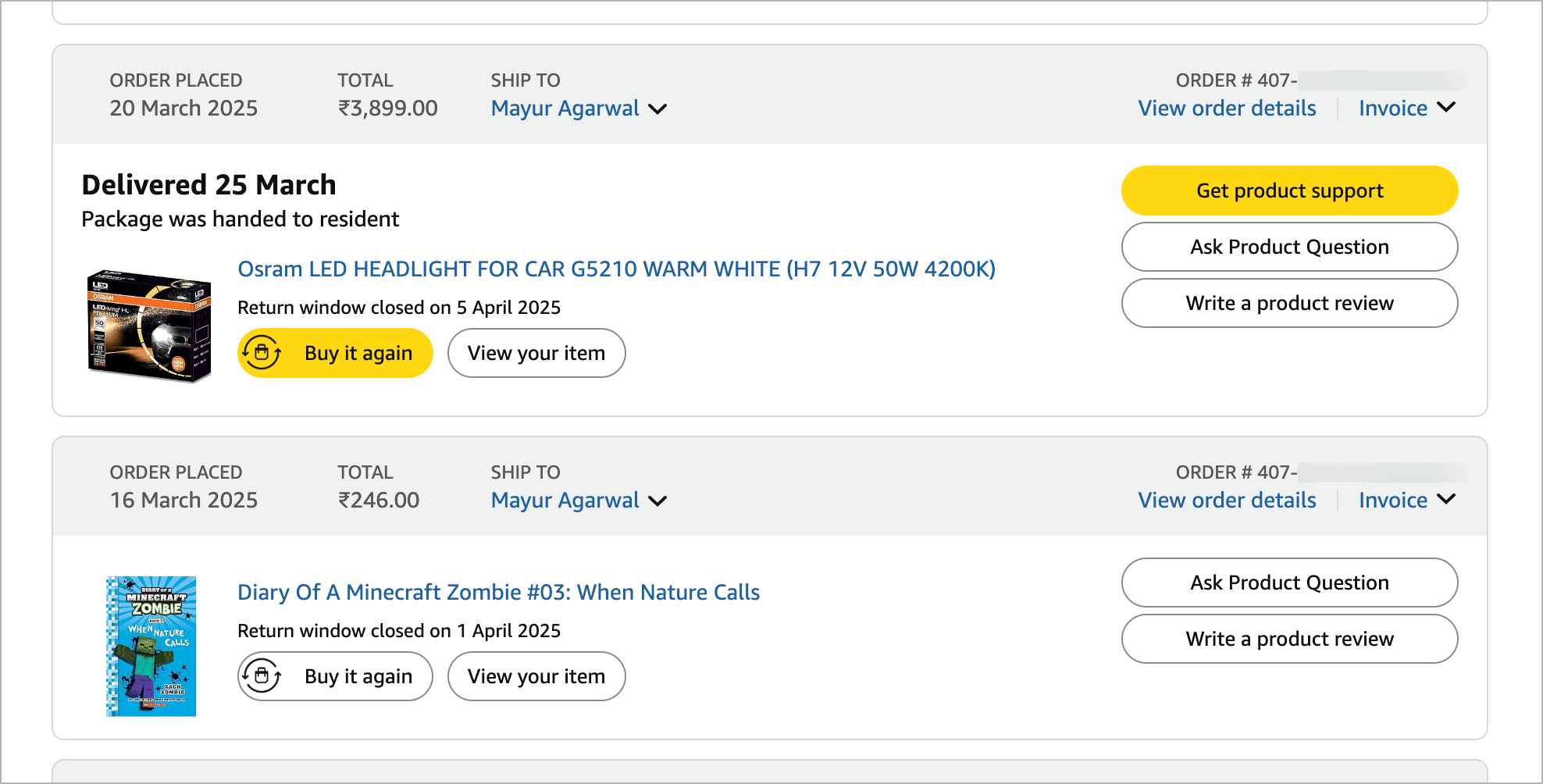
Where is the Archive order button on Amazon?
As of May 15, 2025, Amazon has removed the Archive Order feature from its platform. Previously, users could archive orders to hide them from their default order history, which was useful for keeping gift purchases or personal items private. However, that option is no longer available, whether you’re using the Amazon website or app.
Amazon has officially confirmed the removal of this feature via their support handle on X (formerly Twitter):
“Since May 15, the Archive Order function has been removed permanently.” – Amazon Help
Why can’t I archive an order on Amazon?
So, if you’re wondering why you can no longer archive Amazon orders, it’s because Amazon has intentionally removed the feature, and it’s not due to a bug or temporary issue.
Moreover, this change isn’t account-specific as Amazon has discontinued the ability to archive orders site-wide. Hence, the Archive order option is not showing on Amazon and is missing from the order details page, even for older orders.
Will my previously Archived orders be unarchived?
No. Your archived orders will remain archived in your Amazon account, and you can still access your previously archived orders.
To view them, go to Accounts & Lists > Your Orders. Click the drop-down button under Orders and select Archived Orders.
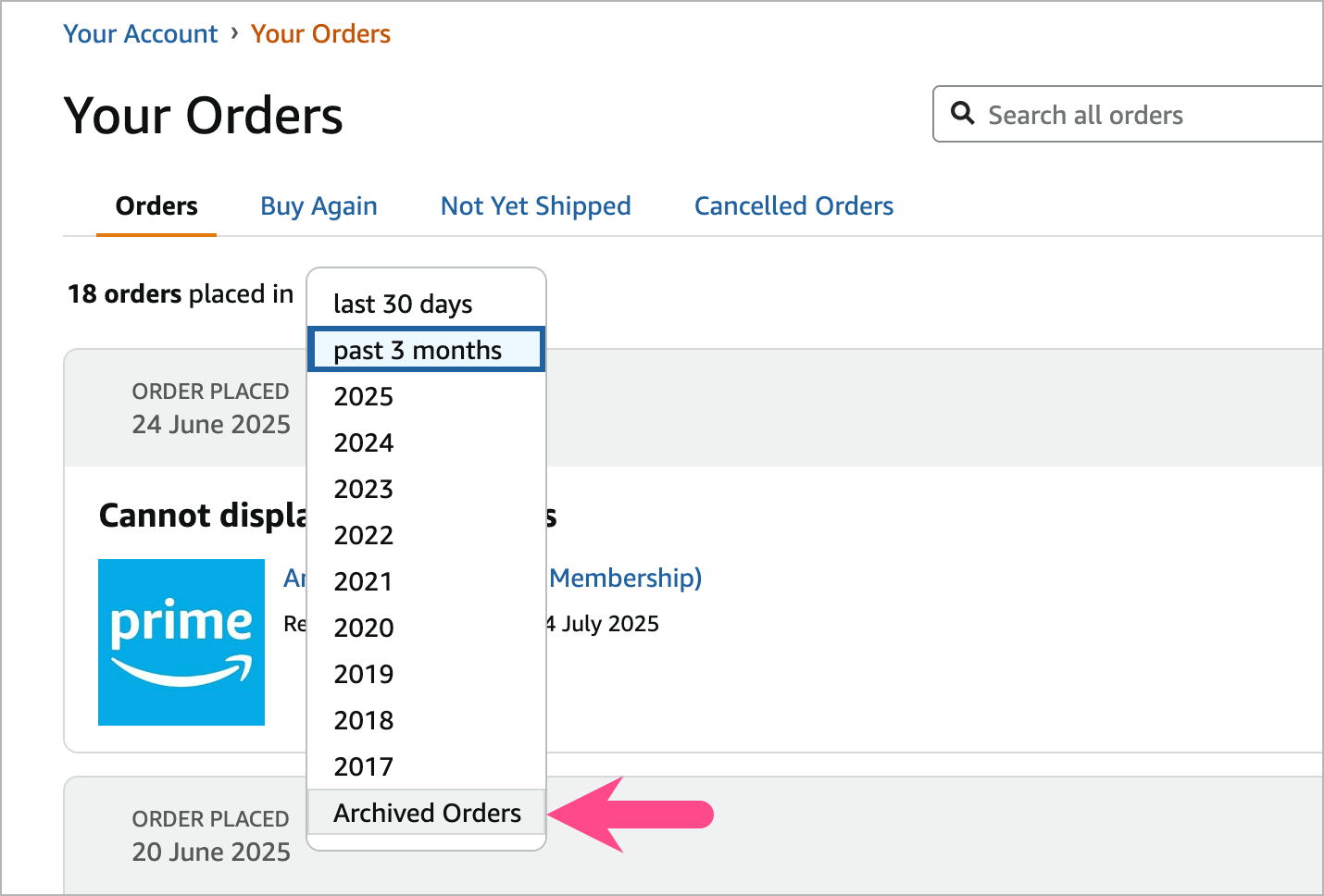
Currently, these archived orders aren’t merged back into your main order list. However, a response by Amazon Help states that:
“By August 15, 2025, previously archived orders will be re-merged into the “Order History” page.“
Why did Amazon remove Archive Orders?
While Amazon hasn’t released an explanation, the company likely removed the feature due to low user engagement with the option. Another reason could be to simplify the Orders UI or promote more transparency in user order history.
Following this change, a lot of users on Reddit and Amazon’s forums are pretty frustrated, since the archive feature was a useful tool to keep certain orders private and organized.
Alternatives to Archiving Amazon Orders
Since you can no longer archive orders, here are a few alternatives to protect your privacy:
- Use Amazon Family: Share an account with family while keeping your order history private between profiles.
- Delete your browsing history to reduce recommendations based on your past orders.
- Use a separate Amazon account for private or sensitive purchases.
- Hide notifications or turn off order summary emails if others access your inbox.
Update: Here’s a workaround to hide Amazon orders manually now that the Archive Order button is gone.
Update (August 30): As of August 19, Amazon has completely removed the option to archive orders and the ability to view archived orders. Here’s the official announcement:
Starting August 19, 2025, the Archived Orders view will be removed.
Any orders you have previously archived will now appear in your main order history. You can still find them by searching in Your Orders, or filtering by the purchase date.









Hi, great article! – I thought the mainstream Reddit thread, however, was this one:
https://www.reddit.com/r/amazonprime/comments/1k30kt0/whoa_why_is_amazon_discontinuing_archived_orders/
Whatever happened to customer choice. Why was I not give the choice to be able to retain or delete this facility. Big brother playing God again
Forces people to share more contacts using Family instead (had they been announcing this change during order interface it would not have appeared sneaky bc Family looks helpful). Also, maybe to generate more independent accounts thus more people buying Prime.
I’ll be deleting my account and using Walmart more. Sick of this junk. Dumb move Amazon yet again.