


Did you notice that, by default, iOS 26 and iOS 27 display screenshots in full-screen view instead of showing a temporary thumbnail in the lower-left corner? While the change is promising, it can slow down your workflow if you prefer screenshots to be instantly saved to the Photos app.
You can disable the full-screen screenshot preview and return to the classic thumbnail behavior from the Screen Capture settings.
Can I Change Screenshot Settings on iPhone?
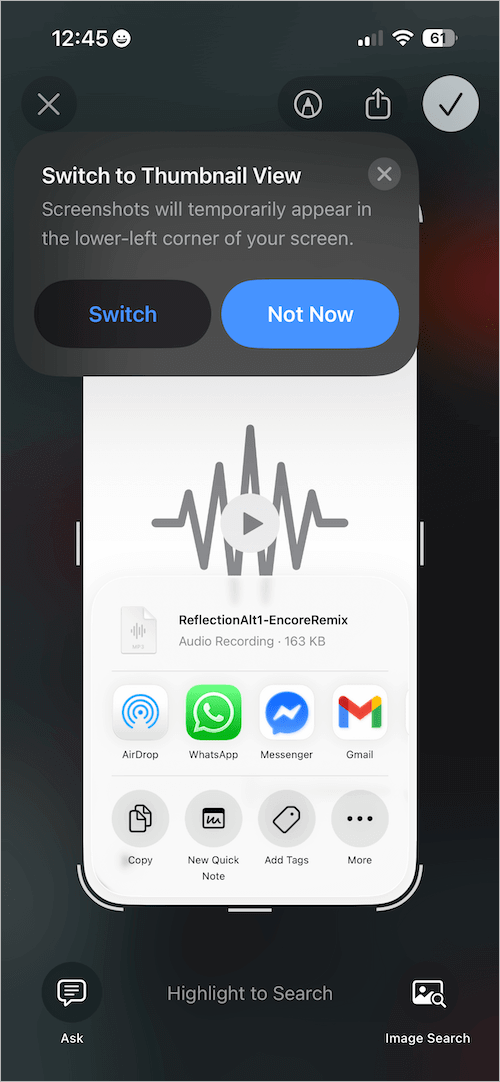
By default, every screenshot opens in full-screen preview mode. However, you can disable this preview and switch back to the classic thumbnail preview, which briefly appears in the corner and then saves the screenshot automatically to Photos.
Thankfully, iOS 26 includes an option to turn off full-screen previews and revert to the older behavior. This guide shows how to change screenshot settings in iOS 26 to automatically save screenshots to the Photos app on iPhone – just like in iOS 18 and earlier.
Who Should Switch Back to the Old Thumbnail Preview?
You may want to switch back to the thumbnail screenshot preview if you:
- Frequently take screenshots and don’t need to edit or mark them up immediately.
- Want screenshots to save instantly without any interruption.
- Prefer the quicker, clutter-free experience from earlier iOS versions.
- Don’t plan to use Apple’s new Visual Intelligence features such as Highlight to Search, Ask ChatGPT, Lookup, or Translate from screenshots.
How to Automatically Save Screenshots to Photos on iPhone
To go back to the classic screenshot preview in iOS 26 or iOS 27 on your iPhone:
- Open the Settings app.
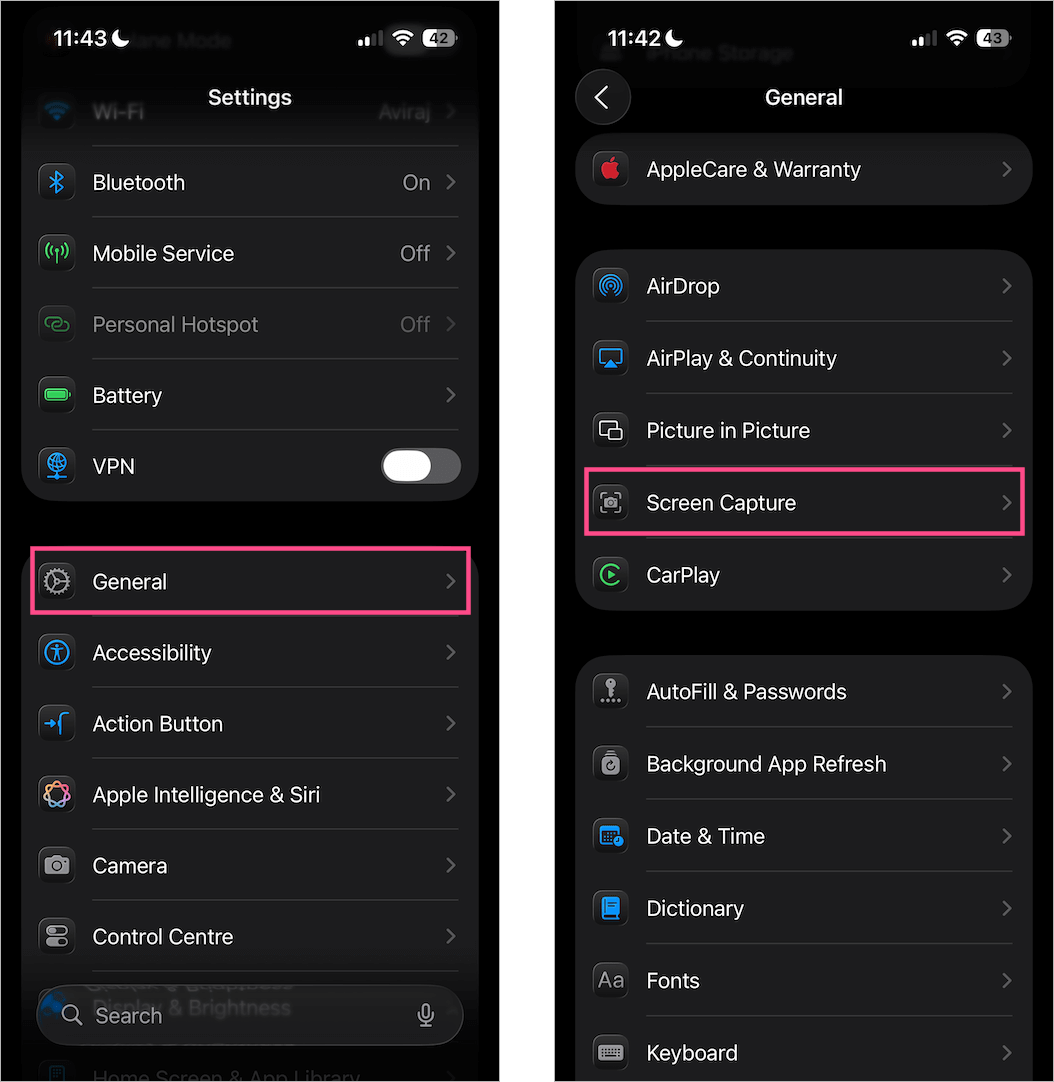
- Go to General > Screen Capture.
- Turn off the toggle next to “Full-Screen Previews“.
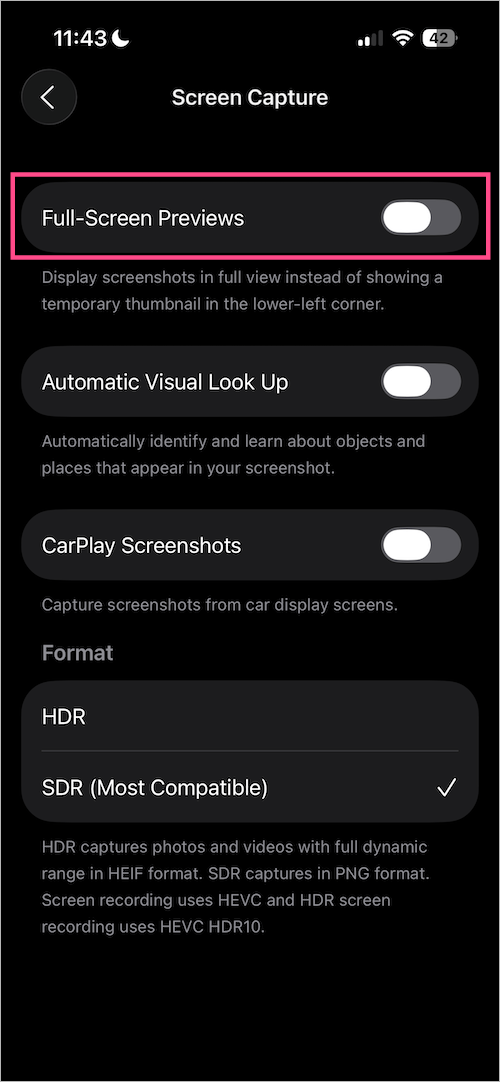
Once disabled, screenshots will once again show up as a small thumbnail in the bottom-left corner before being saved directly to the Photos app.
Other Screenshot Features Introduced in iOS 26
iOS 26 also introduced several other screenshot-related features, including:
- HDR Screenshots: Capture screenshots in high dynamic range (HDR) for better clarity and detail, especially on vivid displays.
- Stop CarPlay Screenshots: A new setting that prevents your iPhone from automatically saving screenshots while you use CarPlay. This helps reduce photo library clutter.
- Visual Lookup Enhancements: iOS can now analyze your screenshots for text, objects, and more, making it easier to extract useful information.









I don’t get the option to save it to my photos anymore
Is there something else I need to do in addition to this?
You need to go though the menu top right. Pick the check then pick save.
If you are quick you can double tap the check top right before it turns to …
Screen capture no longer saves any images since ios26 update.
Apple has lost my trust since the Garagrband malware fiasco
So what’s next? iOS is on the way out here
Sure getting tired of fixing the things they mess up.
Hatred for Apple products is growing fast.
The full screen option is not checked and my screenshots are still not saving automatically
I’m having the same trouble as Rebecca Boutwell. I need to save some screenshots for a report, and I find some are saved in my photos and some are not, despite having done what you said by unselecting the full screen option. I need to convert some screenshots to pdf but can’t because I can’t get them into the photo page first. Can you please help? Thank you!
Yeah, I had a problem with the newest iOS the screen shots or pic taking doesn’t auto save one you take the pic or screen shot you have to manually save it by looking to your right on top and hitting the checkmark and then it ask you where you want to save it so you save it the photos the new has really screwed up my phone in other ways who developed these new iOS without testing them and like always there’s an update to the update.
I don’t know Apple‘s marketing department thinks that bubbles flying around when you touch the screen is a big incentive for someone to buy an iPhone also with the new iOS you have to jump to hoops and do a lot of things to restore your phone the way it used to be how many people take photos and think it’s automatically being saved to find out they have none not good 60% by androids 40% by iPhones I think that’s gonna change not phone friendly with an iPhone