


Safari is Apple’s default web browser on iPhone and iPad. While it offers a fast and secure browsing experience, your browsing history, search terms, and visited websites can quickly pile up over time. If you want to keep your browsing activity private or simply declutter your Safari data, you can easily delete your history.
This quick guide shows how to find, view, and clear Safari history on iPhone in iOS 26, including how to delete specific sites and clear recently closed tabs.
How do I find my Safari history on iOS 26?
Even for tech-savvy iPhone users, finding browsing history in Safari can be confusing. That’s because Safari doesn’t have a direct “History” button on its main interface. Instead, your history is tucked away under the Bookmarks menu.
To view Safari history on your iPhone in iOS 26:
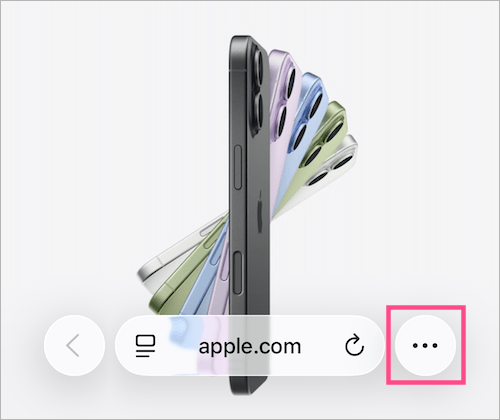
- Open the Safari app and tap the 3-dot icon at the bottom right.
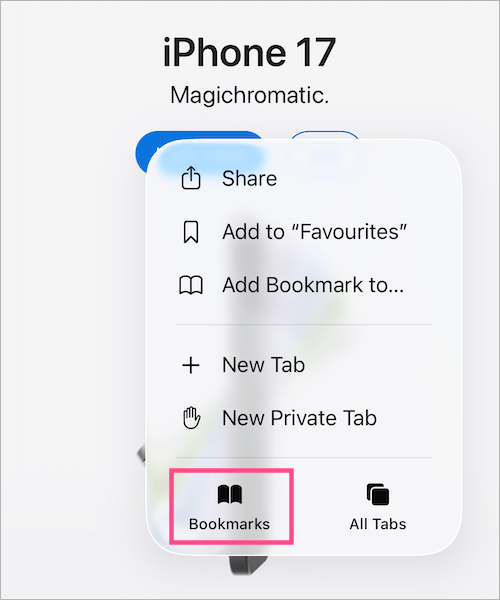
- Tap Bookmarks.
- In the pop-up menu, tap the Clock icon (History tab).
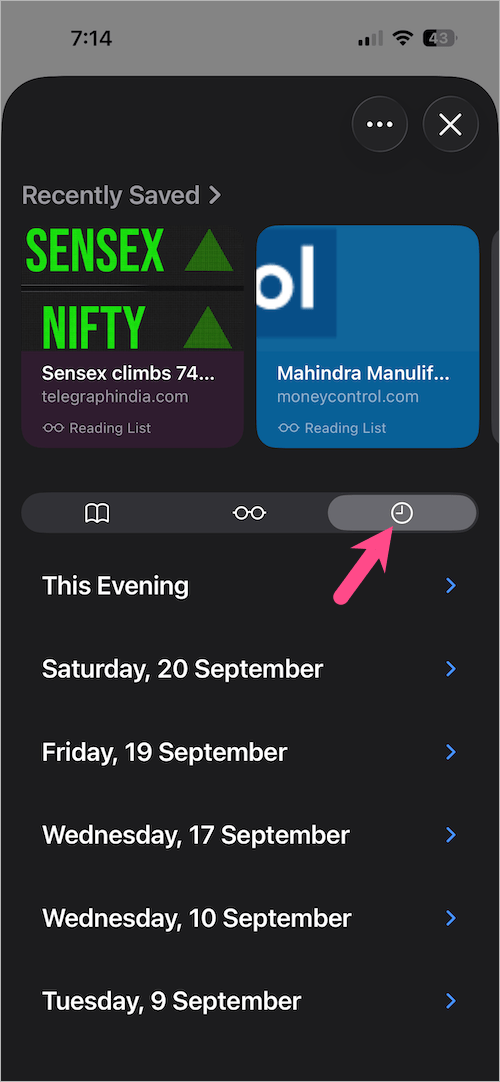
- You’ll now see a list of all websites you’ve visited, organized by date.
Tip: You can swipe left on any entry to delete a specific site from your browsing history without clearing everything.
How to delete history in Safari on iPhone (iOS 26)
Looking to delete Safari history on iPhone? To clear your entire Safari browsing and search history, follow these simple steps:
From Safari settings
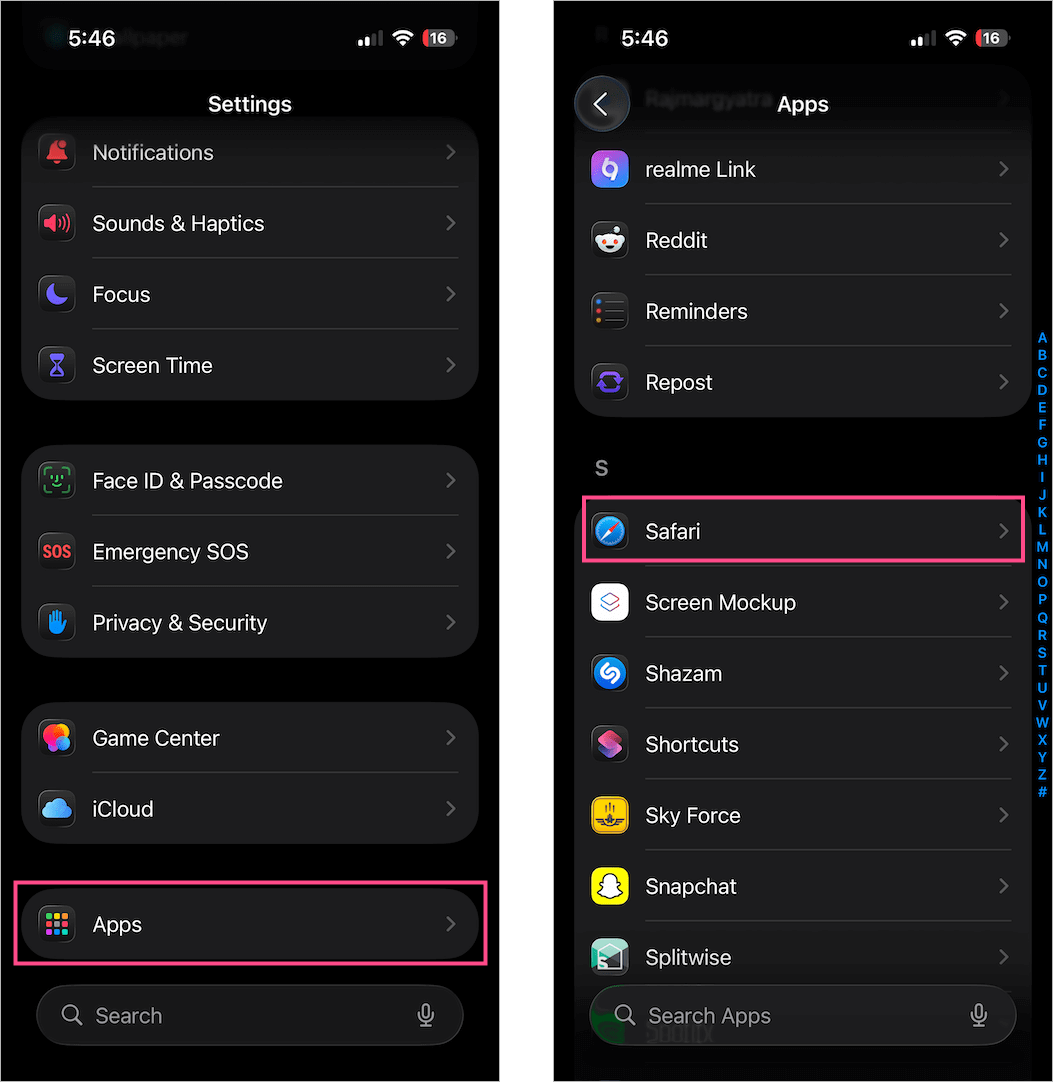
- Go to Settings on your iPhone.
- Scroll down to the bottom, tap Apps, and select Safari.
- Scroll again and tap Clear History and Website Data.
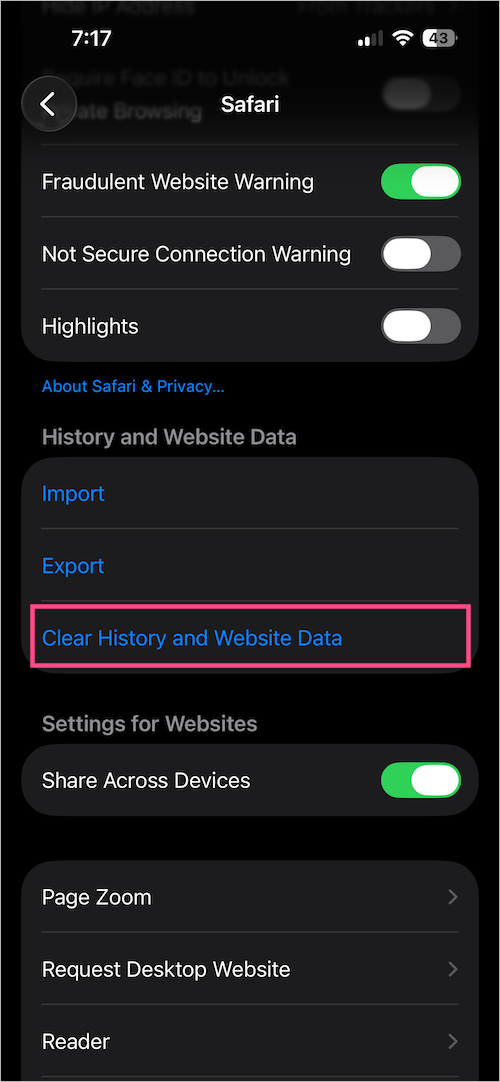
- Choose a time range: Last hour, Today, Today and yesterday, or All history.
- Tap Clear History to confirm.

This will remove your Safari browsing history, search history, cookies, and cached data across all devices signed in with your Apple ID.
From Safari App
- Open a new tab in Safari and tap the 3-dot icon.
- Tap the Bookmarks icon, then tap the Clock icon (History).
- In the pop-up menu, tap the ellipsis icon at the top right and tap Clear.
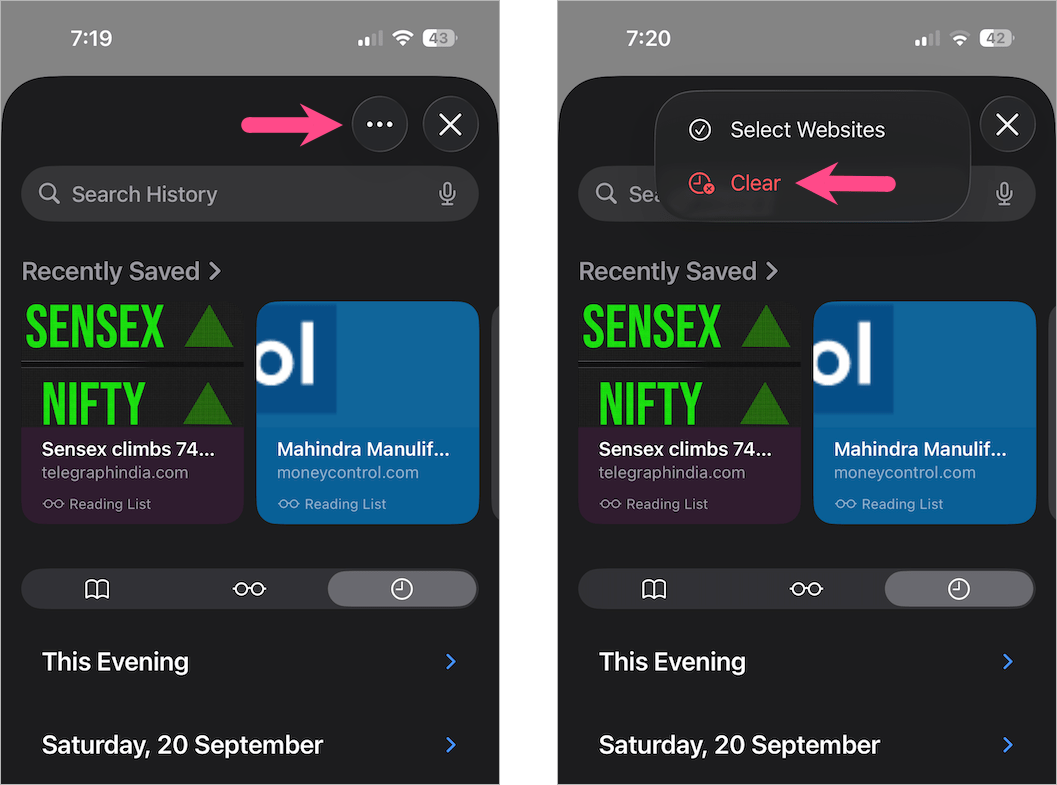
- Choose a time period (Last hour, Today, Today and yesterday, or All history) and tap Clear History.
That’s it! Your Safari history will be deleted instantly.
Note: Clearing history doesn’t delete AutoFill information or saved passwords in iCloud Keychain.
How to delete a website from Safari history on iPhone
Want to only remove or delete a specific website from your Safari browsing history in iOS 26? To do so:
- Open Safari and tap the 3-dot icon.
- Tap Bookmarks, then tap the Clock icon (History tab).
- Tap the date to expand and view history by date. Tip: Swipe down the History screen to unveil the Search History bar.
- Find the website you want to remove.
- Swipe left on the website entry and tap Delete.
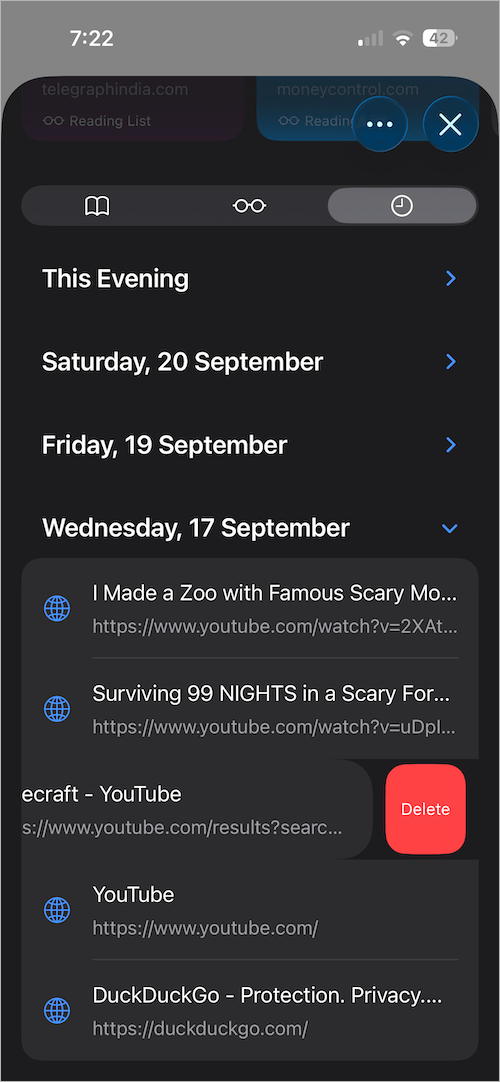
Alternatively, you can delete multiple sites at once:
- Tap the ellipsis icon in the top-right corner and tap Select Websites.
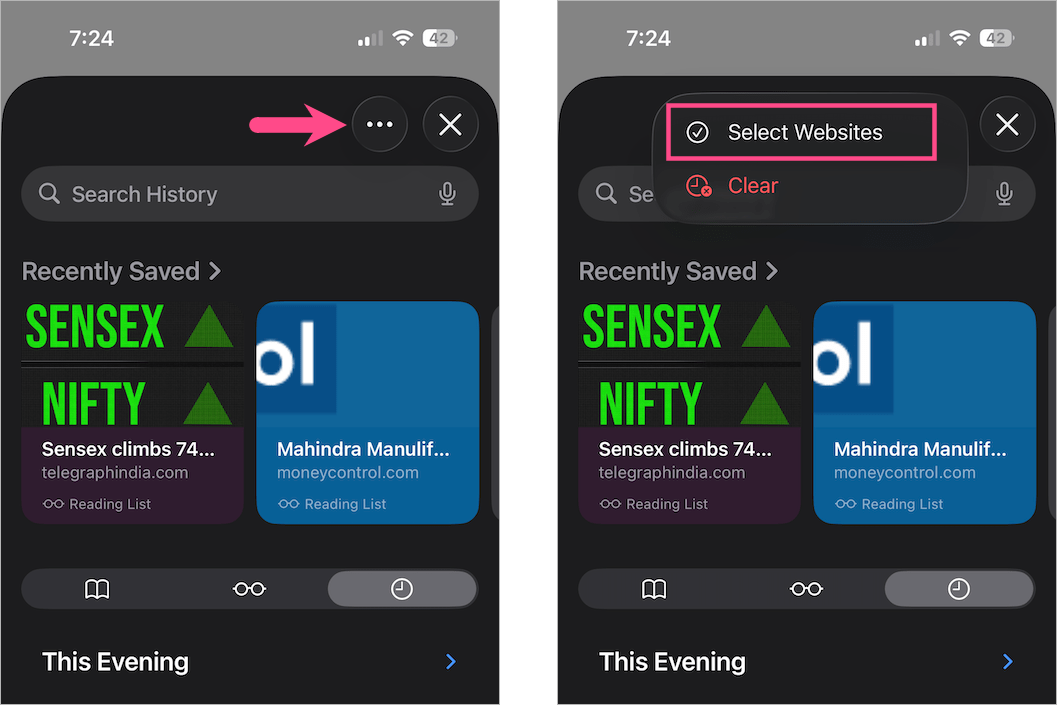
- Select the websites you want to delete.
- Tap the trash icon at the top left to remove them.
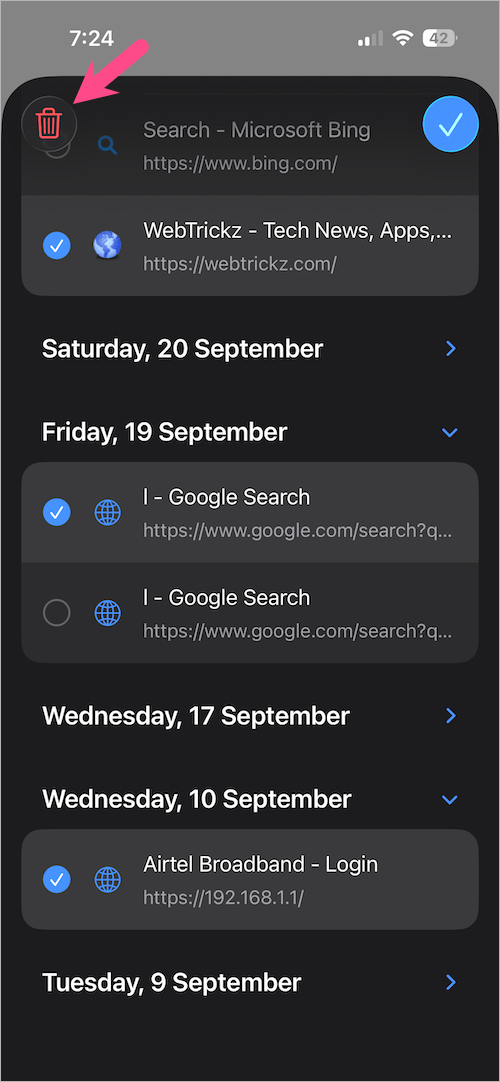
This way, you can clean up only certain entries without losing your entire browsing history.
Tip: Remove or clear your Recently Closed Tabs in Safari
Safari also keeps track of your recently closed tabs, which anyone can reopen. If you want to maintain privacy, it’s a good idea to clear them too.
Here’s how to clean up your recently closed tabs:
- Open a new tab in Safari on your iPhone.
- Scroll to the Recently Closed Tabs section at the bottom.
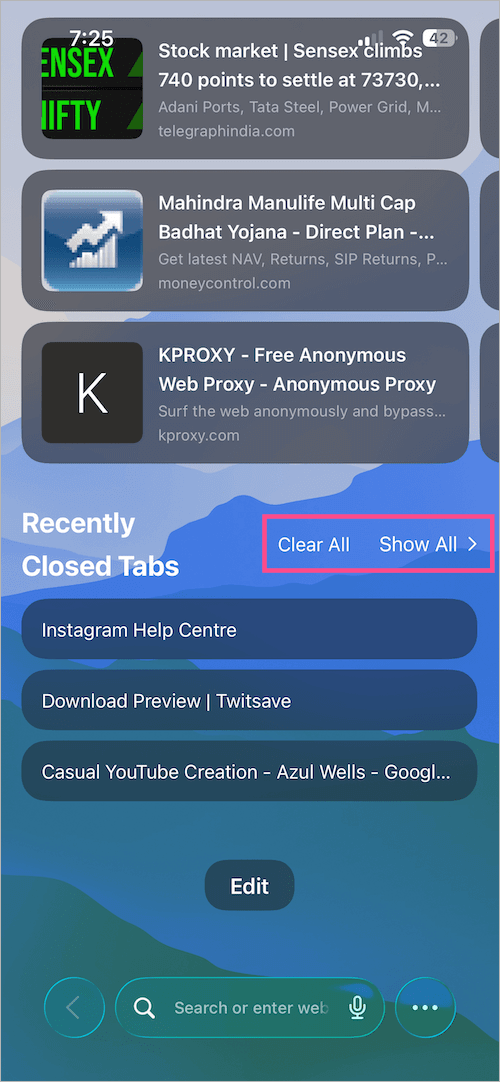
- Tap Show All to view all your Recently Closed Tabs.
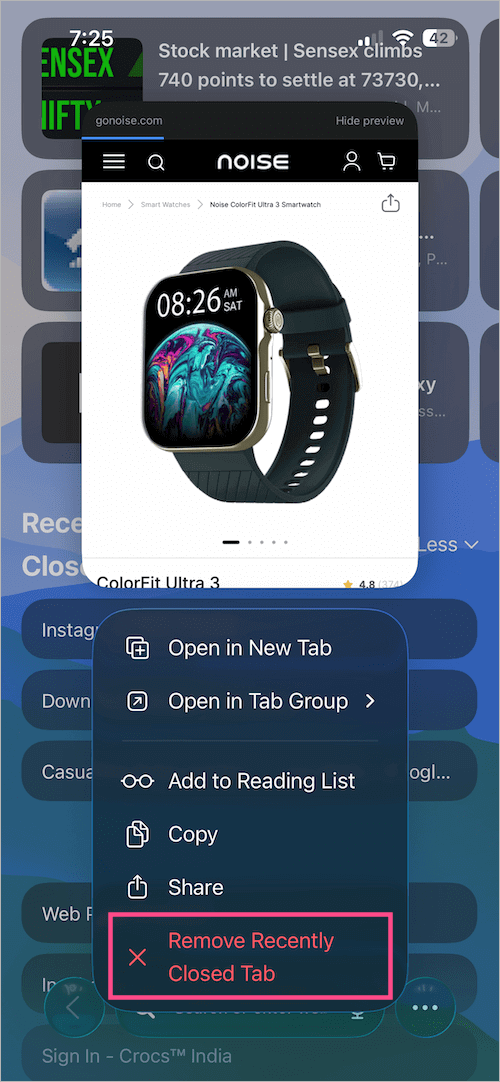
- To remove individual tabs, tap and hold (long-press) a recently closed tab and tap Remove Recently Closed Tab.
- To remove all recently closed tabs at once, tap Clear All.
Quick tip: Private Browsing Mode automatically prevents Safari from saving your browsing history, search history, and tabs. You can enable it from the Tabs View > Private option.
If you want to access other Safari settings such as privacy, default search engine, default browser app, or pop-up blocking, check out our guide to find and change Safari settings on iPhone.










