WebTrickz
TRENDING
  • Turn Off Copilot Search in Bing (Official Extension)
No Result
View All Result
  • Reviews
  • Editorials
  • Social Media
    • Facebook
    • Twitter
    • YouTube
    • Messenger
    • Instagram
    • Snapchat
    • WhatsApp
    • TikTok
  • Apps
  • How To’s
  • Apple
  • iPhone
  • Google
  • Android
  • Mac
  • Security
  • About Us
    • About Us
    • Contact Us
    • Privacy Policy
  • Reviews
  • Editorials
  • Social Media
    • Facebook
    • Twitter
    • YouTube
    • Messenger
    • Instagram
    • Snapchat
    • WhatsApp
    • TikTok
  • Apps
  • How To’s
  • Apple
  • iPhone
  • Google
  • Android
  • Mac
  • Security
  • About Us
    • About Us
    • Contact Us
    • Privacy Policy
No Result
View All Result
WebTrickz
No Result
View All Result
Home iPhone

How to Extract a Frame from Video on iPhone without losing quality

Free app to take still photos from iPhone videos and Live Photos in full resolution.

Mayur Agarwal by Mayur Agarwal
July 26, 2021
in How To's, iPhone

There are times when we accidentally capture a video instead of a photo on our iPhone. While it’s usually not possible to recreate the moment but you can still revive the still shot you wish to take. The most common way to do so is to scroll through the video and screenshot the required frame. This isn’t the best way though as you might lose the exact moment and the output image would be of low quality.

Extract frames from iPhone videos

Luckily, a third-party app called “Frame Grabber” lets you get a photo from a video on iPhone and iPad with ease. The app comes in handy for iOS users looking to extract images from videos to save their favourite moments. What’s great is the fact that it exports the video frame in full resolution as the actual video.

Frame Grabber also makes it possible to extract still images from Live Photos on iOS. The app features a clean and user-friendly interface, thus making it really easy to take a picture from a video on the iPhone. It supports iPhone and iPad running iOS 13 or later.

Here’s a quick rundown of the key features of Frame Grabber.

  • A free app without any ads or tracking.
  • Exports the output image in original quality and resolution.
  • Keeps the Metadata intact such as creation date and geolocation.
  • Frame-by-frame selection and zoom-in option to restore the perfect moment.
  • Option to choose the output image format (HEIF or JPG).
  • Ability to filter the photo library by show all, only videos or only Live Photos.

Here’s how you can extract a single frame from an iPhone video using Frame Grabber.

How to get a photo from a video on iPhone

  1. Install Frame Grabber app on your iOS device.
  2. Open the app and allow it to access your Photos.
  3. Select a video or Live Photo from the “All” tab. You can also switch to the Video or Live tab to quickly navigate through your media library. Alternatively, tap the back arrow icon at the top-left to search for albums.

    iphone photo library
    search for albums
  4. Drag the slider to find the desired frame. The exact timeframe can be seen at the top. Tip: Use the forward and backward arrow icons to precisely select your favourite frame. You can also pinch to zoom in to find the perfect blur-free shot. How to get a photo from a video on iPhone

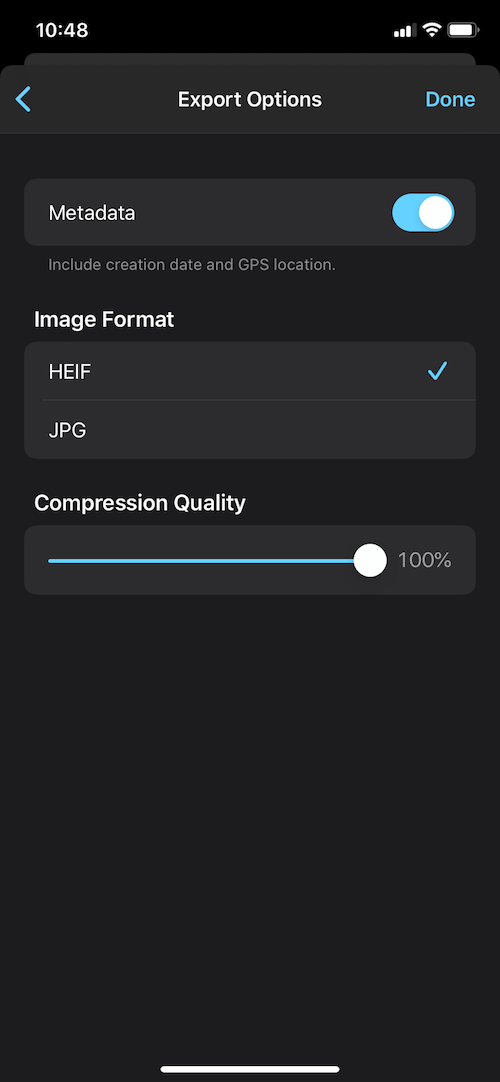
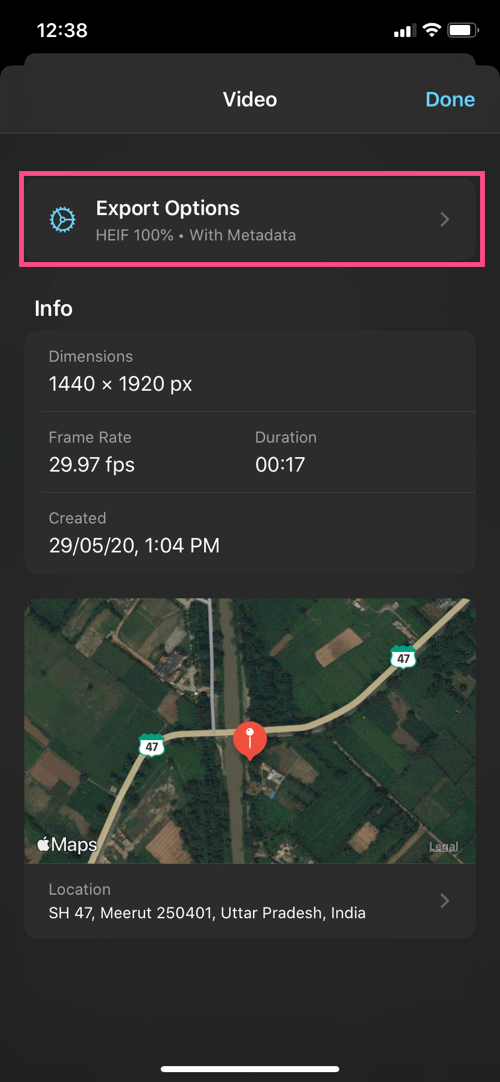
  5. Optional: Tap the 3-horizontal dots at the top-right and open “Export Options”. Here you can remove metadata, change the image format, and adjust the compression quality.
    export options in frame grabber app
    frame grabber settings
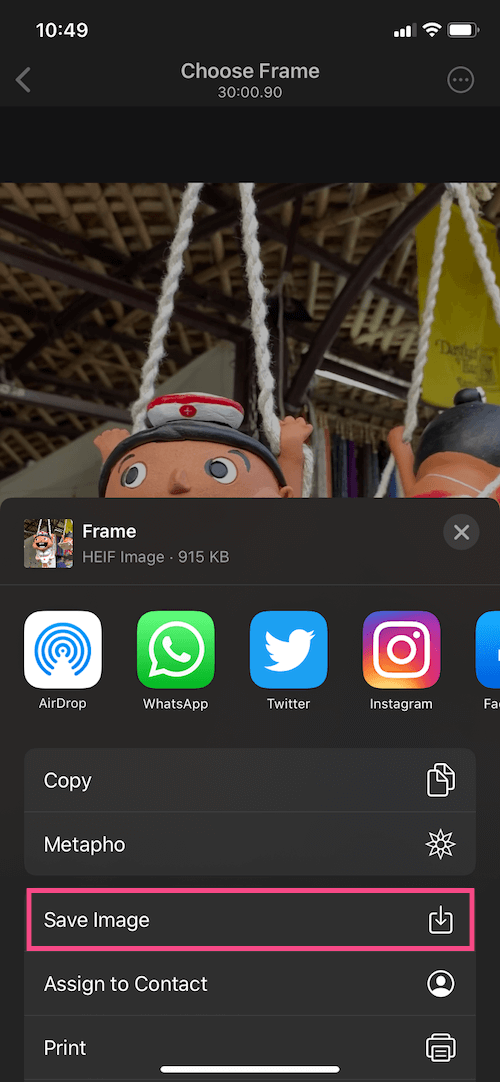
  6. Tap the Share button and select “Save Image” to export the still photo. save image to photos on iphone
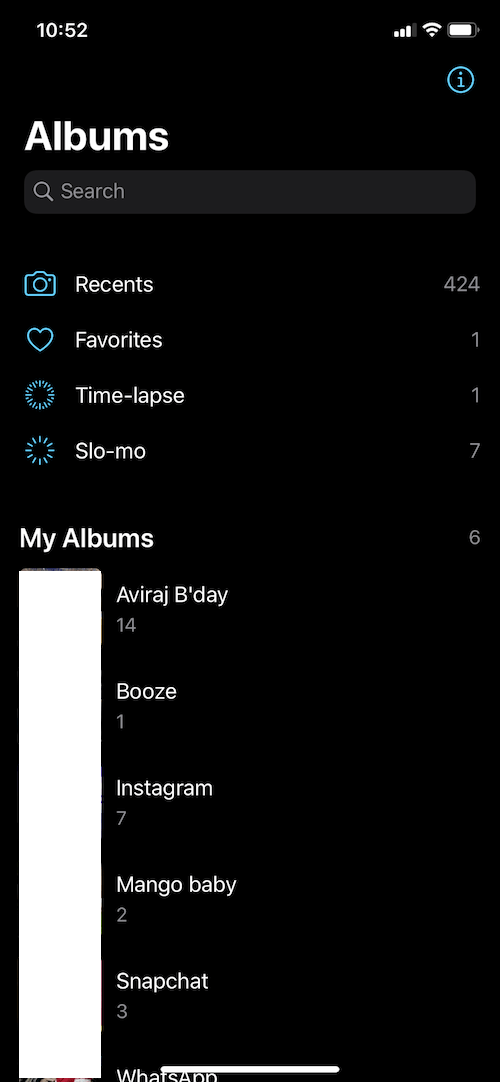
To view the exported picture, go to the Photos app > Albums > Recents.

The only shortcoming is that the app isn’t a part of the iOS share sheet, so you can’t directly open the videos in the app. We hope the developer adds this small yet nifty feature in the future update.

ALSO READ: How to Reverse a Video on iPhone for Free

Why exporting images from videos makes sense

There are several instances when you would want to freeze a frame in videos. For example, a still shot from your swimming dive, a skateboard stunt, or while tossing your baby in the air.

How often do you find the need to extract video frames? Do share your views in the comments.

Tags: AppsiOS 13iPadiPhoneiPhone 11Live PhotosPhotos
Share2TweetSend
Previous Post

How to Get Back Old Navigation Gestures on OnePlus 5T running Android 10

Next Post

How to Turn Off Deliver Quietly on iPhone, iPad and Apple Watch

Mayur Agarwal

Mayur Agarwal

Mayur Agarwal, the founder and editor of WebTrickz, is a tech enthusiast with a Bachelor's degree in Computer Applications and over 15 years of experience in tech writing. His passion for technology and gadgets drives him to create insightful how-to articles and troubleshooting guides.

Next Post
disable deliver quietly on ipad

How to Turn Off Deliver Quietly on iPhone, iPad and Apple Watch

Comments 1

  1. Jodi Jacobson says:
    5 years ago

    I looked all over the internet to find out how to do this. It works fantastic! Thank you

    Reply

Leave a Reply Cancel reply

Your email address will not be published. Required fields are marked *

Latest Stories

copilot logo

How to Turn Off Copilot Search in Bing on Edge & Chrome

June 10, 2026
microsoft edge new logo

How to Turn Off Notifications in Microsoft Edge (2026 Guide)

June 8, 2026
chatgpt logo

How to Clear or Delete ChatGPT Memory on PC and Mobile

June 5, 2026
1337x logo

1337x Proxy List 2026: Working Proxy & Mirror Sites

June 2, 2026

How to Find Saved Reels on Facebook App & Desktop (2026)

June 8, 2026
microsoft edge browser

How to Restore or Reopen Closed Tabs in Microsoft Edge

June 9, 2026
Facebook app on iPhone

How to See Recently Watched Reels on Facebook (2026 Guide)

June 5, 2026

Trending Stories

  • microsoft family safety settings

    How to Turn Off Microsoft Family Safety on Windows 11 & 10

  • 1337x Proxy List 2026: Working Proxy & Mirror Sites

  • How to Turn Off Microsoft Edge Game Assist in Windows 11

  • How to See Recently Watched Reels on Facebook (2026 Guide)

  • How to Turn Off Fn Lock or Fn Key on Windows 11/10 Laptop

  • About Us
  • Contact Us
  • Privacy Policy
  • Advertise

© 2026 WebTrickz. All Rights Reserved.

No Result
View All Result
  • Reviews
  • Apps
  • How To’s
  • Android
  • Google
  • iPhone
  • Mac
  • About Us
  • Contact Us
  • Privacy Policy

© 2026 WebTrickz. All Rights Reserved.