


In our previous article, we discussed how Amazon permanently removed the Archive Order feature on May 15, 2025. This means users can no longer archive Amazon orders.
A lot of people are unhappy with this change and wish to get back the archive order option on Amazon. Since you can’t remove order history from Amazon, archiving was the only way to hide orders on Amazon. It came in handy to hide surprise gifts or personal purchases you prefer to keep private.
Fortunately, there’s still a workaround that lets you archive orders to hide your Amazon purchases. The process involves a few manual steps, but it gets the job done.
Here’s how you can hide a purchase on Amazon in 2025 without the ‘Archive Order’ button.
How to Hide Amazon Orders in 2025 (Without Archive Order Button)
Follow this workaround to archive an order manually:
- Go to the Amazon website on a desktop and log in to your account.
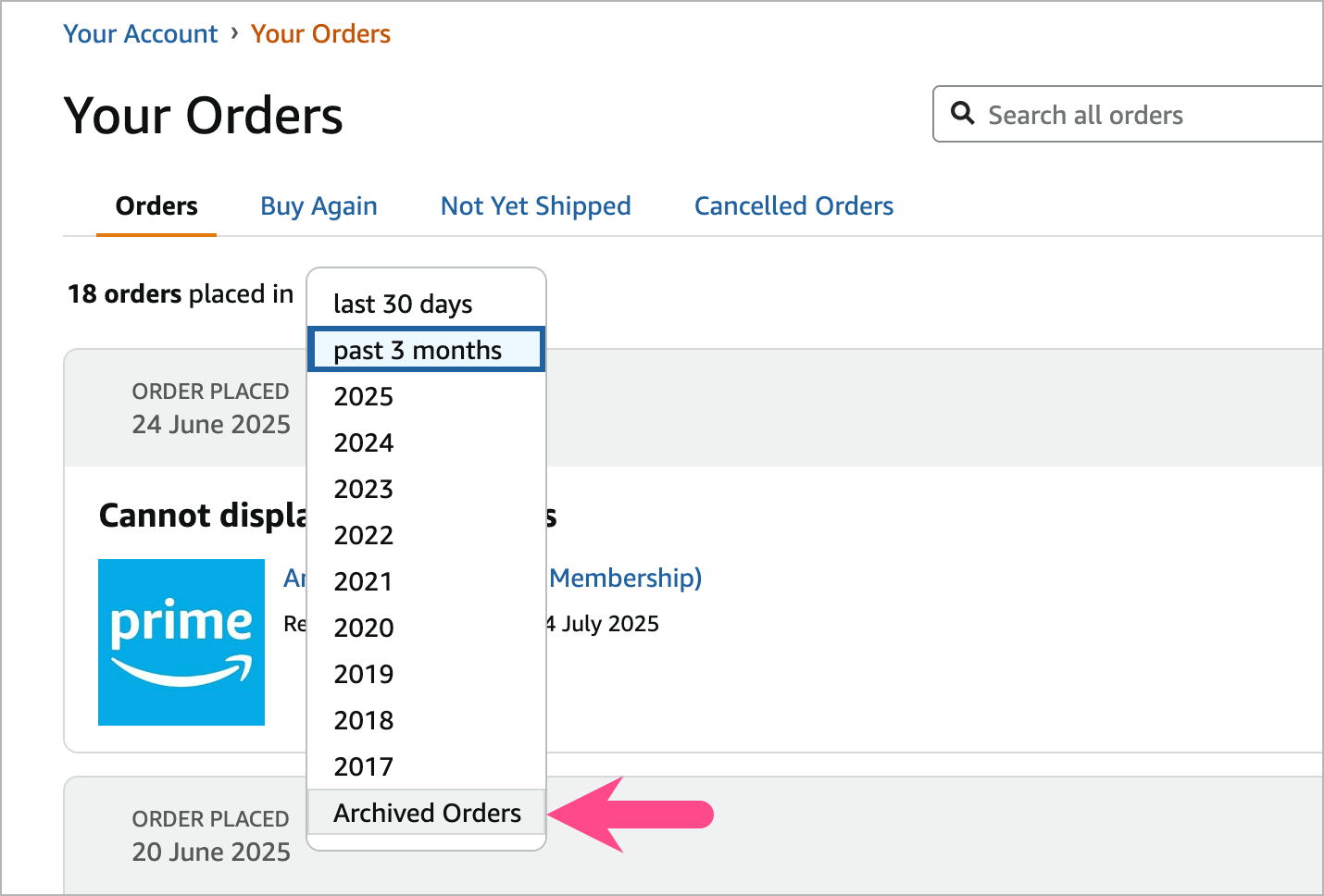
- Navigate to Accounts & Lists > Your Orders > Archived Orders.
- Look for the ‘Unarchive Order’ option under any previously archived order.
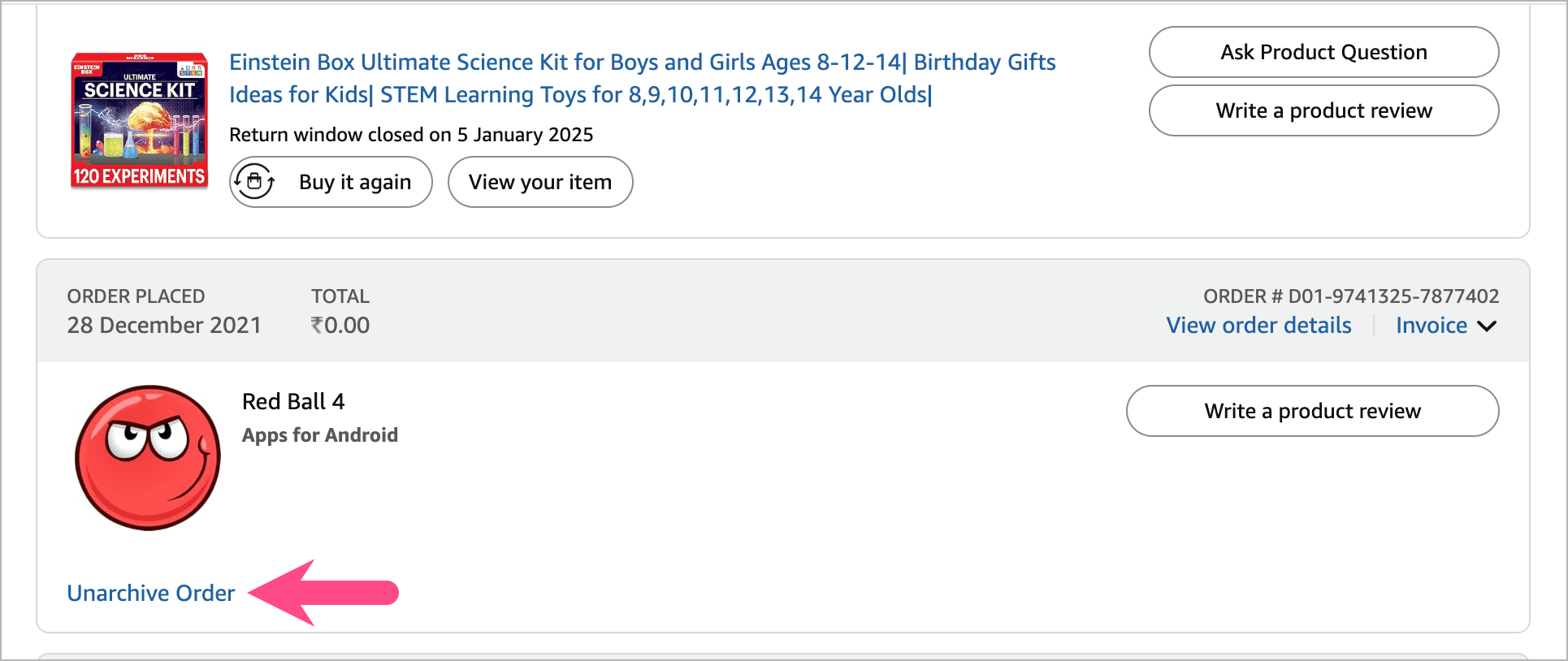
- Right-click the ‘Unarchive Order‘ link and select ‘Copy Link‘.
- The copied URL should look like this, with a unique token at the end:
https://www.amazon.in/gp/css/order-history/archive/ref=ppx_yo_dt_b_d_archiveOrder_button_unarchive_405_o03?ie=UTF8&archiveRequest=0&orderIds=<Input_ORDER_ID>&token=XXXXXXXXXXXXXXXX
- Now, edit the copied URL: Change archiveRequest=0 to archiveRequest=1 and replace <Input_ORDER_ID> with the order ID of the purchase you want to hide. Example modified URL:
https://www.amazon.in/gp/css/order-history/archive/ref=ppx_yo_dt_b_d_archiveOrder_button_unarchive_405_o03?ie=UTF8&archiveRequest=1&orderIds=406-8344916-7685110&token=XXXXXXXXXXXXXXXX
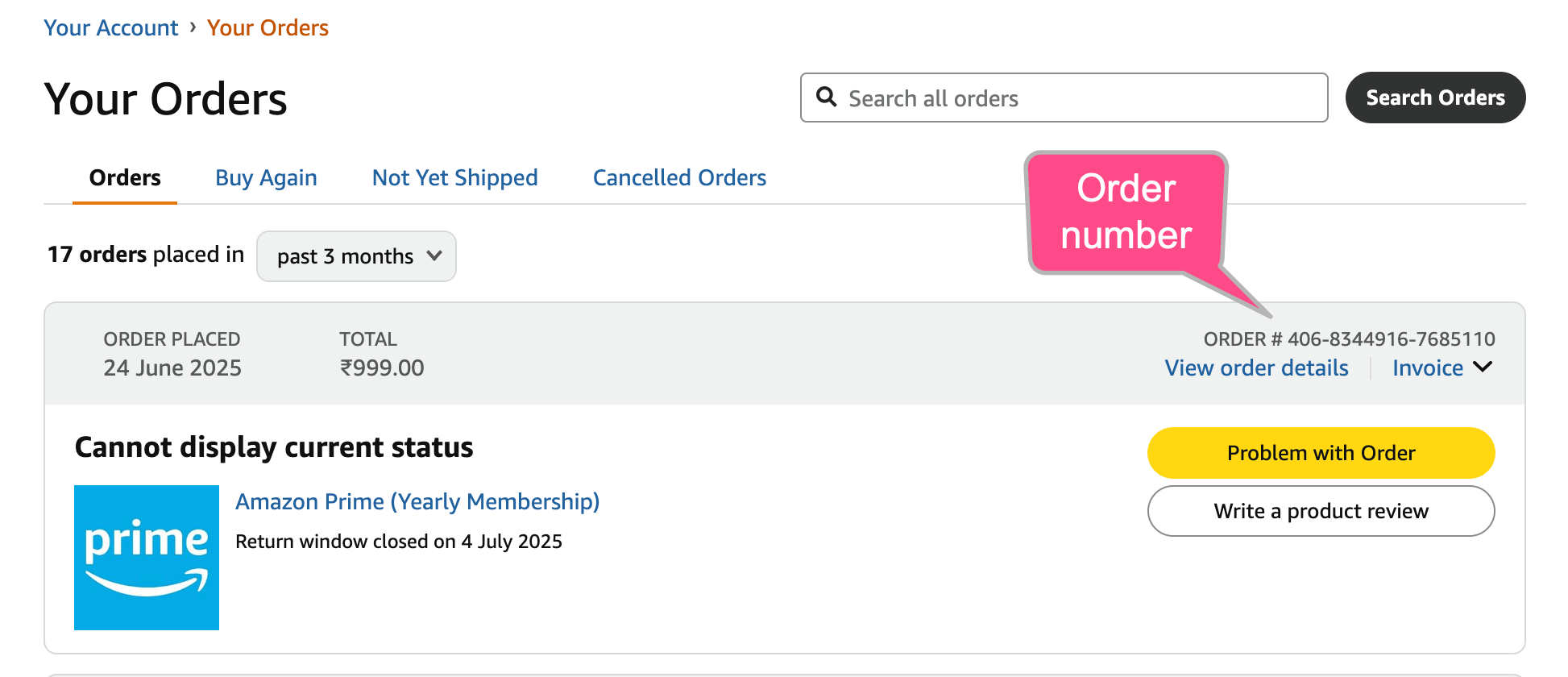
- Tip: To find the order ID, go to Your Orders, locate the item, and copy the order number shown next to it.
- Paste the modified link into your browser and hit Enter.
Voila! You should see a message saying, “Your order has been archived.”
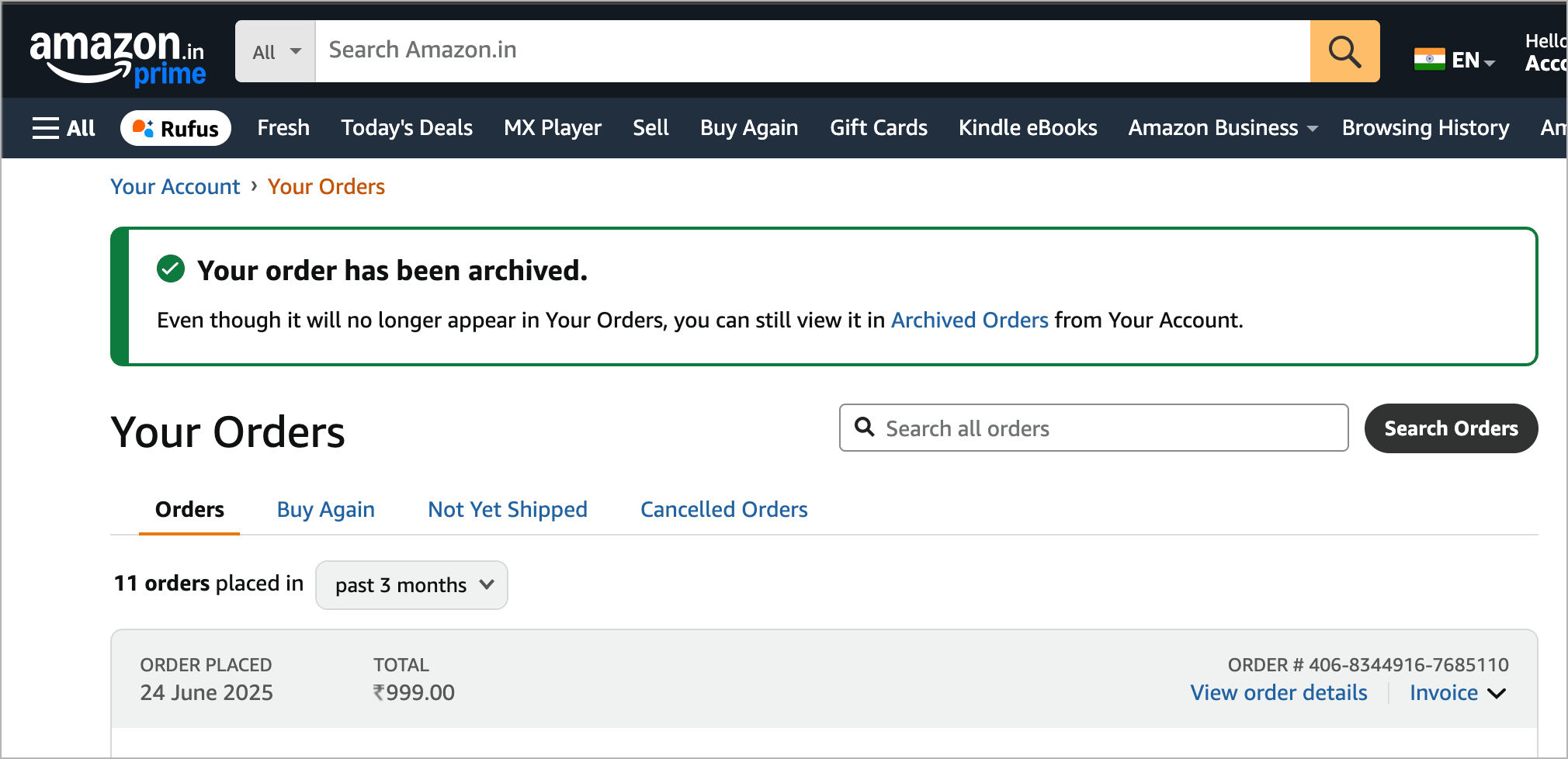
That specific order will now disappear from your “Your Orders” page, though it will remain accessible under Archived Orders.
~ Repeat the above process for any other purchase you want to hide from Amazon’s order history.
Important Notes:
- This method only works if you already have at least one archived order in your account.
- It seems Amazon just removed the Archive Order button, but the functionality still exists.
- You can still view all previously archived orders.
- According to Amazon Help on X, by August 15, 2025, all archived orders will be re-merged into your regular order history.
As of July 18, 2025, this trick still works, though it may be patched soon.
Stay tuned, and we’ll update this guide if Amazon changes the behavior again.
Update (August 30): As of August 19, Amazon has completely removed the option to archive orders and the ability to view archived orders. Here’s the official announcement:
Starting August 19, 2025, the Archived Orders view will be removed.
Any orders you have previously archived will now appear in your main order history. You can still find them by searching in Your Orders, or filtering by the purchase date.









This doesnt work at all. Complete crap
It used to work but not anymore. I’ve mentioned it in the Update section.
No longer. Grrr. I’m close to leaving Amazon. This was not due to “low usage” or any other BS from Amazon, it was purely to keep products shoppers might buy again in front of them to (maybe) increase sales.
In a perfect world Antitrust laws would be enforced and Amazon would be broken up to punish such predatory practices.