


Did you listen to a great song on Spotify a while back but can’t remember its name? Maybe it was a trending track, a podcast episode, or a playlist you stumbled upon, but now it’s gone. Don’t worry, you can easily see your Spotify listening history, even from weeks or months ago.
Whether you’re trying to view recently played songs by artists, revisit a playlist or album from your workout or commute, this 2026 guide shows how to find your recently played songs on Spotify across devices.
What’s good: You don’t need a Premium subscription to view songs you’ve listened to recently on Spotify. These steps work for both free and premium users.
How to See Recently Played Songs on Spotify
Follow these steps to see your recently played music on the Spotify app, website, and desktop app.
On iPhone or Android:
- Open the Spotify app on your mobile device.
- Tap on the Home tab (bottom left).
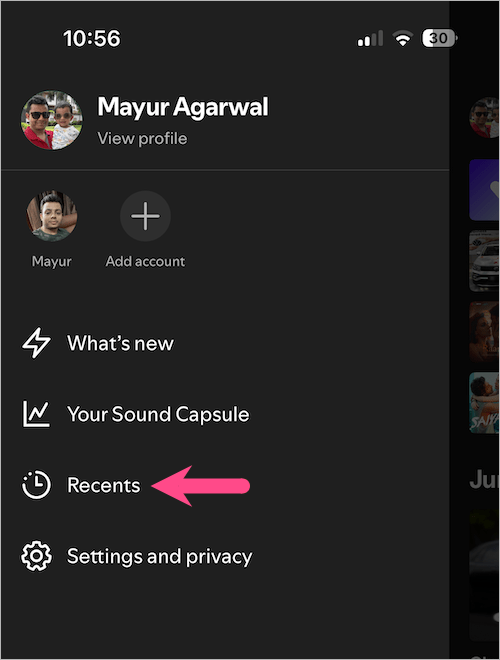
- Tap your profile picture in the top-left corner.
- Select “Recents” (formerly “Listening history”) to go to recently played on Spotify.
- Optional: Tap the Music tab at the top, then tap Played to filter recently listened songs.
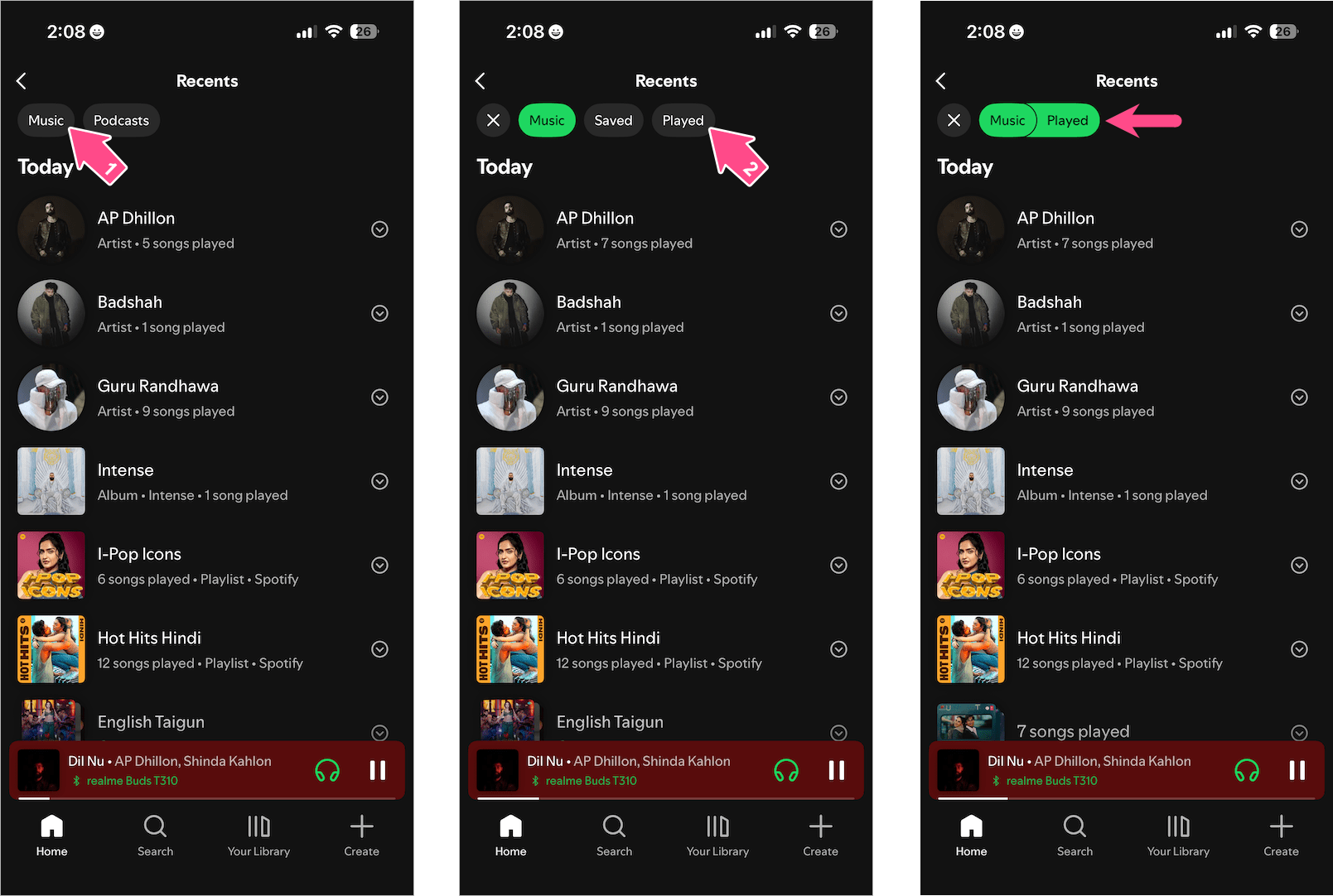
Recently Played List in Spotify App
Here, you can see your full Spotify history, including a list of recently played tracks, albums, artists, and playlists – organized from newest to oldest.
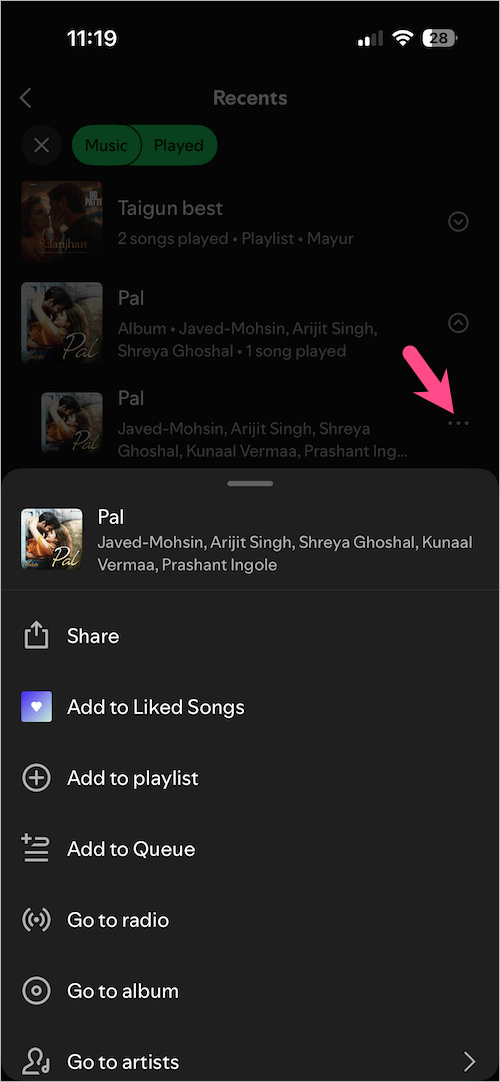
You can then listen to a specific song or album. Tapping the 3 dots further reveals options such as Share, Add to Liked Songs, Add to playlist, or Add to Queue.
On Computer (Windows/macOS):
- Open the Spotify desktop app on your PC or Mac, or visit open.spotify.com in a web browser.
- Click the Home icon at the top.
- Scroll to the Recently played section.
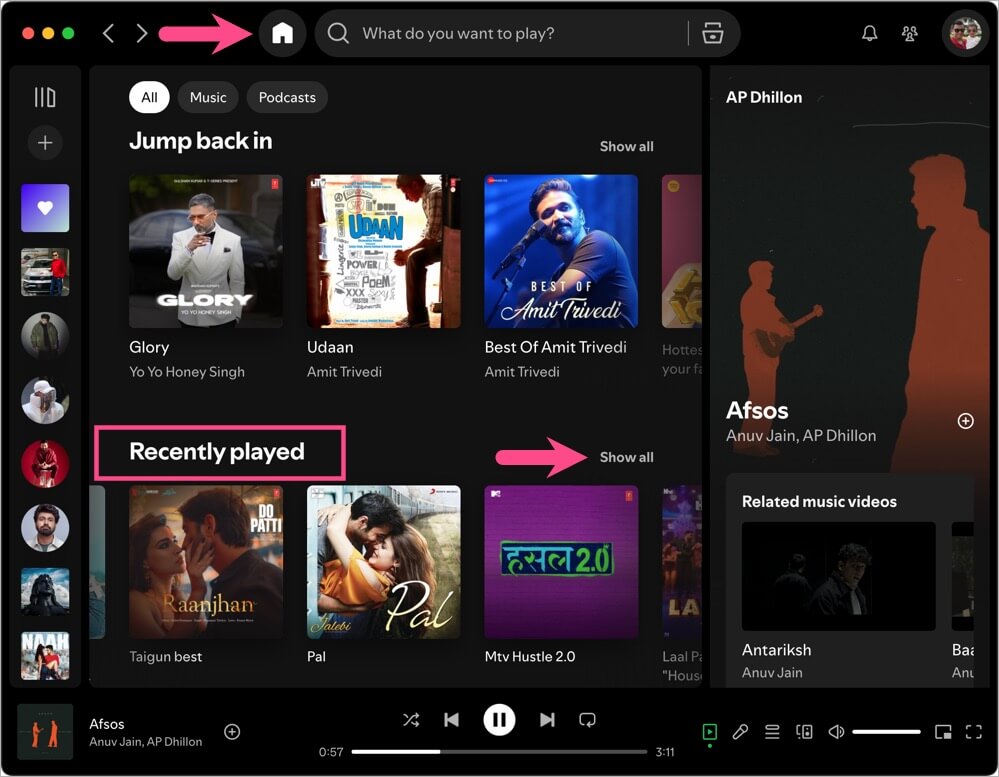
- Click “See All” to view a complete list of your recently played music, albums, playlists, and podcasts.
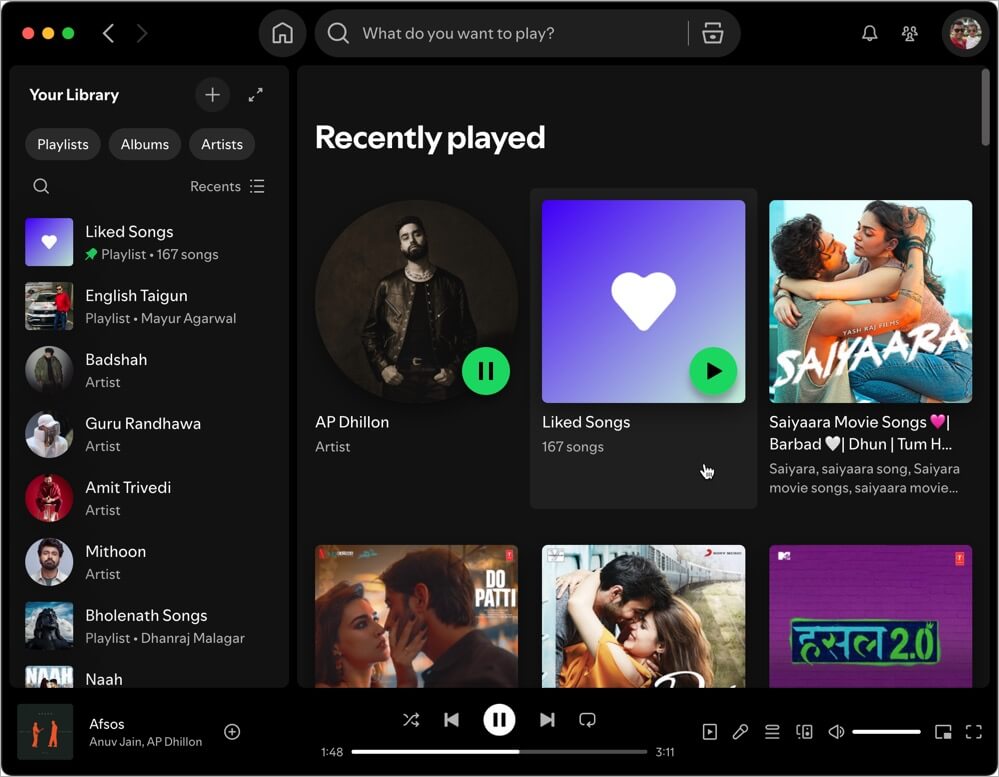
Note: Unlike the mobile app, the desktop version doesn’t show individual tracks in the history and doesn’t sort them by date either. Hence, switch to Spotify’s mobile app if you prefer a detailed list.
Alternative Way to See Your Listening History on the Spotify App
Here’s another way to find your recently listened to songs on the Spotify mobile app:
- Open the Spotify app and go to the Home tab.
- Scroll down to the Recents section.
- Tap on “Show all‘ next to Recents.
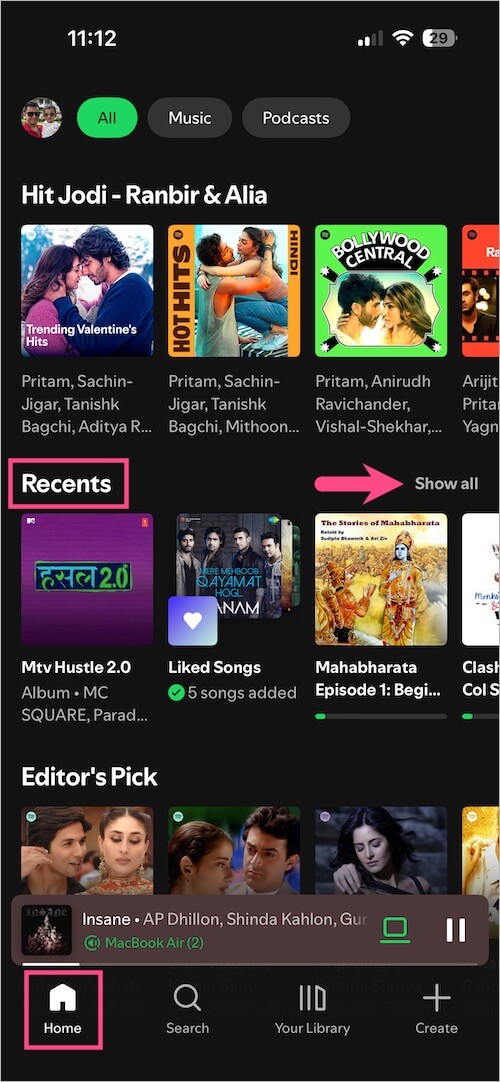
- Tap the Music tab (at the top), then tap Played to see most recently played on Spotify.
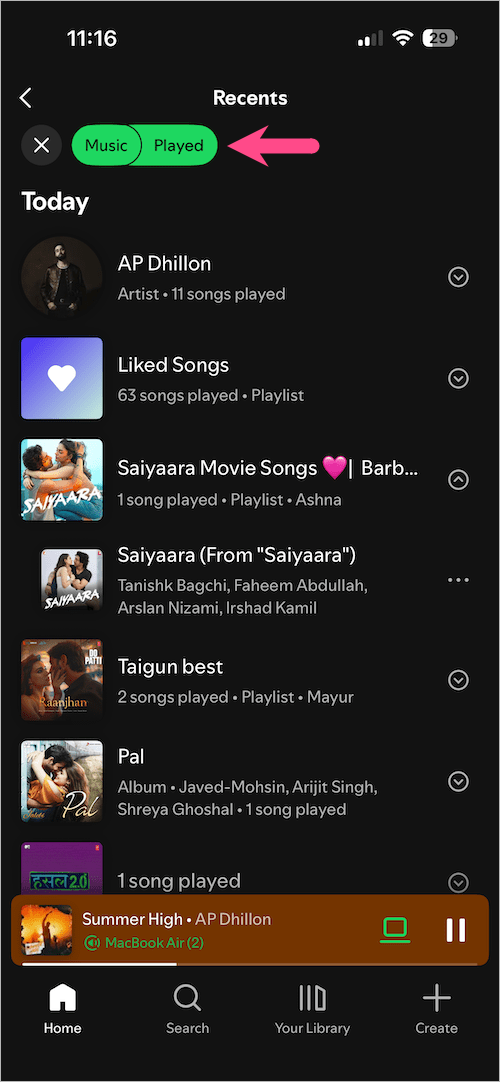
Recently Listened Songs on Spotify - Optional: Tap the Music tab, then tap Saved to find your recently saved songs.
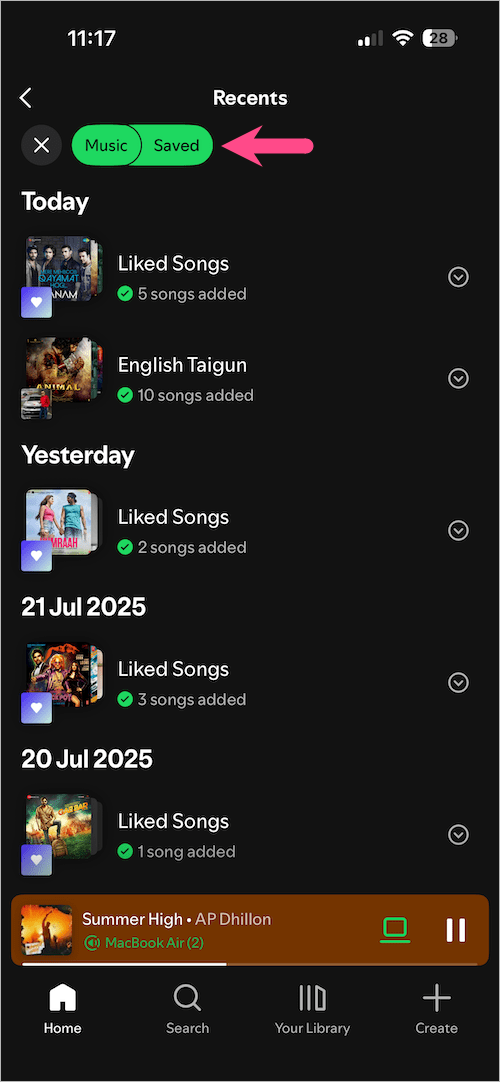
Recently Saved Songs on Spotify
How to Delete Recently Played on Spotify
Want to clear or delete your recently played songs on Spotify?
Unfortunately, there is no way to remove a song from your Spotify recently played or listening history. You can, however, follow these tips on the mobile or desktop apps to hide your recent activity on Spotify.
What you can do:
- Start a Private Session to prevent new songs from appearing in your history:
- Mobile and tablet: Go to Settings and privacy > Privacy & social > Private session.
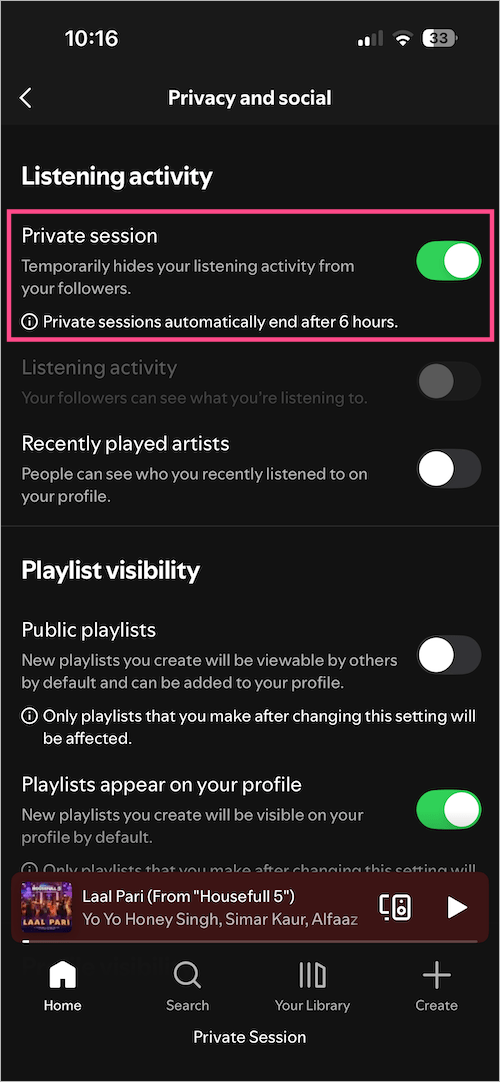
Private Session enabled in Spotify App - Desktop app: Click your profile picture at the top and click Private session.
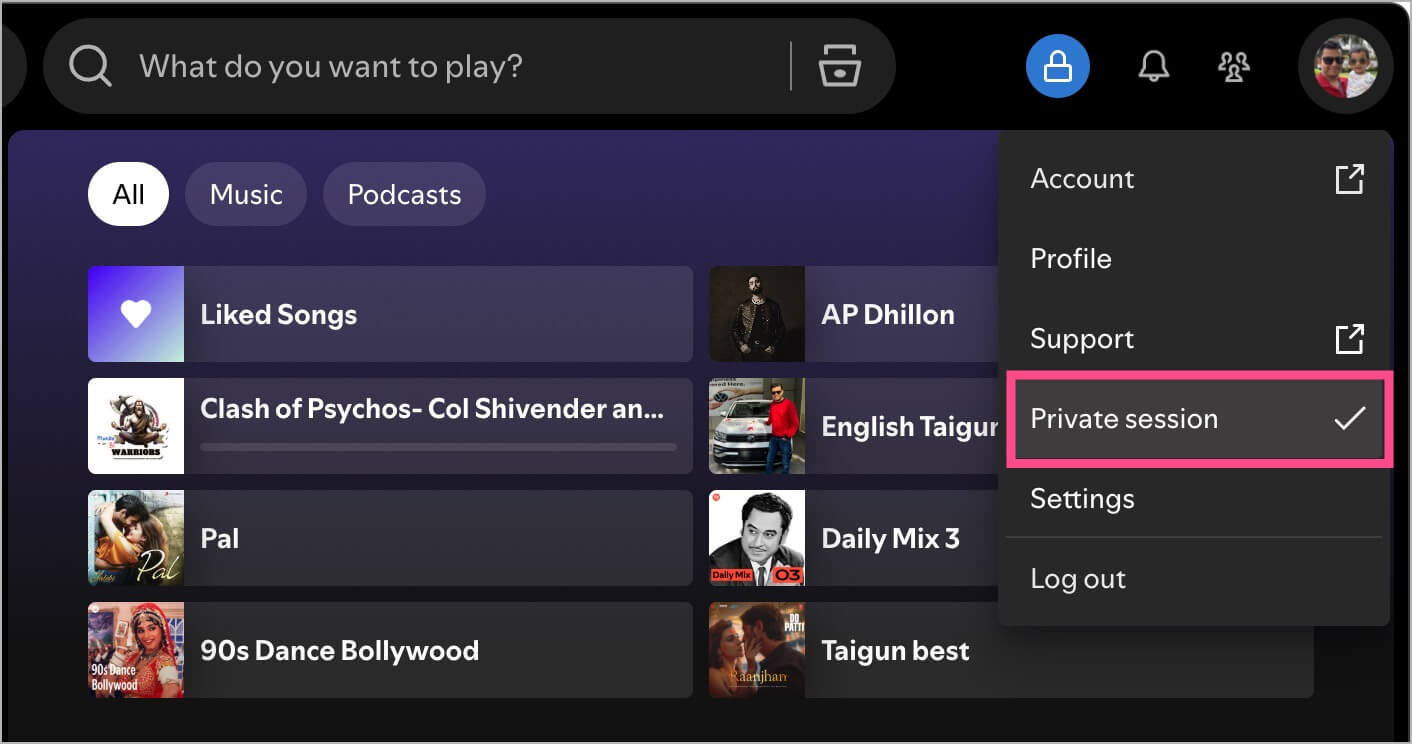
- Mobile and tablet: Go to Settings and privacy > Privacy & social > Private session.
- Log out or switch accounts to avoid tracking activity.
- On Windows, clearing app data may reset some local info but won’t affect cloud-stored history.
Note: A Private Session ends automatically after 6 hours or when you restart Spotify.
ALSO READ: How to Connect Your Spotify Account to Instagram Notes










