


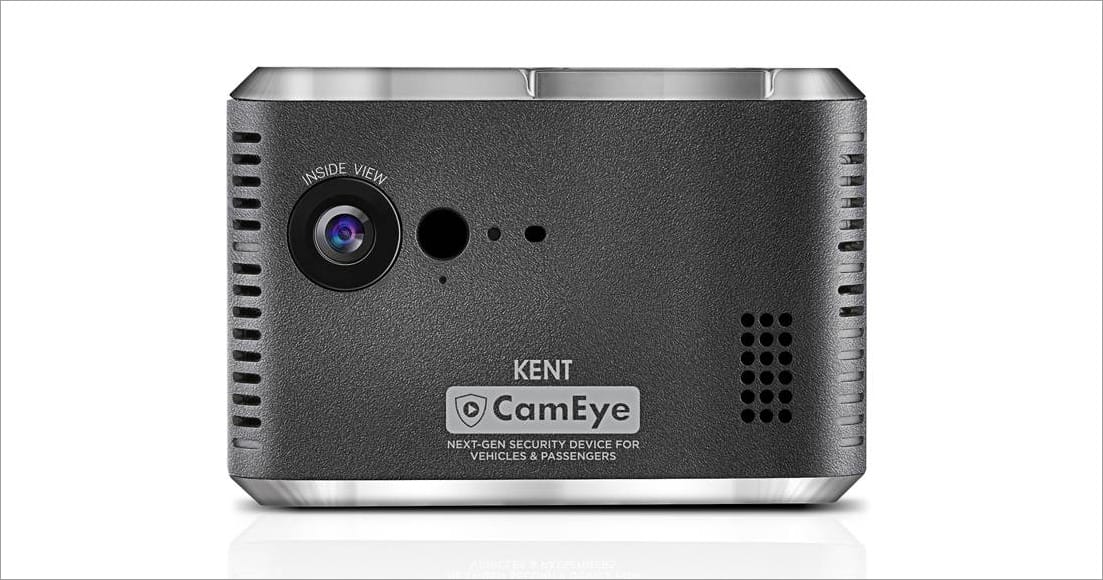
Kent RO, the pioneer in the water purifier industry recently forayed into automotive security with the launch of CamEye. The Kent CamEye is one of a kind car camera that packs next-generation security features to ensure the safety of the passengers and the vehicle it’s mounted on. This security device is miles ahead of cheap Chinese dashcams that simply capture the front video footage and save it on a memory card. Unlike regular dash cam for cars, CamEye houses multiple features in a single unit such as dual cameras for video recording, an integrated GPS tracker, and 2-way calling.
Speaking of CamEye, this particular dashcam is much more than just a car accessory. The device can be used for both personal and commercial purposes. It can act as a potential lifesaver for your loved ones who happen to commute on a daily basis in chauffeur-driven cars. Besides, real-time GPS tracking and onboard sensors allow owners to ensure the security of their vehicles, anytime and anywhere.
Without further ado, let’s talk about the various hardware and software features of Kent CamEye.
Kent CamEye Key Features
- 720p dual cameras – The night-vision enabled HD cameras automatically records a time-lapse video and audio of both the views when the car is in motion. This lets you monitor everything that’s happening inside and outside the car.
- Live video streaming – Using the CamEye app on your smartphone, you can watch the live video from both the cameras from any part of the world. This can help you keep an eye when your wife, kids, or grandparents are travelling alone in a deserted location. What’s noteworthy is the fact that the streaming can be accessed by multiple users at the same time.
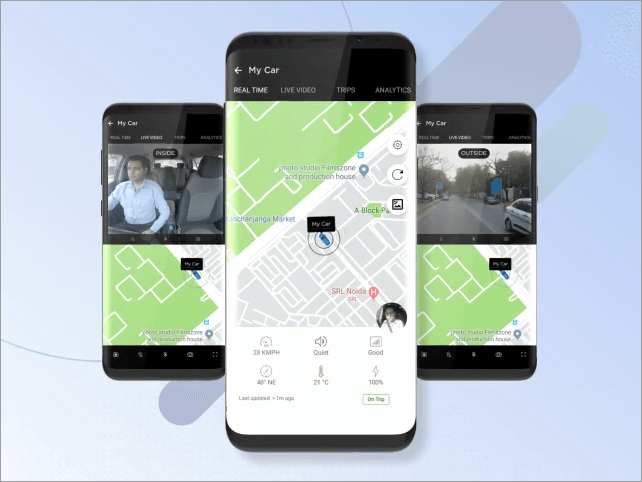
- Secure cloud storage – The recorded time-lapse videos are uploaded to secure cloud storage in real-time via 4G and can be accessed for up to 90 days. The owner can download the footage from cloud to phone in case of a mishappening such as an accident or a theft.
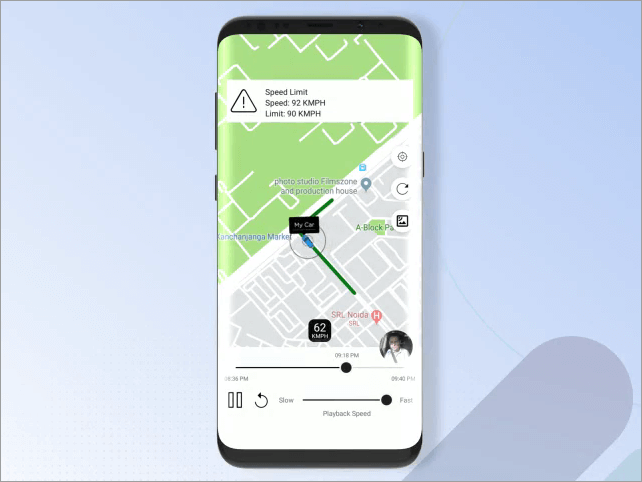
- Built-in GPS for real-time location tracking – The GPS tracker onboard enables the ability to track and monitor the live location of your vehicle using your smartphone. Users can also view the route covered by the vehicle interactively on a map.
- 2-way calling – Thanks to the pre-installed 4G SIM, the occupants inside the car can make a 2-way voice call with the dashcam. The device includes a speaker and microphone for this to work. It’s worth noting that the call can be initiated only by the vehicle owner to prevent any misuse.
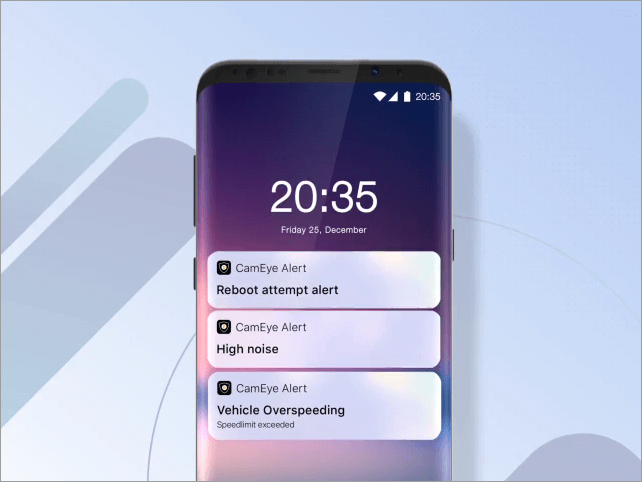
- Real-time alerts – Using the built-in accelerometer, temperature sensor, light sensor, and noise level sensor, CamEye sends AI-based alerts on the linked phone in case of a breach by the driver. For instance, it can send alerts for vehicle overspeeding, engine idle, AC-on in the parked state, reboot attempt, and so on. Interestingly, the alerts can be customized as per the owner’s preference.
- Face Recognition – This particular technology alerts the owner when the device detects an unknown driver inside the car. Moreover, you can whitelist a certain driver’s face and no trip is captured when CamEye detects the whitelisted face (works when Stealth Mode is enabled).
- 3000mAh battery with Fast charging – Its significant battery can last up to 24 hours and ensures recording even when the car’s engine is turned off. The device also comes with onboard memory, hence the data is even recorded when there is no 3G/4G connectivity.
- Ease of installation – The CamEye is a Non-OBD device that draws power from the 12V car socket. You can install it yourself and get it running in just 4 simple steps.
In addition to the above list of interesting features, the device offers tamper protection. This makes sure that the dashcam cannot be turned off once it is activated by the car owner.
Box Contents – KENT CamEye, Windshield mount, 3-meter USB cable, Car charger, Pry tool, Cable clips, Instruction manual, Car sticker, and Warranty card.
Our Thoughts
CamEye by KENT is certainly not just another dashcam that you would consider just to record video footage while travelling. The device rather emphasizes on the latest technology to ensure the safety of children and women. Besides personal cars, it can be used on school buses, cabs, and logistics vehicles.
Kent CamEye is priced at Rs. 17,999 in India and is available on Amazon.in with a 3-months free subscription. The only downside is that users have to pay a monthly or yearly fee to use the cloud and GPS tracking features after the trial ends. The subscription ranges from Rs. 450 to 600 per month or Rs. 4,500 to 6,000 per year.








When will this be available in the USA?
I don’t think so.
Expensive but worthy product in terms of children safety or unwanted issues during traveling.