


Certainly, there are a lot of free File Sharing sites that allow users to upload their data to the cloud and share it easily with their family, friends, co-workers, etc. However, most services let you share stuff via their web interface only, which isn’t very convenient for users who frequently upload & share files across the web. Luckily, I got to know about a great web service that is a perfect alternative to CloudApp, an app for Mac.

Minus is an amazing and fast file-sharing platform that allows users to simply upload, manage and share photos, music, documents, and files. It is a cross-platform program, available as a desktop application for Windows, Mac, and Ubuntu. Minus is available for popular mobile platforms – Android and iOS (coming soon for WP7) and has browser extensions for Chrome and Firefox. Minus is Absolutely Free! Just create an account at Minus in less than 5 seconds and you’re all set to use it efficiently.
Key Features include –
- Get 10 GB of free space
- Share Large Files up to 2 GB each
- Unlimited Downloads and Transfer
- Use Dashboard to manage your uploaded stuff
- Profile to publish and share your files and folders (example)
Minus is very handy and useful because it makes sharing files really simple & quick. One can easily batch upload files using its web interface or use its desktop app that offers the ability to ‘drag and drop’ photos and files into the taskbar and instantly upload them onto Minus. It currently supports files such as images, PDFs, text docs, music, and videos.
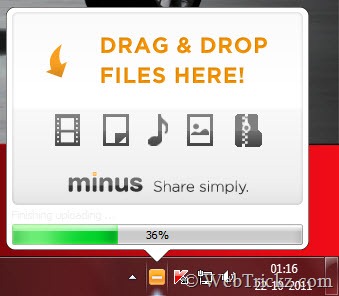
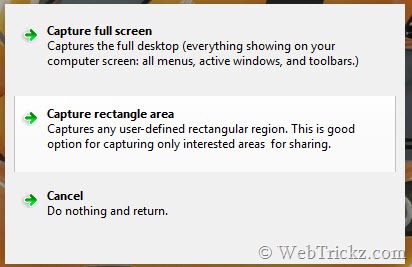
Minus application for desktop comes with built-in Screen Capture support which is indeed a great add-on. Hence, it eliminates the need to first take a screenshot using a dedicated program, then save and lastly upload it to the web for sharing. With Minus, just Take a screenshot quickly using a user-defined hotkey and it will upload it automatically. Once the file is uploaded, a pop-up shows up and the file share link gets copied to the clipboard which you can share with anyone (Private by default).
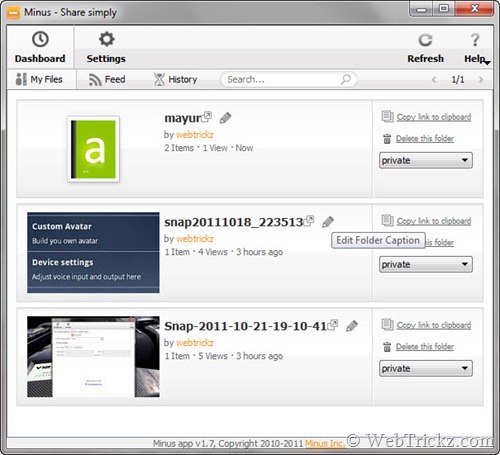
The desktop app has a simple and cool interface, with a Dashboard providing access to all the files uploaded and letting you manage them. You can delete files, toggle Public/Private, and set a caption for the files folder. You can even drag a bunch of files from the desktop or Explorer to an existing folder or gallery.
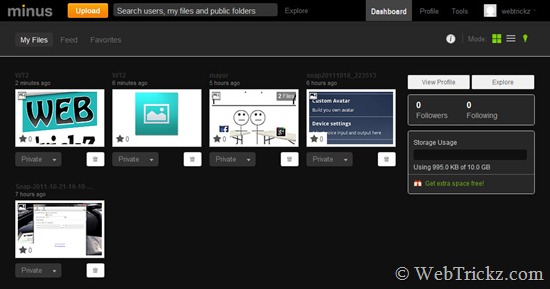
Minus on Web – The web interface of Minus is also pretty impressive and easy to use. The Dashboard displays your files, activity, and lets you explore and search all the cool publicly shared stuff. You can choose between several display modes and switch between light and dark backgrounds with the Lights On/Off option. Users can upload files (drag and drop), edit the file name, download files, and get a short link for their files. It also displays the storage usage, number of folder views, and total hits to your profile.
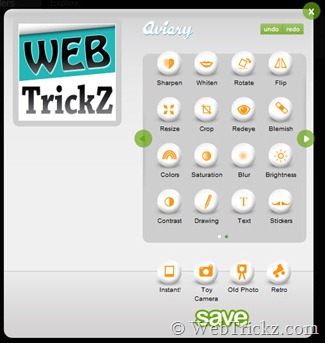
Furthermore, Minus allows you to Edit images in the browser with Aviary. You can simply add effects to your photos in just a single click, rotate, resize, crop, remove redeye, sharpen, add text, etc.
It’s Reliable – Minus uses the latest Cloud computing technologies. They are fully deployed on Amazon’s EC2 and S3 Cloud storage. Minus keeps all files indefinitely unless deleted by the uploader or if it violates their terms of service.
Minus for iPhone, iPad, and Android devices, allows you to upload files and photos to Minus from your mobile device, directly from the app, or from the share menu. It keeps a history of uploaded files and galleries. You can log in to your account to access your files.
Minus Firefox and Chrome extension – Allows you to take screenshots of your browser and auto-upload them to your account. Additionally, you can browse your galleries with this extension.
Download Minus – Desktop App for Windows/Mac/Ubuntu | Android App | iOS App
Goodie – For every friend that joins Minus through your referral, they give you 1 GB of extra space (up to 50 GB). Get 10 GB of Free Space today! [Sign up for Minus]











Thanks for sharing the details of this web service… looks very helpful..
thanks for this review, it looks a great application