Microsoft Edge, the default browser in Windows 10 and Windows 11, can sometimes open new tabs too often. Whether it’s from Bing search results, the MSN news feed, or the address/search bar, you might notice Edge creating multiple tabs every time you click a link. This results in a lot of opened tabs, which can be annoying and make things messy.
In this guide, you’ll learn why Edge keeps opening new tabs and the steps to prevent it from auto-opening tabs.
Why Does Microsoft Edge Open a New Tab for Every Link?
There are a few reasons why Microsoft Edge might open new tabs automatically:
- Bing Search Result Behavior – If Bing is set as your default search engine, links from Bing search results open in a new tab or window by default.
- MSN New Tab Page – Each time you open a new tab in Edge, you may see the MSN news feed page, which can also contain links configured to open in new tabs.
- Website-Specific Settings – Certain sites override browser behavior to always open links in a new tab for convenience (or ads).
- Extensions or Add-ons – Some installed extensions may be configured to open links in a separate tab.
Understanding the reason will help you decide which setting to tweak and prevent Edge from opening a new tab each time.
How to Stop Microsoft Edge from Opening New Tabs Automatically
If Bing is your default search engine, you can stop Edge from opening every link in a new tab by adjusting a setting in Bing’s preferences.
To stop Microsoft Edge from opening a new tab automatically (Windows & Mac):
- Open Bing.com in the Edge browser.
- Sign in to your Microsoft account so changes apply across your devices.
- Click the Menu button (three horizontal lines) in the top-right corner of the Bing homepage.
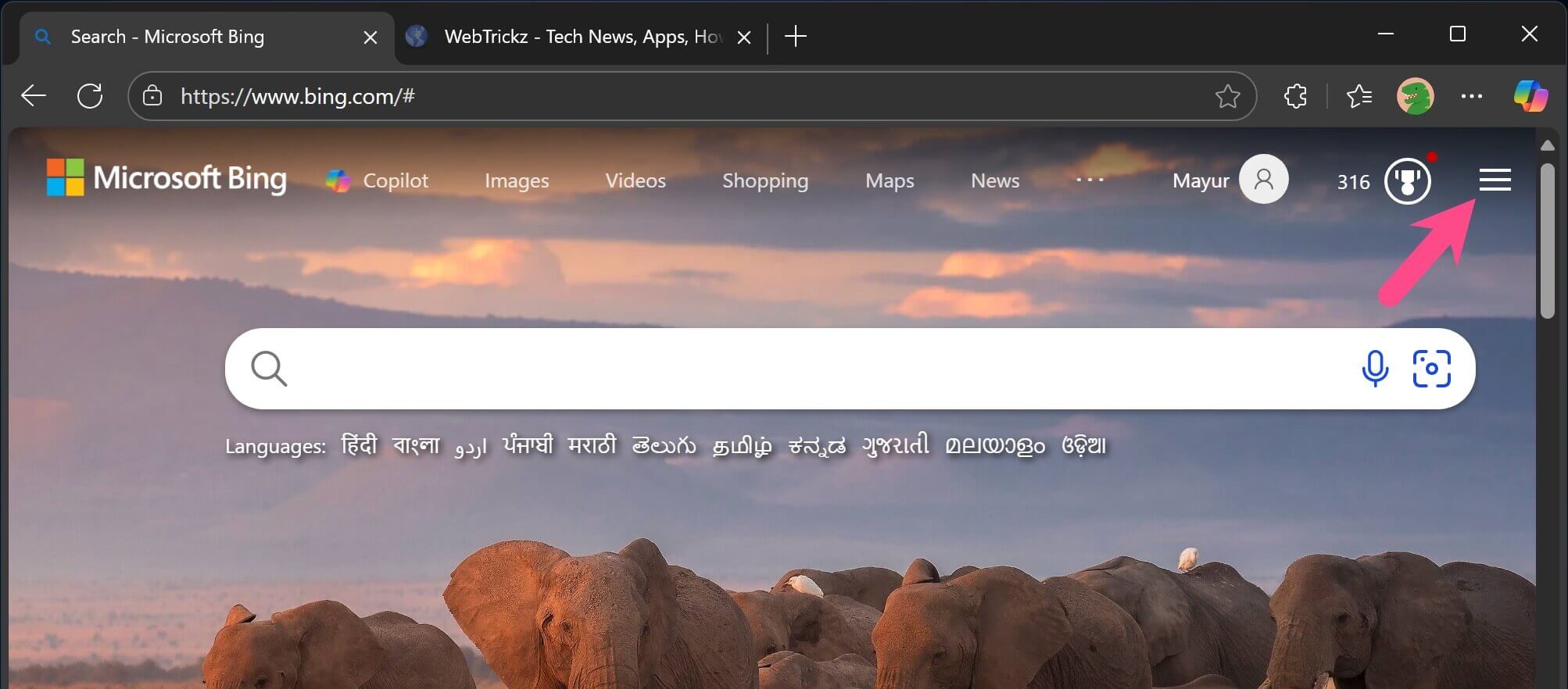
- From the dropdown, click Settings, then choose More.
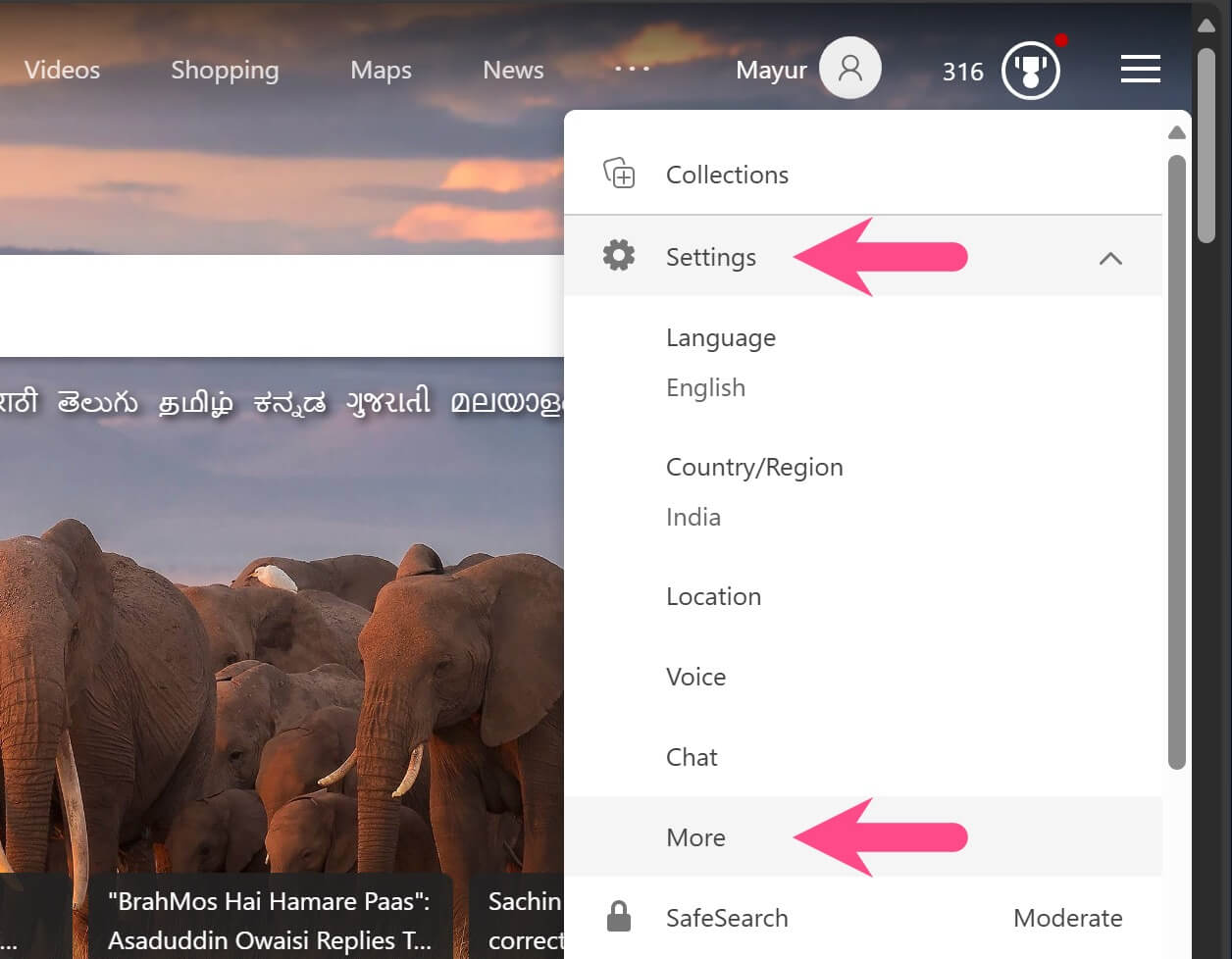
- In the Results section:
- Untick the checkbox for “Open links from search results in a new tab or window”.
- Untick the checkbox for “Open links from news results in a new tab or window”.
- Click Save to apply the changes.
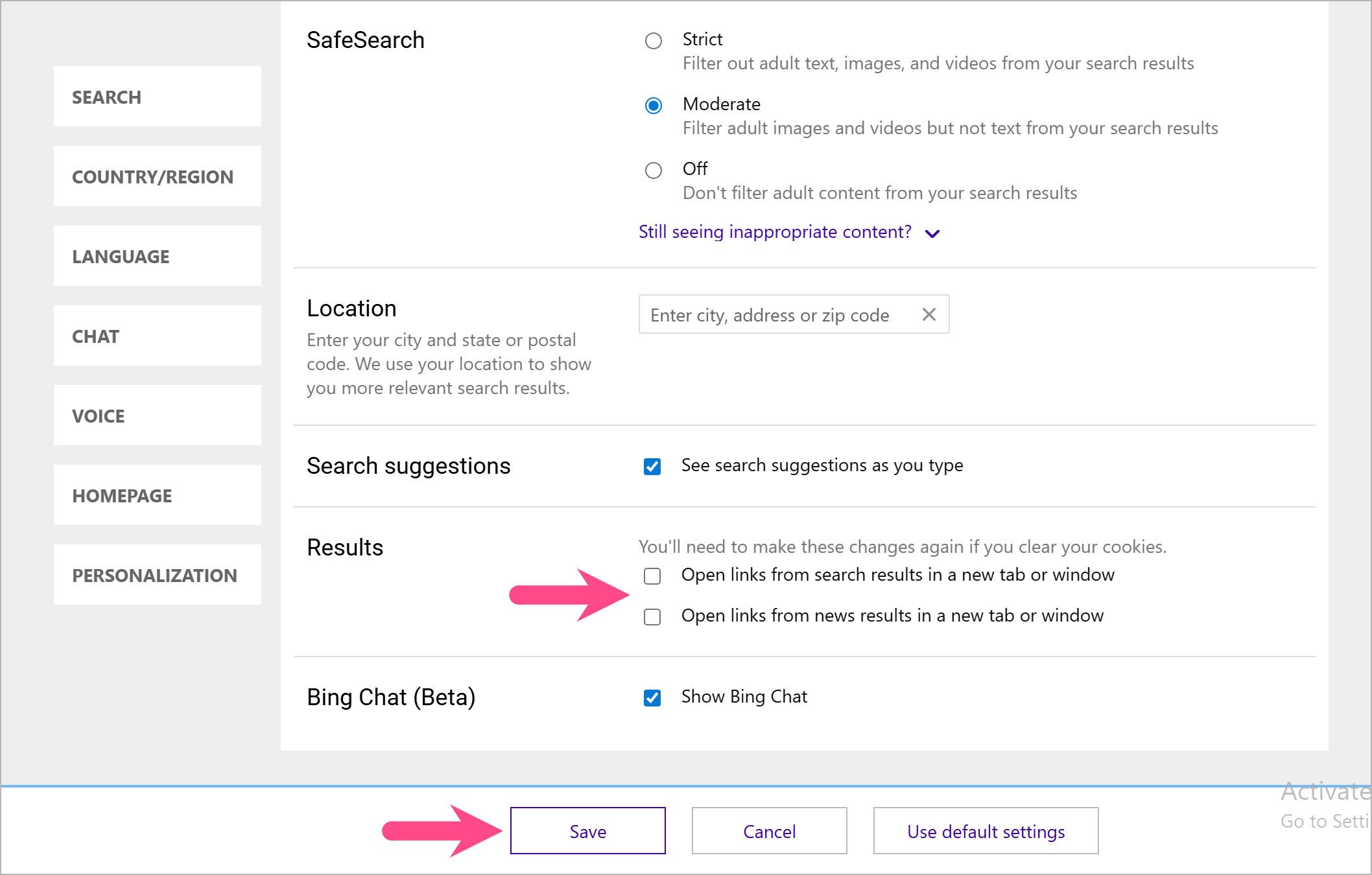
Stop Edge from opening Bing search results in a new tab
Note: If you clear your cookies, you’ll need to make these changes again.
Now, when you click a search result in Bing, it will open in the same tab instead of launching a new one. These steps work exactly the same on both Windows and Mac versions of Edge.
How to Stop MSN from Opening New Tabs in Edge
By default, a new tab in Edge loads the MSN news feed, which can result in opening more new tabs if you click on headlines. If you prefer not to see MSN at all, you can change the new tab page in Edge to Google or any other site.
To modify MSN new tab settings in Microsoft Edge (Windows & Mac):
- Open a new tab in Edge so the MSN feed appears.
- Click the Page Settings button (gear icon) in the top-right corner.
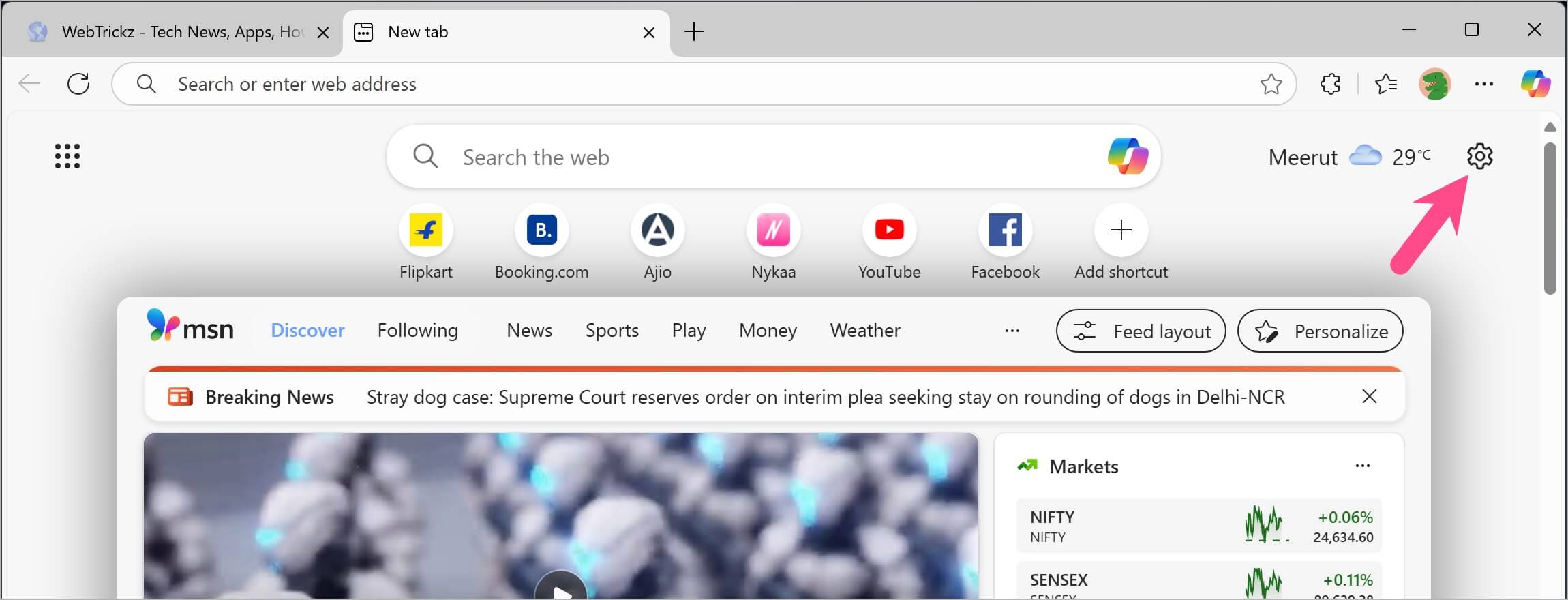
- Under Quick links & search, turn off the toggle for “Open in a new tab”.
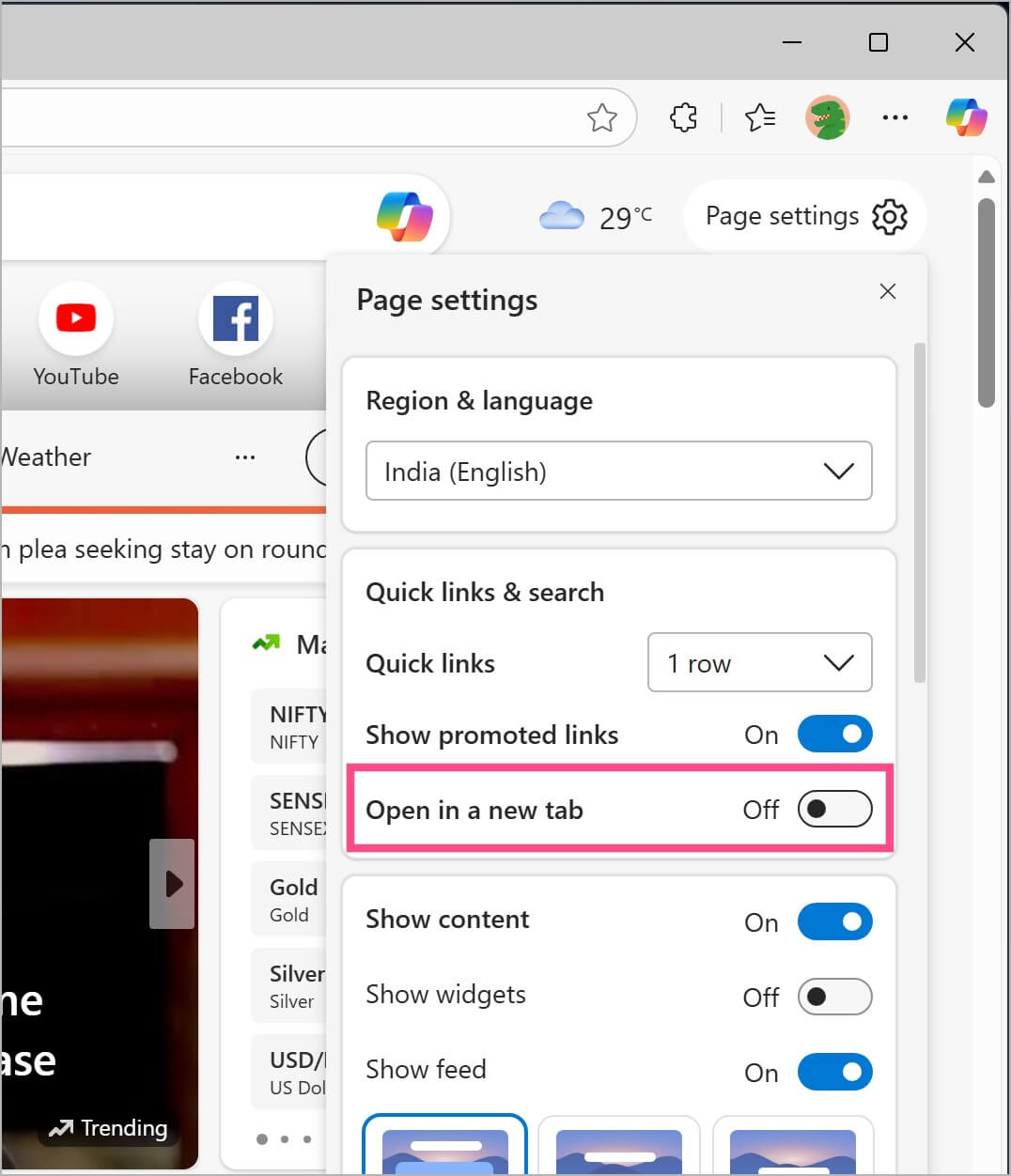
This will reduce the number of unwanted tabs when browsing from the MSN feed.
Edge opening a new tab for every search result or link can lead to a frustrating browsing experience. By modifying Bing settings and MSN new tab behavior, you can keep your tabs organized and avoid unnecessary clutter.
ALSO READ: