


When you open a new tab in Microsoft Edge, it displays the MSN homepage with Bing Search and a news feed by default. Even if you set Google as your startup page or default search engine, new tabs continue to open Microsoft’s default page instead.
Microsoft Edge doesn’t include a built-in option to change the new tab page to Google or another website. However, with a browser extension, you can change Edge’s default new tab page and make every new tab open Google Search or any website you prefer.
Why Does Edge Keep Opening MSN Instead of Google?
Microsoft Edge forces its own new tab page experience, which includes MSN’s news feed, quick links, and the Bing search box. While you can hide the news feed or remove shortcuts, there’s no built-in option to change Edge’s new tab page to Google or another custom website.
Changing your startup page or enabling the Home button only affects what opens when you launch Edge or click the Home icon. New tabs will continue to show the MSN page.
To make every new tab open Google instead, you’ll need to use a browser extension.
How to Change New Tab Page to Google in Edge
Use the free New Google Tab extension to change the new tab page in Edge to Google.
To set Google as your default new tab page in Edge (Windows and Mac), follow these steps:
- Open Microsoft Edge on your computer.
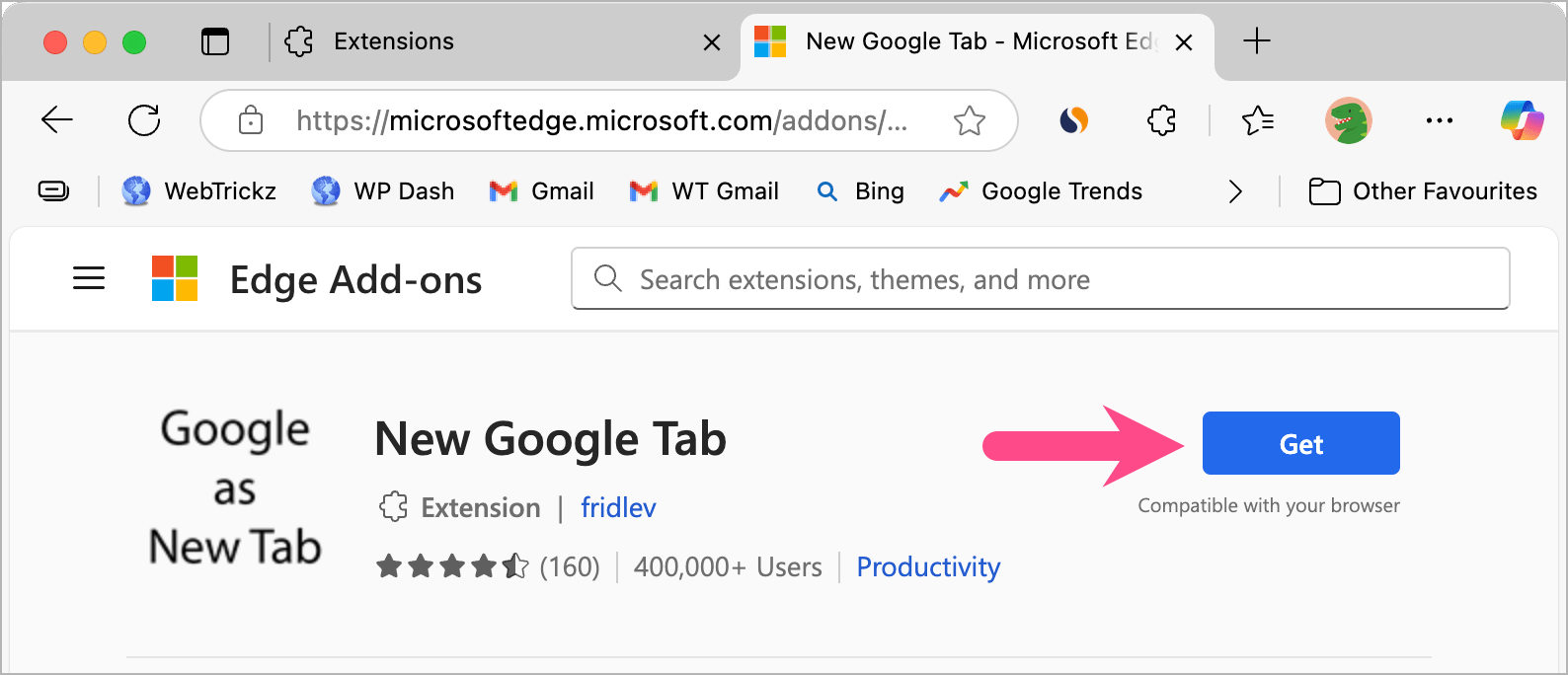
- Go to the New Google Tab extension page.
- Click Get, then click Add Extension to install the add-on.
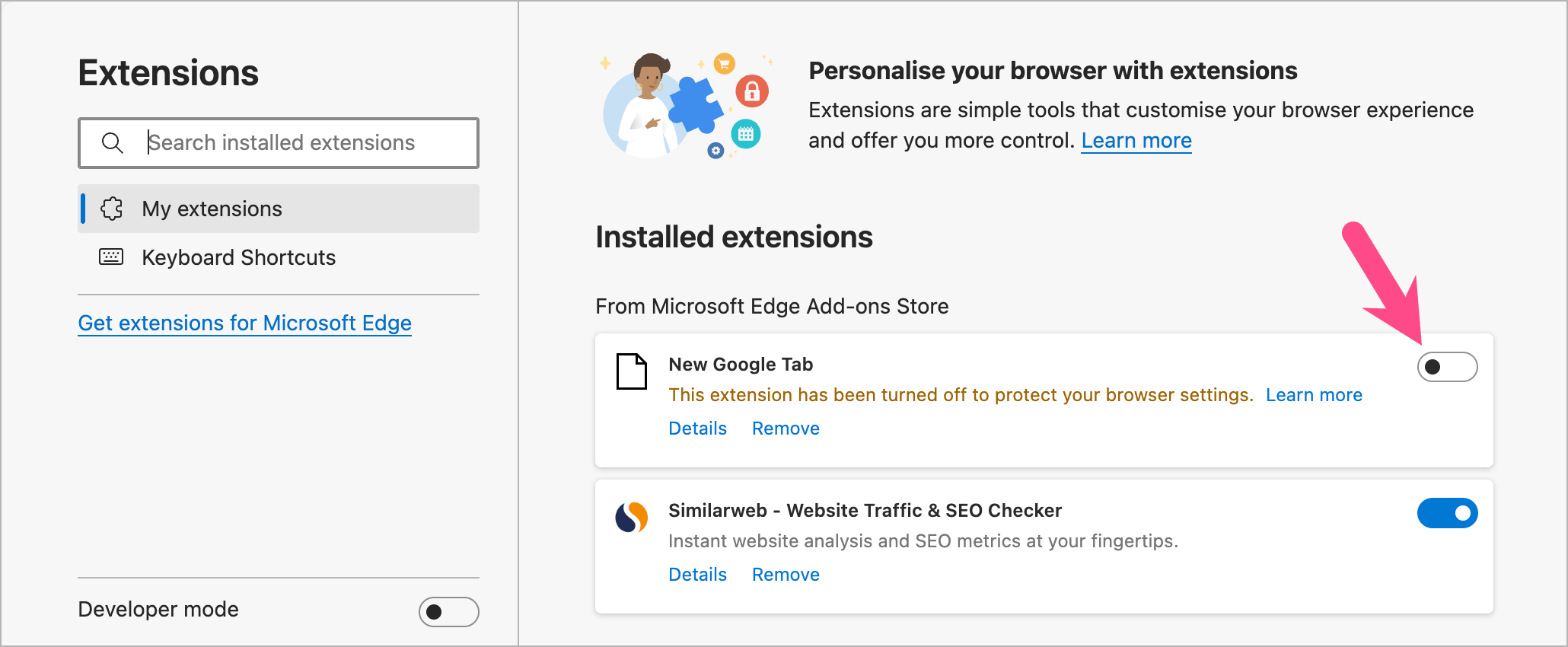
- Note: Edge disables the extension by default. Visit
edge://extensionsand turn on the toggle next to New Google Tab.
- Open a new tab, and you’ll see Google Search instead of MSN.
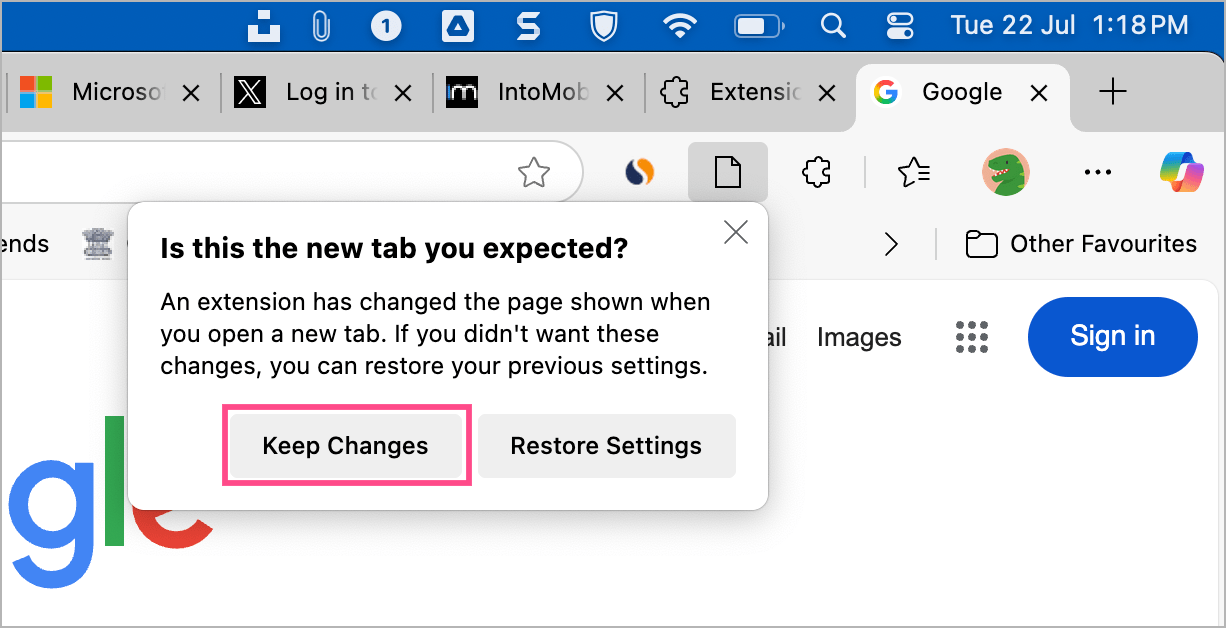
- If Edge displays a prompt asking whether to restore your previous settings, click Keep Changes.
That’s it. Every new tab you open will now display Google Search instead of MSN.
How to Set a Custom New Tab Page in Edge
If you want to change the new tab page in Edge to another website, such as ChatGPT, Gmail, or YouTube, you can use the Custom New Tab extension.
To set a custom website as your new tab page in Edge:
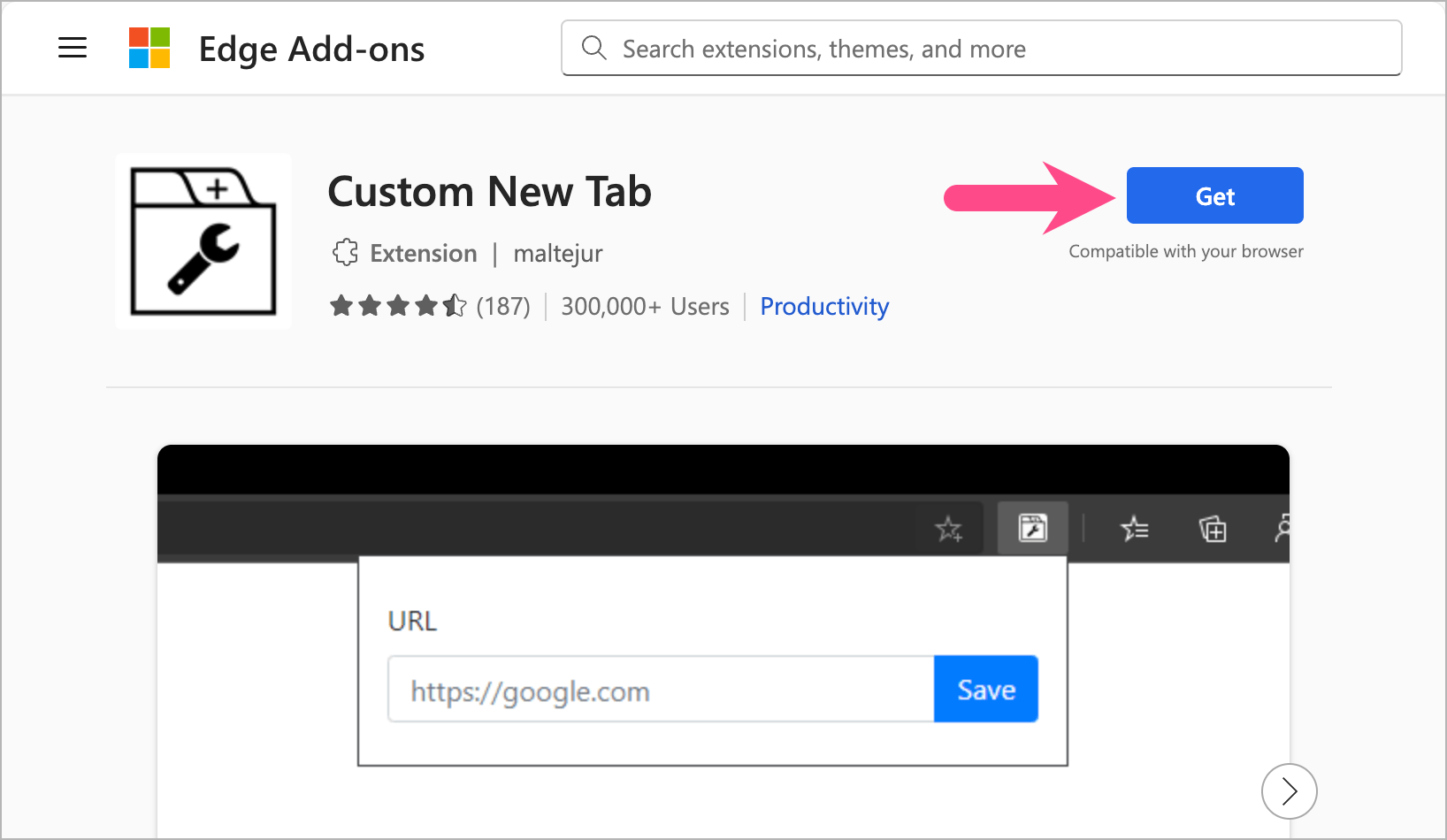
- Install Custom New Tab from the Edge Add-ons store.
- Click Get > Add Extension.
- If prompted, click Turn on. Alternatively, open
edge://extensions.
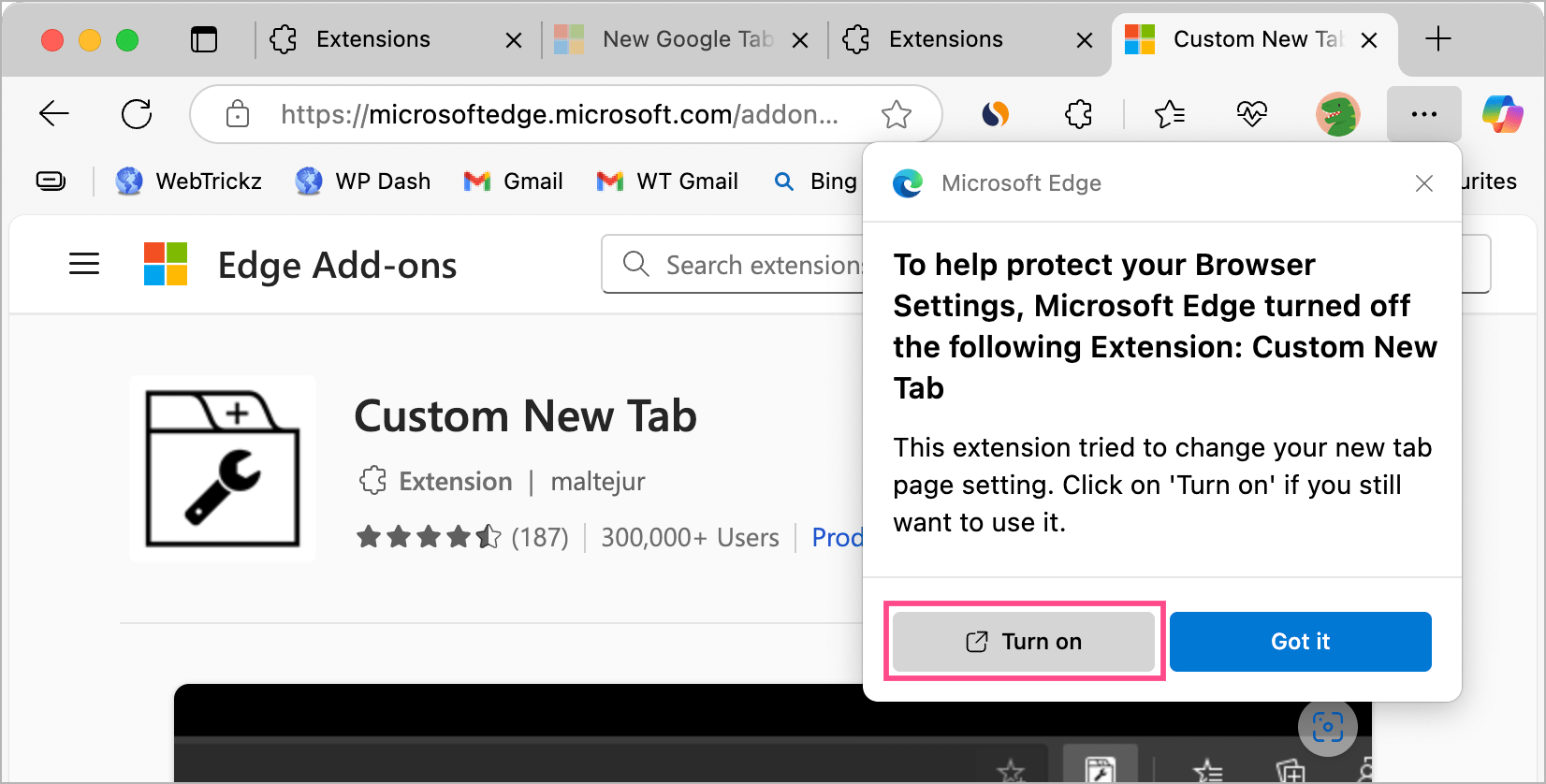
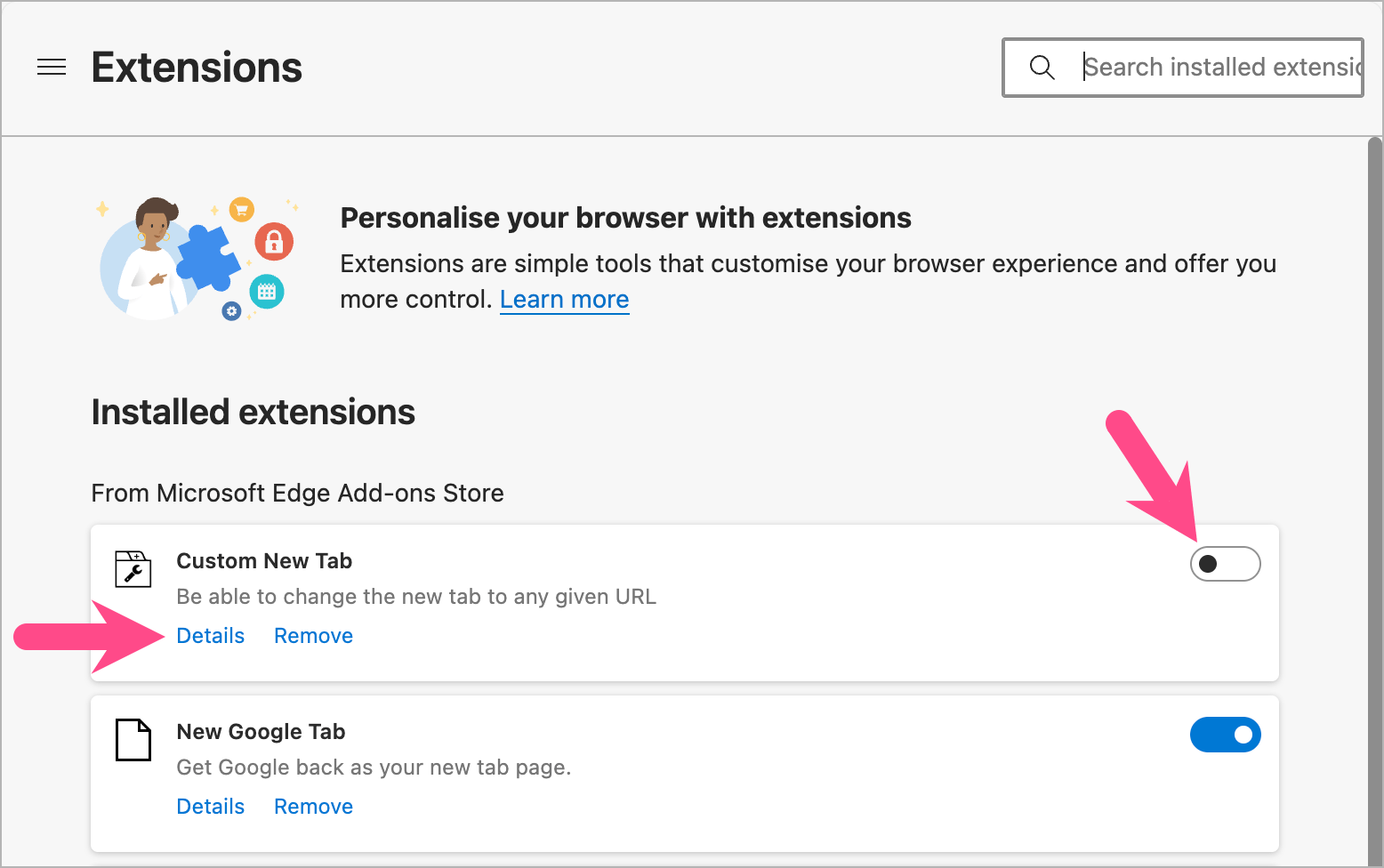
- Turn on the toggle next to Custom New Tab.
- Click Details.
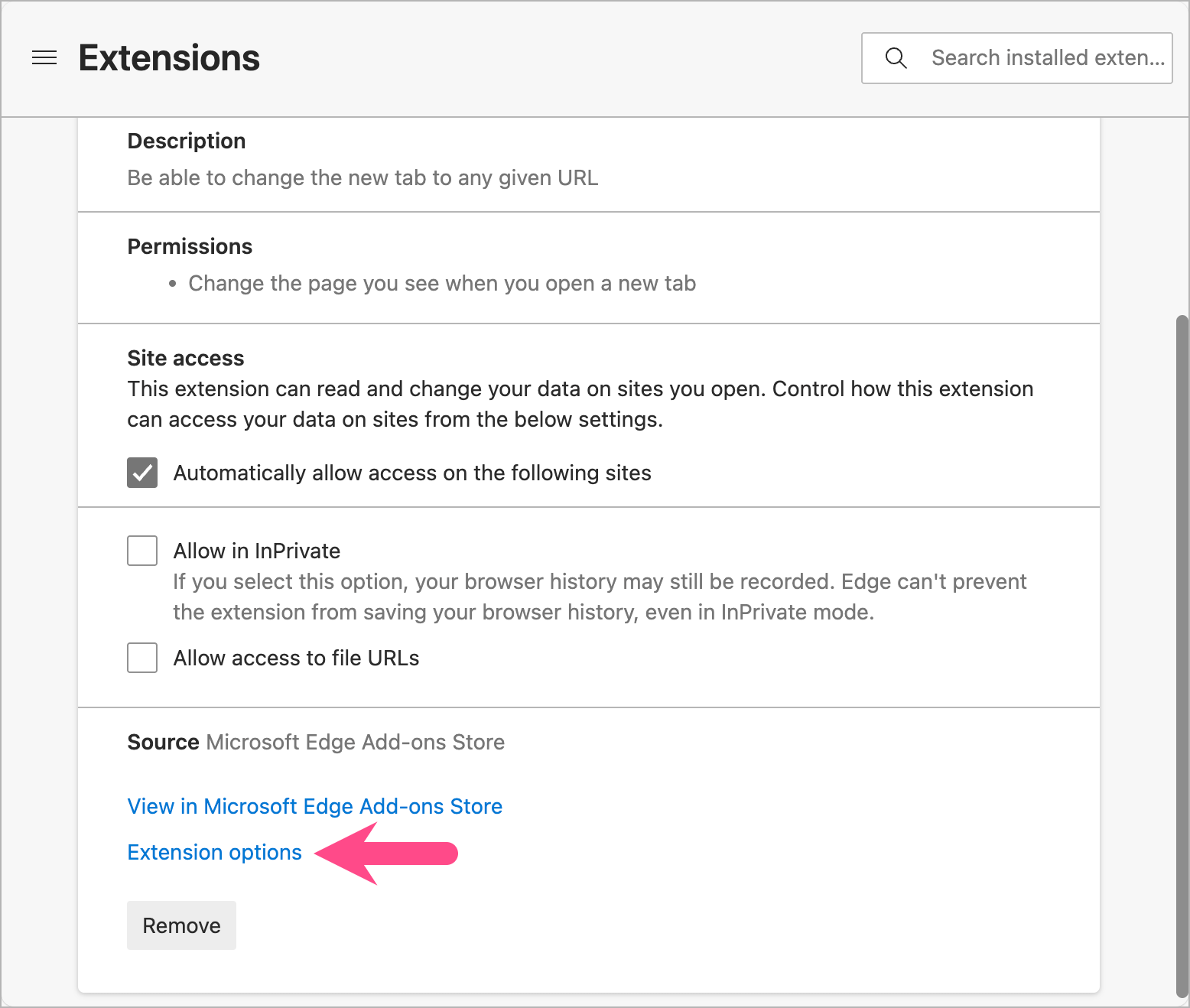
- Select Extension options.
- Enter the website address (for example,
https://chatgpt.com) and click Save.
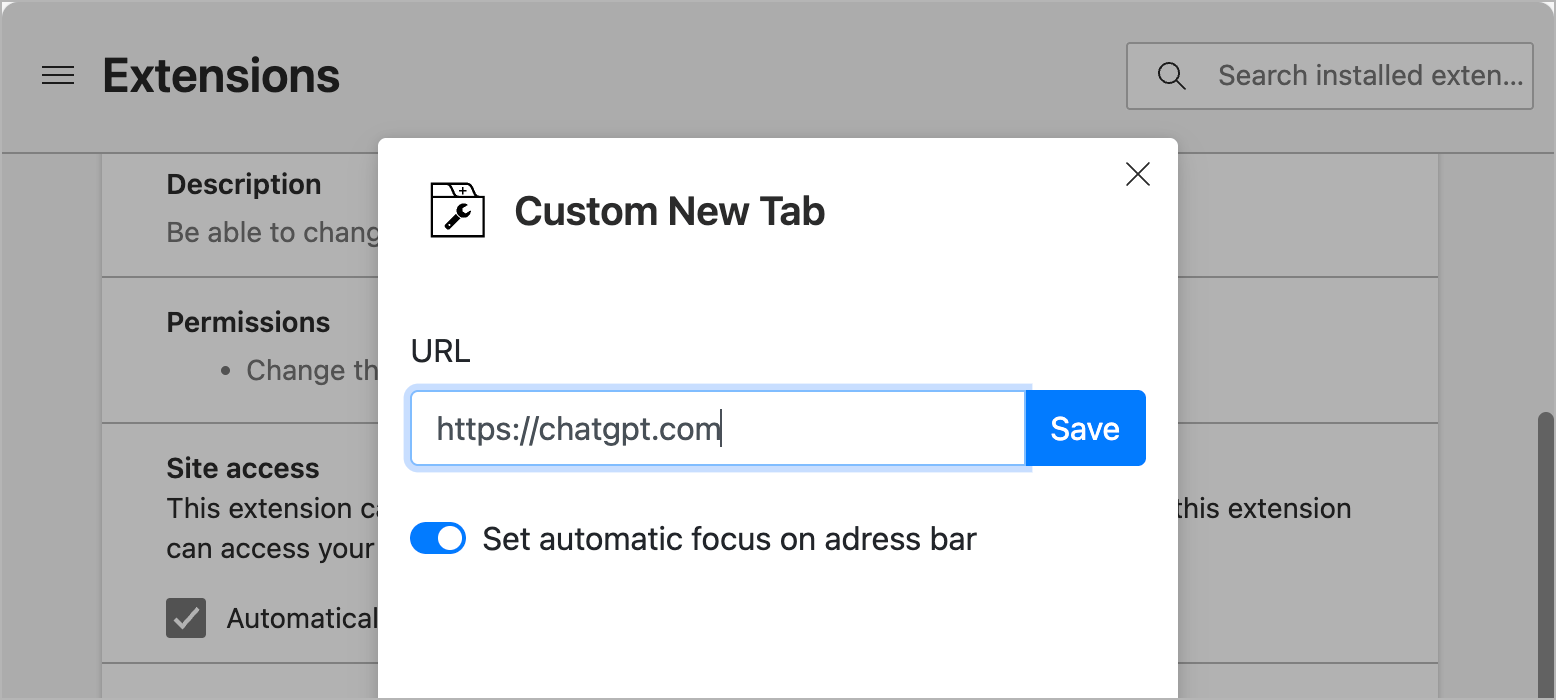
From now on, your chosen website will open every time you create a new tab or new window.
Tip: If the change doesn’t take effect immediately, close and reopen Microsoft Edge.
How to Set Google as Your Startup Page (and Homepage) in Edge
Changing your startup page or homepage won’t replace the new tab page, but it lets Google open automatically when you launch Edge or click the Home button.
To set Google as your startup page in Microsoft Edge:
- Open Microsoft Edge.
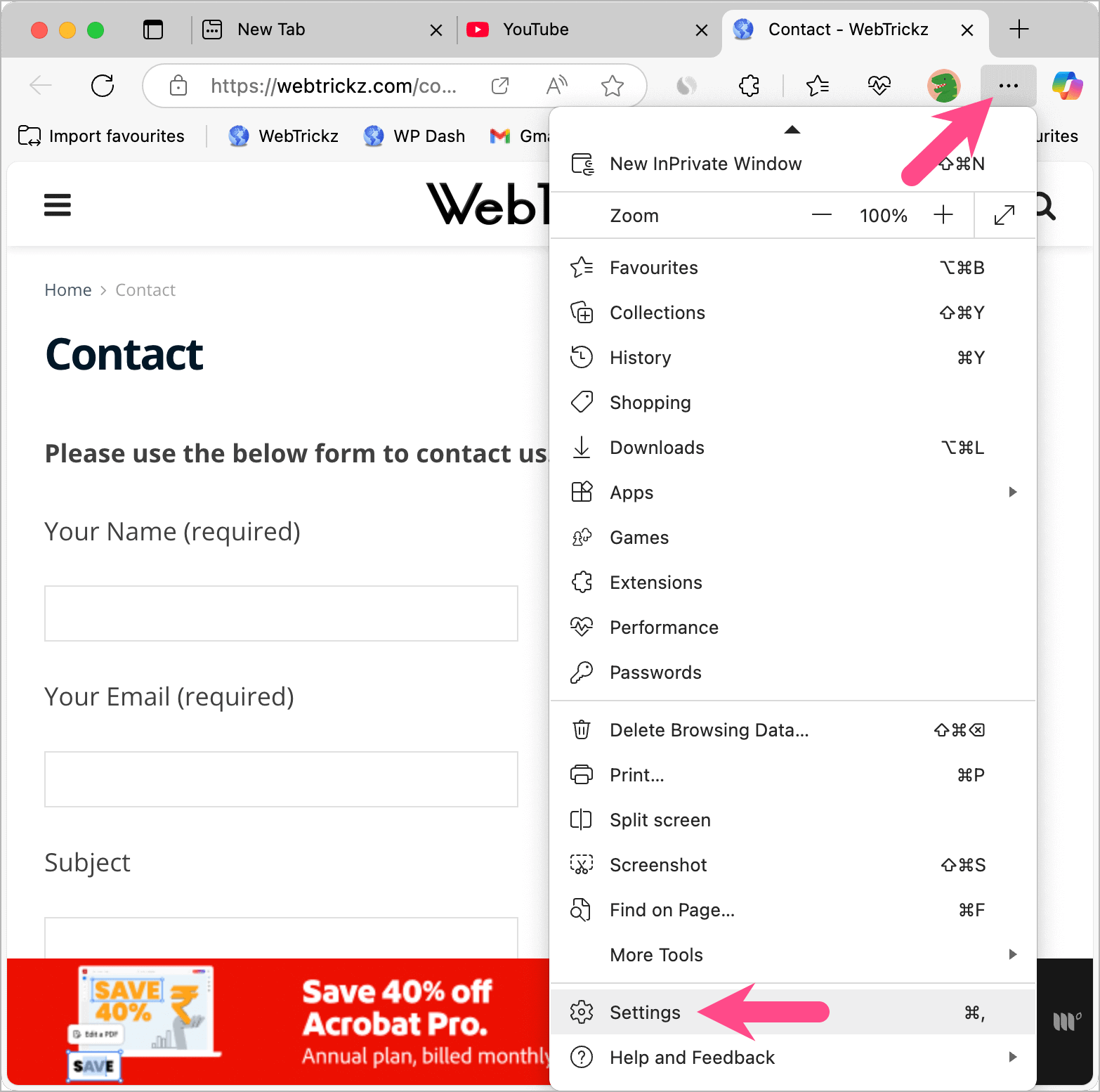
- Click the three-dot menu and choose Settings.
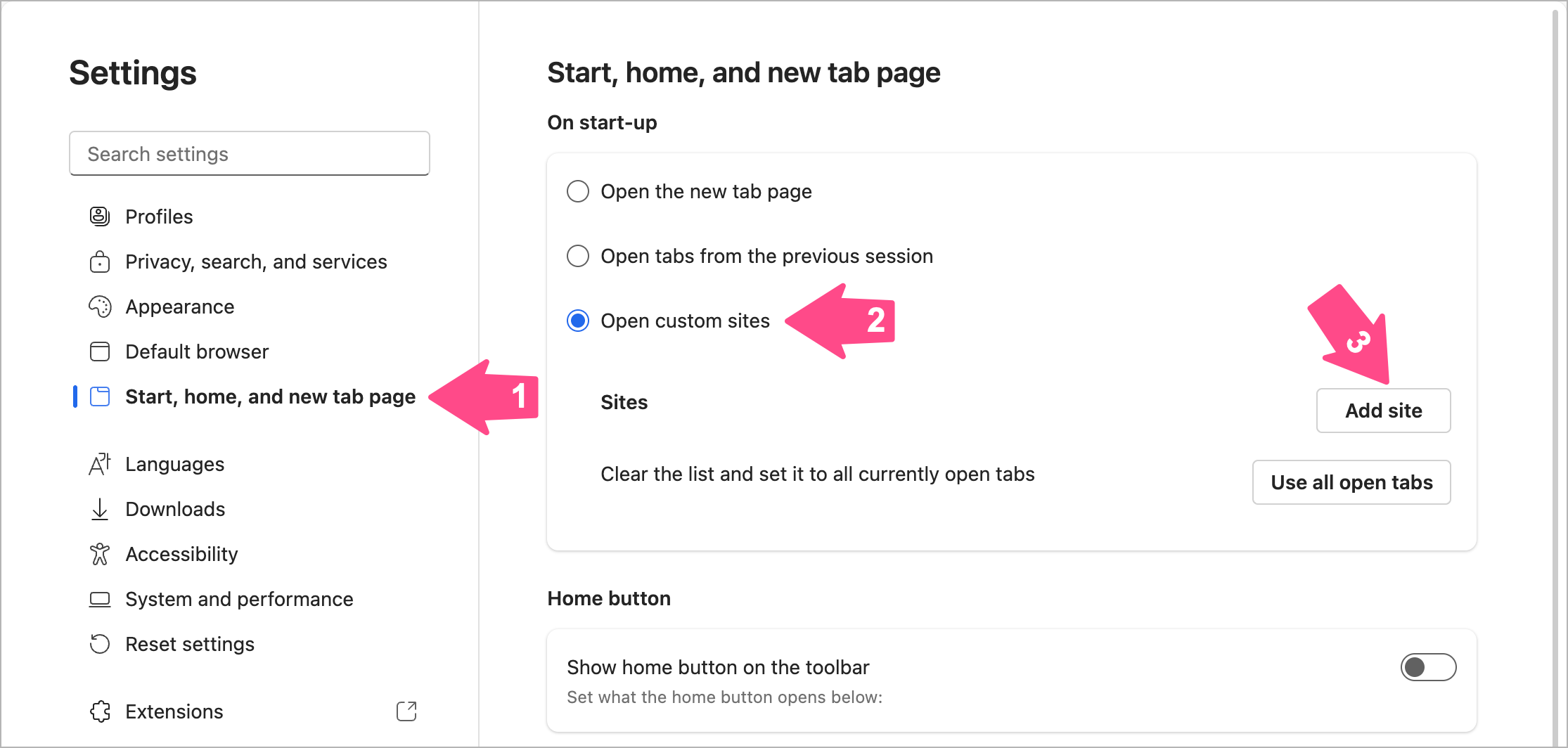
- Go to Start, home, and new tab page.
- Under On start-up, select Open custom sites, then click Add site.
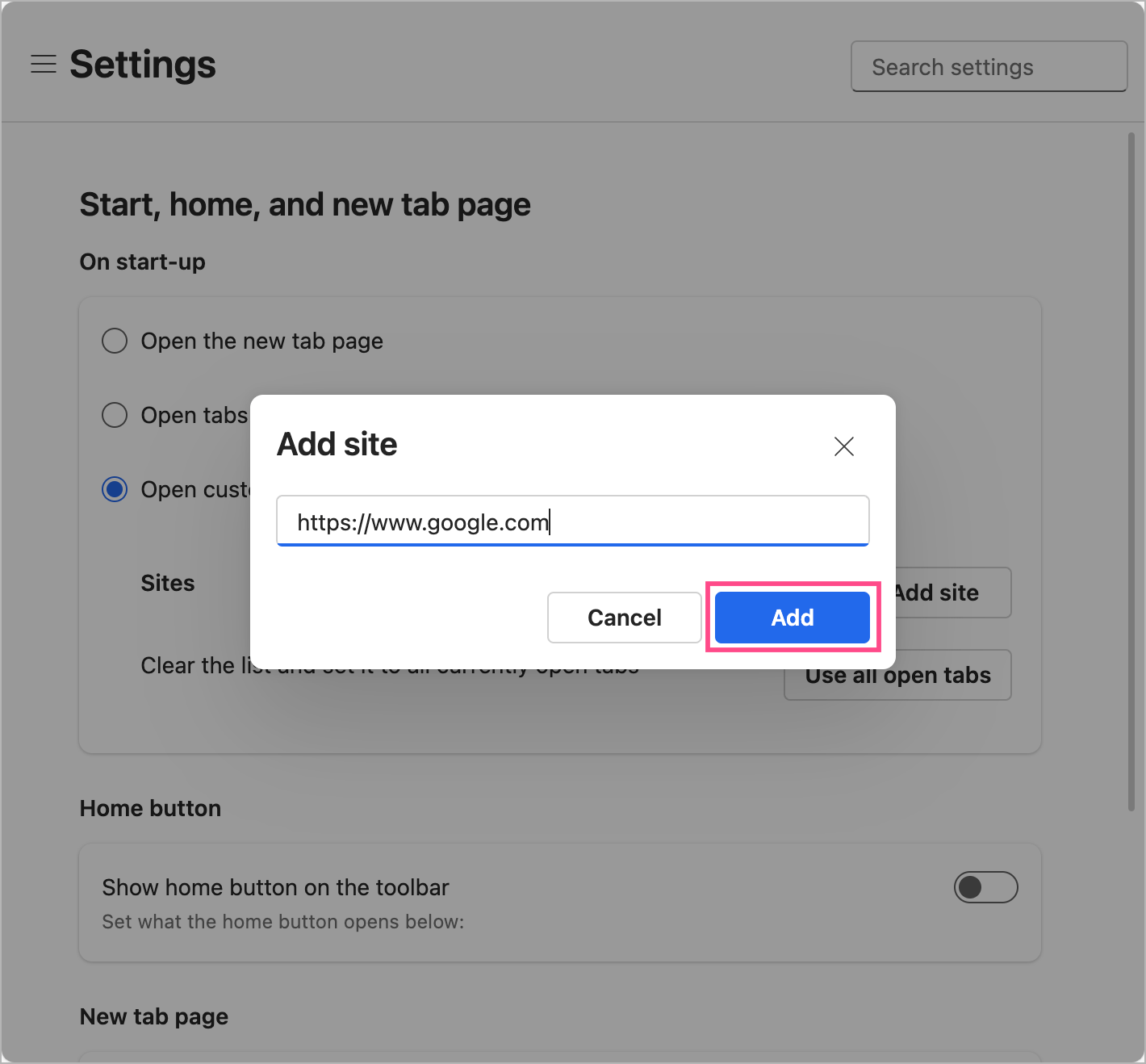
- Enter
https://www.google.comand click Add.
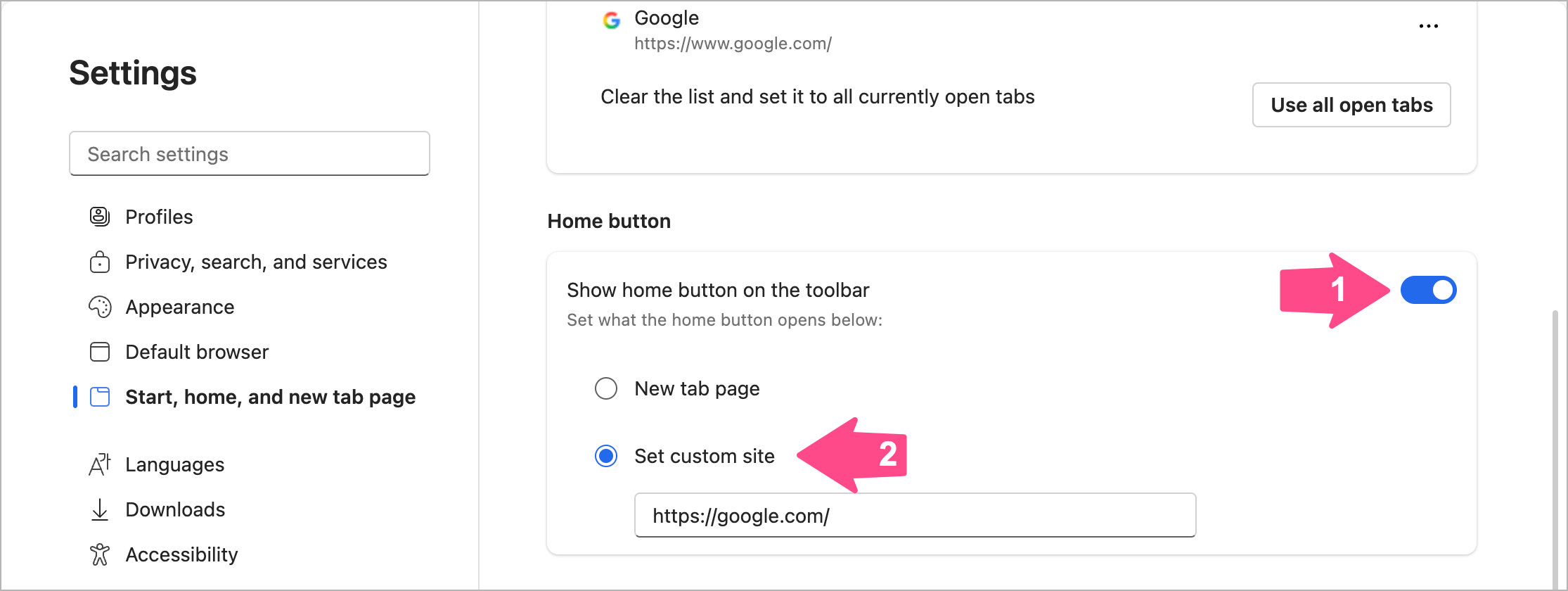
- Optional: Turn on Show home button on the toolbar and set the Home button to Google.
FAQ
Can I change the new tab page in Edge without an extension?
No. Microsoft Edge doesn’t currently provide a built-in setting to replace the new tab page with Google or another website. You’ll need to use a browser extension.
Can I use any website as my new tab page?
Yes. Using the Custom New Tab extension, you can set almost any website as your new tab page, including ChatGPT, Gmail, YouTube, or your favorite homepage.
Why does Edge keep restoring MSN?
After installing a new tab extension, Edge may ask whether you want to keep your changes. Click Keep Changes; otherwise, Edge may restore its default new tab page.
Although Microsoft Edge doesn’t provide a built-in way to change the default new tab page to Google, the right extension makes it easy. You can also change your startup page to Google so it’s ready whenever you launch the browser.
Related Microsoft Edge Guides
- How to Show Bookmarks Bar in Microsoft Edge
- How to Clear Your Bing Search History Completely
- How to Change the Default Search Engine in Edge to Google
- How to Stop Microsoft Edge from Opening Links in a New Tab










