Google Chrome is the preferred choice of most people familiar with Chrome on their other devices. Hence, you will notice a lot of iPhone users using Chrome over Safari, the default browser on iOS. Moreover, iOS users tend to use Chrome’s Incognito mode instead of the Private Browsing mode in Safari.
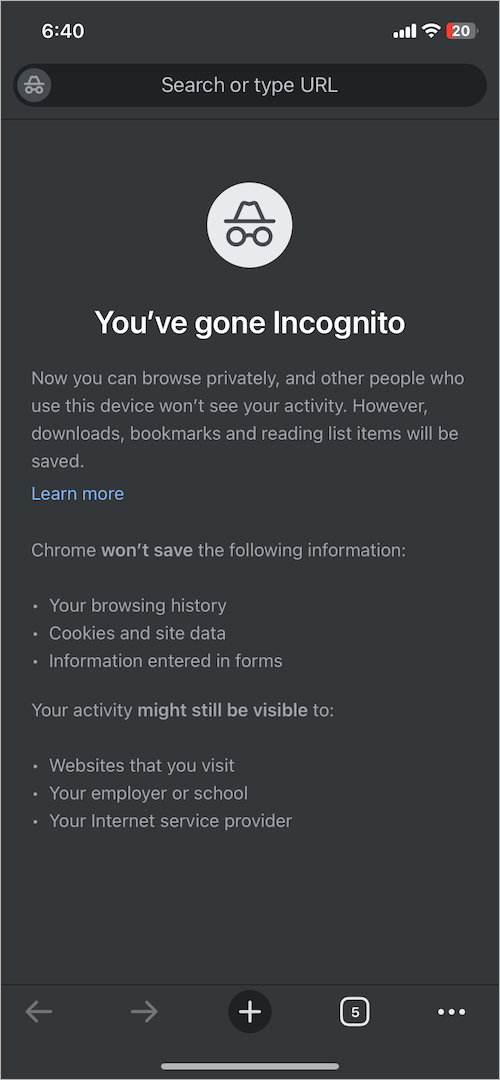
Speaking of Incognito mode on Chrome, it allows users to browse privately and protect their privacy. With Incognito enabled, Chrome won’t save your browsing history, cookies and site data, or information entered in forms on your device. As a result, other people who use your device won’t be able to see or track your activity. However, your downloads, bookmarks, and reading list items will be saved in Incognito mode.
How do I get out of Incognito mode on my iPhone?
In addition to Chrome, Incognito mode is available on Google Search, Maps, and YouTube.
While it’s quite easy to turn off Incognito in the Google app, Google Maps, and YouTube for iPhone. However, you may get lost when you want to get out of Incognito mode in Chrome on iPhone. That’s because, unlike other Google Incognito-enabled apps, there is no straightforward way to turn off Incognito mode in Chrome on iPhone or iPad.
When you open a new Incognito tab in Chrome, the private tab opens in an Incognito browsing session. At the same time, all your normal Chrome tabs remain open and are accessible in a separate tab. Any Incognito tabs that you open afterward are a part of the Incognito session.
Worry not, you can easily disable Incognito mode on your iPhone by closing all open Incognito windows, thereby ending the Incognito session.
Now let’s see how to remove Incognito mode in Google Chrome on iPhone and iPad.
How to turn off Incognito mode in Chrome on iPhone
- Open the Chrome app.
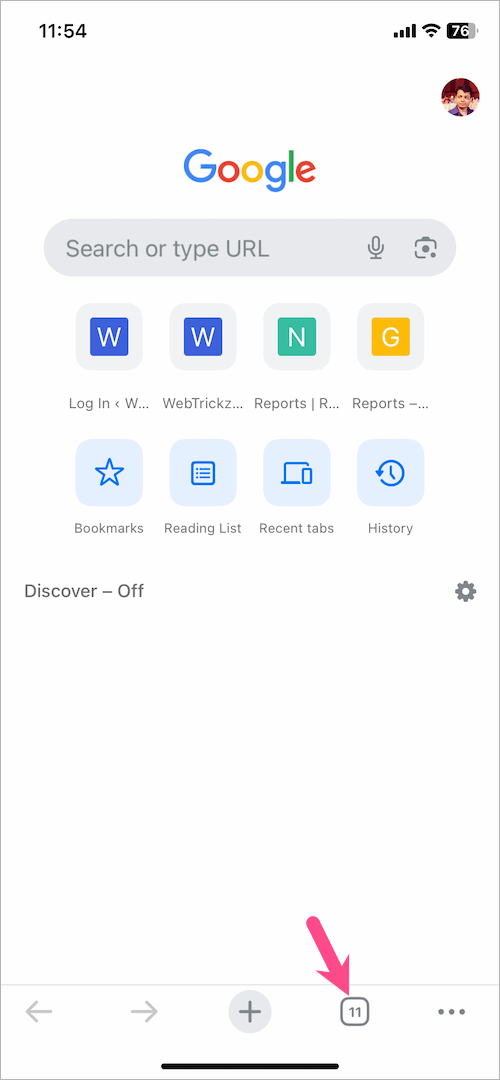
- Tap the ‘Switch tabs’ button at the bottom. The number inside shows how many tabs you’ve opened.
- If you are on regular Chrome tabs, swipe right to switch to Incognito tabs. Alternatively, you can tap the Incognito icon in the row at the top to view the Incognito session.
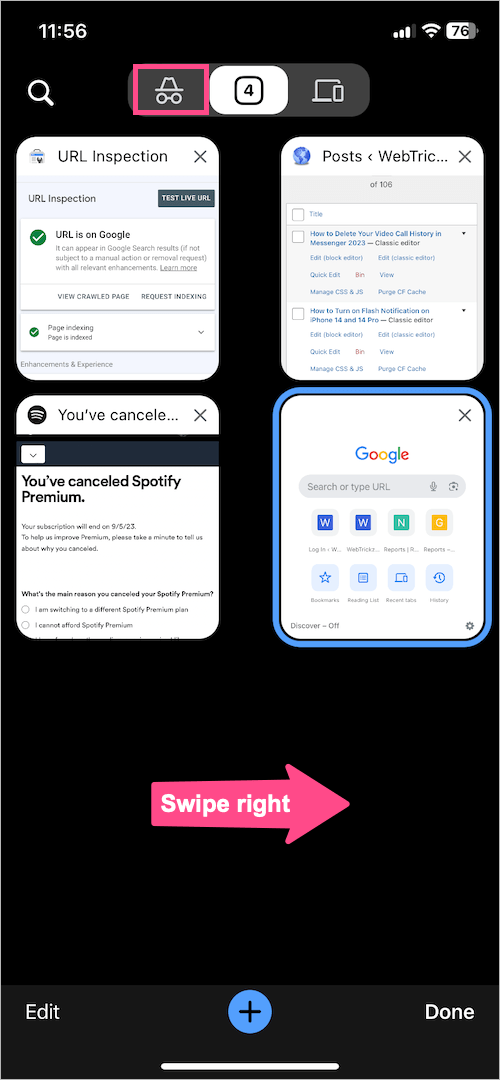
- To close all Incognito windows and tabs at once, tap the ‘Edit‘ option at the bottom left corner. Then select ‘Close All Tabs‘.
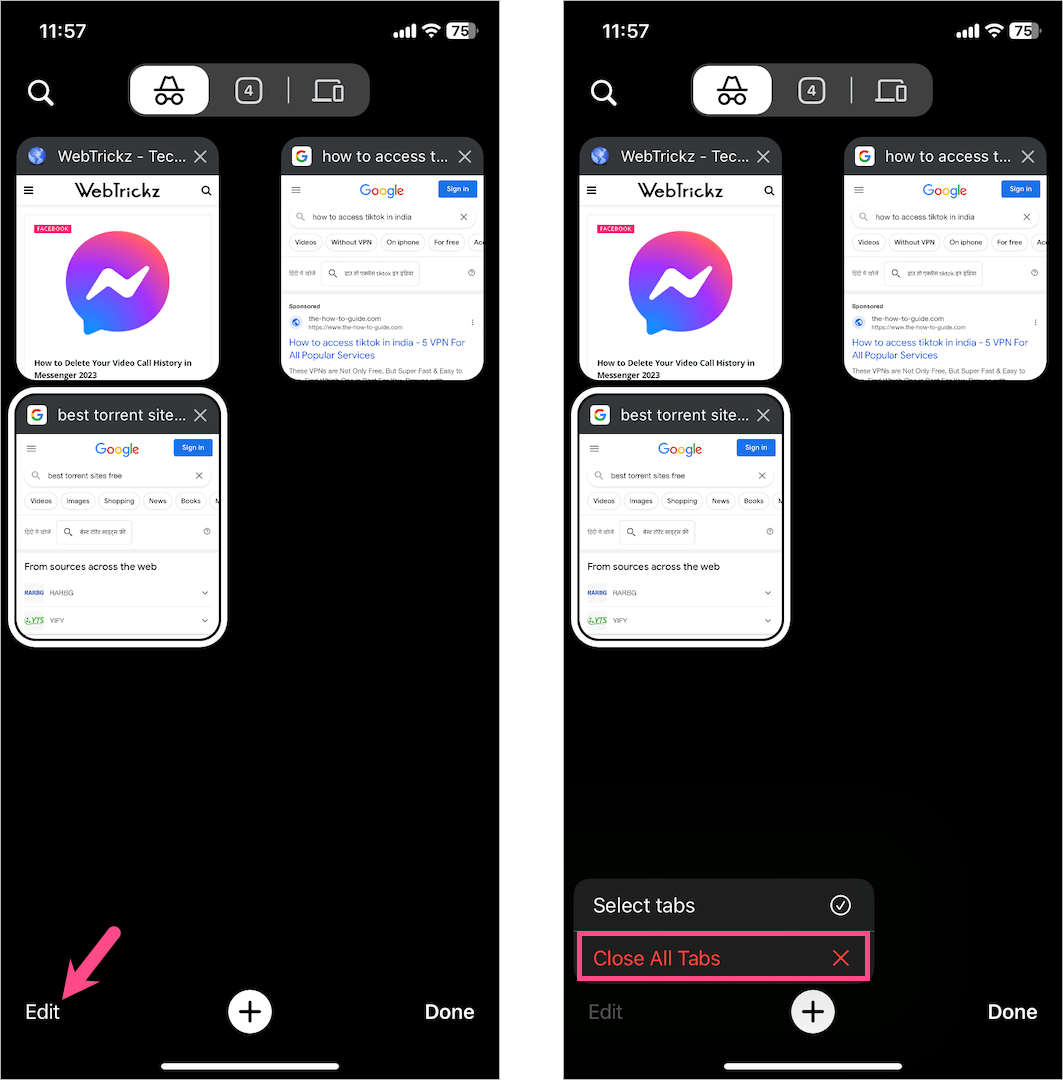
- To switch from Incognito to regular Chrome tabs, swipe left or tap the button in the top center. Then tap the + button at the bottom to open a new regular tab.
NOTE: While you can close individual Incognito tabs, closing a single tab won’t discard your private browsing data. To exit Incognito mode on your iPhone, make sure to close all Incognito tabs once you’ve finished browsing.
How to get rid of Incognito mode on iPhone
On Google Search
To turn off or get rid of Incognito mode in the Google app on iPhone,
- Open the Google app.
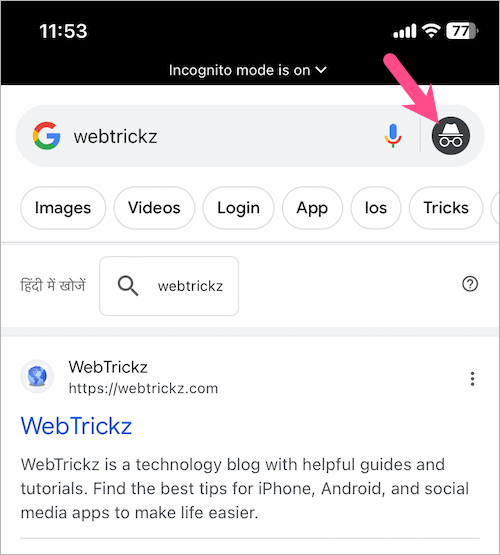
- When you’re in Incognito, an ‘Incognito mode is on’ message appears at the top of the app and your profile picture is replaced with an Incognito icon.
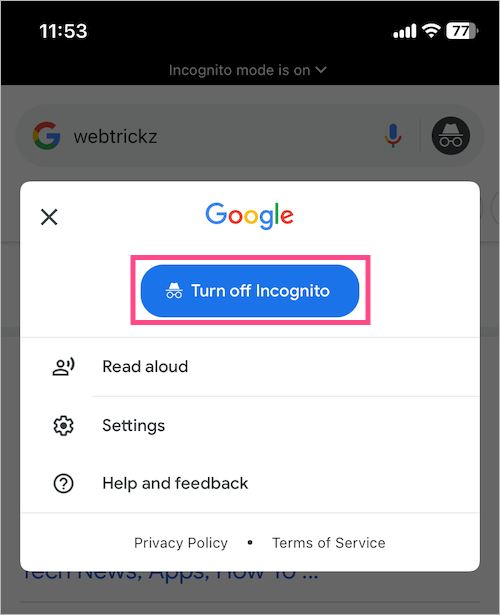
- To get out of private mode in Google app, tap the Incognito icon at the right side of the search bar.
- Then tap ‘Turn off Incognito‘.
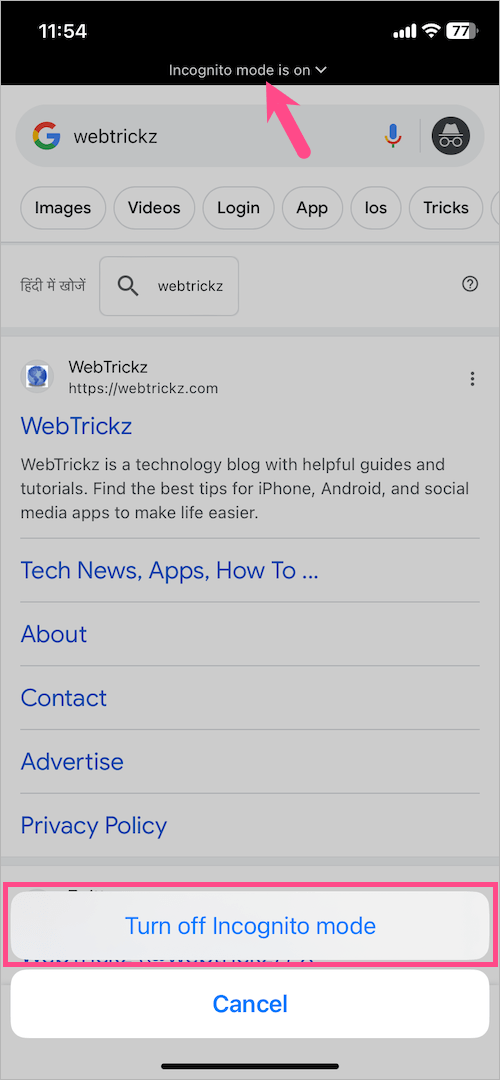
Alternatively, you can tap on ‘Incognito mode is on’ at the top of the screen and select ‘Turn off Incognito mode’.
TIP: Tap and hold your profile picture or Incognito icon at the top right to quickly switch between Incognito and regular session.
On YouTube
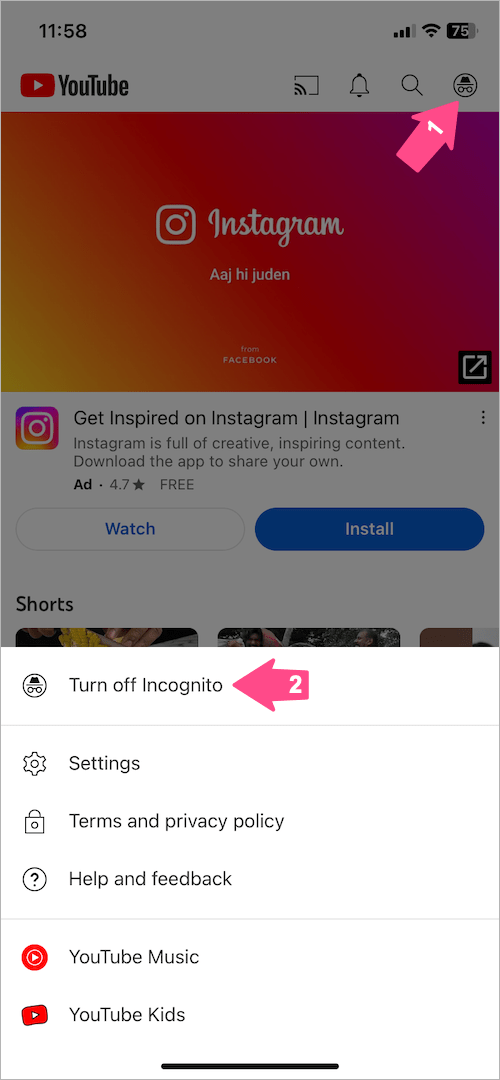
To turn off YouTube Incognito mode on iPhone, open the YouTube app and tap the Incognito icon at the top right corner. Then tap ‘Turn off Incognito’.
On Google Maps
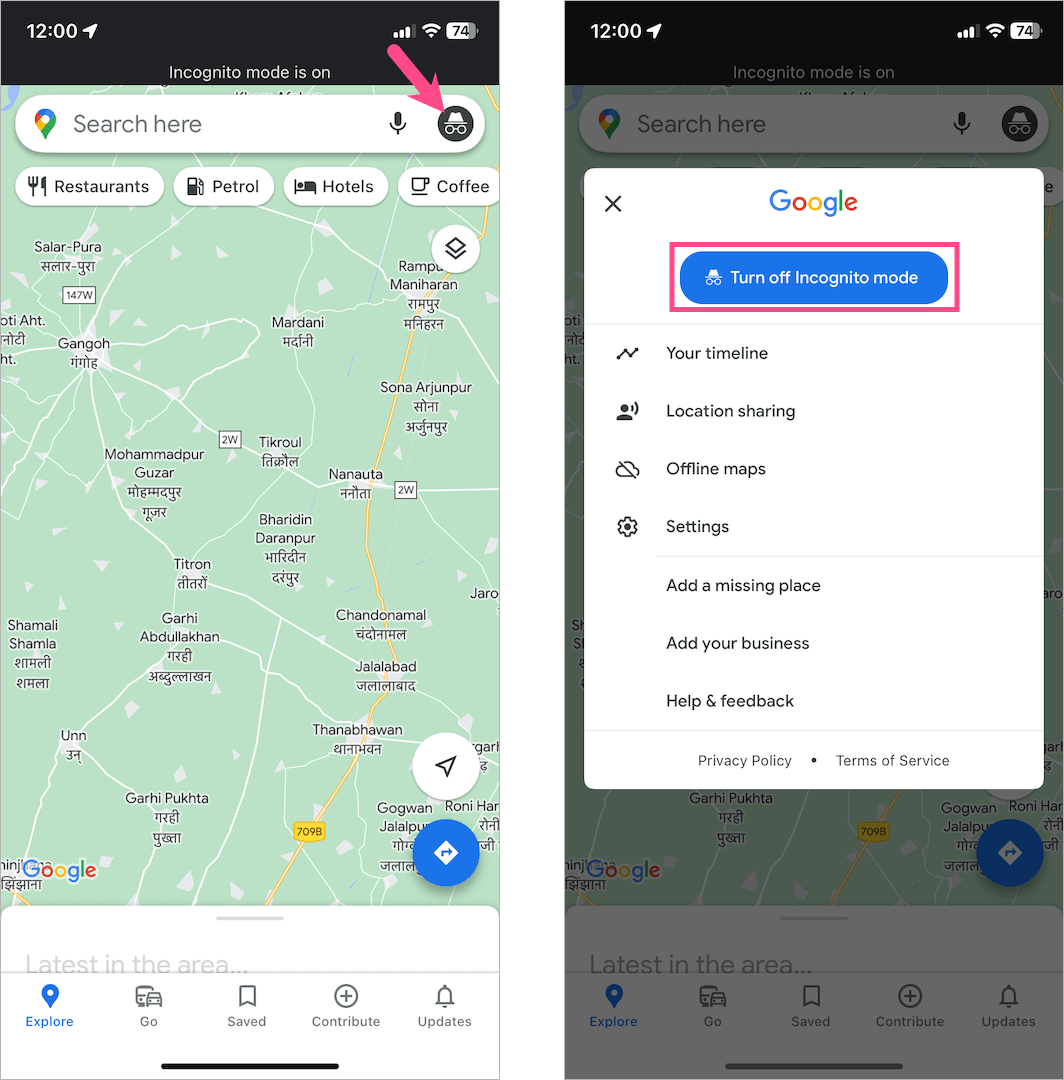
To disable Incognito mode in Maps, open the Google Maps app. Head to the main screen interface if you aren’t already. Then tap the Incognito icon on the right side of the search bar. Select ‘Turn off Incognito mode’ and Maps will return to normal mode.